

A Practical Guide to Your Staff Holidays Planner
Posted by Robin on 13 Dec, 2025 in
A modern staff holidays planner is a specialised system built to pull you out of the messy world of spreadsheets and endless email chains for managing employee leave. At its core, it gives you a single, clear hub for handling requests, keeping tabs on entitlements, and seeing who's off when. It's all about preventing that scheduling chaos and the admin headaches that come with it.
Moving Beyond Spreadsheets and Email Chaos
Are you still wrestling with holiday requests using a clunky spreadsheet and a flooded inbox? Let's be honest, there's a much better way. While that manual approach might feel familiar, it quietly creates more problems than it solves, eating up precious time for managers and HR teams who have far more strategic things to focus on.
Relying on spreadsheets for your staff holiday planning is a risky game. One broken formula, a single missed email, or an accidental overwrite can spiral into chaos. Suddenly you've got incorrect leave balances, two key people booked off during a critical project, or worse, you're falling foul of statutory leave rules. This isn't just a minor admin hiccup; it's a real threat to your team's morale and your business's stability.
The Hidden Costs of Manual Tracking
When you track leave manually, you're introducing friction at every single step. An employee pings over an email. The manager then has to hunt down the right spreadsheet, cross-reference it with other calendars, check for clashes, and then manually update everything. It's a fragmented process that's practically begging for human error.
It also completely lacks the transparency that builds trust within a team. If your staff can't easily see who's already booked time off, it just leads to frustrating back-and-forth conversations and a feeling that the whole approval process is a bit of a lottery.
A well-organised staff holidays planner does more than just track days off. It establishes a fair, transparent, and efficient process that respects employees' time while protecting the business from being understaffed.
These manual methods almost always lead to the same old problems. This graphic sums up the three biggest pain points we see time and time again.
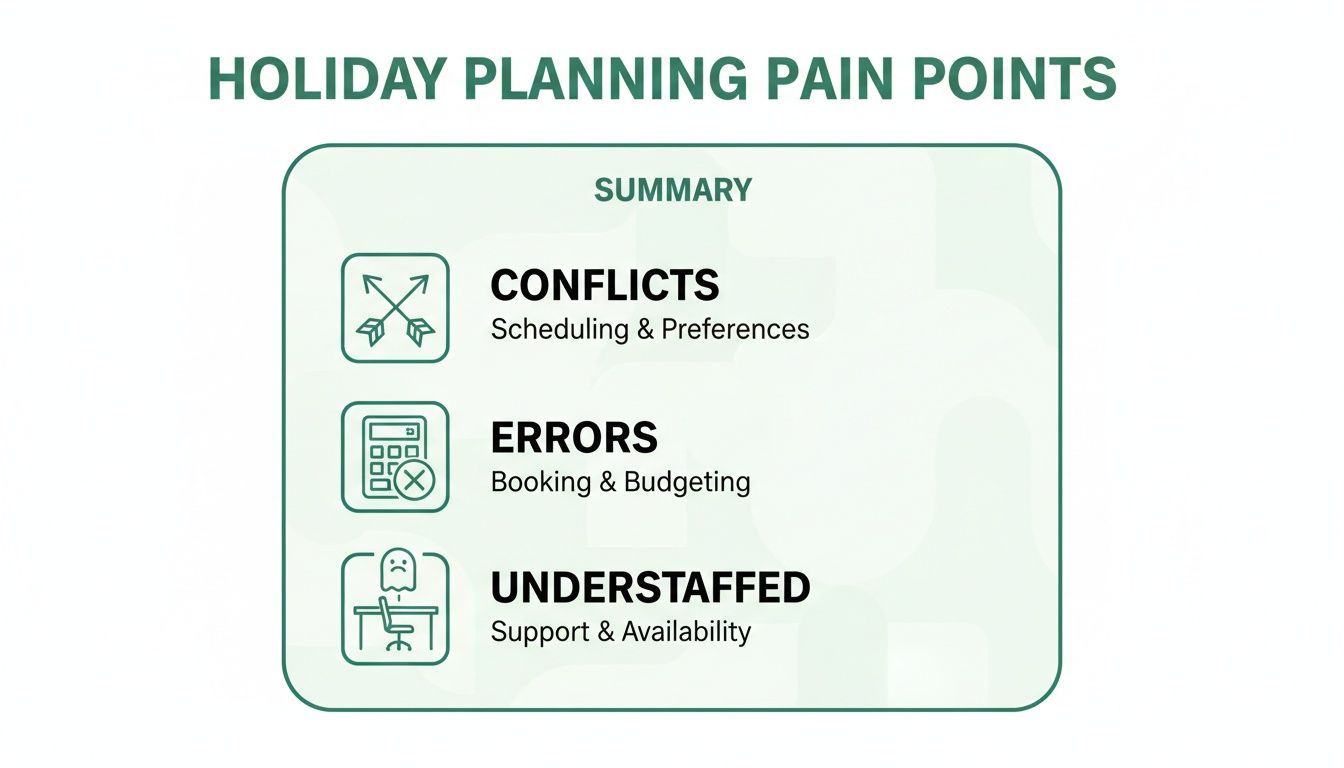
As you can see, it boils down to scheduling conflicts, calculation errors, and the very real risk of leaving your teams short-staffed. A dedicated planner is designed from the ground up to eliminate these issues. For a deeper look at these modern tools, you can explore this complete guide to employee leave management systems.
Why a Digital Planner Is a Strategic Shift
Moving to a proper staff holidays planner isn't just about swapping one tool for another; it's a fundamental shift towards a more efficient, organised, and fair workplace culture. It's about empowering everyone with the right information at the right time.
Switching from a spreadsheet feels like a big leap, but the differences are night and day. Spreadsheets are static and prone to error, whereas a digital planner is dynamic, automated, and built for purpose.
Spreadsheet Trackers vs Digital Planners
| Feature | Spreadsheet Method | Digital Planner Method |
|---|---|---|
| Request Process | Manual emails or forms, requiring manager intervention to check and log. | Automated requests sent directly to the right person for a one-click approval. |
| Visibility | Limited. Often only one person has the master copy, leading to clashes. | A central, live calendar shows everyone team availability in real-time. |
| Balance Tracking | Manual calculations are needed. Prone to formula errors and miscalculations. | Entitlements and balances are calculated and updated automatically. Always accurate. |
| Reporting | A manual, time-consuming task to extract any useful absence data. | Instant reports on absence trends, holiday patterns, and remaining leave. |
| Accessibility | Often stuck on a specific computer or shared drive. Not mobile-friendly. | Cloud-based, accessible from anywhere, on any device, at any time. |
Ultimately, a dedicated system removes the guesswork and introduces a reliable structure that works for everyone involved.
- For Employees: They get instant clarity. They can check their remaining leave balance and see who's already off before they even make a request, which means approvals are far more likely to go through the first time.
- For Managers: Approvals become a simple one-click job. They get a clear, visual overview of their team's coverage, helping them make quick, informed decisions without digging through emails.
- For the Business: You get accurate, compliant records. It slashes the administrative burden and gives you valuable data on absence trends to help with future planning.
How to Create a Fair and Transparent Holiday Policy
A great staff holidays planner is only as good as the policy behind it. Without clear, fair, and legally sound rules, even the slickest software can create confusion and arguments. Nailing your holiday policy is the first, most critical step to a smooth and transparent leave management process.
This policy isn't just about ticking legal boxes; it’s about setting clear expectations for everyone. When your team understands how to request time off, how approvals work, and what the business needs, it builds a culture of mutual respect and fairness.

Laying the Legal Foundations
For UK businesses, the law is your starting point. Every full-time employee has a legal right to 5.6 weeks of paid holiday each year, which usually works out to 28 days. This figure can include bank holidays, so you need to be crystal clear on whether you offer these on top of a separate allowance or as part of the total.
It's also vital to spell out how you calculate holiday for different work patterns. Your policy has to explicitly cover:
- Part-Time Staff: Explain how their pro-rata holiday allowance is worked out based on the days or hours they work.
- Variable Hours Workers: Detail the method for calculating their leave, which is typically based on average hours worked over a specific reference period.
- New Starters and Leavers: Outline how holiday accrues during their first year and the process for paying out or deducting outstanding leave when someone moves on.
Addressing Real-World Scenarios
Beyond the legal minimums, a genuinely useful policy anticipates the common situations that give managers scheduling headaches. This is where your policy transforms from a legal document into a practical, day-to-day guide.
Think about the high-demand periods that are specific to your business. For most, this means school holidays and the Christmas rush. Your policy should clearly state how you manage these peak times. For instance, you might use a 'first-come, first-served' system, but set a deadline for requests to keep things fair.
Defining blackout periods is another crucial step. These are specific times when leave requests simply can't be approved due to critical business needs, like a product launch, year-end reporting, or a major conference. Being upfront about these dates saves a lot of disappointment down the line and protects your operations.
Your holiday policy should be a living document that solves problems before they even start. By proactively addressing peak times, blackout periods, and notice requirements, you create a system that feels fair and predictable for everyone involved.
Defining Clear Rules of Engagement
To get the most out of your staff holidays planner, the policy needs to specify the nuts and bolts of the request and approval process. Any grey areas here are what lead to friction and endless email chains.
Your policy should clearly define:
- Notice Periods: State the minimum notice an employee must give to request leave. A common rule of thumb is requiring notice that is at least twice the length of the holiday they're asking for.
- Carry-Over Rules: Explain if employees can carry over unused leave into the next holiday year. Be specific about the maximum number of days and the deadline by which they must be used.
- Approval Process: Briefly outline who approves requests and the expected turnaround time for a decision. A good planner will automate this, but the policy should confirm the workflow.
Interestingly, the UK's approach to annual leave has shifted. While average allowances have stayed put, unused holiday days have plummeted by 71% since 2019, with employees now leaving only about five days untaken. This points to a healthier attitude towards taking breaks, which makes a clear policy even more essential for managing the increased volume of planned time off.
For employees, a transparent holiday policy backed by a good planner is key to setting healthy boundaries. It can also inform effective strategies for separating work and personal life. When people feel confident that they can reliably book time off, it helps them to properly disconnect and recharge.
If you're looking for a pre-built structure to get you going, take a look at our guide on how to simplify leave management with a template annual leave policy. It provides a solid foundation that you can easily adapt to your company's needs.
Building Your Holiday Scheduling Process
With a solid holiday policy providing the blueprint, it’s time to build the engine room for your staff holidays planner. This is where your rules turn into a smooth, repeatable workflow that everyone can follow. A well-designed scheduling process gets rid of any guesswork, speeds up approvals, and just makes the whole system work for everyone, from new starters to senior managers.
The aim is to create a process that’s effortless for employees while giving managers the info they need to make smart, quick decisions. It’s about leaving behind the slow, manual grind of checking spreadsheets and calendars and moving to a more reliable, automated system.
Setting Up Your System for Success
The initial setup of your digital planner is a one-time job that will pay you back for years. Start by creating individual profiles for every single employee. This isn't just a list of names; it's the bedrock for accurate leave tracking. Each profile needs the correct annual leave entitlement, making sure to account for pro-rata allowances for part-time staff and any specific contractual agreements.
Next, you need to map out your approval workflows. Modern planners let you create multi-level approval chains, which can be a lifesaver for larger teams or certain roles. For instance, a request from a marketing executive might first go to their direct manager. If the leave is over a certain length, it might then need a second sign-off from the head of department.
- Employee Profiles: Check that each profile accurately shows their contracted hours, start date, and specific leave entitlement.
- Approval Chains: Define who is responsible for approving leave for each team or person. Critically, set up delegates for when the main approvers are on holiday themselves.
- Data Import: If you're moving over from a spreadsheet, carefully import all existing leave data. This makes sure balances are correct from day one, which helps avoid arguments and builds trust in the new system.
Getting this initial configuration right means that when a request comes in, the system already knows the employee's remaining balance and who needs to approve it. It automates the most time-consuming bits of the old process.
Rolling Out the New Process to Your Team
Bringing in any new system needs clear communication and a bit of training. Don't just email out a link and hope for the best. Plan a short rollout session to walk everyone through the new staff holidays planner. Show them exactly how to check their balance, see the team calendar, and put in a request.
Focus on what's in it for them: no more guessing how much leave they have left, faster approval times, and a clear view of team schedules. This is how you get buy-in and encourage people to actually use it. For managers, provide specific training on the approval process, including how to deal with clashes and check team coverage reports. A key part of building a robust holiday process is managing multiple calendars efficiently, which ensures everyone's availability is crystal clear.
A successful rollout isn't just about the tech; it's about your people. When you show them the benefits and give them simple, clear instructions, the new planner goes from being a tool they have to use to a welcome improvement they want to use.
Handling Competing Requests and Peak Periods
Even with the best system in the world, you're going to get competing requests for popular dates like Christmas or the school summer holidays. Your policy has already laid the groundwork, but your process needs to handle these situations fairly and consistently.
The 'first-come, first-served' rule is a common starting point, but it needs a bit of flex to work properly. If you're too strict, you'll get people booking leave a year in advance, which isn't always practical for the business. A more balanced approach often works better.
For example, you could open up a booking window for peak periods like Christmas. All requests submitted within that window are considered together. If clashes pop up, you can refer to other criteria in your policy, like rotating priority each year or looking at operational needs. This avoids a mad rush and leads to a fairer distribution of popular time off.
Here’s a practical way to manage a clash between two team members who want the same week off during a busy spell:
- Check Team Coverage: First, use the planner to see if having both employees off would drop you below your minimum staffing levels.
- Review Precedent: Look at who had priority for this period in previous years. Fairness often means making sure the same person doesn't always get first dibs.
- Encourage Collaboration: If you can, have an open chat with both employees. One might have more flexibility than the other and be happy to shift their dates.
- Make a final decision: Based on business needs and fairness, the manager makes the call and communicates it clearly to both people.
By setting up a clear, documented process for these tricky scenarios, you take the personal element out of the decision. It’s no longer about favouritism but about following a fair and transparent procedure that everyone gets, reinforcing the value of your organised staff holidays planner.
Preventing Understaffing and Managing Leave Clashes
Let's be honest, the true test of any staff holiday planner isn't just logging dates. Its real worth is in how it helps you balance everyone's well-deserved time off with the absolute need to keep the business running smoothly. A planner that just records requests is doing half the job.
The goal is to move from being a reactive holiday administrator to a proactive workforce planner. By using your planner's features smartly, you can protect those critical business periods and make sure you always have the right people on hand, without anyone having to sacrifice their break.
Setting Minimum Staffing Levels
Before you can stop yourself from being understaffed, you have to define what that actually means for each department. Your customer support team, for instance, might need at least three people on deck at all times to handle calls. But the development team might be fine with a skeleton crew during a quiet patch.
Sit down with your team leaders and work out these minimum coverage levels. A good digital planner will let you plug these numbers right into the system.
Once that’s set up, the planner will automatically flag any new holiday request that would dip the team below that threshold. This gives managers an instant, data-driven reason to have a conversation about the request, turning a gut-feel decision into an objective one.
Protecting Your Blackout Periods
Every business has them. Those crucial, 'all-hands-on-deck' weeks. It might be the end of the financial quarter, the big push before a product launch, or your industry’s peak season. Leaving these periods unprotected is just asking for trouble.
Your planner should let you formally ring-fence these as blackout periods. When you do, the system can be configured to automatically decline leave requests or, at the very least, flash a big warning sign at the manager.
Of course, the key is communicating these dates to everyone well in advance. It manages expectations and stops people from feeling their request was unfairly shot down. For more on this, check out our guide on how to ensure your holiday planning doesn't go wrong.
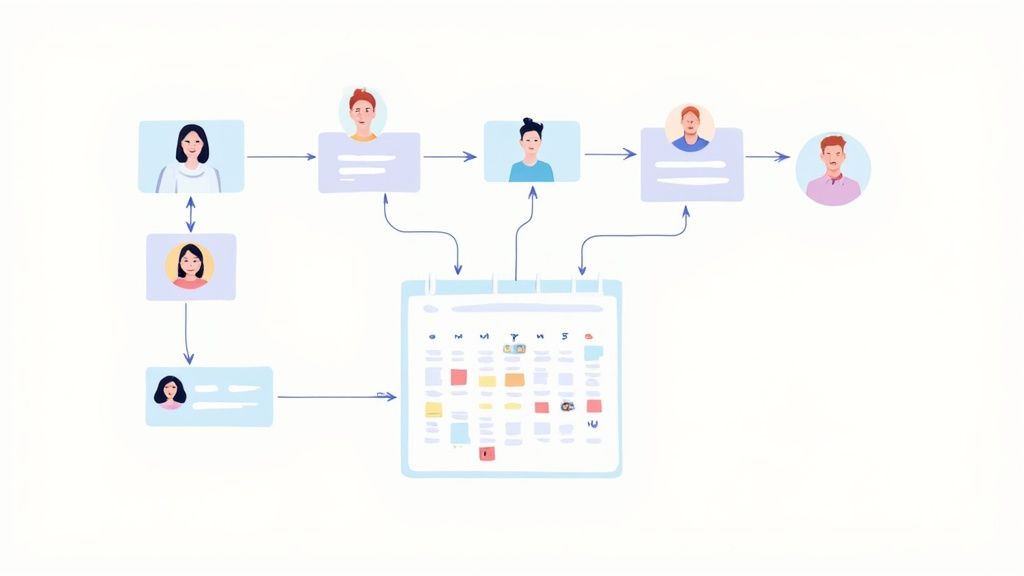
A shared team calendar isn't just a feature; it's the foundation of a transparent leave culture. When everyone can see who is already booked off, it empowers them to make smarter, more considerate requests that are far more likely to be approved.
Keeping an eye on trends is also vital. In the UK, employees took an average of 33.9 days of annual leave last year (including bank holidays), which is a noticeable drop. This change, perhaps driven by post-pandemic workloads in sectors like construction (which saw a 10.98% reduction in leave taken), means you have to be ready for shifts in when people want their time off.
A Fair Framework for Resolving Clashes
Even with the best system in the world, you're going to get overlapping requests for popular slots like the summer holidays or Christmas. When that happens, you need a fair and consistent way to handle it, otherwise you risk being accused of favouritism.
When a clash happens, here's a simple process to follow:
- Check the Impact: First things first, look at the planner. Can the team actually function if both requests are approved? If not, you have a solid, operational reason to decline at least one.
- Look at Precedent: Who got priority for this period last year? A lot of companies use a rotating system to make sure the same people don't always draw the short straw.
- Encourage a Chat: Talk to the employees involved directly. You might find that one person has more flexibility in their plans and is happy to adjust their dates once they understand the situation.
- Go Back to the Rulebook: If you still can’t find a solution, the decision should come down to the rules in your holiday policy, like the classic 'first-come, first-served' principle.
By using your holidays planner as the single source of truth, you can navigate these tricky conversations with objective data, not personal judgement. It’s a small thing that makes a huge difference to team morale.
Using Planner Data for Strategic Insights
Your staff holidays planner is far more than just a digital wall chart. Think of it as a goldmine of business intelligence just waiting to be tapped. When you look beyond the basic request-and-approve functions, you can turn this simple administrative tool into a real strategic asset. It holds the key to understanding workforce trends, spotting potential burnout, and making much smarter decisions about resource planning.
The first move is to get that valuable data out of its silo. A modern planner should connect seamlessly with the tools your team already uses every single day. By integrating with calendars like Outlook or Google Calendar, holiday information automatically pops up alongside meetings and deadlines. This gives everyone effortless visibility without having to jump between systems.
Likewise, hooking it up with Slack or Microsoft Teams can turn approvals into a simple, one-click action right inside a chat. No more logging into another platform just to click 'approve'. This isn't just a time-saver; it ensures the planner becomes the central, reliable source of truth that's always up to date.

Uncovering Trends with Reporting
Once your data is all in one place, you can start digging into reports to uncover patterns that would be completely invisible in a spreadsheet. Instead of just seeing who's off next week, you can analyse absence trends across entire departments—or the whole company—over the past year. This is where your planner really starts to flex its strategic muscles.
For instance, do you notice the marketing team consistently takes less leave than other departments during the third quarter? That could highlight a recurring resource crunch before a major event that you need to plan for next year. Or maybe one team has a particularly high rate of last-minute holiday requests, which might point to issues with workload planning or team pressure.
Your planner's reports are your early warning system. They help you shift from reactively managing leave to proactively addressing the underlying operational and wellbeing issues that drive absence patterns.
Key Metrics to Track and Why
To get the most out of your data, you don't need to track everything. Just focus on a few key metrics that give you genuinely actionable insights. These numbers can help you manage costs, support employee wellbeing, and improve your holiday policy over time.
- Leave Liability: This is the financial cost of all untaken holiday entitlement. Keeping an eye on this is vital for financial forecasting, as a high liability represents a significant future expense you'll have to pay out.
- Absence Rates by Department: Comparing rates can reveal which teams are under the most pressure or might be struggling with morale. A sudden spike is often a red flag for a manager to investigate further.
- Low Leave Usage: This one’s huge for wellbeing. Pinpoint individuals who have taken very little of their holiday allowance. These are your potential burnout risks, and a gentle, proactive conversation can make all the difference.
- Peak Holiday Periods: Analysing when most requests are submitted helps you anticipate your busiest times. You can use this data to refine blackout periods or arrange for seasonal cover far more accurately than guesswork ever could.
Let's imagine a real-world scenario. Your report flags that a key employee in the finance team has only used 20% of their annual leave by November. This insight prompts their manager to have a supportive chat, encouraging them to book a proper break before the year-end rush. Without that data point, the employee might have just carried on, becoming less productive and risking burnout, while the business would be left carrying a larger financial liability.
By regularly reviewing these insights, your staff holidays planner becomes an essential tool not just for HR admin, but for informed, strategic management across the entire business. It gives you the hard data you need to build a more resilient, well-rested, and productive workforce.
Your Staff Holidays Planner Questions Answered
Even with the best system in place, you’re always going to get questions when it comes to managing leave. Navigating the finer details of a staff holidays planner can feel a bit tricky, but most queries tend to boil down to a few common themes. Here, we tackle the most frequent questions we hear from managers and HR teams.
We'll run through some practical solutions for these real-world scenarios, making sure you can manage your team's time off with confidence and clarity.
Can We Change an Employee’s Approved Holiday?
This is a big one, and the short answer is: only in truly exceptional circumstances. Once you’ve formally approved a holiday through your planner, it becomes part of the employee's agreement. You can't just change it for routine business reasons, like a colleague resigning or a minor project delay.
To legally change an approved holiday, you'd need to show an extraordinary situation that would cause significant disruption to the business. Think of a genuine, unpredictable emergency.
Changing an employee’s approved leave should be your absolute last resort. If you are forced to do so, you must cover any financial losses the employee incurs, such as non-refundable flights or accommodation costs. This protects trust and fairness within your team.
A much better approach is to use your staff holidays planner proactively. By setting minimum staffing levels and blocking out critical periods in advance, you can prevent these clashes from ever happening in the first place.
How Should We Handle Bank Holidays?
The rules around bank holidays in the UK can cause a bit of confusion, so your policy needs to be crystal clear. You have two main options:
- Give bank holidays in addition to the statutory 28-day entitlement. This means employees get the 8 bank holidays plus their separate allowance.
- Include bank holidays as part of the 28-day entitlement. This is also common, but you have to specify it. In this case, an employee's allowance would show as 20 days plus the 8 bank holidays.
Whatever you decide, your planner needs to be configured to reflect that policy. For part-time staff, their bank holiday entitlement is calculated on a pro-rata basis. If a bank holiday falls on a day they don't normally work, they should be given that time off in lieu.
What Is the Best Way to Manage Holiday Carry Over?
Deciding whether to let people carry over unused leave is a key policy decision. Many companies allow a limited number of days (often up to 5) to be carried into the next leave year, but with a firm deadline for them to be used, like the end of March.
Your staff holidays planner can automate this for you. At the end of the leave year, it can calculate the carry-over amount for each person and automatically add it to their new balance. This gets rid of the manual admin and makes sure everything is accurate.
It’s worth keeping an eye on this. If you notice a pattern of employees consistently carrying over leave, it could be a sign of high workloads or a culture that discourages taking breaks. It's a useful flag for potential burnout risk before it becomes a serious problem.
Ready to replace spreadsheet chaos with a clear, automated system? Leavetrack provides a central hub for holiday requests, approvals, and reporting, giving your entire team visibility and saving your managers valuable time. See how our staff holidays planner can transform your leave management.