
How Many Working Days in a Year UK A Complete Guide
Posted by Robin on 27 Dec, 2025 in
For most businesses in the UK, the magic number is 253 working days in a typical year. This assumes a standard Monday to Friday work week and accounts for weekends and the usual bank holidays in England and Wales.
Your Essential Starting Point for UK Working Days
Figuring out the number of working days in a year isn't just a bit of trivia; it’s the bedrock for so many crucial business functions. Everything from calculating annual leave entitlements to scoping out project timelines depends on this number. Think of it like mapping out your resources before you start building – you absolutely need to know how much productive time you have to play with.
The process is pretty straightforward. You start with the total number of days in the year and then simply subtract all the non-working days. This gives you a reliable baseline that any HR manager or team leader can use for planning.
The Basic Calculation
So, how do we get to that number? We begin with the total days in the year and then strip out weekends and public holidays.
- Total Days: A normal year has 365 days, but a leap year sneaks in an extra one, making it 366.
- Weekend Days: With 52 weeks in a year, you can usually count on 104 weekend days (all the Saturdays and Sundays).
- Bank Holidays: In England and Wales, we get 8 standard bank holidays each year.
When you put it all together for a standard year, you get 253 working days (365 - 104 - 8). In a leap year, that number usually nudges up to 254, as long as the extra day doesn't land on a weekend. For a more detailed breakdown of these calculations, check out the full guide to UK working days from Leavetrack.
UK Working Days At a Glance
Here’s a quick table to see exactly how those numbers stack up for a standard working pattern in England & Wales.
| Calculation Step | Standard Year | Leap Year |
|---|---|---|
| Total Days in the Year | 365 | 366 |
| Less Weekend Days | -104 | -104 |
| Less Bank Holidays | -8 | -8 |
| Total Working Days | 253 | 254 |
This simple breakdown gives you a clear and immediate picture of the available working time, forming the foundation for all your annual planning.
The Step-by-Step Calculation for Total Working Days
Figuring out the number of working days in a year is a bit like starting with a full pie and carefully cutting away the slices you can't have. It’s a straightforward process of subtraction that gives you a crystal-clear picture of your team's available productive time. By following a logical sequence, you can confidently land on an accurate number for any standard work pattern.
The first step is always to start with the total number of days in the calendar year. For a standard year, that's 365 days. Every four years, we get a leap year, so you'll start with 366 days instead. This is your whole pie, before we make any adjustments.
Subtracting Weekends
Next, we take out the biggest chunk of non-working time: the weekends. A typical year has 52 full weeks. Since a standard work schedule runs Monday to Friday, we need to remove all the Saturdays and Sundays from our count.
- 52 Saturdays + 52 Sundays = 104 weekend days
This number stays the same for both standard and leap years. This simple step brings our potential working day count down from 365 to 261 (or from 366 to 262 in a leap year). The flowchart below breaks this down visually.
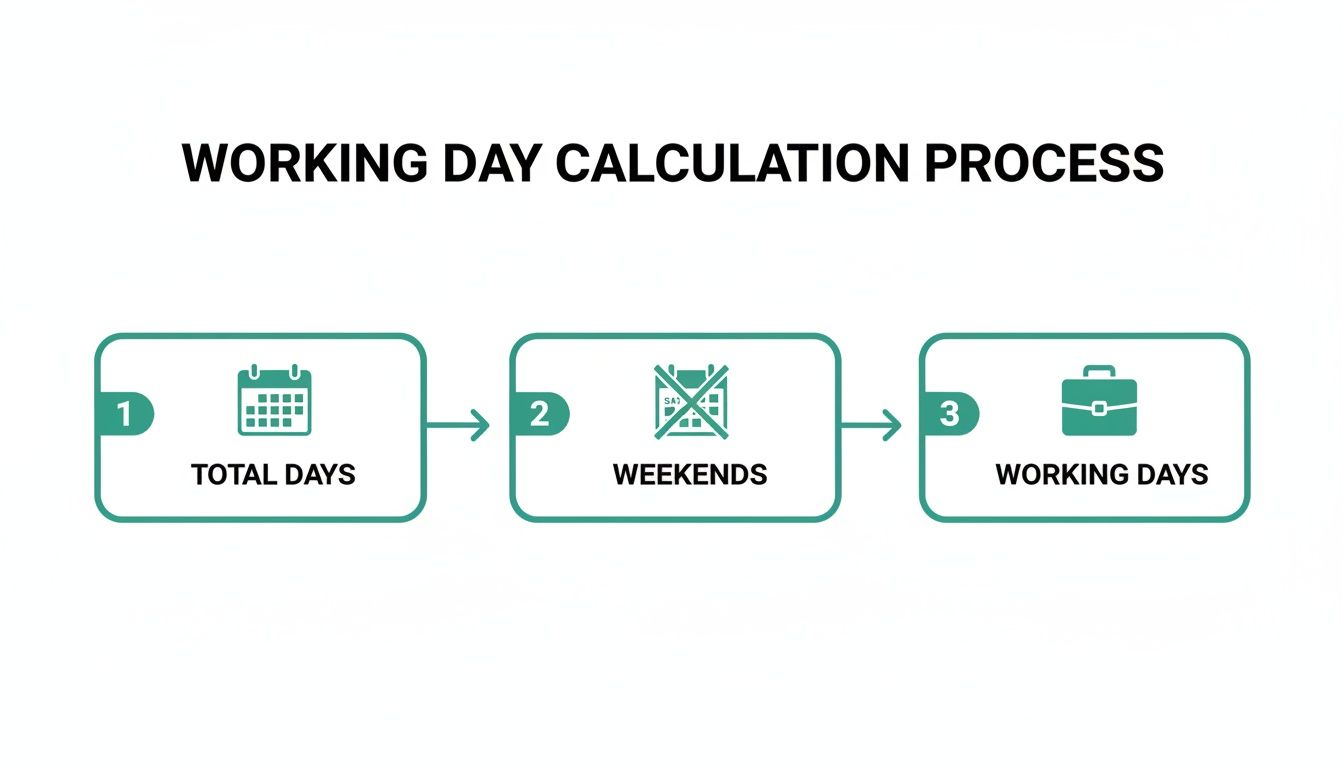
As the graphic shows, starting with the total calendar days and removing weekends is the foundational step to getting your initial count of available workdays.
Accounting for Bank Holidays
The final piece of the puzzle is to subtract public holidays, which vary across the UK. For businesses in England and Wales, there are usually 8 bank holidays each year. These are the last slices we need to remove from our pie to get the final number.
Calculation for England & Wales (Standard Year):
365 total days - 104 weekend days - 8 bank holidays = 253 working days
It’s really important to remember that this number is specific to England and Wales. The calculation method is the same everywhere, but the number of bank holidays changes depending on where you are:
- Scotland: Typically has 9 bank holidays.
- Northern Ireland: Has 10 bank holidays.
This regional difference is exactly why using a generic figure for "UK working days" can cause headaches with payroll and resource planning. Always double-check the specific number of bank holidays for your business's location before you finalise any calculations. Getting this right ensures your forecasts are built on a solid, accurate foundation.
Tackling Real-World Scenarios and Complex Calculations
That standard calculation gives us a solid baseline, but let’s be honest—the real world of HR and payroll is rarely that simple. Employees join mid-year, work part-time schedules, or have unique work weeks that don’t fit the Monday-to-Friday mould.
Imagine trying to figure out the working days in a year for your whole team with just a wall calendar. One person started in March, another works a compressed four-day week, and a third works Tuesday to Saturday. Each one needs their own careful, pro-rata calculation. The complexity quickly snowballs as your team grows, and this is where manual methods become a huge risk for errors that mess with pay and leave entitlement.
Let Spreadsheet Formulas Do the Heavy Lifting
Thankfully, you don't need to dust off your old maths textbook. Both Microsoft Excel and Google Sheets have powerful functions designed for exactly this job, turning a potential headache into a simple, automated process. If you manage schedules or payroll, these tools are indispensable.
The two functions you really need to get to know are NETWORKDAYS and NETWORKDAYS.INTL. They are built to calculate the number of working days between two dates, automatically skipping weekends and any public holidays you tell them about.
NETWORKDAYS: This is your go-to for the standard stuff. It assumes a typical Monday-to-Friday work week, making it perfect for your full-time staff on a traditional schedule.
NETWORKDAYS.INTL: The "INTL" hints at its flexibility (it stands for international). This function lets you define which days of the week are the weekend. It’s ideal for part-time staff, compressed hours, or any non-standard working pattern you can think of.
By using these functions, you can instantly find the precise number of working days for an employee who started on 1st August or calculate the available days for a project with a specific deadline, all while accounting for bank holidays.
Practical Formulas You Can Start Using Today
Let's make this real. To get these formulas working, you just need three things: a start date, an end date, and a list of your company’s holiday dates.
For instance, if you wanted to calculate the working days in 2024 for an employee who started on 15th April, you'd pop these details into a formula. It’s as simple as that.
To help you get started, here’s a quick breakdown of how each function works, with a clear example you can copy and adapt.
Excel and Google Sheets Formulas for Working Days
| Function | Best Used For | Example Formula |
|---|---|---|
| NETWORKDAYS | Standard Mon-Fri work weeks. | =NETWORKDAYS(start_date, end_date, [holidays]) |
| NETWORKDAYS.INTL | Custom work weeks (e.g., Tue-Sat). | =NETWORKDAYS.INTL(start_date, end_date, [weekend], [holidays]) |
So, what about that part-time employee who only works Monday to Wednesday? For them, Thursday to Sunday are non-working days. In this case, your NETWORKDAYS.INTL weekend code would be "0001111". Each number represents a day from Monday to Sunday, where '1' marks a non-working day.
Mastering these simple formulas gives you the precision you need for fair and accurate HR management, without the manual effort.
Connecting Working Days to Annual Leave Entitlement
Knowing the total number of working days in a year is more than just a number-crunching exercise. Its real value comes when you connect it directly to annual leave calculations. This figure is the bedrock for managing holiday entitlements fairly and legally for your whole team, which is especially important in the UK where the law talks about leave in weeks, not days.
In the UK, the law is clear: nearly all workers are entitled to 5.6 weeks of paid holiday each year. If you have a full-time employee working a standard five-day week, the maths is simple. This works out to 28 days of leave (5.6 weeks x 5 days). This total can, and often does, include bank holidays.
Calculating for Different Working Patterns
But what happens when your team doesn't fit the standard Monday-to-Friday mould? This is where it gets a little more complex. How do you translate 5.6 weeks of leave for someone who only works three days a week? You can't just give them 28 days off—that would be far too generous compared to their full-time colleagues.
This is exactly where your working days calculation becomes essential. The holiday entitlement has to be worked out on a pro-rata basis to keep things fair.
The formula is pretty straightforward:
- Part-Time Employee (3 days/week): 5.6 weeks x 3 days = 16.8 days of annual leave.
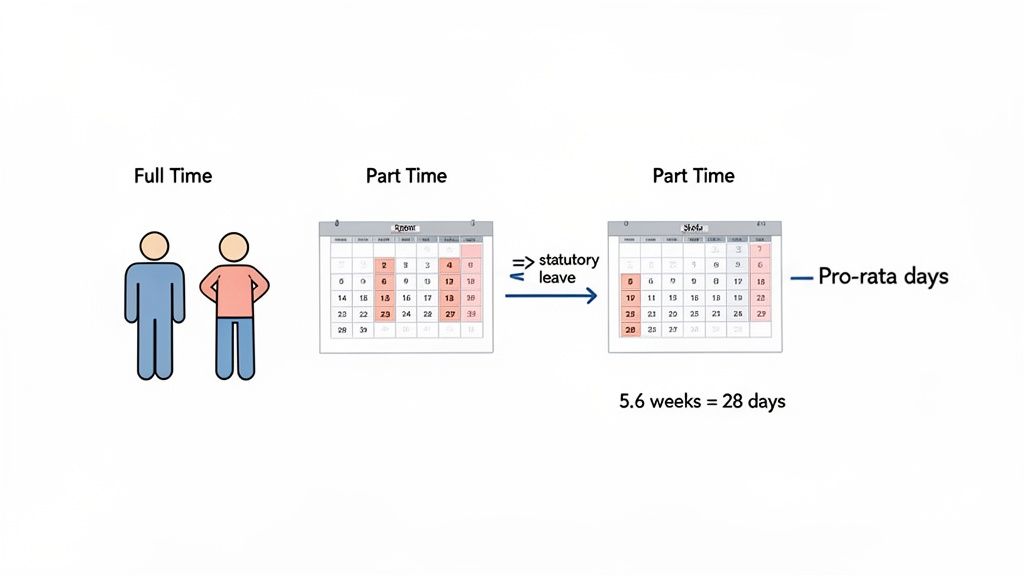
This simple step ensures every employee gets the same amount of time off relative to how much they work. It’s a fair system that prevents common—and often costly—mistakes, like getting bank holiday pay wrong for part-timers. If you want to get into the weeds on this, you can explore the ultimate guide to UK statutory holiday allowance.
Ensuring Fairness and Legal Compliance
Getting these calculations spot-on isn't just good practice; it's a legal must. One wrong calculation can easily snowball into employee disputes, formal grievances, or even an employment tribunal.
On the flip side, getting it right helps build a transparent and trusting culture where everyone on the team knows exactly what they're entitled to.
A consistent and accurate method for calculating leave based on actual working patterns ensures that fairness is built directly into your HR policies. It removes ambiguity and demonstrates a commitment to equitable treatment for all employees, regardless of their schedule.
Manually tracking pro-rata allowances for a growing team can quickly become a massive administrative headache. To streamline the process and guarantee accuracy, it's worth exploring the best HR software. The right tools can automate these tricky calculations for you, saving precious time and wiping out the risk of human error. By handing this over to an automated system, HR teams can focus on more strategic work, confident that their leave management is both fair and compliant.
Understanding the Impact of Absence on Your Business
Calculating the potential number of working days in a year is a great starting point, but it only gives you a clean, theoretical baseline. The reality? The actual number of days your team is on deck and productive is almost always lower. The gap between your plan and what really happens is carved out by unplanned absences, like sick days and stress-related leave.
This difference isn't just a small detail; it sends ripples across the business, affecting everything from resource management and project deadlines to the bottom line. When a key team member is unexpectedly off sick, managers are left scrambling to cover their work, and project timelines can easily start to slip. For the finance team, this translates into the very real, and often hidden, costs of absenteeism.
The True Cost of Lost Working Days
Every unplanned absence chips away at your total available work time for the year, representing a direct hit to productivity. When you zoom out and look at the national picture, the scale of this issue is pretty staggering.
Recent statistics from Great Britain show just how massive the impact of work-related ill health is. Stress, depression, or anxiety were behind 22.1 million lost working days, while musculoskeletal problems accounted for another 7.1 million. On average, each person affected took about 16.4 days off. You can dig into the full details of these work absence statistics from the Health and Safety Executive.
This data paints a crystal-clear picture: your theoretical working days calculation is just the beginning. The real challenge for any business is getting a handle on the unpredictable nature of employee absence to protect both productivity and profitability.
From Productivity Loss to Financial Impact
Every single lost working day comes with a price tag. It’s not just about the direct cost of sick pay; it’s also the knock-on costs of covering that person’s workload. Think overtime pay for other team members, hiring temporary staff, or even a drop in the quality of your service.
Understanding this connection is the first step toward building a more resilient and proactive approach to employee wellbeing. When you start tracking absence trends and their financial effects, you can build a powerful business case for investing in health and wellness initiatives that actually reduce absenteeism and protect your bottom line. To get a better handle on the numbers, you might find our guide on how much absenteeism costs employers useful.
This shift in perspective changes everything. Absence stops being just another HR metric and becomes a key performance indicator for the entire business.
How to Automate Your Working Day and Leave Calculations
Still wrestling with spreadsheets to calculate the working days in a year for every single employee? If you are, you’ll know it’s a recipe for frustration. What starts as a simple task when you have a small team quickly spirals into a bottleneck, riddled with tiny errors that cause big problems for payroll and holiday allowances.
It’s not just slow; it’s a genuine business risk. The good news is, there's a much smarter way.
Automated absence management software gets rid of this administrative headache completely. Tools like Leavetrack are built from the ground up to handle all the complexity for you, freeing up your HR team and managers to focus on work that actually moves the needle.
Gain Instant Clarity and Control
Imagine having a system that already knows every regional bank holiday for England, Scotland, and Wales. A system that instantly figures out pro-rata entitlements for your part-timers and new starters without you ever having to remember a spreadsheet formula. That’s the power of automation.
Managers can approve leave with a click. HR can see holiday accruals in real-time, preventing anyone from taking more leave than they’re owed. The finance team can pull accurate reports whenever they need them. It replaces guesswork with absolute certainty.
Here’s what that clarity looks like in practice—a simple dashboard giving you a real-time overview of who is in and who is out.
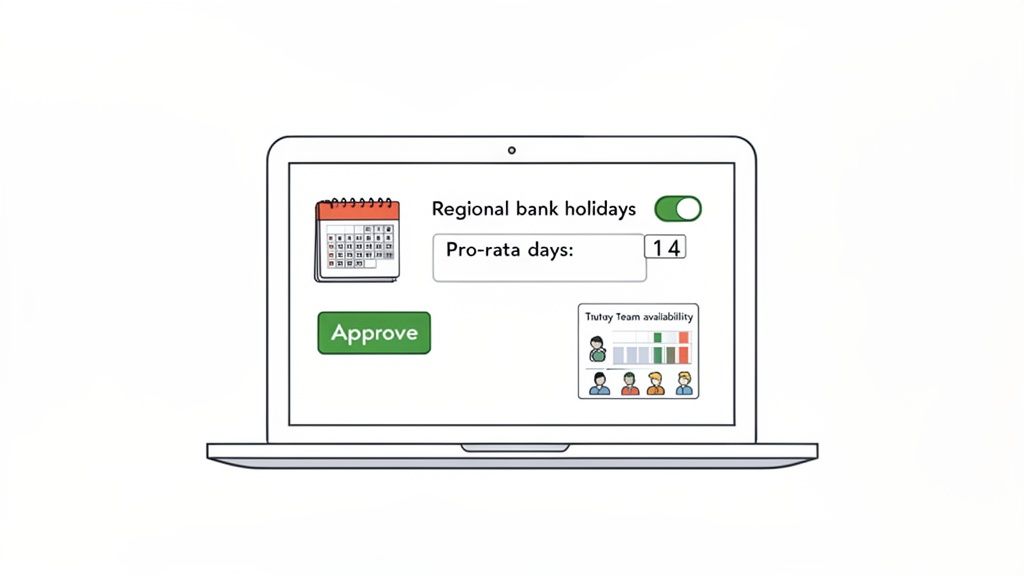
This kind of visual planner turns what was once a complex scheduling puzzle into a straightforward, at-a-glance process.
Moving from manual spreadsheets to an automated system isn't just an upgrade—it's a fundamental shift. It provides the reliable oversight needed to manage your workforce effectively, ensuring fairness, compliance, and operational efficiency.
For any business ready to leave manual tracking behind, checking out a guide to online leave management systems is a great first step to finding the right fit. And if you’re looking to streamline things even further, investigating HR chatbot solutions can bring huge efficiency gains by giving staff instant answers to common questions about leave balances and policies.
Ultimately, automation is the logical next step for any company that's serious about saving time, cutting out errors, and getting a dependable, real-time view of its most important asset: its people.
Got Questions About Working Days?
Even when you've run the numbers, some specific situations can still leave you scratching your head. Let's tackle a few of the most common questions that pop up for HR managers and their teams.
How Do I Calculate Working Days for an Employee Who Works Saturdays?
This is a classic one. For anyone working a non-standard week, the NETWORKDAYS.INTL function in Excel or Google Sheets is your best friend. It was built specifically to handle custom schedules by letting you tell it which days are the weekend.
So, if an employee works Tuesday to Saturday, their weekend is simply Sunday and Monday. You just specify this inside the formula, and it will crunch the numbers for you, correctly calculating their total working days while ignoring their specific non-working days and any bank holidays you've listed.
Are Bank Holidays Included in Statutory Annual Leave?
In the UK, the short answer is yes—the statutory 5.6 weeks of paid holiday can include bank holidays. An employer might offer 20 days of leave plus the 8 standard bank holidays, or they could bundle it all into a single 28-day allowance where bank holidays are deducted as they're taken.
What matters most is that the employment contract spells this out clearly. It’s also a legal requirement that part-time staff receive a pro-rata entitlement for bank holidays, ensuring everyone is treated fairly.
Does the Number of Working Days Change Every Year?
It sure does, and that’s why you can’t just reuse last year’s figure. The total number of working days often shifts slightly from one year to the next. The most obvious culprit is a leap year, which adds an extra day to February every four years.
But it's not just that. The day a bank holiday falls on can also move the goalposts. For instance, when Christmas Day lands on a Saturday or Sunday, the public holiday is typically shifted to the next available weekday. These small but crucial variations are precisely why relying on an up-to-date calendar or an automated system is essential for accurate planning.
Stop wasting time on manual calculations and get rid of those costly errors. Leavetrack automates everything from pro-rata entitlements to real-time absence tracking, giving you a clear, accurate picture of your team's availability. Start simplifying your leave management with Leavetrack today.