
A Complete Guide to Cloud Based HR Management Software
Posted by Robin on 26 Jan, 2026 in
What Is Cloud Based HR Management Software?
Imagine ditching the groaning filing cabinets and chaotic spreadsheets for a single, secure online hub that handles everything HR. That's really what cloud based HR management software is all about. It's an online platform that brings all your people-related tasks together, making them accessible from anywhere you've got an internet connection. It’s the digital upgrade your business has been crying out for, moving you beyond scattered paper files and risky manual data entry.
Think of it like swapping a physical library full of dog-eared notebooks for a smart, searchable digital database. Instead of rummaging through folders for a leave request or nervously updating a holiday spreadsheet, all that information is stored securely online. This simple shift completely changes how small and mid-sized businesses (SMBs) manage the essentials like employee records, time off, and approvals, finally bringing some order to the chaos.
The Shift from Manual HR to a Digital Hub
For so many smaller businesses, "HR" is just a messy collection of spreadsheets, endless email chains, and paper forms stuffed in a drawer. This manual way of doing things isn't just slow; it's a breeding ground for expensive mistakes. One slip-up in a holiday calculation can cause payroll headaches, and a misplaced form could easily turn into a compliance nightmare. Plus, with manual tracking, you have zero real-time insight—it's impossible to know at a glance who's in the office and who's off.
Cloud based HR management software tackles these problems head-on. By moving these processes online, you create a single source of truth for all employee data. The benefits are immediate and obvious:
- Less Admin Overload: Repetitive jobs like tracking leave balances or chasing approvals get automated, freeing up precious time for HR managers and team leaders to focus on more important work.
- Better Accuracy: Automated calculations for things like leave accruals and balances get rid of the human error that always creeps into spreadsheet formulas.
- Instant Visibility: A digital wall planner or dashboard gives you a clear, up-to-the-minute view of your team's availability, making resource planning a breeze.
- A Better Employee Experience: Staff can submit their own requests and check leave balances from their phone or laptop, giving them a welcome dose of self-service.
This isn't just a niche trend; it's part of a much wider shift in how businesses operate. In the UK, the HR & Payroll Software Publishing industry is booming and is expected to hit a market size of £1.6 billion in 2025. This growth is being driven by the mass migration to cloud solutions and Software-as-a-Service (SaaS) models, which have completely rewritten the rules for managing HR. You can read more about this industry shift over on ibisworld.com. To get the full picture, it's also worth exploring what goes into effective remote workforce management software.
Ultimately, adopting a cloud based system isn't just about getting new tech. It’s a strategic decision to manage your most important asset—your people—in a more efficient, secure, and transparent way.
Key Benefits of Moving Your HR to the Cloud
Switching your HR operations from clunky spreadsheets to a purpose-built cloud platform is about more than just adopting new tech. It’s about clawing back time, stamping out costly errors, and finally getting a clear, real-time view of your entire people operation. It gives your business the agility to run smoothly, whether your team is in the office, at home, or anywhere in between.
For any growing business, this move from fragmented, manual processes to a single, unified hub isn't just an upgrade—it's a critical step forward.
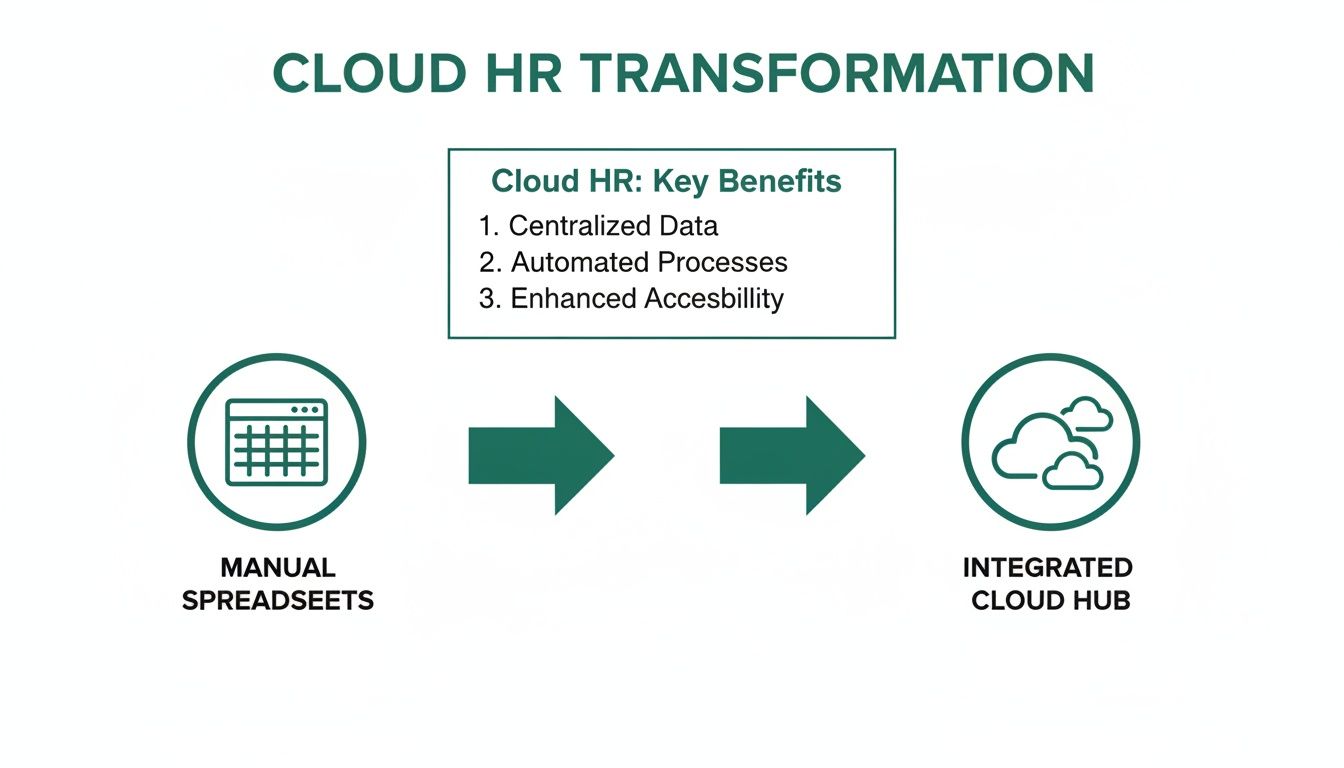
As you can see, the journey is all about leaving behind isolated spreadsheets for an integrated, accessible system designed for modern HR.
Unlock Anytime, Anywhere Accessibility
One of the most immediate wins with cloud based HR management software is the freedom to manage HR tasks from literally anywhere. A manager on the train can approve a leave request from their phone, meaning workflows don't grind to a halt just because someone isn't at their desk.
This constant access gets rid of bottlenecks. Employees can check their remaining holiday balance or log a sick day from their sofa, getting a much faster response and feeling more connected to the business.
Grow Your Team Without the Headaches
As your business expands, your admin burden shouldn't have to. Cloud HR systems are built to scale with you effortlessly. Adding a new employee is as simple as creating a user profile—no need for expensive server upgrades or painful IT projects.
This built-in flexibility means the software adapts to your business, not the other way around. You can grow from ten employees to a hundred without ever outgrowing your core HR system, giving you consistency and control at every stage.
The ability to scale is a major reason the UK HR software market is growing so quickly. Driven by complex labour regulations and the rise of hybrid work, UK SMBs are investing in digital tools that offer cost-effective growth and real-time data access without needing a huge IT department.
Get Automated Backups and Serious Security
Let's be honest: relying on a single spreadsheet saved on a local drive is a disaster waiting to happen. One corrupted file or laptop failure could wipe out your entire HR history in a flash. Cloud software is your digital safety net, running automated daily backups to protect your most critical data.
On top of that, these platforms provide enterprise-grade security that most small businesses could never build themselves. Sensitive employee data is shielded by layers of encryption and secure protocols, giving you peace of mind that your information is far safer than it ever was in a shared network folder.
For many small businesses, choosing between an old-school, on-premise system and a modern cloud solution can feel daunting. This table breaks down the practical differences.
On-Premise vs Cloud Based HR Management Software
| Feature | On-Premise HR Software | Cloud Based HR Software |
|---|---|---|
| Initial Cost | High upfront investment in hardware, software licences, and installation. | Low monthly or annual subscription fee. No hardware costs. |
| Accessibility | Limited to office network. Remote access is complex and often insecure. | Accessible from anywhere with an internet connection, on any device. |
| Maintenance | Your IT team is responsible for all updates, patches, and troubleshooting. | The provider handles all maintenance, security, and updates automatically. |
| Scalability | Difficult and expensive. Requires purchasing new hardware and licences. | Effortless. Simply adjust your subscription plan as your team grows or shrinks. |
| Data Security | Your responsibility. Vulnerable to local threats like theft or hardware failure. | Managed by the provider with enterprise-level security and automated backups. |
Ultimately, for most SMBs, the flexibility, lower upfront cost, and reduced IT burden make cloud-based software the clear winner. It's a system designed for growth, not for maintaining servers.
Plug In to Other Tools and Save Hours of Work
Manual data entry isn't just boring; it's where mistakes happen. A huge advantage of a cloud HR system is its ability to connect with the other tools you already use every day.
- Payroll Systems: Automatically push approved leave and absence data to your payroll software. No more manual calculations, no more payroll errors.
- Team Calendars: Sync with Outlook, Google Calendar, or iCal so that approved time off instantly pops up on shared calendars, keeping everyone in the loop.
- Communication Tools: Connect with platforms like Slack, allowing managers to approve requests directly within the chat app they live in all day.
These connections create a seamless flow of information, cutting down on admin and freeing your people up to focus on work that actually matters. To get a better sense of the bigger picture, it's worth understanding the wider benefits of cloud computing for business.
Essential Features Your HR Software Needs
Trying to pick the right cloud-based HR management software can feel like a mammoth task. You're faced with countless platforms, all promising a laundry list of features that can make your head spin. But for most small or mid-sized businesses, only a handful of core functions really matter. These are the ones that save you time and stop the headaches from day one.
The trick is to cut through the noise. Don't get distracted by complicated, enterprise-level extras you'll probably never touch. It’s far smarter to focus on the practical tools that solve your most immediate admin problems. Think of them as the building blocks of a solid HR system, turning manual chores into automated, reliable processes that help your team and your business run like a well-oiled machine.
Streamline Leave and Absence Management
Managing leave properly is about so much more than just updating a calendar. It's about having a clear, instant view of your team's availability so you can make smart staffing decisions. A spreadsheet just can't give you that real-time clarity.
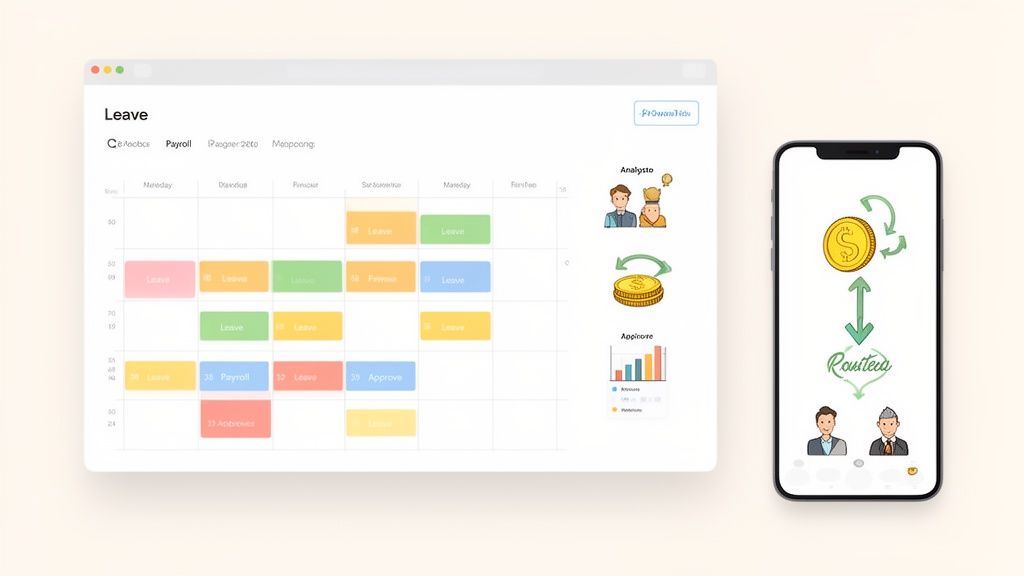
A digital wall planner is a core feature of any decent HR platform. This central dashboard shows you who's in, who's out, and why—all in one place. It gets rid of the endless email chains and the risk of scheduling clashes, giving managers the info they need to keep projects and daily operations properly staffed.
It empowers your team, too. Instead of having to ask about their remaining holiday balance, they can just log in, see their allowance, and fire off a request in seconds. This self-service approach takes a huge administrative load off HR and gives your people a welcome sense of autonomy.
Ensure Flawless Payroll Integrations
Payroll is one of the most critical parts of HR, and it’s frighteningly easy to get wrong. One small mistake in calculating leave or overtime can lead to an incorrect payslip, which causes frustration and erodes trust. This is why a seamless payroll integration isn't just a nice-to-have; it's non-negotiable.
Think of it as the vital link between your HR records and your accounting system. When an employee takes a day off, the cloud based HR management software logs it automatically. At the end of the month, that data can be sent straight to your payroll software. Everyone gets paid accurately and on time, with zero manual data entry. That automation is your best defence against costly human error.
Get Actionable Reporting and Analytics
Spreadsheets are fine for storing data, but they’re not great at showing you what it all means. Modern HR software comes with built-in reporting tools that turn all those raw numbers into genuinely useful business insights.
For instance, you can easily spot absence trends across different departments or see when your peak holiday periods are. This information is gold for strategic planning, helping you to:
- Anticipate staffing gaps before they become a real problem.
- Spot potential burnout by noticing employees who aren't taking enough time off.
- Understand workload distribution and make data-driven decisions about hiring.
These simple reports give you a level of insight that’s almost impossible to get with manual methods, helping you manage your people more proactively.
A great HR system doesn't just record what happened; it helps you understand why it happened and what you should do next. It transforms data from a simple record into a strategic tool for better decision-making.
Use Automated Approval Workflows
Chasing managers for approvals is a massive waste of time. An employee emails a leave request, the manager misses it, and HR has to follow up—it's a clunky, inefficient cycle that slows everyone down. Automated approval workflows put a stop to this nonsense.
When an employee submits a request, the system automatically sends it to the right manager for approval. The manager can then approve or deny it with a single click, often straight from their email or a Slack notification. This simple bit of automation keeps things moving and ensures requests are dealt with quickly and consistently, so nothing falls through the cracks.
Empower Your Team with Mobile Access
In today’s world of flexible working, HR tasks don't just happen at a desk. Managers need to approve requests while they're on the move, and employees might need to log a sick day from home. Mobile access isn't a luxury anymore; it’s an essential feature for any modern business.
A dedicated mobile app or a mobile-friendly website ensures your HR system is accessible to everyone, wherever they are. This allows your team to handle key tasks from their phones, giving them the flexibility they need while keeping your HR processes running smoothly. It’s a simple feature that reflects the reality of how people work today.
How to Choose the Right HR Software for Your SMB
Picking the right HR software is a big moment for any small or medium-sized business. It’s more than just buying a new tool; it's an investment in how you look after your people, claw back valuable time, and lay the groundwork for growth. Get this right, and you’ll free your team from the drudgery of manual admin and start making smarter decisions based on real data.
And this choice is becoming more critical by the day. The UK market for this kind of software was valued at USD 1,137.5 million in 2024 and is expected to rocket to USD 2,604.06 million by 2035. That's a huge jump, and it shows a clear trend: businesses are waking up to the need for smarter platforms to handle everything from compliance to the new demands of remote working.
Making the right choice isn't about being wowed by a slick sales demo. It's about taking a clear, methodical approach to match a solution to your specific problems. By following a proper evaluation process, you can find a system that genuinely fits your company’s needs and culture—one that will actually get used and deliver real value.
Start by Assessing Your Current Pain Points
Before you even think about looking at software, you need to get brutally honest about what problem you're trying to solve. Get your team in a room and ask some frank questions about your current HR setup.
- Where is most of our time disappearing on manual admin?
- What are the most common—and frustrating—mistakes that keep cropping up?
- Can our managers actually see who’s off and when, so they can plan properly?
- Are employees constantly nagging HR for info they should be able to find themselves?
Your answers will form a "pain point" checklist. This list is your most powerful tool. It’ll keep you focused on software that solves your real problems, not just the one with the flashiest feature list.
Define a Realistic Budget and Understand Pricing
Cost is always a huge consideration for smaller businesses, but you have to look beyond the headline price. Most cloud based hr management software works on a subscription model, usually priced per employee, per month. This makes your costs predictable and means you don't have to stump up a massive upfront investment.
Still, you need to be clear on what’s included. Ask vendors directly about any hidden costs, like setup fees, charges for migrating your data, or extra costs for decent customer support. A transparent price list is usually a good sign of a trustworthy provider. Try not to think of it as just another expense; frame it as an investment and weigh it against the admin hours you’ll save and the costly mistakes you’ll avoid.
Choosing HR software is also choosing a long-term partner. Evaluate each vendor’s reliability by checking their security protocols and history with businesses similar to yours. Strong vendor support reduces risk and gives your team confidence that help is available when needed most.
Prioritise Ease of Use and Team Adoption
The most powerful software in the world is completely useless if your team finds it too complicated to use. A clean, intuitive interface isn't just a nice-to-have; it's essential. When you’re watching product demos, pay close attention to how many clicks it takes to do simple things, like booking a holiday or pulling a basic report.
Even better, get your team involved in the decision. Let a few key managers and employees have a play around with the software. Their feedback is gold for figuring out if the system is a good fit for your company culture. If your team finds it straightforward and helpful, you’re on the right track for successful adoption. If you're looking for some ideas on where to start, you might find our guide to the best HR software for UK small businesses helpful.
Check for Essential Integrations
Your HR software can't live on an island. To get the most out of it, it needs to talk to the other tools your business relies on every single day. Before you start shortlisting vendors, make a list of your "must-have" integrations.
Key connections to look for usually include:
- Payroll Systems: This is a big one. It automates the flow of absence and leave data, which cuts out a huge source of manual errors.
- Calendar Apps (Google, Outlook): Syncing approved leave with team calendars keeps everyone in the loop and schedules up to date.
- Communication Tools (Slack, Microsoft Teams): Letting managers approve requests directly from the chat tools they already use is a massive time-saver.
These connections turn your HR platform into a proper central hub. Information flows smoothly, saving everyone time and stopping the soul-destroying task of entering the same data into multiple systems.
Moving Away from Spreadsheets to Cloud HR Software
The thought of moving years of HR data from those familiar, well-worn spreadsheets into a brand new system can feel like a mammoth task. I've spoken to countless small business owners and HR managers who worry about the time it'll take, the risk of making a mistake, and the general disruption to the daily routine.
But honestly, a well-planned move to cloud based HR management software is nowhere near as scary as it sounds. When you break the process down into simple, manageable stages, it stops being this huge, overwhelming project and becomes a straightforward, logical transition. It's a switch that pays for itself almost instantly in saved time and fewer headaches.
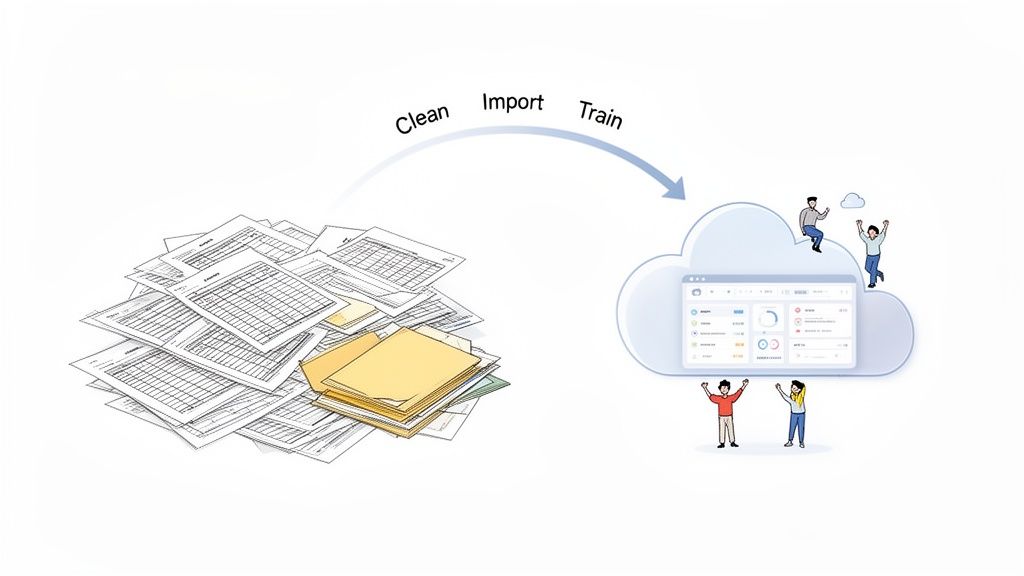
Step 1: Start with a Data Clean-Up
Before you even think about moving anything, use this as a golden opportunity to tidy up your existing data. Let's be real, your spreadsheets are probably a bit messy. They likely have outdated info, inconsistent formatting, or records for people who left the company years ago.
This is your chance to standardise things, fix any errors you know are lurking, and archive the old records you don't need day-to-day. This single step is crucial because it means you're starting fresh with clean, accurate information in your shiny new system. Rubbish in, rubbish out, as they say.
Step 2: Configure Your New System
Once your data is sparkling clean, it's time to set up the software so it works exactly like your business does. This is where you configure your specific leave policies – things like annual holiday allowances, sick leave rules, and any of your company's unique leave types, like duvet days or time off for volunteering.
You'll also set up the approval workflows. This means defining who needs to sign off on requests for each team, making sure that when someone books time off, the request automatically lands with the right manager. Systems like Leavetrack are designed to make this part painless, guiding you through setting up your policies without you needing a degree in IT.
A well-configured system acts as a digital rulebook for your company's policies. It automates enforcement, ensures fairness, and removes the guesswork for both employees and managers, creating a consistent experience for everyone.
Step 3: Import Your Employee Information
With the system all set up, you can now bring your team into it. Most modern cloud HR platforms make this incredibly easy. You can usually just upload a simple spreadsheet (a CSV file) with the essential details: names, email addresses, start dates, and their starting leave balances.
The software takes that file and automatically creates a profile for every single person. This bulk import saves you from the mind-numbing, error-prone task of typing everyone's details in one by one. To learn more about how a focused tool simplifies this, check out our guide to employee leave management systems.
Step 4: Train the Team and Go Live
The final stage is all about introducing the team to their new tool. The goal here is for everyone to get on board quickly, so training should be practical and focus on the things they'll do most often, like requesting time off or checking how much holiday they have left.
For managers, you'll want to cover how to approve requests and view the team calendar. A great tip is to run the new system alongside your old spreadsheet for a week or two. This "soft launch" helps build confidence and lets everyone get comfortable before you ditch the spreadsheet for good. Once your team sees how much easier the new software is, they'll wonder how they ever managed without it.
Why a Focused Solution Beats an All-In-One Suite
It’s tempting for small businesses to look at a massive, all-in-one HR suite and see a silver bullet. The promise is that it will solve every single people-related problem under one digital roof. The reality? You often end up with a clunky, expensive system full of features you’ll never touch, making simple day-to-day tasks far more complicated than they need to be.
Instead of paying for a bloated platform, a much smarter approach is to pick a focused solution that solves one critical problem exceptionally well. This is especially true for managing employee leave—a process that can create huge operational headaches if it isn't handled properly.
The Power of Specialised Tools
A dedicated tool for absence management, like Leavetrack, gives you deep functionality where it really matters, without the overwhelming complexity. It’s built to do one job and do it perfectly. This means you get powerful, genuinely useful features that directly address the pain points of HR managers and team leaders.
Think about the practical wins:
- An intuitive digital wall planner: You get an instant, at-a-glance view of who's in and who's off without having to click through endless confusing menus.
- One-click approvals: Managers can approve or deny requests straight from their email or a Slack notification. No bottlenecks, no delays.
- Automatic leave accruals: The system handles all the maths, tracking balances and flagging potential issues before they turn into payroll errors.
This specialised approach saves a huge amount of time and gives you far better oversight than a cumbersome, generalist platform ever could. A focused solution is usually a smarter financial choice, too. The pricing tends to be more transparent and straightforward, letting you pay only for the functionality you actually use.
By selecting a tool built for a specific purpose, you're not just buying software. You're adopting a refined process designed by experts to eliminate a specific business bottleneck. It’s about precision over excess.
This targeted strategy is a key part of moving away from manual methods for good. If you're thinking about making the switch, our step-by-step guide to implementing an absence management system is a great place to start.
Frequently Asked Questions
Switching to a cloud-based HR management system can feel like a big step, especially if you're moving away from spreadsheets for the first time. It’s only natural to have a few questions. Let's tackle some of the most common ones we hear from businesses just like yours.
How Secure Is My Employee Data in the Cloud?
This is usually the first question people ask, and for good reason. The simple answer is that your employee data is almost certainly safer in a well-regarded cloud HR system than it is sitting on a local server or in a spreadsheet.
Think of it like this: you could keep your cash in a shoebox under the bed, or you could put it in a bank vault. Reputable HR software providers are the bank vault. They build their entire business on keeping your data secure, using multiple layers of protection that most small businesses couldn't possibly afford on their own. This typically includes:
- End-to-end data encryption: This scrambles your information as it travels, making it completely unreadable to anyone trying to intercept it.
- Highly secure data centres: These are fortresses for data, with state-of-the-art physical and digital security protocols.
- Daily automated backups: Your information is copied and stored in multiple locations every day, so if something goes wrong, it can be restored in a flash.
- GDPR compliance: Good UK-based providers build their platforms from the ground up to meet strict data protection laws, giving you one less thing to worry about.
How Long Does It Take to Get Set Up?
The very thought of a long, painful software rollout is enough to make anyone stick with their old spreadsheets. But the good news is, modern, focused cloud HR tools are designed to be surprisingly quick.
For a specialised system—something that just handles one thing really well, like leave management—you can be up and running in a matter of days. The timeline really just depends on how organised your data is. If you have your employee information in a spreadsheet and your leave policies are clear, the process is incredibly fast. These tools are built for a painless setup so you can start seeing the benefits right away.
The goal of a modern, focused HR tool is to solve your problem quickly, not create a new one. A rapid implementation means a faster return on your investment and less disruption to your daily operations.
Is Cloud HR Software Too Expensive for a Small Business?
It’s easy to look at a monthly subscription and just see another expense hitting the books. A better way to think about it is as an investment in efficiency—one that usually pays for itself. Most cloud software uses a simple ‘per user, per month’ model. This is far more manageable for an SMB than shelling out a huge sum for an old-school software licence.
To see the real value, you have to weigh that predictable monthly cost against the hidden costs of doing things manually. Ask yourself what you’re really spending on:
- Wasted admin hours: How much time does your team burn chasing approvals, fixing spreadsheet formulas, and answering the same questions over and over?
- Costly payroll errors: One little mistake in calculating annual leave can lead to an incorrect payslip, which takes time and effort to sort out.
- A lack of useful data: Without proper reports on absence trends, you're flying blind when it comes to planning staffing levels and spotting potential burnout.
When you add it all up, you’ll often find that a dedicated cloud system is actually the more cost-effective choice. It saves time, prevents expensive errors, and gives you back the headspace to focus on what matters.
Ready to see how a focused, affordable solution can transform your leave management? Leavetrack replaces messy spreadsheets with a simple, secure platform your whole team will love. Start your free trial today.