

Calculate Working Days in a Month The Complete UK Guide
Posted by Robin on 21 Nov, 2025 in
On average, a UK month has somewhere between 20 and 22 working days, assuming you’re running a standard Monday-to-Friday operation. That number isn’t set in stone, though. It wiggles around depending on the month's length, how the weekends fall, and of course, public holidays.
Why Counting Working Days Correctly Is So Important
Getting past the simple Monday-to-Friday definition is crucial. Knowing the exact number of working days in a month is the bedrock of any well-run business. Think of it like knowing precisely how much fuel you have for a journey; a small miscalculation can throw everything off course. This simple figure is far more than just a number on a calendar—it's a critical component for success.
Getting this count right stops costly errors before they happen and makes your whole organisation run smoother. It ensures everything from finance to team management is built on solid, reliable data.
The Foundation of Accurate Payroll
At its most basic, the number of working days directly hits your payroll. For hourly employees or anyone starting or leaving mid-month, an accurate count is non-negotiable for calculating correct pro-rata salaries. Being off by even a single day can lead to underpayments or overpayments, causing compliance headaches and chipping away at employee trust.
Setting Realistic Project Deadlines
Good project management runs on accurate timelines. When you estimate a project will take "20 working days," that estimate is only as good as your calendar. If a month has fewer working days because of a couple of bank holidays, your deadline could be in jeopardy before the project even kicks off.
"An inaccurate working day count can create a domino effect, leading to missed deadlines, strained resources, and unhappy clients. It's the small detail that makes a big difference in successful project delivery."
Knowing the precise number of available days allows teams to set achievable milestones and manage client expectations from the start.
Ensuring Fair Leave Entitlement
Employee leave, whether for holidays or sickness, is all calculated based on working days. If your baseline is wrong, it can lead to errors in leave accrual. That makes it a nightmare to manage staff availability and ensure everyone gets their fair entitlement. For HR departments, this accuracy is vital for staying compliant and keeping morale high.
So, how many days are we talking about? Let's take a look.
Typical Working Days Per Month At a Glance
The number of working days isn't static. The length of the month and where the weekends land play a big part, even before we account for bank holidays. This table gives you a quick reference for what to expect.
| Month Length | Number of Weekends (Approx.) | Typical Working Days (Excluding Holidays) |
|---|---|---|
| 31 Days | 8-9 Weekend Days | 22-23 Working Days |
| 30 Days | 8-9 Weekend Days | 21-22 Working Days |
| 29 Days (Leap Year Feb) | 8 Weekend Days | 21 Working Days |
| 28 Days (Common Year Feb) | 8 Weekend Days | 20 Working Days |
As you can see, a longer month like July can easily have 23 working days, while a short month like February will only have 20. This variation is exactly why a one-size-fits-all approach doesn't work.
Annually, the UK has around 253 working days, which gives us that average of about 21 per month. But this varies with bank holidays, which differ by region; Scotland and Northern Ireland have their own distinct holidays that change their monthly counts. For instance, a leap year like 2024 gave England 254 working days, with July hitting 23 working days while December dropped to 20. You can learn more about how the UK's average working days are calculated and explore the regional differences.
How to Calculate Working Days Step by Step
Figuring out the number of working days in a month might seem a bit tricky at first, but it boils down to a few simple steps. You could always just count them on a calendar for a quick, one-off check, but for any regular business need, using a spreadsheet formula is infinitely better. It’s faster, more accurate, and cuts out the risk of human error.
The basic idea is straightforward: take the total number of days in the month, and then simply subtract the days people aren't working. That usually means weekends and any public bank holidays. Let's walk through how to do this properly using tools you likely already have on your computer.
As this infographic shows, getting this calculation right is more than just an admin task—it's fundamental to payroll, project deadlines, and financial planning.
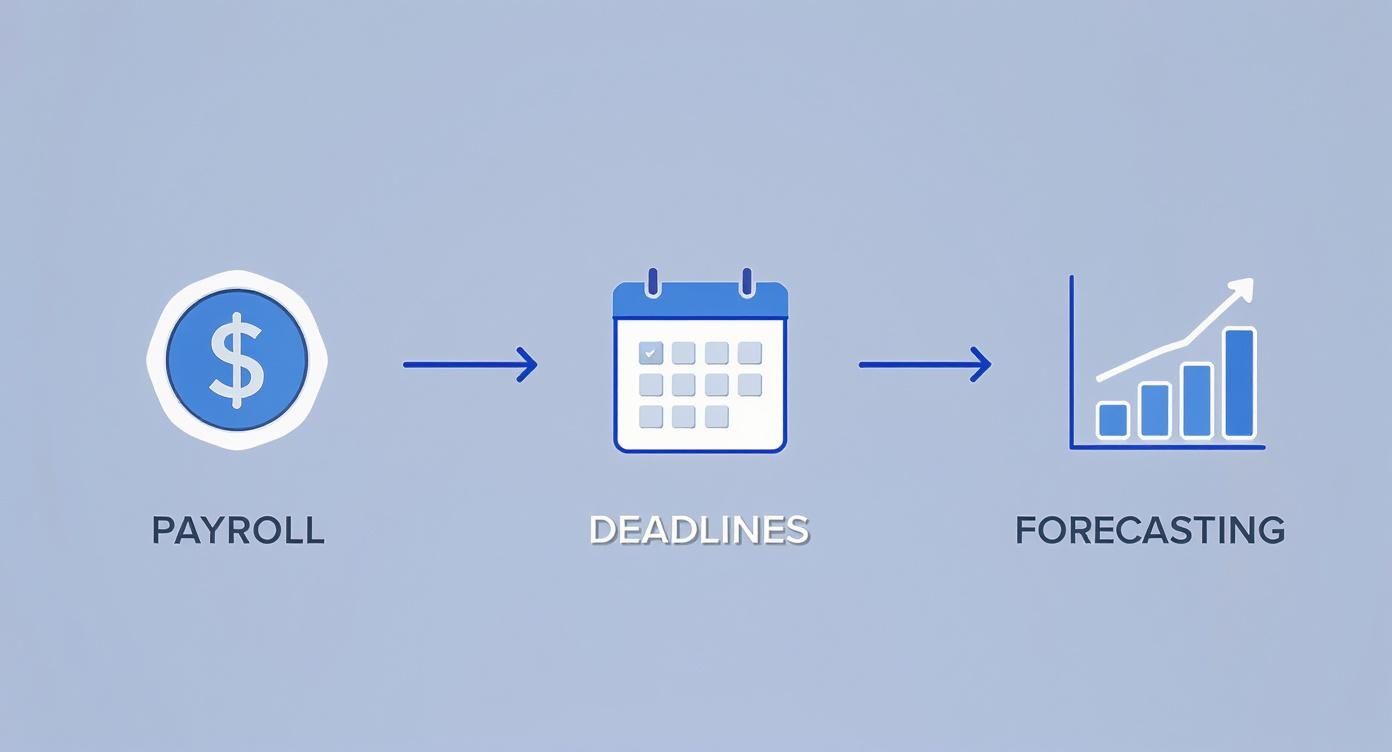
Ultimately, an accurate working day count is a core part of keeping the business running smoothly and planning for the future.
The Manual Calculation Method
The most direct approach? Grab a calendar and start counting. This works fine for a rough estimate but it’s easy to make mistakes, especially if you're looking at several months or planning for a whole team.
- Count Total Days: Start with the total calendar days in the month (e.g., April has 30 days).
- Subtract Weekend Days: Go through and remove all the Saturdays and Sundays. For April 2024, that would be eight weekend days.
- Subtract Bank Holidays: Find and remove any public holidays. In the UK, Good Friday and Easter Monday often land in or around April, so you'd subtract those too.
This old-school method is great for understanding the basic logic, but it's not a long-term solution.
Using Excel and Google Sheets Formulas
For a solution that scales and is virtually error-proof, spreadsheets are your best friend. Both Microsoft Excel and Google Sheets have clever built-in functions designed specifically to calculate the number of working days in a month.
The two you'll want to get familiar with are NETWORKDAYS and NETWORKDAYS.INTL.
NETWORKDAYS: This is the standard function. It counts the full workdays between two dates and automatically knows to exclude Saturdays and Sundays.NETWORKDAYS.INTL: This one is a bit more flexible. It lets you specify which days of the week count as the weekend, which is perfect for businesses with non-standard work patterns.
To get the full picture, it often helps to understand the total hours worked, which connects directly to these daily counts. There's a great article that explains how many working hours are in a month if you want to dive deeper. This context helps make sure your calculations line up with payroll and resource planning.
Formula Example for a Standard Work Week
Let’s run through an example. We'll calculate the working days for April 2025 in the UK. This month has two bank holidays to account for: Good Friday (18th April) and Easter Monday (21st April).
First, you'll want to lay out the key information in your spreadsheet:
| Cell | Content | Description |
|---|---|---|
| A1 | 01/04/2025 |
Start Date |
| A2 | 30/04/2025 |
End Date |
| C1 | 18/04/2025 |
Bank Holiday 1 |
| C2 | 21/04/2025 |
Bank Holiday 2 |
Now, in any empty cell, you can pop in the NETWORKDAYS formula. The structure is simple: NETWORKDAYS(start_date, end_date, [holidays])
=NETWORKDAYS(A1, A2, C1:C2)
This formula tells the spreadsheet to count every day between the 1st and 30th of April, ignore the weekends automatically, and then subtract the specific bank holidays you’ve listed in cells C1 and C2. The result? 20 working days.
By keeping your bank holidays in a separate range (like C1:C2), you can easily update the list for different months or years without having to rewrite the whole formula. It turns your spreadsheet into a powerful, reusable tool for HR, payroll, and project management. Mastering this one little formula is one of the fastest ways to add a bit of precision to your business planning.
Navigating UK Bank Holidays and Regional Differences
Calculating the working days in a month is fairly straightforward if your business operates in just one location. But when you’re managing teams across the United Kingdom, things get a lot more complicated.
The UK isn’t a single entity when it comes to public holidays. A one-size-fits-all approach to bank holidays is a recipe for errors in payroll, leave management, and project planning.
Think of it like using a map. A general map of the UK is handy, but for real navigation, you need local maps showing specific streets and landmarks. In the same way, an accurate working day calculation requires you to zoom in on the specific holiday calendars for England, Wales, Scotland, and Northern Ireland.

This regional variation means a company with offices in London, Edinburgh, and Belfast has to juggle three slightly different work calendars. Ignoring these differences is a common pitfall that can create some serious administrative headaches.
The Impact of Regional Holidays
While the core bank holidays like Christmas Day, Boxing Day, and New Year's Day are consistent across the board, several key dates are unique to each nation. These directly change the number of working days in certain months.
For instance, a business with teams in both England and Scotland needs to account for holidays that only one nation observes.
- St. Andrew's Day (30th November): This is a bank holiday in Scotland, but a regular working day in England and Wales. For your Scottish employees, November has one fewer working day.
- St. Patrick's Day (17th March): A major bank holiday in Northern Ireland, this reduces March's working day count there, while your operations elsewhere carry on as normal.
- Battle of the Boyne (12th July): Another key date exclusive to Northern Ireland, this holiday affects July's work schedule for staff based there.
To illustrate just how much this can vary, let's look at a simple example of how holidays might differ in a given year.
UK Bank Holiday Variations Example
| Holiday Name | England & Wales | Scotland | Northern Ireland |
|---|---|---|---|
| St. Patrick's Day (Mar) | No | No | Yes |
| Early May Bank Holiday | Yes | Yes | Yes |
| Battle of the Boyne (Jul) | No | No | Yes |
| Summer Bank Holiday (Aug) | Yes | Yes | Yes |
| St. Andrew's Day (Nov) | No | Yes | No |
As you can see, the total working days for March, July, and November would be different for an employee in Belfast or Edinburgh compared to one in London. These aren't minor details; they are fundamental to accurate workforce planning.
Imagine a business with a team in Belfast overlooking St. Patrick's Day. They could mistakenly schedule a critical project deadline or sales meeting, only to find their entire local team is unavailable. Precision here prevents operational chaos.
Practical Strategies for Managing Differences
To handle this complexity, you have to move beyond a single, generic holiday list. The best strategy is to create and maintain separate, location-specific lists of non-working days. This is the only way to ensure your calculations are always accurate for the specific employees you're managing.
When using spreadsheet formulas like NETWORKDAYS, this means creating a dedicated holiday list for each UK nation your business operates in. Your spreadsheet could have separate tabs or named ranges like Holidays_England, Holidays_Scotland, and Holidays_NI.
This organised approach allows you to apply the correct holiday schedule based on an employee's location, guaranteeing precise results every time.
Of course, keeping these lists updated manually can be a chore. This is where automation really shines. Many modern HR systems allow you to manage this effortlessly, with features for importing public holidays specific to different regions. These tools automatically apply the correct dates, removing the risk of human error and saving you valuable admin time. It ensures that whether you're calculating leave for an employee in Glasgow or London, the system is using the right data without any manual fuss.
Putting Your Calculations to Work in HR and Project Planning
Moving from theory to practice is where a solid grasp of working days in a month really starts to pay off. These calculations aren't just administrative busywork; they're the bedrock of critical business functions. For departments like Human Resources and project management, getting this right is non-negotiable.
Think of the working day count as a precision tool. Without it, you're essentially guessing, which can lead to expensive mistakes in everything from payroll to project deadlines. When your numbers are accurate, your operations run smoother, fairer, and with far more predictability.
This accuracy has a real impact on your bottom line and your team's morale. Let's look at how these calculations are used on the ground to sidestep common problems and keep things running smoothly.
Pro-Rata Payroll for New Hires and Leavers
One of the most immediate uses is in payroll, especially for staff who don't work a full month. Calculating a pro-rata salary is vital for anyone starting or leaving the company part-way through a pay cycle.
Imagine a new team member starts on the 10th of May. To pay them correctly, you need to know exactly how many days they worked that month. A rough guess or simply dividing their monthly salary by 31 just won't cut it and will almost certainly lead to an incorrect payslip.
Here’s the proper way to handle it:
- Define the Period: Pinpoint the employee’s active dates for the month (e.g., 10th May to 31st May).
- Calculate Working Days: Use a function like
NETWORKDAYSto count the workdays in that specific date range, being sure to factor out any bank holidays that fall within that time. - Determine Pro-Rata Salary: Divide the employee's monthly salary by the total number of working days in that month, then multiply that daily rate by the number of days they actually worked.
This approach guarantees fairness and compliance, helping you build trust with your new hire right from the start.
Managing Leave Accrual and Workforce Availability
For HR, the number of working days is the cornerstone of leave management. It dictates how holiday entitlement accrues and gives you a clear picture of who’s available and when. This becomes even more critical for part-time employees or those on flexible schedules.
Accurate calculations mean leave balances are always correct, avoiding situations where staff take more or less holiday than they’re entitled to. This is essential for resource planning, as managers need a reliable view of team availability to keep work on track.
A clear and accurate system for tracking leave based on working days prevents disputes and ensures fairness across the organisation. It transforms absence management from a complex headache into a transparent process that everyone understands.
This clarity allows managers to approve leave requests with confidence, knowing they have enough cover to maintain productivity.
Improving Project Timelines and Resource Allocation
For project managers, working days are the fundamental units of planning. An entire project schedule is built on the number of available days the team has to get their tasks done. A miscalculation here can throw a project off course before it even kicks off.
Let's say a project is estimated to take 40 working days. If it begins on the 1st of July, a quick glance at the calendar might suggest it'll wrap up around the end of August. But once you account for weekends and the August bank holiday, the real end date gets pushed back.
Effective project planning means:
- Mapping out the project timeline using the actual number of working days available each month.
- Allocating resources based on this realistic schedule, not a vague monthly guess.
- Setting achievable deadlines that factor in all non-working days, which helps prevent team burnout and keeps client expectations in check.
By using a precise working day count, project managers can build robust, reliable plans that deliver results on time and within budget. This proactive approach turns planning into a real strategic advantage.
How Employee Absence Affects Available Work Days
So far, we’ve been looking at how to figure out the potential number of working days in a month. Once you've stripped out weekends and bank holidays, you get a solid baseline for planning. But that static, calendar-based number only tells you half the story. The other half, the part that's always changing, is your team's attendance.
Unplanned absences, like sick leave, have an immediate and direct hit on your available workforce. On paper, a month might have 22 potential working days, but if your team is hit with a high rate of absenteeism, your actual capacity is much lower. This is the critical gap between potential and actual working days.
Getting your head around this is vital for managing your resources properly. Just knowing the calendar dates isn't enough to plan effectively; you have to factor in the very real, very human element of who's actually available to do the work.
From Calendar Days to Available Days
Relying only on the calendar for your working days is a bit like planning a road trip based on the speed limit alone, completely ignoring traffic. The speed limit is your best-case scenario, but traffic—just like employee absence—is the real-world factor that decides when you actually arrive. Your true workforce capacity is always a mix of the calendar and day-to-day attendance.
To get a clearer picture, businesses need to track absenteeism just as carefully as they manage public holidays. This data tells you the real number of days your team is present, productive, and pushing things forward.
Understanding the gap between potential and actual working days is fundamental to effective workforce management. It allows you to move from reactive problem-solving to proactive resource planning, ensuring you have the right people available to meet your business goals.
The True Cost of Unplanned Leave
The impact of an employee's absence is so much more than just an empty desk for the day. It sends ripples across the whole organisation, knocking project timelines off course, hitting team morale, and dragging down overall productivity. When someone's away unexpectedly, others have to pick up the slack, which can easily lead to burnout and a drop in the quality of work.
These unplanned disruptions are a huge deal for the UK economy. According to the Health and Safety Executive (HSE), an estimated 33.7 million working days were lost in Great Britain during 2023/24 because of work-related ill health and injuries. The biggest culprit was stress, depression, or anxiety, which accounted for a massive 16.4 million of those days. You can dig into the full statistics about workplace health and its impact over on the HSE website.
Integrating Absence Data for Better Planning
To truly master your workforce planning, you need to combine your static calendar calculations with dynamic attendance data. This gives you a complete, holistic view of who you can genuinely rely on day-to-day.
Here are a few practical steps to get there:
- Track Absence Rates: Keep an eye on absenteeism trends monthly and quarterly. You’ll quickly start to spot patterns.
- Factor in Averages: Use your historical absence data to forecast a more realistic number of available workdays when planning for the future.
- Use Management Tools: Bring in an absence management system to automate all the tracking and reporting for you.
Taking this approach helps you build more resilient project plans and financial forecasts—ones grounded in reality, not just calendar theory. For more hands-on advice, check out our guide to managing absence from work, which is packed with strategies to handle it effectively. This kind of proactive management will completely change how you plan, making your operations robust enough to handle the unpredictability of daily working life.
Using Automation to Simplify Your Calculations
Manual spreadsheets and counting days on a calendar are okay starting points, but let's be honest, they have their limits. They need constant babysitting, are magnets for human error, and become a real headache as your team gets bigger. At some point, moving beyond manual methods isn't a luxury—it’s a necessity for running a tight ship.
Modern tools can completely automate how you calculate the working days in a month. Imagine not having to wrestle with spreadsheet formulas or manually plug in bank holidays. Dedicated software can handle all of that for you, behind the scenes. This isn't just about saving a few minutes here and there; it's about creating one, reliable source of truth for your entire organisation.
This is the very essence of working smarter, not harder. Automation lifts the administrative weight off your shoulders, freeing up HR and managers to focus on work that actually drives the business forward.
The Power of Dedicated HR Software
Dedicated HR and leave management systems are built to handle this kind of complexity. Think of them as a central hub where all the moving parts—regional bank holidays, custom work patterns, and individual holiday requests—are managed without any fuss. The benefits are felt almost immediately.
- Eliminates Human Error: Software doesn’t have fat fingers or forget to add the new King's Birthday bank holiday. Your calculations are spot-on, every time.
- Saves Administrative Time: What used to take hours of checking spreadsheets and calendars now happens in an instant.
- Creates a Single Source of Truth: Everyone, from payroll to project managers, is working from the same, up-to-the-minute data. No more confusion.
If you're curious about how this looks in practice, checking out some real-world business process automation examples can be a real eye-opener. Seeing how other companies have boosted their efficiency really highlights the value these tools bring to the table.
By automating working day calculations, you’re not just adopting new software; you’re building a more resilient and accurate operational foundation. It ensures fairness in payroll and leave, and provides the reliable data needed for sharp business planning.
Key Features and Smart Integrations
When you start looking at automated solutions, keep an eye out for features that connect the different parts of your workflow. The whole point is to create an interconnected system where data flows intelligently between the tools you already use, like your calendars and payroll software.
This connectivity is where the magic happens. When an employee's leave is approved, it doesn't just sit in one system. It should automatically block out their calendar, notify their team, and feed the right information to payroll for the next pay run. This creates a seamless workflow that cuts down on manual work and stops important data from getting trapped in silos.
These tools are central to modern workforce management. To dig a bit deeper, our comprehensive guide to employee leave management systems explains how they provide the perfect framework for getting total accuracy with minimal effort.
Still Got Questions?
Even with the best formulas and tools at your fingertips, a few tricky scenarios can pop up when you're calculating working days. It happens. This section tackles some of the most common questions we hear, giving you clear, straightforward answers to handle those little details.
We'll cover everything from part-time schedules to the pesky leap year, making sure you have all the pieces of the puzzle for accurate workforce planning.
How Do I Calculate Working Days for Part-Time Employees?
This is a classic one. A standard Monday-to-Friday count just won’t cut it for your part-time staff. The best way to handle this is with the NETWORKDAYS.INTL function in Excel or Google Sheets, because it’s built specifically for custom work weeks.
For instance, if an employee only works Monday to Wednesday, you can tell the formula that Thursday through Sunday are their non-working days. Many modern HR systems also let you assign these specific work patterns directly to individuals, taking the manual calculation off your plate entirely.
Does a Leap Year Change the Number of Working Days?
Yes, it absolutely does. A leap year throws an extra day into February, and if the 29th falls on a weekday, it adds one working day to your annual total.
This might seem like a tiny change, but it can ripple through annual salary calculations and long-term project plans. A typical year usually has around 260 or 261 weekdays, but a leap year can nudge that up to 262, which is enough to make a difference to your yearly figures.
That single extra day might feel small, but it's a crucial detail for precise annual payroll and resource forecasting. Overlooking it can lead to small but cumulative errors across your financial planning for the year.
Where Can I Find an Official List of UK Bank Holidays?
For this, you want a single source of truth: the official UK government website, GOV.UK. It lists all the confirmed bank holiday dates for England, Wales, Scotland, and Northern Ireland for this year and several years ahead.
Always stick to the official source. Pulling dates from unofficial calendars is a recipe for errors, putting you at risk of getting payroll wrong or even falling out of step with employment law.
How Do I Handle Calculations for Mid-Month Starters or Leavers?
Another very common situation. This calls for a pro-rata calculation based on the exact number of days someone actually worked. You'll need to count the working days from their start date to the month's end (for a new starter) or from the first of the month to their last day (for a leaver).
The NETWORKDAYS formula is your best friend here. Just use the employee's specific start or end date as one of the boundaries in your calculation. The crucial step is to make sure your list of bank holidays is included in the formula, so it accurately subtracts any public holidays they weren't there for. This gives you the precise figure you need for a fair and correct final payslip.
Stop wrestling with spreadsheets and manual counts. Leavetrack automates all your working day and leave calculations, handling everything from UK bank holidays to custom work patterns. Get a clear view of your team's availability and ensure perfect payroll every time. Discover a smarter way to manage absence at https://leavetrackapp.com.