
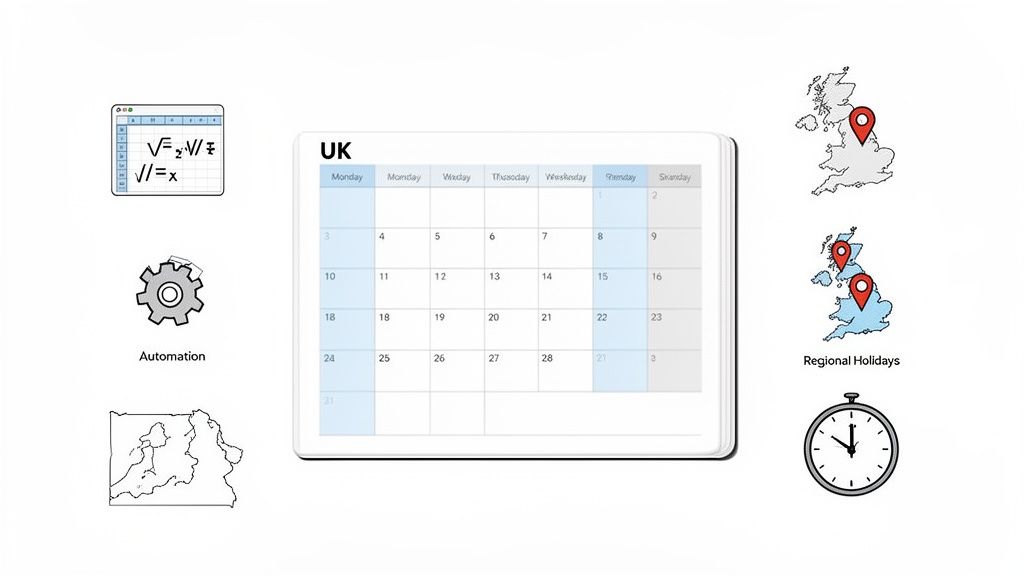
How to Perfectly Calculate Business Days Per Month in the UK
Posted by Robin on 17 Feb, 2026 in
In the UK, an average month has somewhere between 20 and 23 business days. This number might seem straightforward, but that small variation is everything. Getting it wrong can throw a spanner in the works for everything from payroll runs to project deadlines.
Understanding Your Monthly Business Day Count
Calculating the number of working days in a month is more than just an admin task; it’s the foundation of solid operational planning. Think of it like a recipe – miss out one ingredient, and the whole thing can fall flat. A one-day miscalculation could mean paying a new starter incorrectly or setting an unrealistic project go-live date.

This number isn’t static. It’s a dynamic figure that dances to a different tune each month, influenced by a few key variables.
The Core Factors in Your Calculation
While the typical UK business month averages out to between 20 and 22 working days, this figure masks a lot of variation. A long month like July can have 23 working days, while February often has just 20. For more insights on how this varies, you can explore working day patterns on leavewizard.com.
To get a truly accurate count, you need to look at three things:
- Total Days in the Month: This is your starting point. Is it a 28, 29, 30, or 31-day month?
- Number of Weekends: How many Saturdays and Sundays fall within the month? Each one chips away at the total.
- Public and Bank Holidays: These are the final deductions. You have to subtract any official non-working days to get your precise count.
A common mistake is just to plug in a generic average like '21 days' for every calculation. This approach completely ignores the unique calendar of each month and can lead to some serious errors in financial planning and resource management.
Getting your head around these variables is the first step toward the precision you need for smooth HR and payroll operations. Without it, you're risking payroll headaches, unrealistic project timelines, and ultimately, a breakdown in employee trust.
The table below breaks down exactly how each of these factors can change your final count.
Factors That Change Your Monthly Business Day Count
This table offers a quick summary of the key variables that influence the number of working days in any given month.
| Factor | Impact on Calculation | Example |
|---|---|---|
| Month Length | This sets the baseline total. A longer month like August has more potential workdays than a shorter one like February. | August (31 days) vs. February (28/29 days) |
| Weekend Days | The number of Saturdays and Sundays directly reduces the count. The way they fall can add or subtract a working day. | A month starting on a Monday will have fewer weekend days than one starting on a Saturday. |
| Bank Holidays | These are fixed non-working days that must be subtracted. Their placement varies throughout the year. | May often has two bank holidays in the UK, significantly reducing its working day count. |
As you can see, simply taking an average isn't enough. Each month has its own unique fingerprint, and understanding these factors is crucial for accurate planning.
Why an Accurate Count Is Non-Negotiable
Figuring out the number of business days in a month might feel like a minor bit of admin, but its impact ripples across your entire organisation. A small miscalculation isn't just a rounding error; it's a mistake that can disrupt payroll, derail projects, and create massive HR compliance headaches.
Think of it like building a house. The number of business days is the foundation. If that foundation is off by even a tiny amount, everything you build on top of it—from salary calculations to project timelines—will be unstable.
In this game, precision isn't just a preference. It's an absolute must for smooth and fair operations.
The Impact on Payroll and Finance
For your payroll and finance teams, accuracy is everything. The exact number of working days directly affects how you calculate salaries, especially for people who haven't worked a full month.
- Pro-Rata Salaries: When an employee joins or leaves mid-month, their pay is based on the specific number of business days they worked, not some generic average. Get this wrong, and you’re either underpaying or overpaying your staff.
- Leave Liability: Calculating holiday accruals correctly depends on knowing the precise number of working days. This ensures your financial records accurately reflect your liabilities.
- Budgeting and Forecasting: A solid grasp of business days is a core component for accurate financial planning and analysis (FP&A), guiding smarter business decisions.
An error of just one day can cause huge payroll discrepancies, especially when multiplied across several employees. That kind of mistake undermines trust and creates a mountain of admin to fix.
Derailing Project Management Timelines
In project management, time is the most critical resource. Deadlines are almost always set in working days, and a flawed count can have a domino effect on an entire project.
Imagine a project team in London is given a 20-working-day deadline for a deliverable in May. If the planner forgets to account for the two UK bank holidays that month, they've just lost 10% of their allocated time right off the bat.
That seemingly small oversight means the deadline is effectively two days shorter than planned. The team is now under pressure, milestones get missed, and the whole project is at risk of being delayed—all because the initial calculation was off.
Critical for HR and Resource Planning
For HR managers, a precise count is essential for keeping things fair and stable. It’s the bedrock of effective workforce management, influencing everything from holiday entitlements to daily staffing levels.
The difference between scheduled working days and actual days worked is crucial. An estimated 40.1 million working days were lost across Great Britain due to work-related ill health and injuries. With stress, depression, and anxiety causing a huge chunk of these absences, you can see why accurate planning is so important. You can learn more about the impact of absences on working days from the Health and Safety Executive.
This data shows why you just can't afford to guess. Every single day counts, whether you're tracking absence, planning cover, or ensuring fair holiday accrual for every person on your team.
Right then, let's move from the what to the how. You know why counting business days matters, so now let’s look at the different tools you can use to get the job done.
The best method really depends on what you need. Are you doing a quick, one-off check for a project deadline? Or are you managing payroll for your entire team? Each approach strikes a different balance between simplicity, speed, and most importantly, accuracy.
We'll start with the basics—the good old-fashioned way—and then build up to the more powerful, tech-savvy solutions.
The Classic Manual Count
The simplest way to start is the one we all know: grabbing a calendar. Whether it’s on your wall or on your screen, you can just count the days.
To do it, you simply go through the month and cross off all the Saturdays and Sundays. Then, you’ll need to mark off any public holidays that fall within that period. It’s direct, requires no special software, and works perfectly for a quick estimate.
But—and it’s a big but—its greatest weakness is how easy it is to make a mistake. Forgetting a bank holiday or simply miscounting is surprisingly common, especially when you’re juggling other tasks.
For anything recurring or critical, like monthly payroll, that risk is just too high. Getting the business day count spot-on is absolutely essential for things like statutory sick pay, maternity pay, and complex pro rata salary and holiday pay calculations for new starters or part-time staff. One wrong day can throw everything off.
This decision tree shows just how fundamental an accurate day count is for different parts of a business.

As you can see, getting this calculation right from the start is the bedrock of reliable payroll, HR operations, and even project management.
Using Spreadsheet Formulas for Accuracy
If you need a more reliable and scalable solution, spreadsheets are your best friend. Both Microsoft Excel and Google Sheets have functions built specifically to calculate working days, automatically stripping out weekends and any holidays you tell them about.
The two heroes here are NETWORKDAYS and NETWORKDAYS.INTL.
NETWORKDAYS(start_date, end_date, [holidays]): This is the go-to function. It tallies up the number of weekdays between a start and end date and lets you give it a list of bank holidays to exclude as well.NETWORKDAYS.INTL(start_date, end_date, [weekend], [holidays]): This is the more flexible, international version. It’s brilliant for non-standard work patterns because you can define which days of the week count as the weekend.
For a typical UK working month, the formula you’ll use most often is
=NETWORKDAYS(start_date, end_date, holiday_range). Just point the formula to the cells containing the first day of the month, the last day, and your list of public holidays.
This approach immediately removes the risk of human error and can be copied down for every month of the year, saving you a huge amount of time. If you want to dive deeper into this, our guide to calculating UK holiday entitlement has more practical tips.
Mastering UK Public Holidays and Regional Nuances
Figuring out the number of business days in a month for the UK is trickier than it first appears. You can't just download a single list of holidays and call it a day. The UK's approach to public holidays is a unique patchwork that can easily trip up businesses, especially those with staff spread across the different nations.
Think of it like planning a delivery route across the country. A path that’s clear in England might hit a complete standstill in Scotland because of a local holiday. There’s no single, nationwide calendar, which makes regional awareness absolutely vital for getting your numbers right.
Honestly, this complexity is the single biggest hurdle to an accurate working day count. Get it wrong, and you’re looking at incorrect payroll for remote employees, misaligned project timelines, and unfair holiday allocations.
Why One Size Never Fits All
The United Kingdom is made up of four distinct countries, and each one has its own specific set of bank holidays. While some key dates like Christmas Day and New Year's Day are shared across the board, many others are not. This creates major differences in the monthly working day total depending on where an employee actually lives and works.
For example, a bank holiday in Scotland for St Andrew's Day doesn't stop the clock for an office in London. In the same way, Northern Ireland observes St Patrick's Day, but for everyone in England, Wales, and Scotland, it’s just a normal working day.
A classic pitfall is applying an English bank holiday calendar to a team member based in Belfast or Glasgow. This simple mistake guarantees their monthly working day count will be wrong, leading to compliance issues and payroll headaches down the line.
For any company with a distributed workforce, getting your head around this is non-negotiable. You can get a head start by checking out a complete guide to UK public holidays for 2025 to see all the differences side-by-side.
Practical Examples of Regional Differences
Let’s break down how these nuances play out in the real world, directly impacting your business day calculations:
- August: An employee in England gets the Summer Bank Holiday off at the end of the month. Meanwhile, their colleague in Scotland had their equivalent holiday right at the start of August. For that month, both have one fewer working day, but on completely different dates.
- March: Your team in Northern Ireland will have fewer working days in March because of the St Patrick's Day bank holiday on the 17th. For the rest of your UK staff, March's count is business as usual.
These aren't minor details; they are fundamental to accurate HR and payroll. Trying to track these variations manually for each employee is not only a massive time-sink but also incredibly prone to human error. An automated system that can assign location-specific holiday calendars is the only reliable way to ensure every employee’s working day calculation is spot on, every single time.
Automating Your Calculations for Perfect Accuracy
Let's be honest, manual counting and spreadsheet formulas are fine… until they're not. A forgotten bank holiday or a slightly off start date is all it takes to throw off payroll and leave allowances. To get this right every single time, modern HR teams are moving away from manual methods and embracing automated systems that guarantee precision.

Think of an automated platform as a dedicated accountant just for your team's time. Instead of you having to manually tick off days on a calendar and cross-reference holiday lists, the software handles every variable instantly. It's the 'set it and forget it' approach that turns a repetitive admin headache into a reliable background process you can trust.
The Power of Smart Automation
A truly smart system does so much more than just subtract weekends. It builds a complete, dynamic picture of your team’s available time by layering multiple sets of data.
This is how it delivers flawless accuracy:
- Regional Holiday Management: The system automatically applies the correct public holiday calendar—whether it’s for England, Scotland, Wales, or Northern Ireland—to each employee based on their location. No more mix-ups.
- Custom Non-Working Days: You can easily add company-wide closure days for things like training or special events, and they’ll be factored into every calculation from that point on.
- Individual Work Patterns: It effortlessly handles all the non-standard schedules in a modern workforce, from part-time staff working specific days to employees on compressed hours.
This level of detail means every single calculation, whether it's pro-rata salary for a new starter or annual leave accrual, is spot-on every time. Using an automated leave management system simply removes the guesswork and makes things fair for everyone.
Automation isn't just about saving time; it's about eliminating the risk of costly errors. Guaranteed payroll accuracy and fair leave calculations build employee trust and protect your business from compliance issues.
The need for this kind of precision is clearer than ever when you look at how much our working lives have changed. A century of labour reform has completely reshaped the work month. Back in 1919, UK manufacturing workers often put in 50 hours per week, whereas today’s average is much closer to 35.9. This shift alone shows why accurate, automated tracking is essential for creating fair policies and meeting today's contractual expectations.
Real-Time Data for Better Decisions
Beyond payroll, automation gives managers something incredibly valuable: real-time visibility. With a clear, live dashboard, they can see exactly who is available and when, making resource planning and project management far more effective.
This instant access to data empowers managers to make informed decisions on the fly, ensuring projects stay on track and teams are never left short-staffed. It’s the ultimate tool for turning a complex time-tracking puzzle into a simple, actionable asset for the business.
Got a Question About Business Day Calculations?
Even when you have the formulas down, some real-world scenarios can throw a spanner in the works. Calculating business days per month isn’t always as simple as just knocking off weekends and bank holidays, especially when you’re managing a modern, flexible workforce.
We get asked about these tricky edge cases all the time. So, here are the most common questions we hear, along with some straightforward, practical answers to keep your calculations fair and spot-on every time.
How Do You Calculate Business Day for Part-Time Employees?
This is a classic, and the solution is simpler than you might think. You just need to shift your perspective from the standard Monday-to-Friday week to the employee’s actual working pattern. You only count the days they are contracted to work.
For instance, say you have an employee who only works Tuesdays, Wednesdays, and Thursdays. To figure out their working days for the month, you’d simply count how many Tuesdays, Wednesdays, and Thursdays fall in that particular month.
From there, you only subtract public holidays if they land on one of their scheduled workdays. A bank holiday Monday wouldn't affect their total at all because they were never meant to be working that day anyway. This approach is absolutely essential for getting pro-rata pay and holiday entitlement right.
The key takeaway is this: a 'business day' only counts for an employee if they are actually scheduled to work it. This ensures part-time staff aren’t unfairly penalised by holidays that fall on their days off.
Does a Leap Year Change the Average Number of Business Days?
Yes, it certainly does, and it's a small detail that’s surprisingly easy to overlook. A leap year adds an extra day to February – the 29th. If that day happens to be a weekday, it adds one more business day to the month and, by extension, to the whole year.
This little change bumps the total business days in a typical year from around 252 to 253. It might not sound like a huge deal, but it has a real impact on February’s payroll and any project deadlines that fall around that time. It's a perfect example of why relying on fixed averages can get you into trouble; you always have to account for the calendar's little quirks.
What is the Official Definition of a Business Day in the UK?
In the UK, the terms 'business day' and 'working day' are very well-established in contracts, employment law, and financial agreements. The standard, almost universally accepted definition is any day from Monday to Friday that isn't an official bank holiday.
Of course, a company can define its own working week in an employment contract – like including Saturdays for retail staff. But for most administrative, HR, and payroll purposes, the Monday-to-Friday model is the default. This standardisation is what creates consistency for calculating things like delivery times, contract deadlines, and statutory payments.
How Do You Handle Calculations for Mid-Month Starters or Leavers?
When an employee joins or leaves partway through a month, you absolutely must calculate the exact number of their working days for that specific period. Trying to use a monthly average here is a surefire way to get it wrong and could easily lead to payroll disputes.
The process itself is straightforward, but it demands precision:
- For a New Starter: Find their official start date. From that date until the end of the month, count up all their contracted working days. Make sure to exclude any bank holidays that fall within that window.
- For a Leaver: Count their contracted working days from the first day of the month up to and including their last day of employment.
This exact number is the only figure you should use for calculating their pro-rata salary for that final month. Given how easy it is to miscount, especially when you have several people starting or leaving, this is one of those tasks that’s just made for automation.
Stop wasting time on manual calculations and eliminate the risk of human error. Leavetrack automates all your business day and leave calculations, handling regional UK holidays, part-time work patterns, and new starters flawlessly. See how you can achieve perfect accuracy and save hours of admin time by visiting https://leavetrackapp.com.