
A Guide to Automated Leave Management Systems
Posted by Robin on 14 Jan, 2026 in
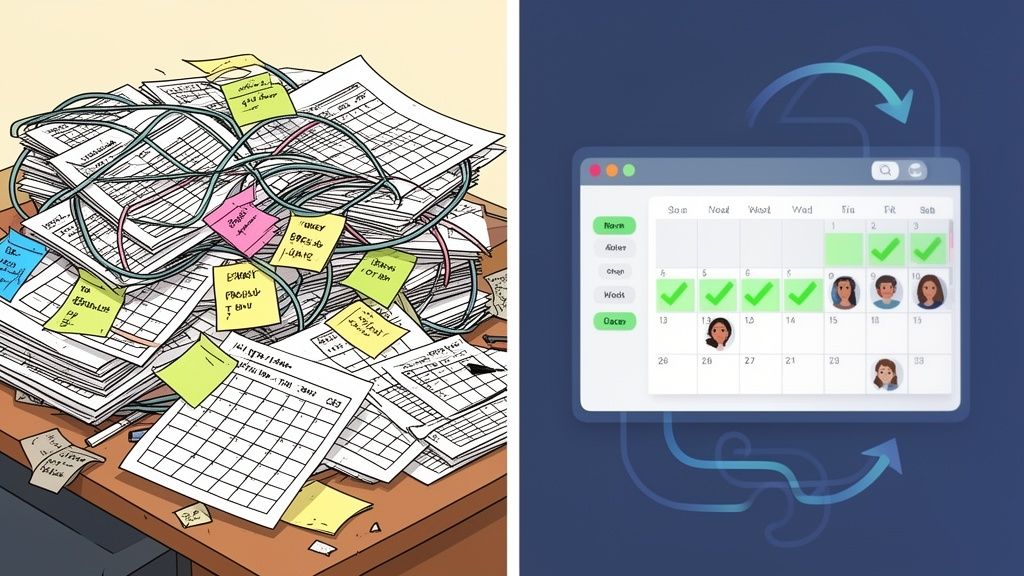
An automated leave management system is a piece of software that takes the headache out of handling time-off requests, approvals, and tracking. Think of it as a digital replacement for all those clunky spreadsheets and endless email chains, creating a single, error-free process that gives managers and HR teams clear visibility and claws back a huge amount of admin time.
Moving Beyond The Spreadsheet Maze
Picture the all-too-familiar chaos of trying to track leave manually. It’s a messy web of colour-coded spreadsheets that only one person understands, constant email back-and-forth, and maybe a few sticky notes on a monitor for good measure. For a lot of managers, this isn't just a bad dream; it's the day-to-day reality. This manual approach is riddled with hidden costs that go way beyond simple frustration.
Every minute you spend double-checking calendars, manually working out someone's remaining holiday entitlement, or chasing a manager for an approval is a minute you could have spent on something far more valuable. These little drains on your time really add up, sucking productivity from the whole business. It’s also a perfect recipe for mistakes, from small miscalculations to accidentally letting two key team members book the same week off.
The Hidden Costs of Manual Tracking
The knock-on effects are very real. You end up with inconsistent policy enforcement, where one person’s request is handled differently from another's, which slowly chips away at trust and fairness. It also plays into a much bigger problem in UK workplaces. Data shows that over 60% of UK workers didn't take their full annual leave allowance in both 2022 and 2023. That's millions of employees giving up well-earned rest days, a situation made worse by poor visibility and clunky request processes. You can find more details about these annual leave statistics online.
An automated leave management system is the clear way out of this maze.
An automated leave management system isn't just a replacement for a spreadsheet; it's a fundamental shift in how a business values its time, its people, and its operational integrity. It turns a reactive administrative task into a proactive, data-driven process.
Embracing a Strategic Shift
This technology completely changes how a business handles absence by creating one central source of truth for everyone. It automates the entire journey, from an employee submitting a request and it being routed for approval, to calculating leave balances and updating the team calendar. Making this shift is essential for any modern UK business that cares about efficiency, compliance, and building a great company culture where taking a break is simple and encouraged.
For bigger companies, moving past the spreadsheet might involve looking at comprehensive solutions. For example, large enterprises often use platforms for Mastering Dynamics 365 for HR, which bundle leave management with other core HR functions.
Core Features of a Modern Leave Management System
To really get what an automated leave management system does, you need to look under the bonnet. These platforms are much more than fancy digital calendars; they're a clever collection of features designed to get rid of administrative headaches and bring clarity to everyone. Each piece works together to turn what was once a chaotic mess into a simple, reliable process.
Let's break down the core features and see how they stack up against the old-school manual way. It’s often when you make this comparison that you realise just how much time and effort the old processes were costing you.
This flowchart shows how the tangled web of spreadsheets and emails inevitably leads to lost productivity and unhappy staff.
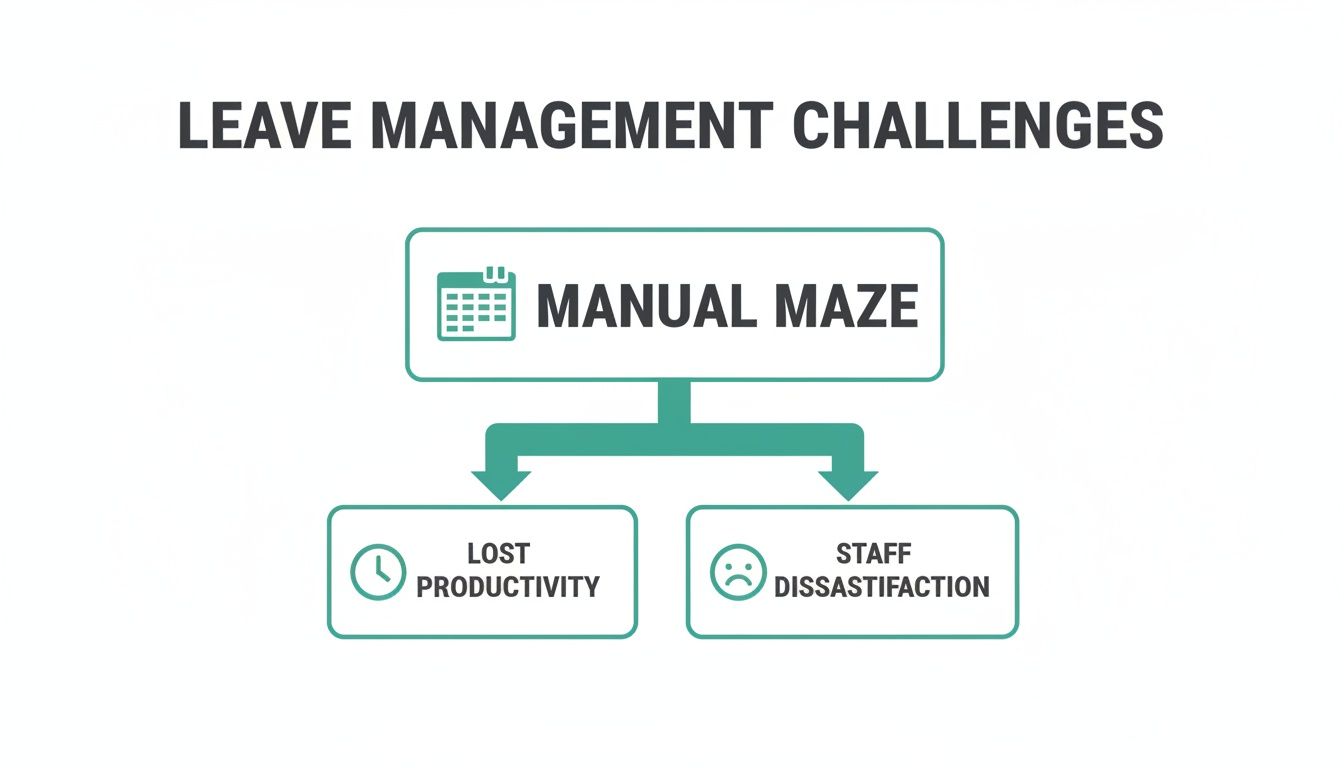
It’s pretty clear that sticking with manual methods doesn't just waste time; it actively damages team morale and makes the business less efficient.
To put it into perspective, here’s a direct comparison of the old way versus the new.
Manual vs Automated Leave Management Features
| Feature | Manual Method (Spreadsheets & Email) | Automated System (Leavetrack) |
|---|---|---|
| Request Process | Ad-hoc emails, verbal requests. No central record. | Standardised online form via a self-service portal. |
| Approval Workflow | Manager has to remember, forward emails, and update spreadsheets manually. | One-click approval from an email or app notification. Instant updates. |
| Team Visibility | Requires checking a clunky spreadsheet or asking around. | Live, shared team calendar showing all approved absences. |
| Balance Calculation | Manual calculations prone to human error, especially for part-timers. | Real-time, automatic accrual and balance tracking. Always accurate. |
| Policy Enforcement | Relies on managers remembering company rules. Inconsistent application. | Custom policies are built into the system, ensuring fair and consistent rules. |
| Reporting | A time-consuming task involving manual data collation. | Instant reports on absence trends, leave balances, and more. |
This table makes the practical differences crystal clear. One approach is fragmented and risky, while the other is integrated, accurate, and efficient.
A Centralised Request and Approval Hub
At the heart of any decent system is a single, unified place for all things leave-related. This isn't just a nice-to-have; it's the foundation for transparency and consistency.
The Old Way: An employee pings an email to their manager. The manager might miss it, forget to reply, or fail to tell HR. There’s no single source of truth, which just leads to confusion and endless follow-up emails.
The New Way: The employee logs into a self-service portal, sees their remaining balance instantly, and submits a request in seconds. Their manager gets an immediate notification and can approve or deny it with a single click, which automatically updates every relevant record.
This central hub becomes the undisputed record, putting an end to the "he said, she said" of email chains. Everyone involved can see the status of a request at any time.
Shared Team Calendars for Instant Visibility
A classic headache for managers is trying to juggle team availability. Approving a request without seeing the bigger picture can leave you short-staffed right in the middle of a critical project. Shared calendars provide that essential context.
Think of it as a smart, digital wall planner. It instantly shows who is off, when, and for what reason (with privacy controls, of course). This visibility helps managers make informed decisions and helps team members plan their own time off without creating clashes. It answers the question, "Can we really afford for Sarah to be off that week?" before it ever becomes a problem.
Automated Accrual and Balance Calculations
Manually calculating holiday entitlement, especially for part-time staff or new starters, is a minefield of potential errors. UK employment law has specific rules for accruals, and one simple spreadsheet mistake can lead to you being non-compliant.
An automated leave management system takes this risk off the table completely.
The system acts as your compliance engine, automatically calculating entitlements based on the rules you set. It tracks balances in real-time as leave is taken, ensuring every employee's record is 100% accurate without anyone lifting a finger.
This feature is a massive time-saver for HR and payroll, but more importantly, it guarantees fairness and legal compliance. Employees trust that their allowance is correct, and the business is protected from costly mistakes.
Customisable Leave Policies and Types
Your business is unique, and your leave policies should be too. A rigid system that only gives you "Holiday" and "Sick Leave" just doesn't cut it for modern companies.
A powerful platform like Leavetrack lets you create as many custom leave types as you need. You can set specific rules for each one:
- Does it need a doctor's note?
- Is it paid or unpaid?
- Does it get deducted from the annual allowance?
- Who is eligible to even request it?
This flexibility means the software adapts to your business rules, not the other way around. Whether it's compassionate leave, training days, or the occasional duvet day, the system enforces your policies consistently for everyone.
Seamless Integrations and Reporting
Finally, a modern system doesn't live on an island. It connects with the tools your team already uses every day, like Outlook, Google Calendar, and Slack. This means approvals can happen right inside a Slack message, and team calendars are always perfectly in sync.
On top of that, good reporting turns all your raw absence data into strategic insights. You can easily spot absence trends, identify teams at risk of burnout, and forecast your leave liabilities for financial planning. This data helps you shift from just reacting to problems to proactively managing your workforce.
The Real Business Impact of Automation
Moving away from spreadsheets to an automated leave system isn't just about swapping out one tool for another. It's a fundamental shift in how your business runs, and the positive changes ripple out across the entire company. The features are the engine, sure, but the real value is in the tangible results they deliver. We're talking about everything from clawing back precious time to building a more resilient and trusting company culture.
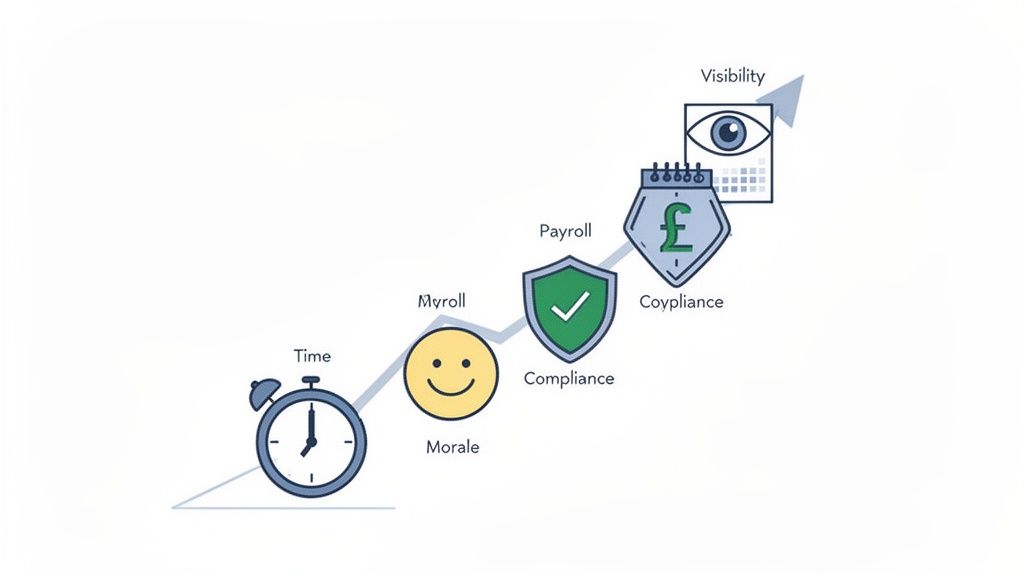
The first and most obvious win is the sheer amount of time you get back. For managers and HR, that endless loop of chasing up approvals, answering "how many days do I have left?" and manually tinkering with calendars just vanishes. What used to eat up hours every week is suddenly handled in minutes. This frees up your key people to focus on the strategic work that actually pushes the business forward.
Boosting Morale Through Fairness and Consistency
Beyond just saving time, automation creates a much healthier and more positive work environment. When your leave policies are hardwired into the system, they get applied consistently to every single employee, every single time. There's no room for perceived favouritism or inconsistency that can so quickly poison team morale.
Employees get a real sense of autonomy through self-service portals. They can manage their own leave without having to chase a manager, which is empowering. This level of transparency builds a solid foundation of trust, making your team feel respected and valued. You can read more about these positive effects in our guide covering the three key benefits of absence management software for SMEs.
Achieving Payroll Accuracy and Financial Clarity
For anyone in finance or payroll, an automated leave system is a godsend for accuracy. Manual calculations are a hotbed for errors, which can easily lead to incorrect pay and some serious compliance headaches down the line. Automation guarantees that leave is tracked precisely and integrates smoothly with your payroll, ensuring everyone is paid correctly, on time.
This accuracy is crucial for managing leave liability—the cash value of accrued but unused holiday time. With UK annual leave entitlement dropping by an average of 3.51% between 2022 and 2023, the financial picture can get complicated. A system like Leavetrack makes this simple by monitoring accruals and providing straightforward reports.
Strengthening Compliance and Reducing Risk
Trying to navigate UK employment law, especially the Working Time Regulations, demands meticulous records. An automated system essentially acts as your digital compliance officer, creating a perfect, auditable trail of every leave request, approval, and balance.
Automating entitlement calculations—especially for part-time staff or people with variable hours—ensures you're meeting your statutory obligations without the risk of human error. It’s a powerful safeguard against costly legal disputes and tribunals.
Enhancing Resource Planning and Visibility
Perhaps the biggest strategic benefit is the real-time visibility it offers. At a glance, a manager can see the entire team's availability on a shared calendar. This makes it incredibly easy to plan project timelines, arrange cover, and steer clear of productivity bottlenecks before they happen.
User Story Example: Let's say a project manager, Sarah, is planning a critical product launch in three months. Instead of firing off emails to her six team members to check their holiday plans, she just pulls up the shared Leavetrack calendar. She instantly spots that two key developers have overlapping leave booked. With that foresight, she can adjust the project timeline months in advance, avoiding a last-minute crisis.
This kind of insight turns resource planning from a reactive scramble into a proactive strategy. Understanding the wider context of Automation in B2B helps frame how tools like this aren't just operational aids; they are strategic assets that contribute directly to your business's stability and growth.
Your Step-By-Step Implementation Plan
Making the switch from familiar spreadsheets to a modern leave management system can feel like a huge undertaking, but I promise it’s more straightforward than you might think. Today’s platforms are built for a smooth transition. Don’t think of it as a complex IT project; see it as a well-organised plan with a clear destination.
This simple, step-by-step guide will walk you through the process, breaking it down into manageable chunks. By following this structure, you can make sure the switch is seamless and get your whole team on board right from the start.
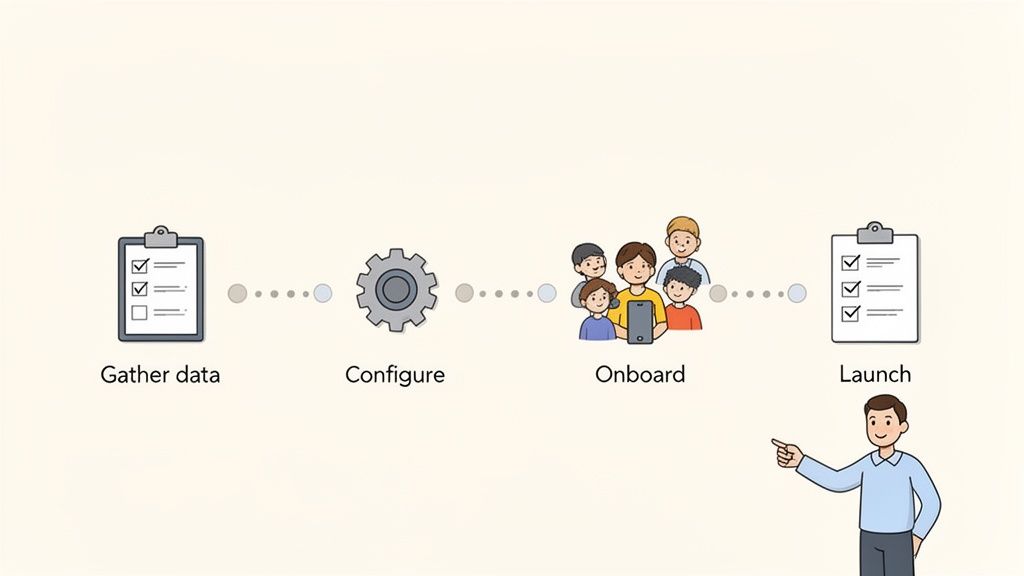
Stage 1: Gather and Clean Your Existing Data
First things first: you need to pull together all your current leave information. This means digging into every spreadsheet, shared calendar, and email chain to consolidate everything into one master file. Honestly, it’s the perfect excuse for a good spring clean.
Hunt down inconsistencies, fix any errors in holiday balances, and double-check that every employee's details are correct. Putting in this effort now is absolutely vital. The accuracy of your shiny new system depends entirely on the quality of the data you feed it. Clean data means you’ll have a reliable source of truth from day one.
Stage 2: Configure Your System and Policies
With your data sorted, it’s time to shape the software to fit your business like a glove. This is where you take your company’s leave policies out of the handbook and turn them into automated rules inside the system.
You’ll need to set up a few key things, such as:
- Leave Types: Define all the different kinds of absence you track—from standard annual leave and sick days to parental leave or training.
- Accrual Rules: Set up how holiday entitlement is earned. This is where you’ll configure different rates for full-time, part-time, and long-serving staff to ensure you’re compliant with UK regulations.
- Approval Workflows: Assign roles and decide who needs to approve requests for each team. If you have managers who need their own leave signed off by someone more senior, you can set up multi-level approvals here.
This part of the process is about more than just tweaking settings. It’s about building fairness and consistency directly into your day-to-day operations. When you define these rules in the software, you guarantee they’re applied the same way for everyone, every single time.
Getting this stage right is fundamental to a successful launch. For a deeper look at the nitty-gritty, check out our more detailed advice in a step-by-step guide to implementing an absence management system.
Stage 3: Onboard and Train Your Team
Once the system is configured, the next step is to introduce it to your team. The goal is to build confidence and get everyone excited to use it, so clear communication is essential. Start by explaining why you’re making the change, focusing on how it benefits them directly—like seeing their leave balance instantly or using a much simpler request process.
Provide training materials that are clear and to the point. A short video tutorial or a simple one-page guide often works far better than a dense manual. Hold brief training sessions to walk managers and employees through the new process and give them a chance to ask questions.
Stage 4: Prepare for Launch
Finally, before you hit the big green button, run through a pre-launch checklist. This final check helps prevent any last-minute hiccups and ensures a smooth start for everyone.
Your checklist should include these four points:
- Final Data Import: Has the clean, finalised employee data been uploaded?
- Policy Review: Are all the leave policies and approval chains configured correctly?
- User Access: Has everyone received their login details and instructions?
- Communication Plan: Is an announcement ready to go out to officially launch the new system?
By working through these stages methodically, you turn what seems like a daunting project into a series of simple, manageable steps.
How to Choose the Right System for Your Business
Picking the right automated leave management system is a big decision. It’s not just about ticking off a long list of features; it's about finding a partner that actually fits your company culture, plays nicely with the tools you already use, and can grow with you. Not all platforms are built the same, so a bit of thoughtful evaluation is key to making sure you get a real return on your investment.
Think of it like buying a new car. You wouldn't just grab the one with the most buttons on the dashboard. You'd think about its running costs, how many people it can carry, and whether it’ll actually fit on your drive. The same logic applies here—you need to focus on the practical stuff that affects your day-to-day operations.
Start with User-Friendliness and Adoption
The most powerful, feature-packed system in the world is completely useless if your team finds it too confusing. The whole point is to make everyone's life easier, not to add another complicated tool they have to learn. Look for a clean, intuitive interface that both employees and managers can get the hang of with almost no training.
Here's a simple test to use during any demo: "Could a brand-new starter book a holiday in under a minute without needing a manual?" If the answer is no, you’re looking at poor adoption, and your team will probably just go back to firing off emails.
Simplicity is everything. A good system should feel effortless, encouraging everyone—from the most tech-savvy to the least—to use it consistently. Get this right, and you've built the foundation for a successful rollout.
Evaluate Scalability and Integration Capabilities
Your business isn't standing still, so your software shouldn't either. Think about where your company will be in two years, or even five. Will the system you choose today still be a good fit when your team has doubled in size?
Look for a platform that can easily scale with you, handling more employees and more complex leave policies without grinding to a halt. Just as important are its integration capabilities. A great automated leave management system should work as a central hub, connecting seamlessly with the tools your team relies on every day.
- Payroll Software: Can it export data to make your payroll run less of a headache?
- Calendar Apps: Does it sync with Outlook and Google Calendar to keep everyone in the loop?
- Communication Tools: Can managers approve requests right from inside Slack or Teams?
These connections stop data from getting trapped in silos and make leave management a natural part of your workflow, rather than another separate chore. Our detailed article on the secrets of choosing the right absence management solution offers more insights into making this critical decision.
Scrutinise Security and Customer Support
Handing over sensitive employee data is a big deal, and it requires trust. Make sure any vendor you're considering has solid security measures in place, including regular data backups and clear data protection policies that align with UK regulations. Don't be shy about asking direct questions about their security protocols during demos.
And please, don't overlook customer support. When you have a question or hit a snag, you need to know a helpful human is on the other end, ready to sort things out quickly. Check reviews or ask for a few references to get a real feel for the quality of their support.
Understand the Pricing Models
Finally, you need a solution that fits your budget. Most providers use a subscription model, often priced per user, per month. For small and growing businesses, this can be a really cost-effective way to go, as you only pay for what you use.
Just be on the lookout for hidden fees for things like setup, training, or "premium" support. A transparent, straightforward pricing structure is usually a good sign that you're dealing with a trustworthy vendor. The goal is to make sure the value the system provides—in saved time, fewer errors, and happier staff—easily outweighs its cost.
Avoiding Common Pitfalls in Leave Management
Switching to an automated leave management system is a brilliant move, but just buying the software doesn't automatically solve everything. To really reap the rewards, you need to navigate a few common tripwires that can easily undermine the whole effort. Interestingly, these issues rarely stem from the software itself, but from how it’s rolled out and managed.
One of the most common mistakes is simply poor communication. If your team suddenly sees a new system as another top-down mandate or, worse, a way for management to "watch" them more closely, they'll resist it. The key is to frame the change around what’s in it for them: easier requests, seeing their leave balance instantly, and a fairer process for everyone.
Forgetting to Customise Policies
Another huge oversight is failing to properly set up the system to mirror your company’s unique leave policies. A generic, out-of-the-box configuration just won't cut it. It won’t know your specific rules on carry-over limits, how you calculate accrual for part-time staff, or any special leave types you offer.
This mistake can lead straight back to the same inconsistencies and errors you were trying to escape. Taking the time to meticulously translate your employee handbook into the system’s rules is non-negotiable. It’s what ensures the platform enforces your policies correctly from day one, becoming a reliable digital administrator you can trust.
A leave management system should adapt to your business, not force your business to adapt to a rigid system. True automation comes from embedding your unique operational DNA into the software's logic.
Overlooking Mobile Accessibility
In a world where managers are rarely glued to their desks, forgetting about mobile access is a critical error. A manager who has to wait until they're back at their laptop to approve a request creates a bottleneck. This completely defeats the purpose of having an agile, responsive system and just slows the whole process down.
Make sure the system you choose, like Leavetrack, has a solid mobile interface or app. This lets managers review and approve time-off requests on the go, keeping the workflow moving and preventing delays that frustrate employees.
Neglecting the Power of Data
Perhaps the biggest missed opportunity of all is ignoring the goldmine of data the system produces. Your automated leave platform is packed with insights into workforce trends, potential burnout risks, and staffing patterns.
Recent UK data highlights this perfectly. Annual leave taken dropped by 7.67% from 2022 to 2023, with some industries seeing even steeper falls. When your system tracks these trends, you can get ahead of problems like burnout before they become critical, especially when 1 in 10 workers report feeling pressured not to use their leave. You can discover more insights about these annual leave statistics and their impact on UK businesses. Using this data properly turns HR from a reactive function into a strategic partner in employee wellbeing.
Frequently Asked Questions
Even after seeing all the benefits, it's natural to have a few questions when you're thinking about moving to an automated leave management system. Let's tackle some of the most common ones with practical, straightforward answers to help you decide what's right for your business.
Is an Automated System Worth It for a Small Business?
Absolutely. In fact, small businesses often feel the positive impact the most. Just think about freeing up the owner or a key manager from hours of admin every single week – that’s a massive win when you’re already stretched thin.
It also helps you establish fair, consistent holiday policies right from the start, preventing headaches as the team grows. Modern systems are surprisingly affordable, with simple per-user pricing that quickly pays for itself when you consider the hidden costs and risks of error-prone spreadsheets.
How Hard Is It to Migrate Data from Our Spreadsheets?
This is a very common worry, but thankfully, modern platforms are built to make this as painless as possible. The process is usually quite simple: you export your existing data into a standard CSV file (which is easy to do in Excel or Google Sheets) and upload it straight into the new system.
A good provider will have clear guides and a support team ready to walk you through it. That initial bit of time you spend tidying up your data is well worth it, as it gives you a single, accurate source of truth for all leave tracking from that day forward.
Can the System Handle Our Complex Leave Policies?
Yes, and this is where a dedicated system truly shines. Spreadsheets are rigid and start to fall apart as soon as you introduce any complexity, but a proper platform is built for it. You can build your company’s unique rules directly into the software.
This means you can easily set up things like:
- Custom carry-over limits for unused holiday time.
- Different accrual rates based on how long someone's been with the company.
- Unlimited custom leave types, like training days, volunteering, or compassionate leave.
The system then applies these rules automatically. This guarantees fairness and consistency for everyone in the company, without managers having to remember every single detail.
How Does This System Improve UK Compliance?
An automated system is a huge help for UK compliance in a few key ways. First, it gives you an accurate, time-stamped record of all leave requests, approvals, and balances, which is essential for meeting the Working Time Regulations.
Crucially, it ensures every employee, including part-time and zero-hour workers, gets their correct statutory holiday entitlement by handling the pro-rata calculations automatically. It also gives managers clear visibility into leave balances, helping them encourage staff to take their entitled rest. This promotes wellbeing and reduces the legal risks that come with untaken leave.
Ready to see how an automated system could transform your own business? Discover how Leavetrack makes leave management simple, saving you time while ensuring fairness and transparency. Start your free trial today.