

How to Write a Perfect Request Annual Leave Email
Posted by Robin on 22 Dec, 2025 in
Asking for time off should be straightforward, but sending that annual leave request email can still feel a bit formal. Getting it right from the start just makes the whole process smoother for everyone. A good request is a clear, concise, and polite message to your manager that lays out the dates you want, explains how your work will be covered, and respects your company's rules.
The Anatomy of an Effective Leave Request Email
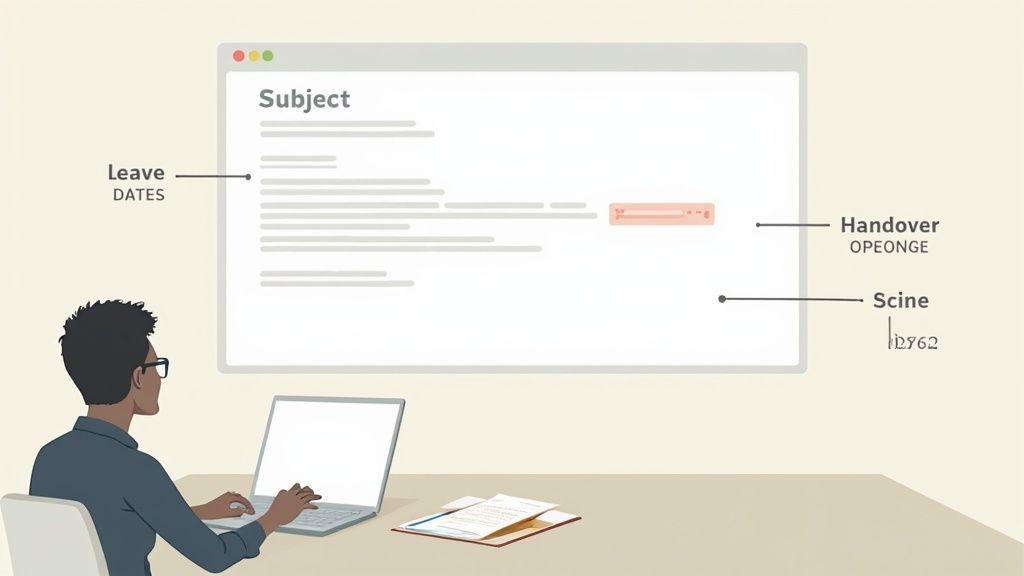
Crafting the perfect annual leave request isn't about writing a formal essay; it's all about clear communication. The best email is one your manager can read, understand, and approve in less than a minute. You want to give them all the information they need upfront to avoid any back-and-forth emails.
Before you even think about hitting 'send', take a quick look at your company's leave policy. It's the go-to guide for how much notice you need to give, any blackout periods (like the busy pre-Christmas rush), and who you need to send the request to. If you're curious about what goes into these documents from an HR perspective, our guide on creating an annual leave policy can offer some good insight.
Key Information to Include
Think of your email as a self-contained request. Your manager shouldn't have to chase you for details. While it seems simple, getting these core components right is non-negotiable.
To make it even clearer, here’s a quick breakdown of what every leave request email needs.
Key Components of Your Annual Leave Request Email
This table summarises the essential elements to include in any annual leave request email to ensure clarity and professionalism.
| Component | Purpose | Example Snippet |
|---|---|---|
| Specific Dates | Prevents any confusion about when you'll be away. | "I would like to request annual leave from Monday, 15th July to Friday, 26th July." |
| Return Date | Clarifies exactly when you'll be back and available. | "I will be back in the office on Monday, 29th July." |
| Handover Plan | Shows you're proactive and considerate of the team. | "I will ensure all my urgent tasks are completed, and I'll brief Sarah on any ongoing projects." |
| Polite Tone | Maintains a professional and respectful relationship. | "Please let me know if these dates work for the team. Many thanks." |
Including these pieces of information makes the approval process a breeze for your manager. Beyond these leave-specific tips, having a solid grasp of writing professional emails that get replies is a great skill that will serve you well in all sorts of workplace communications.
Understanding Your Entitlement
It's also useful to know where you stand. In the UK, most full-time employees are legally entitled to 28 days of paid annual leave each year, which works out to 5.6 weeks. Many companies offer more than the statutory minimum as a perk.
Knowing this helps you keep track of your remaining days and plan your time off effectively. When you send your email, it shows you're aware of your allowance and are making a request that falls within your entitlement.
Getting Your Subject Line and Email Body Right
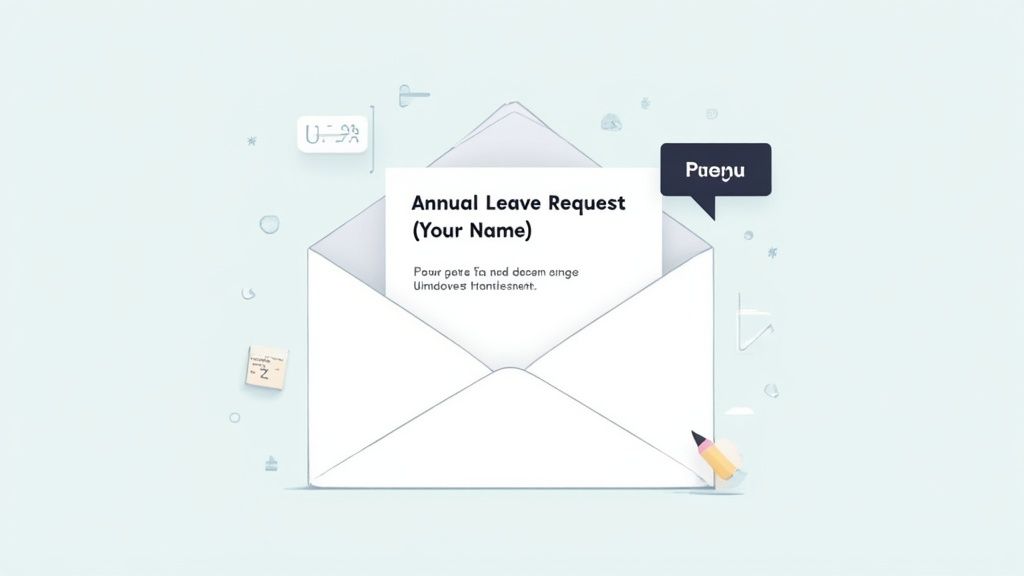
Before your manager even reads your request annual leave email, it has to survive their inbox. Let's be honest, managers are busy people. A vague subject line like "Time off" or "Holiday" is a surefire way to get lost in the shuffle, delaying your well-deserved break.
Your goal here is to be crystal clear and professional. Think of your subject line as a clear signpost – it should tell your manager exactly what the email is about at a glance.
Nailing the Perfect Subject Line
There’s no need to get creative here; a straightforward, formulaic approach is your best bet. It cuts through the noise and signals the email's purpose without your manager even having to click on it.
Try one of these professional and direct options:
- Annual Leave Request - [Your Name]
- Leave Request - [Your Name] - [Start Date] to [End Date]
- Time Off Request - [Your Name]
You can see how each one gets right to the point. The second example is particularly good because it gives your manager the dates upfront, which helps them check the team calendar and make a faster decision.
A strong subject line isn't just about being polite; it's a practical tool that helps your manager. By being clear and concise, you’re respecting their time and setting a professional tone from the very beginning. That goes a long way towards getting a quick and positive response.
Now, let's move on to the body of the email. Structure is just as important as the words you choose. A well-organised message is easy to scan, understand, and act on. You'll want a polite opening, a clear statement of your request, a quick mention of how you'll prepare, and a professional sign-off. If you want to brush up on making all your messages more effective, you might find these effective email management tips helpful.
Building the Body of Your Email
This is where you give your manager the details they need. Keep it brief and to the point – there's usually no need for a long story unless your request is unusual.
A simple, logical flow is all you need.
First, the opening. A simple, professional greeting works perfectly. "Dear [Manager's Name]," or "Hi [Manager's Name]," is ideal, depending on how formal your workplace is.
Next comes the actual request. Get straight to it. Clearly state that you want to take annual leave and provide the exact dates. For instance: "I would like to request annual leave from Monday, 2nd September, returning to work on Monday, 16th September."
Then, add a note about the handover plan. This is where you show you’re thinking ahead. Just one sentence is enough to reassure your manager that everything will be handled. Something like, "I will ensure all my urgent projects are completed before I leave and will coordinate with the team for a smooth handover," shows responsibility.
Finally, the closing. End the email politely. A simple "Please let me know if these dates work for you," followed by "Best regards," or "Many thanks," is all it takes.
By following this simple structure, you're creating a professional request annual leave email that gives your manager everything they need for a speedy approval.
Email Templates for Any Workplace Scenario
Knowing what to write when asking for time off can feel a bit awkward, but having a solid starting point makes all the difference. A good request for annual leave email can be easily tweaked to fit any company culture, whether you're in a traditional corporate office or a laid-back startup. The trick is to match the tone while making sure your core message is crystal clear.
Think of these templates less as rigid scripts and more as a helpful foundation. You can build on them, adjust the wording to sound more like you, and just plug in your specific dates. It takes the pressure off starting from a blank page and helps you get your request sorted with confidence.
The Formal Annual Leave Request
In more traditional or corporate environments, it's always smart to play it safe with a formal tone. This template gets straight to the point, is respectful, and covers all the bases without being overly chatty. It’s perfect when you need to maintain that professional polish.
Here’s a classic, no-fuss example:
Subject: Annual Leave Request - [Your Name]
Dear [Manager's Name],
Please accept this email as a formal request for annual leave. I would like to take leave from [Start Date] to [End Date], returning to the office on [Return Date].
Before my departure, I will ensure all my pending tasks are completed and that my projects are in a good position. I will also coordinate with [Colleague's Name] to cover any urgent responsibilities during my absence.
Please let me know if these dates work with the team's schedule.
Thank you for your consideration.
Best regards,
[Your Name]
This structure is clean and simple, giving your manager everything they need to make a quick decision. Offering to prepare a handover also shows you’re thinking ahead and respecting the team's workflow.
The Casual and Friendly Approach
If you work in a place with a more relaxed vibe, you can definitely afford to be a bit more conversational. This doesn't mean you can skip the essential details; it's just about framing them in a friendlier way. This approach is great for smaller teams or companies where daily communication is already pretty informal.
Here’s how you could adjust the tone:
Subject: Time Off Request - [Your Name]
Hi [Manager's Name],
I'd like to request some annual leave from [Start Date] to [End Date]. I'll be back at my desk on [Return Date].
I'll make sure everything is wrapped up before I go and will brief the team on anything they need to know while I'm away. Happy to chat through my handover plan when you have a moment.
Let me know if those dates work for you.
Thanks,
[Your Name]
See how the core information is identical, but the language feels lighter? Phrases like "I'd like to request" and "Let me know if those dates work" are still polite, just less stiff than their formal counterparts.
Email Template Tone Comparison
Choosing the right phrasing can be tricky. This table breaks down the subtle differences between a formal and informal tone to help you nail your email, whatever your workplace culture.
| Email Section | Formal Phrasing | Informal Phrasing |
|---|---|---|
| Opening | Dear [Manager's Name], | Hi [Manager's Name], |
| The Ask | Please accept this as a formal request... | I'd like to request some time off... |
| Handover | I will coordinate with a colleague... | I'll brief the team on anything... |
| Closing | Thank you for your consideration. | Let me know if those dates work. |
| Sign-off | Best regards, | Thanks, |
Ultimately, you know your manager and your company best. A quick glance at past team communications should give you all the clues you need to pick the right approach.
Handling a Short-Notice Leave Request
Sometimes life just throws you a curveball, and you need to request leave with less notice than you'd like. These situations need a bit more tact. Your email should be polite and to the point, acknowledging the inconvenience while clearly explaining how you'll manage your work. If you need more options, check out our guide on the 7 perfect request for annual leave email templates for 2025.
This template strikes a good balance between urgency and professionalism:
Subject: Urgent Leave Request - [Your Name]
Hi [Manager's Name],
I am writing to request annual leave on short notice from [Start Date] to [End Date] due to an unforeseen personal matter. I will be returning on [Return Date].
I sincerely apologise for any inconvenience this may cause. I have already started documenting my urgent tasks and will ensure a clear handover plan is in place for [Colleague's Name] before I leave. I will also be available by phone for anything critical.
Thank you for your understanding.
Best,
[Your Name]
In a situation like this, acknowledging the short notice and apologising for the disruption shows you're aware of the impact on the team. Offering to be available for emergencies can also go a long way in reassuring your manager.
Mastering the Art of Requesting Time Off
Knowing what to write in your annual leave email is only half the job. Knowing when to send it? That’s an art form.
The whole etiquette around asking for time off is full of unwritten rules. It’s about showing respect for your manager’s time and being considerate of your team. Get the timing right, and you're far more likely to get a quick 'yes'.
The golden rule is pretty straightforward: give as much notice as you possibly can. Your company handbook probably has a minimum notice period, but you should always aim to beat it. For a week-long holiday, giving at least a month's notice is a solid benchmark. If you're planning a bigger trip of two weeks or more, aim for two to three months' notice.
That early warning shot gives your manager plenty of time to shuffle resources and allows your colleagues to plan around your absence. It’s a simple professional courtesy that stops your holiday from causing a last-minute panic for everyone else.
Check the Team's Workload First
Before you even start typing, take a look at the bigger picture.
Are there any massive project deadlines on the horizon? Is the team about to enter its busiest quarter? Trying to book leave during a peak period is a sure-fire way to put a strain on your colleagues and probably get your request denied.
Having this kind of situational awareness shows you're a team player. It’s also smart to have a quick glance at the shared team calendar. If half the team has already booked the same dates, you might want to rethink your plans. We've got more tips on navigating these tricky spots in our guide to mastering annual leave requests that get approved.
Have a Quick Chat Before the Email
For any significant amount of time off—like a two-week trip or a request during a potentially busy period—it's a great idea to have a quick, informal word with your manager before you send the official email.
This little heads-up gives them a chance to flag any potential issues you might not know about.
A simple, "Hi [Manager's Name], just to let you know, I'm planning to request some time off in August. I'll send the formal email over with the dates, but just wanted to check if there were any major deadlines I should be aware of?" shows real thought and respect for their position.
This one small step can head off a formal rejection before it even happens, making the whole thing feel more like a collaboration. It shows you're planning responsibly, not just announcing that you'll be gone.
Understanding these nuances makes a huge difference. For example, UK employee data shows that the days around Christmas are incredibly popular, with 27th December being the most requested day off for several years running. You can see more on these UK annual leave trends here. Knowing about these peak times helps you plan your own leave much more strategically.
What to Do After You’ve Sent Your Request
So, you’ve double-checked the dates, sorted out the handover plan, and finally clicked ‘send’ on your annual leave request. The hard part feels like it's over, but what happens next? Knowing how to handle the post-request period keeps things professional and smooth, whether you get an immediate yes, a no, or just radio silence.
That initial waiting game can be a bit nerve-wracking. A good rule of thumb is to give it at least a few business days before following up. Managers are often juggling dozens of priorities, and your email is probably just sitting in their queue. A little patience here goes a long way and shows you're professional.
This is also a good moment to think about what might influence how quickly you get an answer—things like big project deadlines, who else is off, and the team's general workload. This little flowchart can help you think like a manager, balancing your own plans with the team's needs.
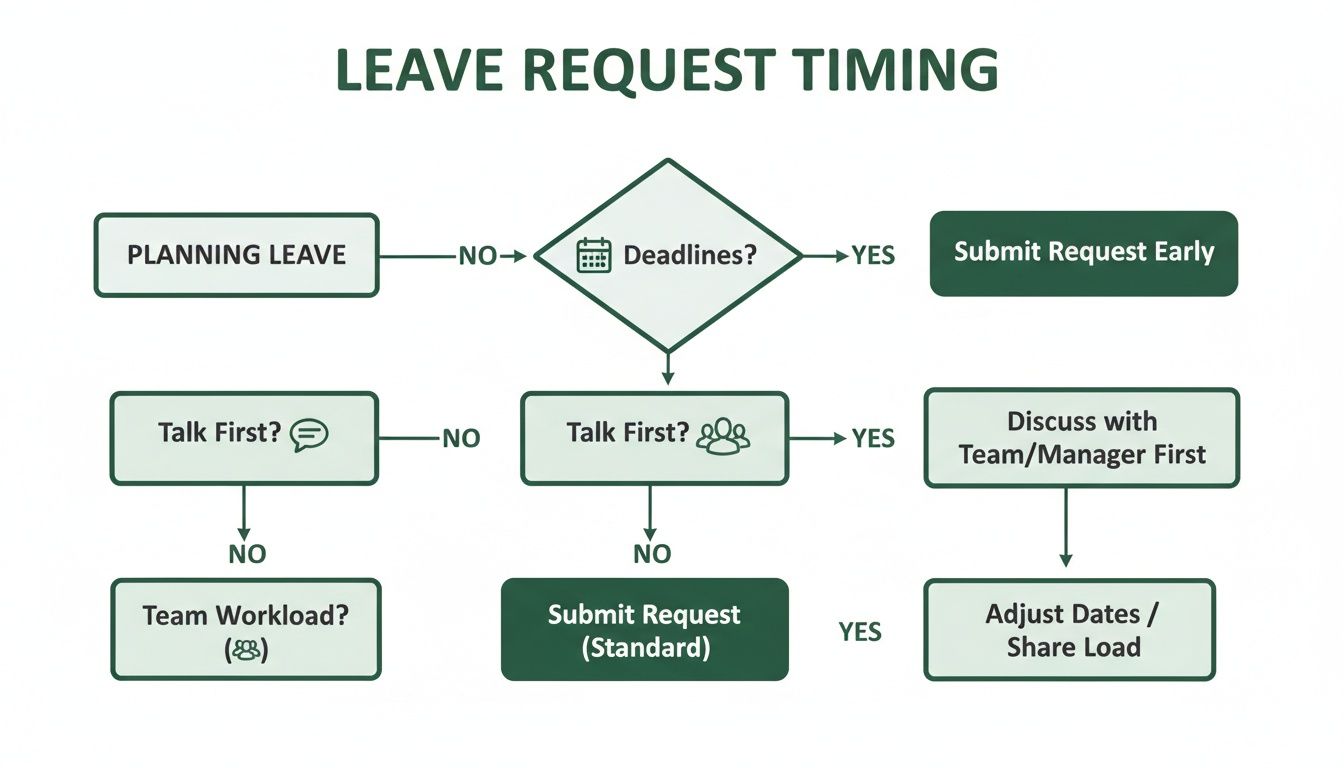
Thinking through these steps can seriously boost your chances of getting a quick and positive response.
Following Up on Your Request
If a week goes by and you haven't heard a peep, a gentle nudge is perfectly fine. You're not chasing or being pushy; you're just checking in. A polite, brief follow-up email is all it takes.
Something simple and friendly like this usually does the trick:
"Hi [Manager's Name], just wanted to quickly follow up on my annual leave request for [Dates]. Please let me know if you need any more information from my side. Thanks!"
It’s a non-pushy reminder that also shows you’re organised and on top of your planning, which most managers will appreciate.
How to Respond to the Decision
Once the reply lands in your inbox, your response matters. If it's a yes, a quick "thank you" is just good professional courtesy. It lets your manager know you’ve seen the approval and appreciate their time.
If your request is denied, it's really important to respond constructively. Try to avoid showing any frustration. Instead, ask for a bit of feedback. You could reply with something like, "Thanks for letting me know. I understand it's a busy period. Could we perhaps look at some alternative dates that might work better for the team?" This opens up a conversation and shows you’re a flexible team player.
It's an interesting side note, but people are taking less time off these days. The average UK employee took 33.9 days of annual leave in a recent year, which is a big drop from 38 days just three years earlier. That’s a nearly 12% decline, highlighting a trend where employees aren’t recharging as much. You can discover more insights about UK annual leave trends to see how patterns are changing across different industries.
Finalising Your Leave Plans
Once your leave is officially approved, it’s time to get your handover plan rolling.
- Set your out-of-office: Make sure your auto-reply is on, clearly stating your dates away and who to contact for anything urgent.
- Update calendars: Block out your leave on any shared team calendars so everyone can see when you'll be gone.
- Confirm handover details: Have a quick chat with the colleague (or colleagues) covering for you. Walk them through any pending tasks or important contacts they might need.
Ticking off these final steps ensures a seamless transition for your team. More importantly, it allows you to completely switch off and properly enjoy your well-deserved break without one eye on your inbox.
Got Questions About Annual Leave Emails?
Even with the best templates in hand, you'll probably still have a few nagging questions when it’s time to draft that request annual leave email. Getting them answered properly can be the difference between a quick "yes" and a painful back-and-forth with your manager. Let’s clear up a few of the most common ones so you can send your next request with complete confidence.
How Much Notice Should I Really Give?
This is the big one. While every company has its own policy, a solid rule of thumb is to give at least twice as much notice as the length of the holiday you're planning.
Going away for a week? Give your manager two weeks' notice, minimum. Planning a two-week getaway? Make sure you're asking at least a month in advance.
This simple formula isn't just about being polite; it shows you're thinking about the team. It gives your manager enough time to juggle resources and ensures your absence won't throw a wrench in project deadlines. It's a small professional courtesy that goes a long way.
Do I Need a Detailed Handover Plan?
Yes, and vague promises won't cut it. Managers need to see you've actually thought about how your work will be covered. A last-minute scramble to jot down notes isn't fair to your colleagues.
Your handover document should be clear, concise, and actionable. Think about what someone would need to know to step into your shoes for a few days.
- Key project statuses: Where do your main projects stand right now?
- Urgent task list: What absolutely has to be done while you're away?
- Essential contacts: Who should your cover contact if they have questions about a specific client or project?
- Location of files: Don't make them hunt for documents. Point them to the right folders.
A well-organised handover isn't just about covering your own back. It's a mark of a true professional who respects their team's time. Plus, it’s what allows you to actually switch off, knowing everything is under control back at the office.
What if My Leave Request Is Denied?
Getting a 'no' is never fun, but your reaction is what really matters. Flying off the handle or sending a passive-aggressive reply won't help. The professional move is to find a solution.
Ask for a quick chat to understand why the request was turned down. There’s usually a good reason—maybe a huge project deadline you weren't aware of, or a clash with another team member's holiday.
Once you know the 'why', you can start proposing alternatives. Could you shift your dates by a week? Or maybe take a shorter break? Showing that you’re flexible and willing to find a compromise makes it far more likely your manager will work with you to find a date that suits everyone.
Ready to simplify your entire leave management process? Leavetrack gives you a clear, central hub for all requests, approvals, and team calendars, so you can see who's off and when at a glance. Learn more about how Leavetrack can help.