
Your Guide to Absence Management Systems
Posted by Robin on 02 Nov, 2025 in
When an employee is off sick unexpectedly, it's more than just a hassle. For UK businesses, it's a genuine operational and financial headache. Think of it like a sudden power cut – everything grinds to a halt, team morale takes a hit, and customer service can start to wobble. The real damage, however, goes way beyond the person who's absent, setting off a domino effect of hidden costs.
The Hidden Costs of Employee Absence in the UK
The most obvious cost when someone is off is the productivity lost for that day. But the financial ripples spread much wider, often in ways that don't show up neatly on a balance sheet. This creates a tangled web of direct and indirect expenses that can quietly eat away at a company's bottom line.
For starters, the rest of the team often has to pick up the slack. This can mean more overtime pay, which is a direct, measurable cost. But there's a more subtle price to pay: burnout and flagging morale among those who are constantly overstretched. In the long run, this can lead to even more absences and a higher staff turnover.
The Administrative Drain
On top of the immediate disruption, there's a hefty administrative burden. Managers and HR staff lose precious time shuffling schedules, finding cover, and manually updating records. Juggling all this with spreadsheets or paper forms isn't just slow, it's a recipe for mistakes, which can easily lead to compliance problems with UK employment law.
The admin drain from manual absence tracking is a classic case of "death by a thousand cuts." Each little task—an email, a spreadsheet update, a quick phone call—seems tiny on its own. But add them all up, and you've lost hours of strategic, high-value work.
Financial and Cultural Consequences
The financial hit from absenteeism in the UK is staggering. Recent figures show that sickness absence rates have climbed to 3.4%, the highest they've been since 2004. This surge adds up to a massive economic toll, with the cost of lost productivity estimated at around £100 billion a year.
But this isn't just about the money; it's about your company culture. When absences are handled inconsistently, it can breed resentment and a sense of unfairness among staff. If policies aren't applied evenly to everyone, trust erodes, and you're left with a negative work environment.
Of course, prevention is always better than cure. Ensuring a safe workplace is a fundamental first step. Adhering to comprehensive standards, like the Australian Workplace Safety Standards, is a great example of how being proactive can protect your team's health and cut down on preventable incidents.
If you want to dig deeper into the numbers, you can learn more about how much absenteeism costs employers. It’s clear why modern absence management systems have become less of a luxury and more of an essential tool for keeping your business financially healthy and your culture positive.
How Do Absence Management Systems Actually Work?
Think of an absence management system as the air traffic controller for your company's time-off policies. Right now, you might be dealing with a messy mix of emails, confusing spreadsheets, and maybe even the odd paper form. It’s chaotic. The system’s job is to take all those scattered requests, approvals, and records and connect them into one smart, automated hub. It turns a jumble of manual tasks into a clear, predictable workflow.
Let's walk through a typical scenario to see what this looks like in practice. It all kicks off when someone on your team needs to book some time off – whether it’s for a holiday, a doctor’s appointment, or an unexpected sick day.
The Employee Request and Manager Approval
The journey starts with the employee logging into a simple portal, which they can usually access on their phone or computer. The first thing they'll likely see is a team calendar showing who's already booked off. This is a small but powerful feature – it helps them plan their request around busy periods without needing to ask around.
They pick their dates, select the right leave type (like annual leave or sick leave), and submit the request. It’s often just a single click.
That simple action triggers a whole chain of events behind the scenes. The system immediately pings the employee’s line manager with a notification, either by email or through a platform like Slack. The manager can see the request, glance at the updated team calendar to check for any clashes, and then approve or deny it straight from that notification. No more digging through inboxes or cross-referencing spreadsheets; all the context they need is right there.
This is where the magic really happens. The whole process is transformed from a slow, admin-heavy back-and-forth into an instant, informed decision. An approval is no longer a gut feeling; it’s a choice backed by real-time data on team coverage and company policy.
Automation After Approval
Once the manager hits 'approve', the absence management system really gets to work. A whole series of jobs that used to require someone's time and attention now happen automatically in the background, making sure nothing falls through the cracks.
The system juggles several key tasks at once:
- Calendar Updates: The approved leave instantly appears on the shared company and team calendars, so everyone knows who’s out of the office. It can also sync up with personal calendars like Google or Outlook.
- Payroll Notification: The system flags the absence for the payroll department. This is crucial for making sure any adjustments, like for unpaid leave or Statutory Sick Pay (SSP), are calculated correctly without anyone needing to manually enter the data.
- Balance Adjustments: The employee's remaining holiday entitlement is automatically updated. This gives both the employee and their manager an accurate, live view of their balance, which helps prevent anyone from accidentally booking more leave than they have.
- Reporting and Analytics: Every absence is logged in the system's reporting dashboard. This data is then used to track important metrics, such as the Bradford Factor, which helps managers spot patterns of frequent, short-term absences that might point to wider issues.
The infographic below really brings home how a single absence can trigger a sequence of disruptions and costs – a chain reaction that these automated systems are built to manage.
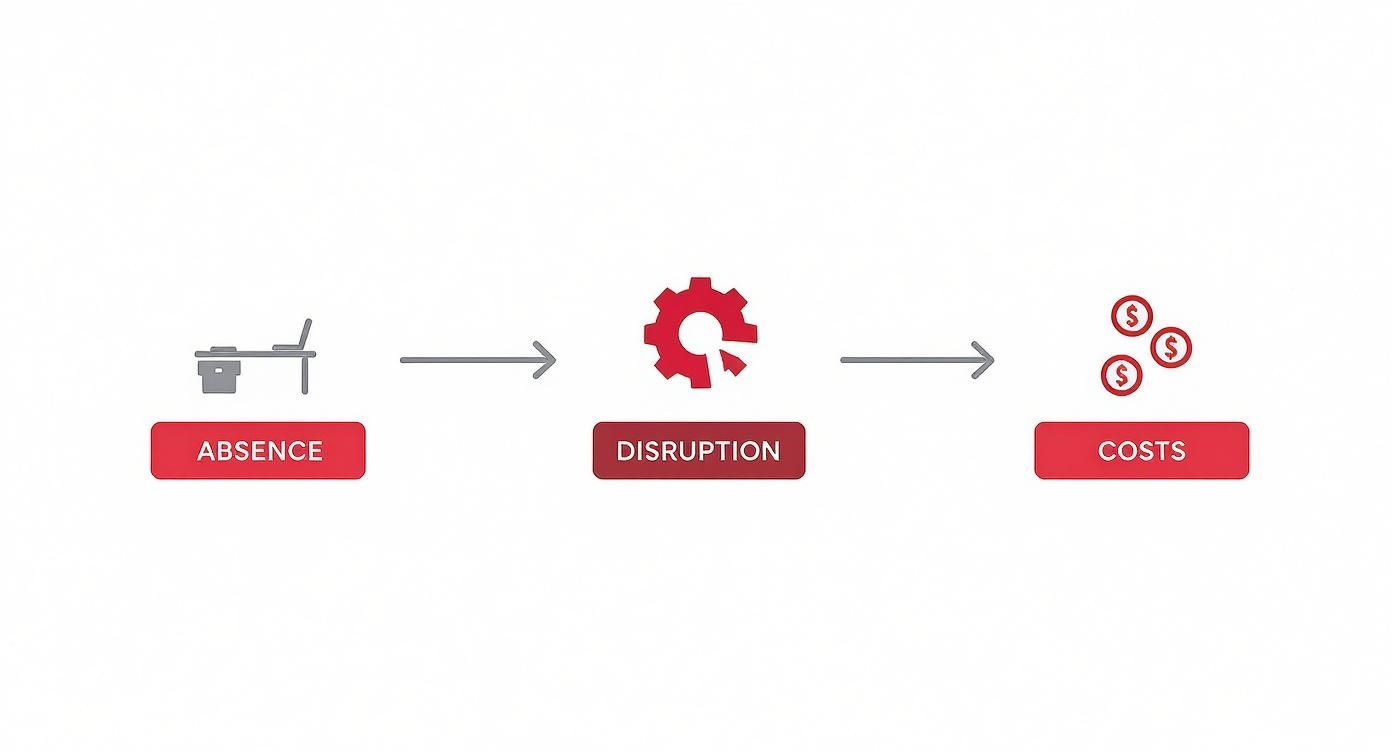
As you can see, what starts as a simple absence can quickly snowball into significant operational headaches and financial costs if it isn't handled well. By automating the entire workflow, from the initial request right through to the record-keeping, an absence management system contains these impacts. It makes the process smoother for the employee, the manager, and the business as a whole, effectively building a resilient structure around a process that was once fragile and full of potential for error.
Essential Features of an Effective System
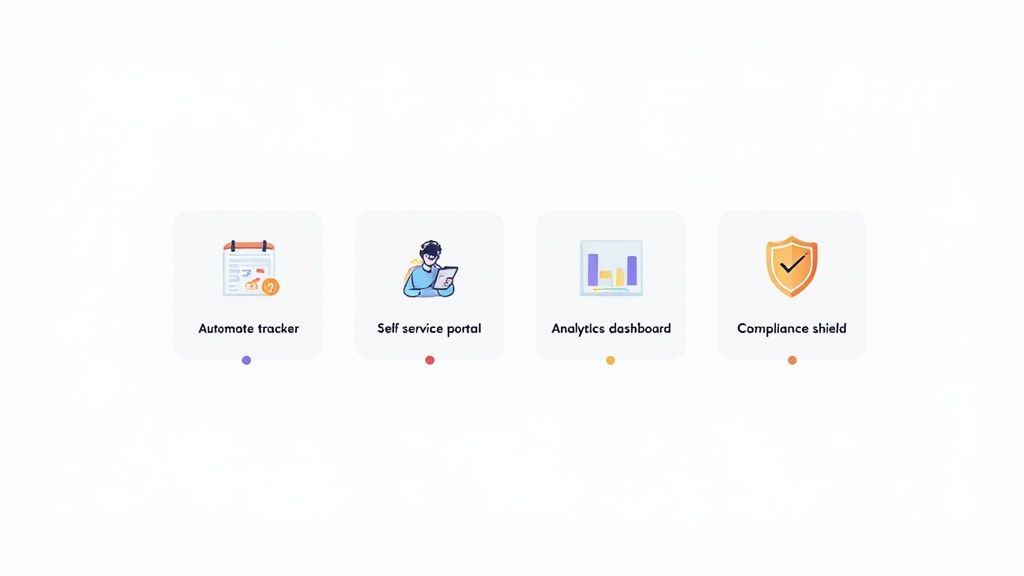
Not all absence management systems are created equal. While most platforms will cover the basics, the truly effective ones offer a suite of features that work together to simplify your life, keep you compliant, and give you powerful business insights.
Think of it like buying a car. Any model will get you from A to B, but the one with decent satnav, safety sensors, and an efficient engine makes the journey smoother and safer. Your absence management platform should be that reliable vehicle for your HR processes—doing more than just logging dates, but actively supporting your managers and protecting your business.
Automated Leave and Absence Tracking
The absolute cornerstone of any good system is automated tracking. This is what finally lets you ditch the risky world of spreadsheets and endless manual data entry. When an employee takes a day off, the system should instantly deduct it from their allowance, log the reason, and update all the records. No fuss, no mistakes.
This automation is your secret weapon for enforcing company policies consistently. It stops holidays from being accidentally overbooked and makes sure that different types of leave, like sickness or compassionate leave, are categorised correctly from the get-go.
An effective system acts as an impartial guardian of your absence policies. It removes guesswork and the potential for human error or bias, ensuring every leave request is processed according to the same set of rules, every single time.
Getting this foundation of accuracy right is critical for everything else the system does, from running payroll to generating compliance reports.
Employee and Manager Self-Service Portals
Giving people control is a game-changer. A self-service portal empowers your employees by giving them direct access to their own leave information. They can check their remaining holiday balance, see who else in the team is already off, and fire off a request in just a few clicks.
This simple feature drastically cuts down on the constant back-and-forth emails that eat up so much of a manager's day. For managers, their own dedicated portal becomes a central hub where they can:
- View pending requests with all the necessary context.
- Check team availability on a live calendar to avoid clashes.
- Approve or decline leave instantly, kicking off the next step in the process.
It creates a far more transparent system where everyone has the information they need, right when they need it.
Insightful Reporting and Analytics
Beyond the day-to-day admin, the real strategic value of an absence management system comes from its data. A strong reporting dashboard helps you shift from being reactive to proactive. Instead of just logging absences, you can start to understand them.
The reports you should look for include:
- Absence Trend Analysis: This lets you easily spot patterns, like spikes in sickness on a Monday or within a specific department.
- Bradford Factor Scores: The system should automatically calculate this key metric to highlight frequent, short-term absences that might point to bigger issues like low morale or burnout.
- Compliance Reporting: You need to be able to generate reports that show you're meeting UK regulations, such as tracking for Statutory Sick Pay (SSP).
These insights allow managers to spot potential problems early and offer support before they become serious. To understand this better, you can explore how dedicated absence management software can streamline UK compliance today. Ultimately, this data-driven approach helps you build a healthier and more productive workplace.
Deciding which features are non-negotiable versus "nice-to-have" can be tricky. It really depends on the size of your business and the complexity of your needs. This table breaks down the essentials from the advanced add-ons to help you prioritise.
Essential vs. Advanced Features in Absence Management Systems
| Feature | Essential Functionality (Must-Have) | Advanced Functionality (Nice-to-Have) | Benefit to UK Businesses |
|---|---|---|---|
| Leave Tracking | Automated tracking of annual leave, sick leave, and public holidays. | Custom leave types (e.g., duvet days, volunteering), TOIL tracking. | Ensures accurate holiday entitlement calculations and payroll processing. |
| Self-Service | Employee portals to request leave and check balances. Manager portals to approve/decline. | Mobile app access for on-the-go requests and approvals. | Reduces administrative burden on HR and managers, empowering staff. |
| Calendars | Shared team/company calendars showing who is off and when. | Integration with Outlook or Google Calendar for seamless scheduling. | Improves visibility and helps prevent scheduling conflicts and staff shortages. |
| Reporting | Basic reports on individual leave balances and absence types. | Bradford Factor scoring, trend analysis, and custom report builders. | Provides data to manage absenteeism proactively and meet compliance needs. |
| Compliance | Pre-configured statutory entitlements for UK regions (e.g., SSP). | Automated alerts for compliance risks, such as Working Time Directive breaches. | Helps businesses stay on the right side of UK employment law effortlessly. |
| Integrations | Basic data export to CSV for payroll systems. | Direct API integration with payroll, HRIS, and accounting software. | Creates a connected tech stack, reducing manual data transfer and errors. |
Ultimately, the goal is to find a system that not only covers your immediate needs but can also grow with you. Starting with the essentials is key, but having an eye on the advanced features will ensure your investment pays off for years to come.
The Real-World Benefits of Adopting a System
Let's move past the technical specs. The true worth of an absence management system isn't in its features list, but in the tangible results it delivers day in, and day out. Bringing this kind of tech into your business isn’t just about swapping a spreadsheet for an app; it’s about fundamentally improving how your whole operation runs. You’ll become more efficient, more compliant, and frankly, a much better place to work.
Think of it like upgrading from an old paper A-to-Z to a live GPS. The map gives you a general idea of the streets, but the GPS shows you real-time traffic, warns you about roadblocks ahead, and finds a smarter route. That's exactly what an absence platform does for your workforce—it gives you the intelligence to navigate challenges proactively, instead of just reacting when things go wrong.
Gain Clarity with Accurate Data and Insights
One of the first things you'll notice is the shift from guesswork to genuine, data-driven decisions. Manual tracking is notoriously unreliable, often riddled with mistakes and giving you a delayed, fuzzy picture of what’s really happening with absence. A proper system gives managers accurate, real-time dashboards that shine a light on patterns you’d otherwise completely miss.
For instance, a manager might spot a spike in short-term sick leave within their team every Friday. This isn't just a statistic; it's a signal. It allows them to start a conversation about potential issues like burnout or low engagement before they snowball into bigger problems. This proactive approach is key to keeping productivity up and looking after your people.
Absence is a significant and growing issue in the UK. A recent survey found that UK employees were off sick for an average of 9.4 days over the last year, a sharp rise from pre-pandemic figures. Having a system to properly track and analyse this data isn't a luxury anymore—it's essential for navigating modern workforce challenges.
Simplify UK Compliance and Reduce Risk
Trying to navigate UK employment law, especially around leave and sickness, can feel like walking through a minefield. The rules for Statutory Sick Pay (SSP), holiday accrual, and working time directives are complex and always seem to be changing. An absence management system acts as your compliance co-pilot, automating these fiddly calculations and making sure your records are always accurate and ready for an audit.
This automation drastically cuts down the risk of costly legal headaches that come from applying policies inconsistently or getting pay wrong. The system ensures every employee’s leave is handled by the same set of rules, creating a process that’s both fair and legally sound.
By automating compliance, you're not just saving time on admin; you're building a protective layer around your business. It ensures fairness is baked into your processes, protecting both the company and its employees from preventable errors.
Achieving this level of consistency with spreadsheets or paper forms is next to impossible, which is what makes a dedicated system such an invaluable tool for managing risk.
Boost Employee Morale and Engagement
Finally, let’s be honest: the way a company handles time off says a lot about its culture. Clunky, slow, and confusing leave processes are a massive source of frustration for employees. It's a completely different story when staff can easily check their holiday balance, see who else in the team is off, and ping in a request from their phone in a few seconds.
This transparency and simplicity build a sense of trust and fairness. People feel empowered and respected when the process is straightforward and the same for everyone. This positive experience directly contributes to higher morale, better engagement, and ultimately, helps you hold on to your best people. To see how this works in practice for smaller businesses, you can learn more about the key benefits of absence management software for SMEs. It’s clear that a good system doesn’t just support HR; it supports the entire team.
Choosing the Right System for Your Business
Picking the right software can feel like you’re trying to find your way through a maze. With so many absence management systems out there, each one promising to solve all your problems, it’s incredibly easy to get lost in the noise. The trick is to ignore the sales pitches for a moment and start with what your business actually needs.
A system that’s perfect for a big manufacturing plant will likely be total overkill for a 20-person digital agency. The best choice isn’t about grabbing the platform with the most features; it’s about finding the one that fits into how your business already works, like a missing puzzle piece.
Assess Your Company's Unique Needs
Before you even think about booking a demo, take some time to map out your requirements. This isn't just about ticking boxes on a feature list; it's about understanding the human side of your processes. Kick things off by asking a few straightforward questions about your organisation.
Think about these factors:
- Company Size and Structure: How many people are on your team? Are you all under one roof, or spread across different locations or working from home? A scattered workforce absolutely needs a system that works well on mobile.
- Industry Specifics: Do you work in a sector that relies on shifts, like hospitality or logistics? If so, you’ll need a tool that can handle complex rotas and plays nicely with your scheduling software.
- Existing HR Tools: What are you already using for payroll, HR records, or project management? Finding a platform that integrates with your current tech stack is a game-changer. It stops you from creating data headaches and manual workarounds down the line.
Getting clear on these points first gives you a solid checklist to measure potential suppliers against, helping you cut through the marketing fluff.
Crucial Evaluation Criteria
Once you know what you’re looking for, you can start weighing up the options. Try to look past the flashy dashboards and focus on the core functions that will actually make a difference day-to-day. A new system should make life easier, not more complicated.
The best absence management system isn't the one that does everything; it's the one that does exactly what you need, effortlessly. Usability is just as important as functionality—if your team won't use it, it's a wasted investment.
Here are the non-negotiables to look for:
- Ease of Use: Is the interface intuitive for everyone, from employees to managers? A system that needs weeks of training is a major red flag. You want something people can pick up and use straight away.
- Scalability for Growth: Will this system grow with you? Take a close look at the pricing and feature tiers. You need a solution that works for you today, but can also support you in three to five years.
- Integration Capabilities: This is a big one. Ask vendors directly how their system connects with your payroll software. Getting absence tracking and payroll to talk to each other will save you a massive amount of time and prevent costly errors.
- Customer Support Quality: What happens when something goes wrong? Look for providers with a reputation for responsive, helpful UK-based support. Check out reviews and ask if you can speak to a couple of their current customers to see what their service is really like.
When you do get to the demo stage, don’t just sit back and watch. Go in with a few real-world scenarios from your own business and ask the vendor to show you exactly how their system handles them. This is your chance to properly test the platform and make sure you’re choosing a partner that truly fits your long-term goals.
A Step-by-Step Guide to a Smooth Implementation
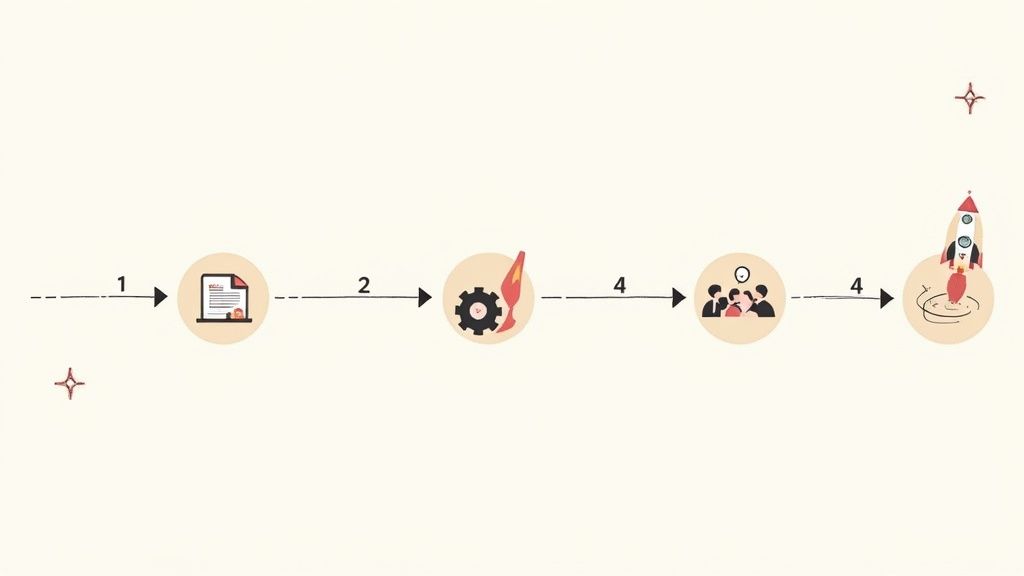
A powerful absence management system is only as good as its rollout. A thoughtful implementation plan is the difference between a tool that gathers digital dust and one that becomes an indispensable part of your daily operations from day one. It’s less about flicking a switch and more about guiding your team on a journey, making sure everyone arrives at the destination feeling confident and supported.
The process can be broken down into clear, manageable stages. Success really hinges on a human-centric approach that puts clear communication first and tackles potential concerns before they become roadblocks. By planning ahead, you can dodge the common hurdles and secure buy-in across the whole organisation.
Laying the Groundwork
Before you even think about touching the software settings, the first step is to get organised. This initial phase is all about preparation – making sure your data is clean and your policies are crystal clear. Rushing this stage almost always leads to headaches later on.
Start with these foundational tasks:
- Data Migration: Round up all your existing employee leave records, whether they're in spreadsheets or old systems. It’s crucial to clean up any inconsistencies or errors to ensure you’re starting with an accurate dataset. This is your chance for a fresh, reliable start.
- System Configuration: Work with your chosen provider to get the system configured to match your company's specific policies. This means setting up your unique leave types, defining the accrual rules for holidays, and establishing the right approval workflows for different departments.
Think of implementation as building a house. You wouldn't put the walls up before the foundation is perfectly set. Meticulous data prep and policy configuration are your foundations for a stable and effective absence management system.
Engaging Your Team
Once the technical setup is underway, your focus has to shift to the people who will be using the system every single day. Overcoming resistance to change is often the biggest challenge, but you can manage it effectively with proactive communication and solid training.
A successful launch plan needs to explain the "why" behind the change—highlighting the benefits for employees, like easier holiday booking and a clear view of their entitlements. Follow this up with hands-on training sessions tailored to different user groups. Managers will need to get to grips with approval processes and reporting, while employees just need to master requesting leave. This targeted approach ensures everyone feels equipped to use the new absence management systems effectively, paving the way for a smooth transition and an immediate positive impact.
Frequently Asked Questions
When you start digging into absence management systems, a few common questions always seem to pop up. It's completely normal, especially with workplace rules and expectations constantly shifting.
We’ll clear up some of the most frequent queries here, tackling everything from new UK laws to whether a system like this is even worth it for a smaller business.
How Will Upcoming SSP Changes in the UK Affect Our Processes?
Keeping on top of legal changes is a huge part of running any business. The UK government is bringing in some major reforms to Statutory Sick Pay (SSP), which are set to kick in from April 2026. The goal is to make things fairer for everyone.
Here’s a quick look at the key adjustments:
- The three unpaid waiting days are being scrapped. This means eligible employees will get SSP from their very first day of sickness.
- The minimum earnings threshold is being removed, which opens up SSP eligibility to more part-time and lower-paid workers.
An absence management system is your best friend for handling this kind of change. The right software will automatically apply these new rules, making sure your calculations are spot-on and your records are compliant without piling more admin onto your HR team. You can get a deeper dive into how absence management is evolving in 2026 and see why it pays to be prepared.
Can These Systems Integrate with Our Current Payroll Software?
Yes, and this is one of their biggest strengths. Most modern absence management platforms are built specifically to connect with the payroll and HR software you're already using. This isn't just a "nice-to-have" feature; it's essential for automating the flow of information.
Think of it like building a bridge between your absence records and your payroll. When someone takes unpaid leave or qualifies for sick pay, the system automatically sends that information straight to payroll. It gets rid of manual data entry and all the costly human errors that come with it.
When you're looking at different options, always make sure the system has proven, solid compatibility with the tools you rely on every day.
Is an Absence Management System Worth It for a Small Business?
Absolutely. In fact, you could argue that small businesses feel the benefits most acutely. When you have a smaller team, the ripple effect of just one person being off can be much more disruptive.
For a small or medium-sized business, these systems are invaluable. They take care of the time-sucking admin that pulls owners and managers away from actually running the business.
Crucially, they also help you stay compliant with complex UK employment law, which massively reduces your legal risks. Many providers now offer scalable, budget-friendly plans designed just for smaller companies, making it a very sensible and accessible investment.
Ready to ditch the spreadsheets and get a real-time view of your team's availability? See how Leavetrack makes leave tracking simple, automates approvals, and keeps everyone in sync. https://leavetrackapp.com