

A Better Holiday Planner For Staff That Actually Works
Posted by Robin on 15 Dec, 2025 in
A great holiday planner for staff is built on clarity, not just software. Before you even start looking at tools, you need a rock-solid, well-defined leave policy. It's the only way to prevent confusion, ensure fairness, and manage everyone's expectations from day one.
Build Your Foundation With a Clear Leave Policy

Think of your leave policy as the rulebook for your holiday planner. Without clear rules, even the fanciest software will just create chaos. A properly documented policy means every single person on the team—from the newest hire to the most senior manager—knows exactly how time off is requested, approved, and tracked.
Getting this foundation right is your first line of defence against scheduling nightmares, frustrating disputes, and disruptions to your business.
Define Your Leave Year and Entitlements
First things first, you need to establish your company's official leave year. Most UK businesses stick with either the calendar year (January to December) or the financial year (April to March). The key is just to pick one and be consistent; it makes everything from accrual to carry-over calculations so much simpler.
Next, you have to clearly state the annual leave entitlement. Here in the UK, every employee has a legal right to a minimum of 5.6 weeks of paid annual leave. For a full-timer on a standard five-day week, that's 28 days.
For part-time staff, it's all pro-rated. Someone working three days a week, for instance, is entitled to at least 16.8 days (3 × 5.6). It's crucial to get these calculations right.
Your policy also needs to be crystal clear on a few other points:
- Bank Holidays: Are they part of the 28-day entitlement or are they given on top? Spell it out.
- Accrual Method: How is leave earned? Does it build up month by month, or is the full amount available from the start of the leave year?
- Carry-Over Rules: Be specific about how many unused days, if any, staff can carry over and the deadline for using them up.
This table breaks down the essential components every UK business should include in its annual leave policy to ensure clarity and stay on the right side of the law.
Key Components Of A UK Annual Leave Policy
| Policy Component | Why It's Important | Example |
|---|---|---|
| Leave Year Dates | Defines the 12-month period for leave calculation, preventing confusion around entitlement reset. | "The company's leave year runs from 1st January to 31st December." |
| Annual Leave Entitlement | Clearly states the total number of paid days off, ensuring legal compliance and transparency. | "Full-time employees are entitled to 28 days of annual leave, inclusive of public holidays." |
| Accrual Rules | Explains how and when leave is earned, which is crucial for new starters and part-time staff. | "Leave is accrued at a rate of 2.33 days per full calendar month worked." |
| Request Procedure | Sets out the formal process for requesting leave, avoiding verbal agreements and misunderstandings. | "All holiday requests must be submitted via the Leavetrack app with at least two weeks' notice." |
| Approval Process | Clarifies who approves leave and the expected timeframe, managing employee expectations. | "Requests will be reviewed and approved or denied by your line manager within 3 working days." |
| Carry-Over Policy | Defines the rules for unused leave, preventing disputes at the end of the year. | "A maximum of 5 unused days may be carried over and must be used by 31st March." |
Having these elements clearly defined in your policy removes ambiguity and empowers both employees and managers to plan time off with confidence.
Establish Practical Rules for Holiday Requests
With entitlements sorted, you now need to outline the practical rules for the request process itself. This is all about maintaining business continuity, especially when things get busy.
Consider adding rules covering things like:
- Notice Periods: A common approach is requiring notice that’s at least twice the length of the holiday being requested. For example, you'd need two weeks' notice for a one-week holiday.
- Blackout Dates: Be upfront about your busiest periods. If you're in retail, that might be the Christmas rush. If you're in tech, it could be a major project deadline. Clearly state that leave won't be approved during these times.
- Minimum Staffing Levels: Define how many people you need on deck in a specific team at any given time to keep the wheels turning and avoid leaving anyone stretched too thin.
Trying to build these rules from scratch can feel a bit daunting. For a solid starting point, check out our guide on how to simplify leave management with a template annual leave policy. And if you want to see how other companies are structuring their policies, the Open Policy Index is a fantastic resource for best-practice examples.
How To Choose The Right Digital Holiday Planner
Ditching the spreadsheet is probably the single biggest upgrade you can make to your whole leave management process. But when you start looking, the sheer number of options for a digital holiday planner for staff can feel a bit much. The trick is to find a solution that not only cuts down on admin but also slots neatly into how your team already gets things done.
You’ll find the choice usually boils down to two camps: dedicated leave management software or those big, all-in-one HR platforms. A dedicated tool is laser-focused on tracking holidays and absences, which often means it's cleaner and more intuitive for that one specific job. On the other hand, an all-in-one system bundles leave management with everything else, like payroll and performance reviews.
While an integrated platform might seem convenient, they can sometimes be overly complex and expensive, especially if all you really need is a brilliant holiday planner. For most small to medium-sized businesses, a specialised tool hits that sweet spot, giving you powerful features without the unnecessary bloat.
Must-Have Features for Your Staff Holiday Planner
As you start comparing different tools, there are a few core features that are pretty much non-negotiable for any modern system. These are the functions that will genuinely save you the most time and prevent the most common headaches.
You'll want a planner that includes:
- An Employee Self-Service Portal: Letting staff check their own leave balances and pop in requests themselves cuts down on a surprising amount of back-and-forth with managers.
- Automated Leave Tracking: The system has to do the heavy lifting. It should automatically calculate entitlements, deduct leave once it's approved, and handle accruals based on your specific company rules.
- A Centralised Team Calendar: This gives everyone instant visibility of who’s off and when. It’s absolutely essential for avoiding clashes and planning cover.
- Customisable Approval Workflows: You need the flexibility to set up your own approval chains, whether that’s a simple one-step manager sign-off or a more complex, multi-layered process.
Here’s a quick peek at how a clean, visual interface can make team availability obvious, so you can see who's out at a glance.
This is exactly the kind of clear, colour-coded view you should look for during a product demo. It tells you everything you need to know about team capacity without having to squint at a spreadsheet.
To help you see the difference clearly, here’s a direct comparison of sticking with spreadsheets versus moving to a proper tool.
Spreadsheets Vs Dedicated Holiday Planner Software
| Feature | Spreadsheets | Dedicated Software |
|---|---|---|
| Request Process | Manual (email, forms) | Automated self-service portal |
| Entitlement Calculation | Prone to formula errors | Automatic and accurate |
| Team Visibility | Clunky, separate calendars | Centralised, real-time view |
| Approval Workflow | Informal, hard to track | Customisable, auditable trail |
| Reporting | Time-consuming manual effort | Instant, detailed reports |
| Accessibility | Limited, difficult on mobile | Accessible anywhere, anytime |
| Data Security | High risk of data breaches | Secure, role-based access |
As you can see, a dedicated tool isn't just a fancier spreadsheet—it fundamentally changes how you manage leave by automating the manual work and eliminating the risks.
Making the Final Decision
Once you've got a shortlist based on features, it’s time to get into the details. Book some demos with your top contenders and go in armed with a few of your own unique scenarios. It’s also a great idea to pull in a couple of team members or line managers for the demos; their feedback is gold for making sure people will actually adopt the new system. For a deeper dive, our guide to choosing the right absence management solution has a really handy checklist.
Remember, the best holiday planner for your staff is the one they will actually use. An intuitive interface and easy mobile access are just as important as the back-end reporting features.
Finally, think about the long term. As you explore, you might come across a comprehensive HRsimplified SaaS solution that ties lots of HR functions together. Be honest about whether you need that wider scope right now, or if a focused, best-in-class leave tool is the smarter, more cost-effective choice. Always ask about customer support, data security, and what they’re planning to build next to make sure the tool can grow with you.
Setting Up Your New System Without The Headaches
Making the switch from a chaotic spreadsheet to a dedicated staff holiday planner can feel like a huge project, but breaking it down into manageable steps makes it surprisingly painless. The real aim here isn't just to copy data over; it's to launch a system that works perfectly from day one, causing minimal disruption and saving you a ton of time down the road.
Your first move should always be a data cleanup. Let's be honest, that old leave-tracking spreadsheet is probably riddled with little errors, inconsistencies, or outdated info. Before you even think about exporting anything, take the time to audit it. Make sure all taken leave is correctly recorded and current entitlements are spot on. This initial spring-clean is crucial for preventing old problems from haunting your new, pristine system.
Migrating Your Existing Leave Data
Once your spreadsheet data is tidy, you can start the migration. Most modern planners are built to make this part pretty straightforward. It usually boils down to two key uploads:
- Employee Profiles: This is a simple import of staff details like names, email addresses, start dates, and who their line manager is. A clean CSV file is normally all you need.
- Leave Balances: This is the make-or-break part. You’ll need to import the current, correct leave entitlement for every single employee as of the day you switch over. This ensures the new system’s calculations are accurate from the get-go.
For a more detailed walkthrough, our step-by-step guide to implementing an absence management system offers an in-depth checklist for this exact process.
This process flow chart simplifies the initial decision-making phase into three core actions.
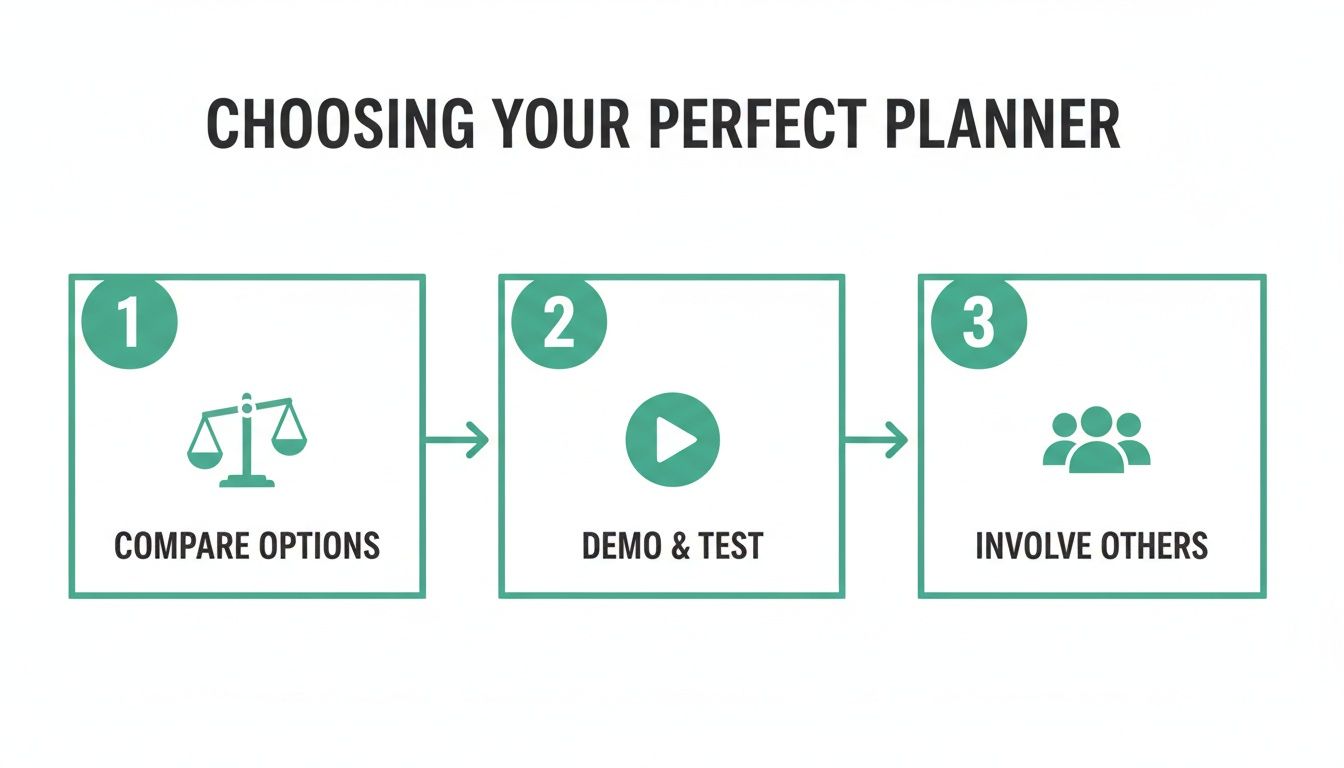
As you can see, a successful choice really comes down to comparing features, properly testing the tool, and getting your team involved in the decision.
Configuring Policies and Permissions
With your people and their leave balances loaded, the next job is to teach the new system your company’s unique rules. This is where you configure the leave policies you defined earlier, embedding them directly into the planner's logic so it can do the heavy lifting for you.
You’ll need to set up things like:
- Leave Types: Go beyond just ‘holiday’. Add other categories you need to track, like sick leave, parental leave, or compassionate leave.
- Accrual Rules: Define how leave is earned. Is it granted as a lump sum at the start of the year, or does it build up monthly? A good system can automate this completely.
- Approval Workflows: This is where you assign permissions. You can create simple workflows where a request goes straight to a line manager. For more complex setups, you can have multi-level approvals or designate specific deputies to handle requests when a manager is away.
Getting the approval workflow right is essential. A system that automatically routes requests to the correct person eliminates the endless email chains and "who do I ask?" confusion that plagues manual processes. It’s a huge timesaver for everyone involved.
Integrate Your Planner Into Your Daily Workflow
Let’s be honest, a standalone tool that forces everyone to log into yet another platform is just another chore. It becomes a box-ticking exercise that nobody enjoys.
The real power of a modern holiday planner for staff is unlocked when it blends invisibly into the tools your team already relies on every single day. An integrated system doesn't add to the workload; it genuinely reduces it. The goal is to make managing leave a natural part of your daily rhythm, not a separate, clunky process you have to remember to do.
When you get these connections right, you can save managers and employees countless hours by automating communication and providing instant clarity.
Sync Leave Dates With Team Calendars
One of the most impactful changes you can make is syncing approved leave with your company’s shared calendars. Whether your team lives in Outlook or Google Calendar, this connection is a genuine game-changer for visibility.
Instead of managers having to field constant questions like, "Is anyone off next week?", the information is just there. A team member’s approved holiday automatically appears in the shared calendar, often colour-coded so you can see what’s happening at a glance.
This simple sync stops scheduling conflicts before they even start and empowers teams to plan their own workloads far more effectively.
This is especially useful for:
- Project Planning: Immediately see who's available when you're setting deadlines.
- Meeting Scheduling: Avoid booking important meetings when key people are on a beach somewhere.
- Cover Arrangements: Easily identify who is around to cover for a colleague.
This one step transforms your planner from a simple tracking tool into a dynamic resource for day-to-day operational planning.
Bring Approvals Into Slack And Microsoft Teams
For many of us, the real work conversations happen in messaging apps like Slack or Microsoft Teams. Forcing a manager to stop what they're doing, leave these platforms, log into a separate system, and deal with a holiday request is a completely unnecessary interruption.
A much smarter approach brings the approval process directly into their existing workflow.
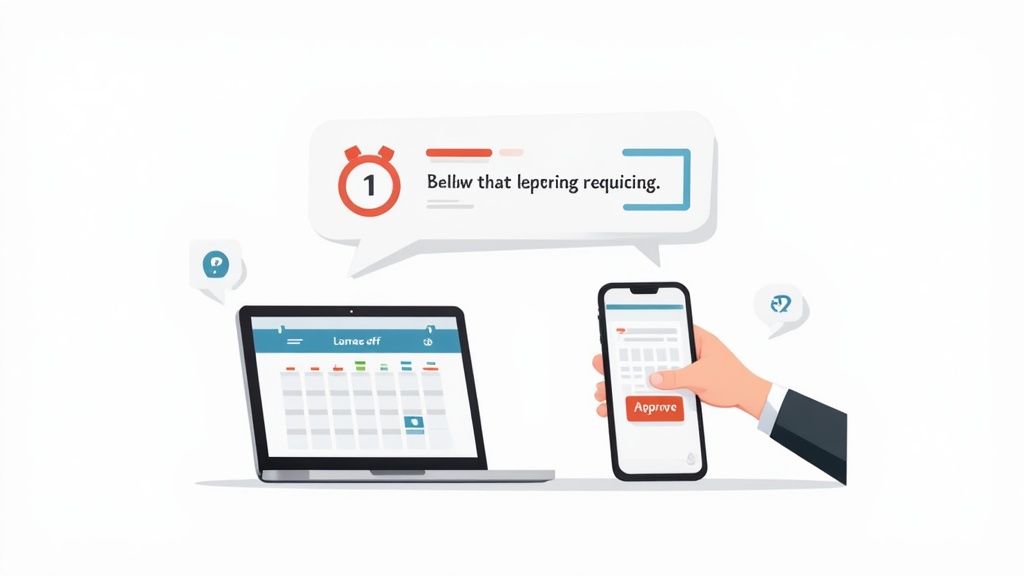
When a team member requests time off, their manager gets an instant notification right within Slack or Teams. This message will usually have all the key details—who’s asking, the dates they want, and how much leave they have left.
The best systems allow managers to approve or decline the request with a single click, directly from that notification. This small feature makes a huge difference, turning a multi-step admin task into a five-second action.
This streamlined process drastically speeds up response times. Employees get confirmation faster, and managers can handle requests without breaking their focus. It makes the entire holiday planner feel less like a rigid HR system and more like a helpful assistant that respects everyone's time.
Unlock Insights With Leave Reporting And Analytics

A modern holiday planner for staff is so much more than a digital wall chart—it's actually a powerful source of data that can shape your entire workforce strategy. When you move beyond simply tracking days off, the reporting and analytics features in your system give you the insights to manage your team proactively, not just reactively.
These tools are your window into spotting trends, predicting future needs, and making genuinely data-driven decisions. Instead of just guessing, you can see precisely how leave is affecting productivity, employee well-being, and even your bottom line.
Monitor Leave Patterns To Spot Burnout Risks
One of the most valuable things you can do is get a real handle on how your team uses their holiday entitlement. Are certain people or whole departments consistently not taking enough time off? That's often a massive red flag for high stress levels and a potential burnout risk just waiting to happen.
With detailed reports, you can easily spot employees with huge remaining leave balances long before the year-end panic sets in. This gives you the chance to step in and encourage them to book a proper break, protecting their well-being and, in the long run, the company's productivity.
It’s not just about individuals, though. Look for the bigger picture:
- Team-Specific Trends: Does the marketing team take way less holiday than the sales team? This could point to workload imbalances or even cultural issues within that department.
- Seasonal Lows: Are there months where the office is full and nobody takes a break? That might be a perfect opportunity to encourage some downtime during a quieter business period.
By actively monitoring these trends, you shift from being a passive leave administrator to a strategic partner in your team's welfare. A well-rested team is always a more productive and engaged team.
Many UK employers offer holiday packages that go well beyond the legal minimum. In fact, surveys show an average of 34 days including bank holidays. Public sector staff tend to get around 29 basic days compared to 26 in the private sector. If you're offering a competitive allowance, making sure your staff actually use it is key to getting a return on that investment in their well-being. You can learn more about these figures from the UK annual leave survey findings.
Use Forecasting For Strategic Staffing
Guessing your staffing levels during peak seasons is a recipe for disaster. We've all been there. This is where the forecasting tools inside your holiday planner become invaluable. By crunching historical leave data, the system can help you predict how many people are likely to request time off during critical periods like the summer holidays or over Christmas.
This kind of predictive insight allows you to plan cover well in advance, making sure you're never caught short. For instance, if you run a customer support team, you might see that last August, 25% of the team was on leave at any given time. Armed with that concrete data, you can arrange temporary cover or adjust holiday approval limits for the coming year to keep service levels steady.
This data-driven approach takes the anxiety out of holiday planning. It ensures the business keeps running smoothly while still allowing your staff to take the well-deserved breaks they need, creating a fair, organised system that works for everyone.
Answering Your Common Holiday Planner Questions
Even with a slick new system, you're bound to run into a few tricky situations when managing staff leave. Rolling out a new holiday planner for staff often throws up the same set of questions for managers and HR teams.
We’ve heard them all over the years. Here are the most common queries, along with some straightforward, practical advice to help you handle them like a pro.
How Do We Handle Last-Minute Holiday Requests?
Ah, the classic dilemma. An employee needs a day off tomorrow. It could be a family emergency or a surprise opportunity they can't miss. Your policy might state a two-week notice period is needed, but life doesn't always stick to the schedule.
The trick here is balancing flexibility with fairness. There’s no one-size-fits-all answer, so it's best to handle these on a case-by-case basis. A good manager needs the autonomy to approve urgent requests, as long as it doesn’t throw a project off course or leave the team in the lurch. This is where your digital planner is a lifesaver—it gives you an instant, clear view of team coverage so you can make a smart call in seconds.
What's The Best Way To Manage Holiday Clashes?
It happens every year. Two of your key people want the same week off in August. If approving both requests is simply not an option without impacting the team's work, you need a fair way to decide who gets the time off.
Honestly, a transparent, first-come, first-served policy is usually the simplest and fairest route. Your digital holiday planner is invaluable here, as every request is timestamped, giving you a clear record. If you do have to say no, explain why and work with the employee to lock in an alternative date that works for them.
Remember, the goal isn't just to manage a schedule; it's to maintain team morale. A clear policy for clashes, applied consistently, gets rid of any hint of favouritism and shows everyone the process is fair.
A bit of proactive communication can turn a potentially negative moment into a positive one.
Can We Legally Refuse a Holiday Request?
In short, yes, you can. As a UK employer, you have the right to refuse a holiday request, but you need a solid business reason for doing so.
For example, you might decline a request if:
- It falls right on a major project deadline.
- The team would be understaffed during a known busy period.
- The employee hasn't given the notice required in your company policy.
The crucial part is giving the employee proper notice of the refusal. The notice you give must be at least as long as the holiday they requested. So, if they asked for a week off, you must let them know at least a week before their holiday was supposed to start. Always be professional and clearly explain the reasoning—it helps them understand the decision and keeps the working relationship on good terms.
Ready to swap chaotic spreadsheets for a simple, fair, and efficient system? Leavetrack gives you a clear team calendar, automated tracking, and smooth Slack integrations, putting you in complete control of staff leave. Get started with Leavetrack today.