
A Modern Guide to Managing Annual leave Requests
Posted by Robin on 12 Feb, 2026 in
Handling annual leave requests properly really comes down to one thing: having a clear, well-documented process. When you get rid of the guesswork, you prevent a lot of scheduling headaches down the line. It’s time to move on from scattered emails and confusing spreadsheets to a system that brings fairness, transparency, and stability—especially when everyone wants time off at once.
Why You Need to Fix Your Annual Leave Process
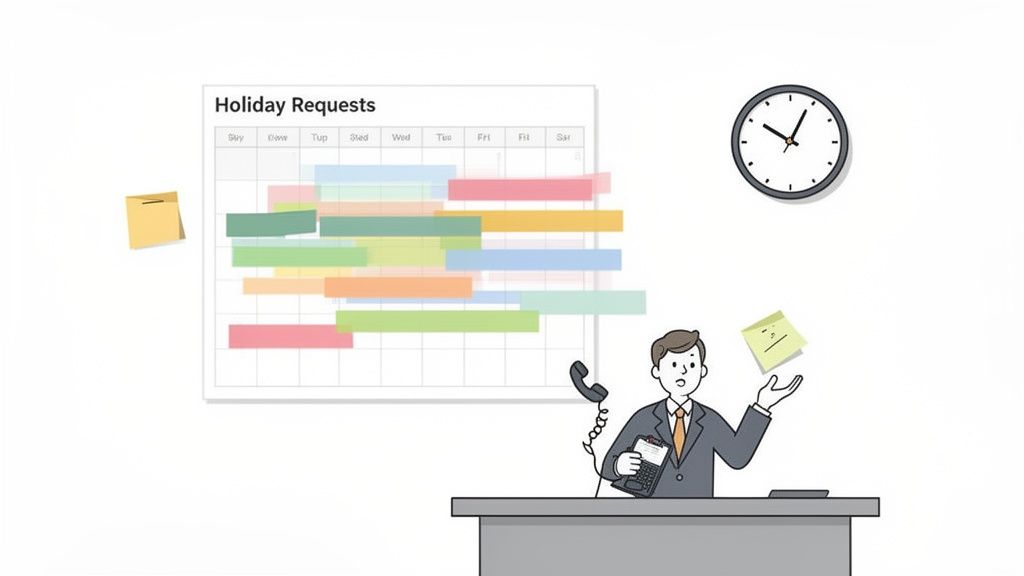
Picture this: it’s October, and a massive project is hitting its most critical phase. Out of nowhere, three of your key team members all request the same two weeks off in December. The manager is now stuck between a rock and a hard place—do they honour holiday plans or protect the project timeline? This isn’t just a bad dream; it’s the direct result of a chaotic, reactive leave process.
This common headache is just one of the hidden costs of sticking to old, manual methods. When you’re trying to manage leave through endless email chains and clunky spreadsheets, the admin burden alone is huge. Managers and HR teams waste countless hours chasing dates, calculating balances, and manually checking for clashes.
The True Cost of a Broken System
The inefficiency runs deeper than just admin work. A badly managed system for annual leave requests can genuinely harm team morale and throw a spanner in the works operationally. Without a clear view of who's off and when, clashes are inevitable. That leads to last-minute scrambles for cover, creating a whole lot of unnecessary stress for everyone.
What's more, a lack of transparency can quickly breed resentment. If your team feels the approval process is random or unfair—where one person's request gets a yes while a similar one gets a no without a good reason—it chips away at trust. This is especially damaging during high-demand periods like school holidays or over Christmas.
A fair and transparent leave management process isn't just about ticking boxes; it’s a cornerstone of a positive company culture. It sends a clear message to your employees that their time is valued and that the business is organised enough to support their well-being.
From Chaotic Chore to Strategic Advantage
Switching to a modern, automated system completely changes the game. It turns leave management from a source of constant friction into a genuine strategic tool. When everyone can see a central calendar showing team availability, people can plan their time off more thoughtfully, which naturally reduces clashes.
A clear, automated workflow also brings much-needed consistency. It establishes a straightforward, first-come, first-served basis that everyone can see, getting rid of any perception of favouritism.
Ultimately, fixing your annual leave process isn't just about saving a bit of time. It's about building a workplace that's fairer, more predictable, and far more productive.
How to Design a Fair Annual Leave Policy
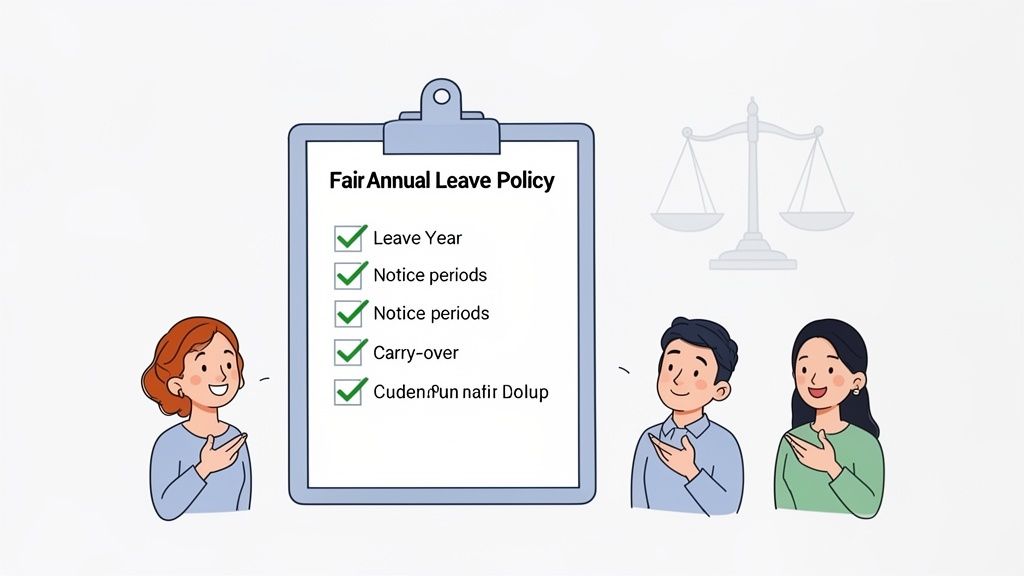
A solid annual leave policy is the bedrock of a system everyone trusts. Without one, you're not just managing dates; you're fielding disputes, confusion, and feelings of unfairness. A great policy removes the guesswork from annual leave requests, setting clear, consistent ground rules that protect both the business and your team's right to rest.
This isn't just about downloading a generic template and swapping in your company name. It's about thoughtfully creating a document that reflects your company culture, complies with UK law, and anticipates the real-world scenarios your team will actually face. A well-designed policy prevents problems long before they start.
Defining Your Core Policy Components
To build a policy that really works, you need to establish a few non-negotiable elements right from the start. These are the pillars that support every leave request and approval decision, ensuring your managers are consistent across the board.
The very first decision is to define your company's leave year. Will it run from January to December, or does an April to March financial year make more sense for your operations? This simple choice impacts everything from accrual calculations to carry-over deadlines, so it needs to be explicitly stated.
Next, you have to set clear notice periods. UK law has a minimum—notice should be at least twice the length of the leave requested—but your policy can, and probably should, be more specific. For instance, you might require two weeks' notice for a one-week holiday but four weeks for anything longer. This gives managers a realistic timeframe to arrange cover.
Your annual leave policy shouldn’t feel like a rigid set of restrictions. Instead, frame it as a shared agreement that helps everyone plan effectively, ensuring the business runs smoothly while staff get the downtime they need and deserve.
Thinking about these core rules helps you build a framework. But a truly effective policy goes further, addressing the specific, often tricky situations that crop up in every workplace.
Tackling High-Demand Periods and Carry-Over Rules
Every business has them: the peak times when everyone seems to want leave at once. The summer school holidays and the Christmas break are classic examples. Your policy must address these head-on to avoid conflict and disappointment.
A first-come, first-served system is often the fairest approach for most annual leave requests. But for those crunch periods, you might need some extra rules. Consider these options:
- Set application deadlines: Announce that all requests for Christmas leave must be submitted by the end of October.
- Establish team quotas: State that no more than 20% of any single department can be off at the same time.
- Implement a rota system: If fairness is a major concern, you could alternate who gets priority for Christmas leave each year.
Carry-over rules are another common point of confusion. You need to decide how much, if any, untaken leave can be carried into the next leave year. A typical UK policy might allow employees to carry over up to five days, which must then be used by the end of March. Being explicit about this prevents that last-minute rush of leave requests in December.
Ultimately, the goal is to encourage your team to take their well-earned breaks. It's concerning that despite stable statutory entitlements, the average number of annual leave days taken by UK employees dropped from 38 in 2020 to 33.9 by 2023. This shows that workplace pressures often prevent staff from fully disconnecting.
Calculating Entitlements with Clarity
Finally, your policy must clearly explain how leave entitlement is calculated, particularly for staff in non-standard situations. This is where many policies fall short, leading to payroll errors and frustrated employees.
To make sure your policy is robust and transparent, it's a good idea to lay out all the essential components in one place. A checklist can be incredibly helpful here.
Key Components of an Effective Annual Leave Policy
| Policy Component | Why It's Important | Example Rule |
|---|---|---|
| Leave Year | Defines the 12-month period for leave entitlement and accrual. | The company's leave year runs from 1st January to 31st December. |
| Statutory Entitlement | Clearly states the legal minimum entitlement (currently 5.6 weeks). | All full-time employees are entitled to 28 days of annual leave, inclusive of bank holidays. |
| Notice Periods | Ensures managers have adequate time to plan for absences. | A minimum of 4 weeks' notice is required for leave requests of 2 weeks or longer. |
| Request Process | Outlines the official procedure for submitting and tracking requests. | All leave must be requested via the Leavetrack system for approval by your line manager. |
| Rules for Peak Periods | Manages competing requests for popular times like summer and Christmas. | No more than two members of the Customer Support team may be on leave simultaneously. |
| Carry-Over Policy | Specifies if and how much unused leave can be moved to the next year. | A maximum of 5 days of unused leave can be carried over and must be used by 31st March. |
| Pro-Rata Calculations | Explains how leave is calculated for part-time staff and new starters. | Part-time leave is calculated based on the number of days worked per week as a proportion of a full-time role. |
| Sickness During Leave | Clarifies the procedure if an employee falls ill while on annual leave. | If you fall ill on leave, you may reclaim the days as sick leave upon providing a doctor's note. |
| Leaving the Company | Details how final leave is handled, including pay for unused days. | Upon leaving, any accrued but untaken leave will be paid in your final salary. |
Covering these points ensures there's no room for ambiguity. Everyone knows exactly where they stand.
Be specific about how you handle entitlements for:
- New starters: Explain that their entitlement is calculated on a pro-rata basis for their first year. For example, someone starting on 1st July in a company with a calendar leave year and a 25-day entitlement would get 12.5 days for the rest of the year.
- Part-time employees: Their entitlement is also pro-rata, based on the number of days they work. If a full-time employee (5 days/week) gets 28 days, a colleague working 3 days a week is entitled to 16.8 days (28 / 5 * 3).
- Leavers: Clarify that they will be paid for any accrued but untaken leave in their final salary. It's also wise to detail how you'll reclaim pay if they’ve taken more leave than they’ve accrued.
By addressing these complexities directly in your policy, you empower both employees and managers with the information they need. A transparent policy is the first and most critical step toward a smoother, fairer system for managing all annual leave requests. If you're looking for a starting point, check out our guide on how to simplify leave management with our template annual leave policy.
Building an Efficient Request and Approval Workflow
Once you've got a strong policy written down, the next job is to build the machinery that makes it all work. This is where a lot of companies stumble, sticking with clunky, manual processes that completely undermine the very rules they just created. Let's be honest, managing annual leave requests through endless email chains, random Slack DMs, and paper forms is a recipe for friction, lost information, and a huge administrative headache.
Every misplaced email or forgotten form is a risk. A manager might forget to add an approved holiday to the team calendar, and suddenly you’re short-staffed during a critical week. An employee might think their verbal request was a done deal, only to find out it was never officially logged. These little issues pile up, creating a system that feels unreliable and deeply frustrating for everyone.
The alternative isn't rocket science. It's about creating a seamless, automated flow that turns your policy into a predictable and transparent process. It’s about building a system where requests are captured consistently, approvals follow a clear path, and everyone has instant visibility.
Designing Your Approval Chains
Not all teams are built the same, so a one-size-fits-all approval process is rarely the answer. The real key is designing an approval chain that makes sense for your company's structure. You need a workflow that gets requests to the right people without creating pointless bottlenecks along the way.
For many smaller teams, a simple workflow is usually best:
- Single-Manager Approval: The employee submits a request, and it goes straight to their direct line manager, who is the sole approver. This is fast, direct, and empowers managers to have full oversight of their team's capacity.
But as organisations get bigger or more complex, you might need a bit more structure:
- Multi-Level Approval: A request might first go to a team leader for an initial check against project deadlines, before heading up to a department head for the final sign-off. This is pretty common in matrix organisations or for roles that have an impact across multiple departments.
- HR Oversight: In some situations, a request might need a final once-over from HR. This is often the case for things like extended leave or requests that fall outside the standard policy rules.
The goal is always to make the approval path clear and efficient. Whoever is making the final call needs all the context right there in front of them, which is next to impossible when that information is scattered across different emails and messages.
Creating Visibility with Shared Calendars
One of the single biggest frustrations in managing annual leave requests is the lack of visibility. An employee has no clue if their preferred holiday dates clash with a colleague’s before they even ask. This just leads to a tiresome cycle of requests and rejections that wastes time and leaves people feeling disappointed.
Shared team calendars are a simple, yet incredibly powerful, solution.
Visibility is the foundation of a proactive leave management system. It shifts the responsibility of avoiding clashes from being solely the manager's problem to a shared team effort, empowering employees to make smarter requests from the start.
When everyone can see an up-to-date view of who's off and when, it changes the game. Instead of just guessing, an employee can check the team planner, see that two colleagues are already booked off during their preferred week, and adjust their plans before even hitting "submit." This simple step prevents countless back-and-forths and helps manage the team’s capacity far more organically.
Speeding Up Decisions with Smart Notifications
The final piece of the puzzle is cutting down the time it takes to get a decision. Managers are busy people, and leave requests can easily get lost in a sea of emails. Any delay leaves the employee in limbo, unable to book flights or make firm plans.
This is where automated notifications and integrated approvals make a massive difference. Imagine a manager getting a Slack notification with all the key details: the employee's name, the dates they want off, and their remaining leave balance. Right from that notification, they can see the team calendar and approve or decline the request with a single click.
That kind of immediacy strips away the administrative faff and turns a multi-step chore into a quick, decisive action. It shows respect for everyone's time and keeps the whole process moving. Making this easy is crucial, especially when you consider that many employees aren't taking all the time off they're entitled to. For example, a recent report found that 35% of Irish workers didn't take their full holiday entitlement in 2024, and a worrying 23% failed to take even a single block of five consecutive days off. You can find more insights in the 2025 Annual Leave Report by FRS Recruitment. By making the request and approval process effortless, you remove one more barrier that might stop people from taking the restorative breaks they really need.
How to Automate Leave Management with Leavetrack
Having a great policy on paper is one thing, but making it work day-to-day is where the real magic happens. This is the point you move from theory to practice, finally getting rid of the admin headaches that make managing annual leave requests such a grind. Automating the whole thing with a tool like Leavetrack is how you turn those rules into a seamless, reliable system that just works.
Forget manually checking spreadsheets and calendars. Instead, you can build your exact company policy directly into the software. That means setting up your leave year, defining different types of time off—not just holidays, but appointments or training days—and creating approval flows that mirror your company’s structure.
Setting Up Your Policy in Leavetrack
The first job is to teach the system your rules. Leavetrack lets you customise every little detail, so the platform enforces your policy consistently. Your managers won’t have to play police.
It all starts with the core settings. You can define custom leave types, each with its own specific rules for how it's earned and approved. For example, you could set standard annual leave to need a manager's sign-off, but make a "work from home" request a simple notification instead.
Next, you build out your approval workflows. Whether you just need a single manager to approve things or have a more complex multi-level chain for certain teams, you can set it up in a few clicks. This makes sure every request for time off is automatically sent to the right person, every single time.
Gaining Instant Visibility with the Team Planner
One of the best things about an automated system is the shared visibility it creates for everyone. Leavetrack’s team wall planner gives the whole team an immediate, at-a-glance view of who’s in and who’s out.
This flowchart really highlights the difference between a clunky manual process and a smooth, automated one.
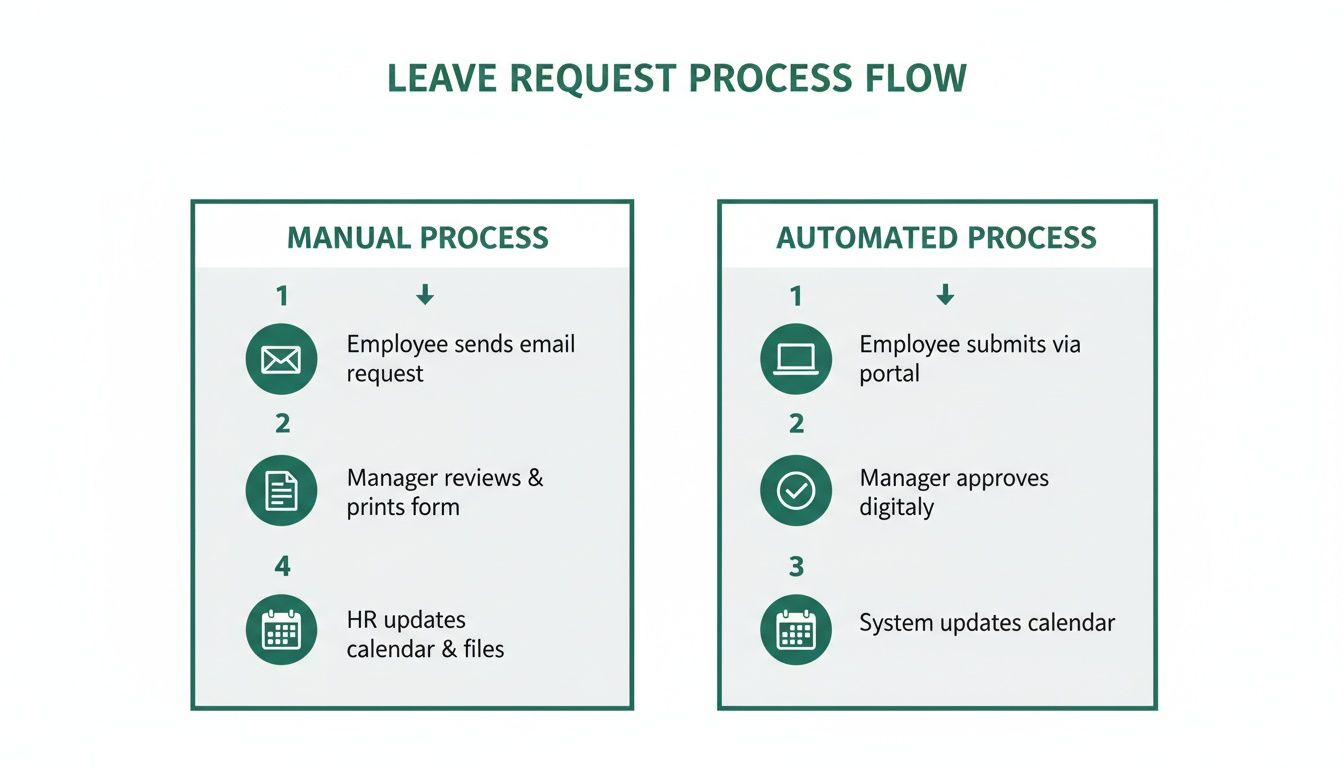
It’s easy to see how automation cuts out unnecessary steps, which reduces the chance of mistakes and speeds up the entire process. This isn't just about making life easier for HR; it helps employees make smarter annual leave requests right from the start.
Mastering Automatic Accrual Tracking
Manually calculating leave balances is not only a massive time-sink, but it’s also riddled with potential for costly mistakes. Get it wrong, and you could have employees taking more leave than they’re entitled to or, just as bad, feeling like they've been short-changed. Automation wipes out this risk completely.
Leavetrack handles all leave entitlements automatically. The system calculates balances in real-time as requests get approved, and it adjusts everything for new starters, leavers, and part-time staff on a pro-rata basis.
This brings a few key benefits:
- Accuracy: It gets rid of human error in those complex calculations, making sure your payroll and leave records are always spot on.
- Transparency: Employees can see their remaining balance whenever they want, which helps them plan their time off more effectively.
- Proactive Alerts: Managers get a heads-up if a request would tip an employee over their entitlement, letting them sort it out before it becomes a problem.
By automating accruals, you can stop focusing on tedious arithmetic and start thinking more strategically. You can trust the data is right and spend your time analysing leave patterns instead of fixing spreadsheet formulas.
This is more crucial than ever. In 2019, the average UK employee left 18.5 days of annual leave unused. Fast forward to 2024, and that figure has dropped by a huge 71% to just 5.3 days. With people taking more of their time off, accurate tracking is non-negotiable. For those looking to see how this fits into the bigger picture, taking a broader approach to digital transformation in HR can provide some valuable context.
Integrating with Your Existing Tools
A good leave management system can’t exist in a bubble. It has to slot neatly into the tools your team already relies on every day. Leavetrack is built for this, with powerful integrations that bring leave management right into your current workflows.
You can connect Leavetrack with calendars like Google Calendar and Outlook. As soon as a leave request is approved, it pops up in the relevant personal and team calendars. No more manual updates needed to keep everyone in the loop.
And for teams that practically live in Slack, managers can get leave requests and approve or decline them with a single click—all from within a Slack notification. It’s incredibly convenient and keeps the whole process moving quickly.
Using Reports to Make Better Decisions
Finally, ditching manual methods unlocks a goldmine of useful data. Leavetrack’s reporting tools give you clear insights into leave patterns across the business. You can easily see who has taken the most or least leave, spot potential burnout risks, and identify trends in different absence types.
These reports help you ensure fairness and plan your resources much more effectively. For instance, if you notice one department is consistently taking very little leave, it might be a sign of a workload problem that needs your attention. This data turns leave management from a purely admin task into a strategic tool for better workforce planning and employee wellbeing. You can learn more about the benefits in our guide to automated leave management systems.
By bringing in a tool like Leavetrack, you’re not just getting new software; you’re building a smarter, fairer, and far more efficient way to handle annual leave requests.
Navigating Common Leave Request Challenges
Even with the best policy in the world, managing people means things get messy. The real test of your annual leave process isn't when everything runs smoothly—it's when you have to handle the tricky, human elements of scheduling. This is where managers need a clear playbook.
From that last-minute holiday request dropping on a Friday afternoon to two essential team members wanting the same week off during a critical project, these moments need a delicate touch. You have to protect the business and uphold the policy, but without crushing team morale. It’s all about being firm, fair, and transparent.
Managing Last-Minute and Competing Requests
Last-minute requests are a classic headache. Sometimes they're unavoidable, but often they just signal a lack of planning. The first thing to do is go straight back to your policy. What does it say about notice periods? If the request doesn't meet the criteria, you're well within your rights to say no based on business needs, like not having enough time to sort out cover.
When it comes to competing requests for popular times like school holidays or Christmas, fairness is everything. This is where a timestamped, first-come, first-served system becomes your best friend. Using a tool like Leavetrack provides an objective, undeniable record of who asked first, shutting down any whispers of favouritism before they even start.
But what if two key people request the same time off, creating a genuine operational risk? It’s time for a conversation. Sit down with them, explain the impact on the business, and see if you can find another way. Could one of them shift their dates by a week? Is there another way to cover their duties? The goal is to solve the problem together, not just issue a top-down rejection. To dig deeper, you can explore the common challenges faced by SMEs in leave management and how to get ahead of them.
Declining a Request Without Damaging Morale
Saying "no" is one of the toughest parts of being a manager, but it’s often necessary. The real skill is in how you communicate it. A blunt "no" with no context feels personal and breeds resentment. A thoughtful explanation, on the other hand, reinforces fairness and builds trust.
Always give a clear, business-focused reason for the refusal. It immediately shifts the decision from being about the person to being about practicalities.
Here are a couple of ways you could phrase it:
- For clashes: "Hi Alex, I've had to decline your request for the second week of July. Sarah's leave for that same week was approved last month, and we need at least one of you here to manage the supplier accounts. Could we look at the week after instead?"
- For busy periods: "Hi Ben, unfortunately, I can't approve this request as it falls within our pre-agreed blackout period for the year-end financial close. As you know, it’s all hands on deck for that final week."
A fair refusal is never a surprise. When your leave policy is clear about notice periods, team cover requirements, and blackout dates, employees understand the 'why' behind a rejection before they even ask.
This approach shows you respect the employee while upholding the rules that keep the business running. It proves that decisions are made consistently, not on a whim.
Calculating Leave for Part-Time and Variable-Hours Staff
One of the biggest minefields in managing annual leave requests is getting the maths right for staff who don't work a standard week. Get this wrong, and you're looking at payroll mistakes and seriously unhappy employees.
For part-time employees, the calculation is pretty straightforward, but you have to be precise. Their entitlement is simply a pro-rata share of a full-timer's allowance. For instance, if a full-time employee (five days a week) gets 28 days of leave, their colleague working three days a week is entitled to 16.8 days (28 days / 5 days × 3 days).
Things get a bit more complex for workers on variable-hours or zero-hours contracts. Here, UK law requires you to base their holiday pay on the average hours they've worked over a 52-week reference period. You look back at the last 52 weeks where they actually got paid (ignoring any weeks they didn't work), calculate their average weekly earnings, and pay a week's leave at that rate.
It's a fiddly process, and this is where automation really comes into its own. Getting a system to handle these calculations removes the risk of human error and ensures you're always compliant.
Many of these tricky calculations and potential conflicts stem from using outdated manual methods. Spreadsheets can't offer the clarity, fairness, or accuracy needed as a team grows.
Manual Spreadsheets vs Leavetrack Automation
| Challenge | Manual Spreadsheet Approach | Leavetrack Solution |
|---|---|---|
| Competing Requests | Relies on manager's memory or checking timestamps. Prone to accusations of favouritism. | A timestamped, first-come, first-served queue automatically manages requests fairly. |
| Complex Calculations | Part-time and variable-hour entitlements must be calculated by hand. High risk of human error. | Automatically calculates pro-rata and average-hour entitlements, ensuring payroll accuracy. |
| Poor Visibility | No central view of team availability, making it hard to spot potential clashes or cover gaps. | A shared team calendar gives instant visibility, allowing managers to approve requests with confidence. |
| Inconsistent Policy | Managers might apply rules differently. No easy way to enforce notice periods or blackout dates. | Policies are built directly into the system, automatically enforcing notice periods and blocking requests during blackout dates. |
| Lack of Audit Trail | Hard to track why a request was approved or denied. Disputes are difficult to resolve. | Every request, approval, and rejection is logged with a clear audit trail for total transparency. |
Ultimately, moving away from spreadsheets isn't just about saving time—it's about creating a process that is transparent, fair, and robust enough to handle the real-world complexities of managing a team.
Your Top Questions About Managing Annual Leave, Answered
Even with a crystal-clear policy, tricky situations and one-off questions are bound to pop up. How you handle these defines whether your process feels fair or frustrating. Getting these right is key to building trust.
Let's dive into some of the most common queries that land in managers' and HR's inboxes. Answering them with confidence shows your team that the system is reliable and decisions are based on solid reasoning, not just who asked first.
How Much Notice Do People Need to Give?
Technically, UK law says employees must give notice that's at least twice the length of the leave they want to take. But let's be honest, relying on that bare minimum is a nightmare for planning. A clear company policy is always the way to go.
As a rule of thumb, asking for two to four weeks' notice for a standard one or two-week holiday works well. For longer breaks, you'll naturally want more of a heads-up. Your policy should spell this out so there’s no grey area. This is where an automated system really shines—it can enforce these rules for you, stopping requests that don't meet the notice period. It saves managers from being the policy police and keeps things consistent for everyone.
What's the Fairest Way to Handle Clashing Requests?
A simple, transparent first-come, first-served system is nearly always seen as the fairest approach. When you state this clearly in your policy, it shuts down any whispers of favouritism. A digital tool is your best friend here, giving you a clear, timestamped record of every submission that acts as an impartial judge.
When the system itself is the source of truth, it takes the manager out of the tough spot of having to mediate personal preferences. The whole process becomes objective and transparent, which is massive for team trust.
For those really popular times, like Christmas or the summer school holidays, some companies find a rota or a ballot system works better to give everyone a fair crack over the years. Whatever you choose, the key is to communicate it clearly and way in advance. Plus, the visibility from a shared calendar empowers people to spot potential clashes themselves before they even hit submit on their annual leave requests.
Can We Actually Say No to an Annual Leave Request?
Yes, you absolutely can. Employers in the UK can legally refuse an annual leave request, but—and it’s a big but—you need a solid business reason to do so. Just not wanting someone to be off doesn't cut it; the decision has to be tied directly to operational needs.
Some perfectly justifiable reasons include:
- Ensuring we have enough cover: You need a minimum number of people to keep things running safely and effectively.
- Avoiding skill gaps: Too many people with the same critical skills would be out at once.
- Not enough notice: The request doesn't meet the notice periods you’ve laid out in your policy.
- Known busy periods: The request falls during a 'blackout' period you've already communicated, like the end of the financial year or a major product launch.
The golden rule is to be consistent and transparent. If you have to refuse a request, always explain the reason clearly and professionally. It makes all the difference in maintaining morale and trust.
Ready to stop managing leave and start leading your team? With Leavetrack, you can automate your entire process, from request to approval, and gain the visibility you need to plan with confidence. See how Leavetrack can transform your absence management.