
Absentee Management System: Your absentee management system to simplify leave
Posted by Robin on 25 Dec, 2025 in
An absentee management system is simply a piece of software designed to automate and centralise how you track your team's leave. Think of it as the digital air traffic control for everyone's time off, completely replacing those messy spreadsheets and never-ending email chains with one clean, clear dashboard. It handles everything from holiday requests and sick day logging to approvals and reporting.
What Is An Absentee Management System?
Imagine your company's leave process is a busy road junction. Without any traffic lights, the cars (leave requests) are moving chaotically, leading to inevitable collisions (scheduling conflicts), frustrating delays (slow approvals), and general confusion. Trying to manage this manually with spreadsheets, paper forms, and emails is like attempting to direct all that traffic by hand—it’s slow, full of mistakes, and you can never see the whole picture at once.
An absentee management system is like installing a fully automated, smart traffic light system. It puts a proper structure in place where employees can submit requests, managers can approve them based on real-time team availability, and HR gets a bird's-eye view of everything. This digital approach turns a disjointed, administrative headache into a smooth, transparent, and fair process for everyone.
Moving Beyond Manual Chaos
Sticking with manual methods creates a handful of predictable problems that quietly drain your resources and damage team morale. An automated system is built specifically to solve these issues.
Here are the key problems an absentee management system fixes:
- Lack of Visibility: It’s almost impossible to get a quick, accurate view of who is off and when, which often leads to understaffed shifts or overlapping holidays.
- Administrative Overload: HR and managers burn countless hours manually typing in data, checking different calendars, and chasing people for approvals.
- Inconsistent Policy Enforcement: Applying leave policies fairly and accurately is a real challenge with manual tracking, which can lead to unhappy employees and compliance risks.
- Costly Errors: A simple miscalculation in someone's leave balance can cause payroll mistakes or let employees take more time off than they're entitled to—a very expensive oversight.
By automating all of this, the system frees up valuable time for managers and HR to focus on work that actually matters. For instance, instead of manually updating a shared spreadsheet, a manager just gets a notification, checks the team calendar inside the app, and approves a holiday request in a matter of seconds.
An effective system doesn't just record absence; it provides the clarity needed for better resource planning. It turns reactive problem-solving into proactive workforce management, ensuring you always have the right people in the right place.
Ultimately, an absentee management system isn't just about tracking who's off. It's about restoring order and creating a single source of truth for your most valuable asset: your people's time. Making this shift is crucial for improving operational efficiency, preventing costly mistakes, and building a more organised and transparent workplace culture.
The True Cost of Unmanaged Employee Absence
When an employee is off sick, the first thing we think of is their wages for the day. It’s an easy, obvious cost. But in reality, that’s just the tip of the iceberg. The true financial hit from unmanaged absence digs much deeper, creating hidden operational drains that many UK businesses don't spot until they become serious problems.
These subtle costs pile up across productivity, admin, and even team morale, making that old spreadsheet-and-email method far more expensive than it looks on the surface.
Think about it. A key member of your marketing team is unexpectedly off for a week. The direct cost is their sick pay, sure. But the indirect costs start to multiply almost immediately. Projects grind to a halt, deadlines get pushed back, and other team members have to drop their own tasks to pick up the slack, causing their own productivity to plummet. It's a ripple effect that disrupts entire workflows and can easily impact client work or sales targets.
This is where so many businesses find themselves stuck, juggling disconnected and outdated tools.
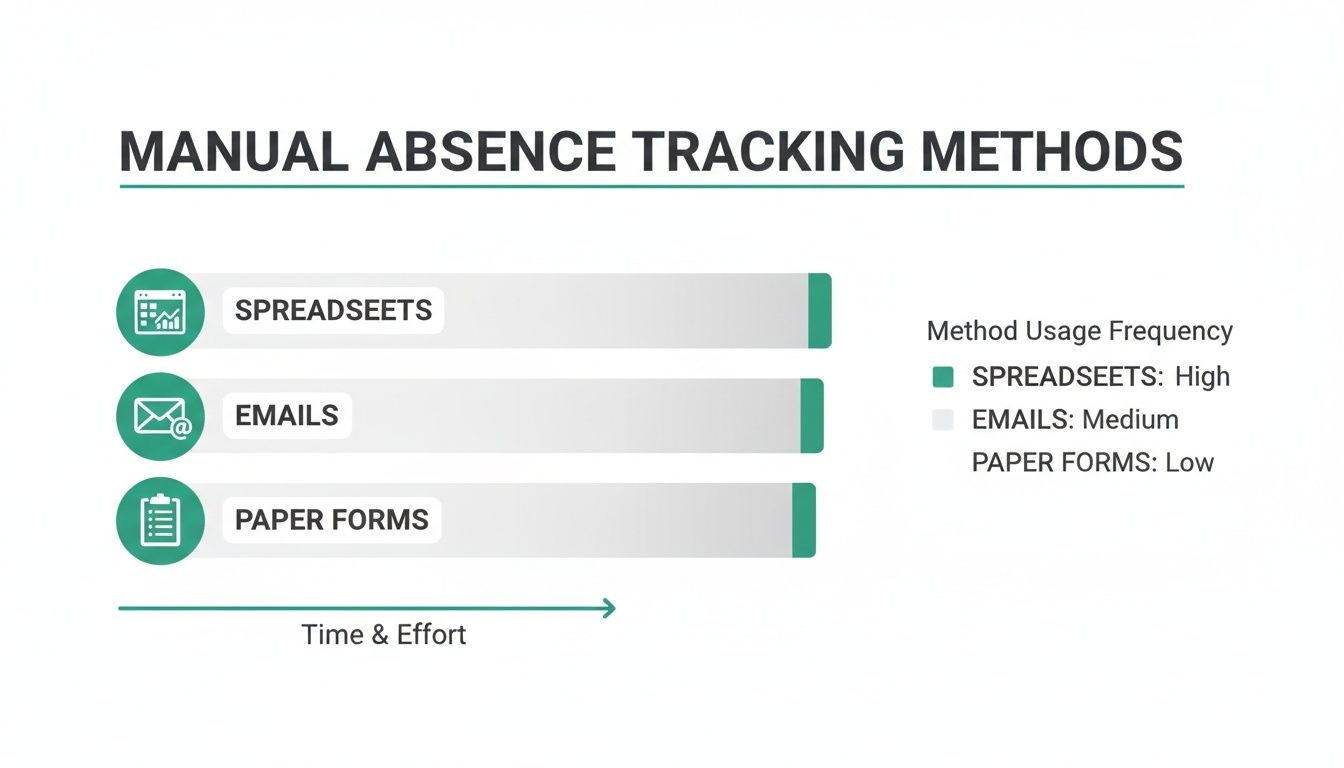
As you can see, relying on these separate methods creates data silos and a huge administrative burden. It makes getting a clear, real-time overview of who is actually available to work practically impossible.
The Hidden Financial Drains
Beyond the lost output, the sheer administrative slog of manual tracking is a major hidden cost. How many hours do your managers and HR staff spend each month chasing paper forms, cross-referencing calendars, and manually updating leave balances in a spreadsheet? This is low-value work that pulls them away from strategic tasks like recruitment, training, and actually supporting your people.
What’s more, a lack of a formal system almost always leads to inconsistent policy enforcement. One manager might approve a last-minute holiday request while another denies a similar one, creating a feeling of unfairness. That kind of inconsistency chips away at trust and can seriously damage team morale, leading to disengagement and, ironically, even more absences. Getting a handle on the full financial picture is vital; you can even use tools to calculate the true cost of an employee.
A recent Chartered Institute of Personnel and Development (CIPD) survey found that UK employees were absent for an average of 7.8 days per year. That's a significant jump from the pre-pandemic figure of 5.8 days. This rise puts even more administrative pressure on managers, who have to record, approve, and arrange cover for every single one of those days.
Manual Tracking vs Automated System: A Cost Comparison
The numbers don't lie. When you compare the time, risk, and morale costs of sticking with spreadsheets against the efficiency gains of an automated system, the picture becomes very clear.
| Area of Impact | Manual Process (Spreadsheets/Paper) | Automated Absentee Management System |
|---|---|---|
| Admin Time | Hours spent weekly on data entry, cross-checking, and report creation. | Minutes per week. Requests, approvals, and balance updates are automated. |
| Data Accuracy | High risk of human error (typos, miscalculations) leading to payroll mistakes. | 99.9% accuracy. Calculations are automated, removing human error. |
| Productivity | Delays in approvals and lack of visibility disrupt team planning and workflow. | Real-time visibility allows for instant cover arrangements and project adjustments. |
| Compliance Risk | Difficult to track holiday accruals and sick pay entitlements accurately. High risk of legal breaches. | Automated tracking ensures compliance with UK employment law. |
| Strategic Insight | Impossible to spot trends or patterns in absence data. "Data rich, insight poor." | Provides clear reports on absence trends, helping identify burnout or welfare issues. |
| Employee Morale | Inconsistent policy application leads to perceived unfairness and frustration. | Fair, transparent process for all. Employees can self-serve and see their own leave balances. |
Sticking with the old way isn't just inefficient; it's a constant drain on resources that could be better spent growing the business. An automated system pays for itself by plugging these leaks.
Quantifying The Risk Of The Status Quo
Clinging to outdated manual processes isn't just inefficient—it introduces tangible risks that a dedicated absentee management system is built to prevent.
- Payroll Errors: One simple data entry mistake in a spreadsheet can mean an employee is overpaid or underpaid. This creates compliance headaches and takes ages to fix, not to mention damaging trust.
- Lack of Strategic Insight: Spreadsheets can't give you the bigger picture. Without proper reporting, you can't spot patterns like departmental burnout or recurring sickness on certain days, which stops you from tackling the root cause of the problem.
- Compliance Breaches: Manually tracking holiday accruals and entitlements is a minefield. It's far too easy to fall foul of UK employment laws, particularly around holiday pay and statutory sick pay, opening the business up to legal challenges.
When you add it all up, the cumulative effect of these issues means that not investing in a proper system is often the more expensive choice in the long run. You can find out more about how to calculate the cost of absenteeism for employers in our detailed guide.
Essential Features of An Effective System
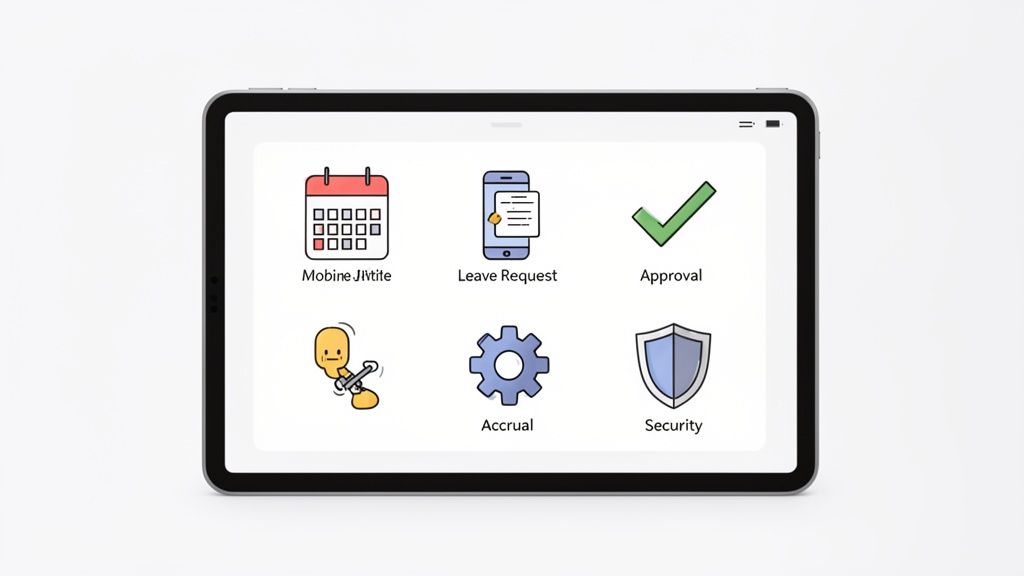
Not all systems are created equal. A basic tool might feel like a slightly upgraded spreadsheet, but a truly effective absentee management system is a powerful business asset. It solves the real, everyday frustrations for everyone involved, from administrators to front-line employees.
The best platforms are built around core features that deliver clarity, efficiency, and fairness. Understanding these functions is key to choosing a tool that provides genuine value, rather than just another login to remember. Let's break down what turns a simple calendar into a strategic tool for your business.
A Central Dashboard For Instant Clarity
The cornerstone of any good system is a central dashboard or wall planner. This isn't just a calendar; it's your command centre for team availability. Its main job is to put an end to fragmented information, where leave data is scattered across emails, spreadsheets, and paper forms.
With a single glance, managers can see who's off, who has requests pending, and spot potential scheduling clashes before they become a problem. This immediate visibility is vital for resource planning, ensuring projects stay on track and shifts are always covered.
Customisable Leave Types
Every business has unique leave policies, from standard holidays and sick days to compassionate leave, training days, or even duvet days. A rigid system that forces you to use generic categories just creates confusion and messy workarounds.
An effective absentee management system solves this by offering fully customisable leave types. This allows you to:
- Match Company Policy Exactly: Create and name leave categories that align perfectly with your employee handbook.
- Set Specific Rules: Decide whether a leave type is paid or unpaid and if it deducts from an employee's annual allowance.
- Improve Reporting Accuracy: When you can track specific leave types, you gain much clearer insights into absence trends.
This customisation ensures the system adapts to your business, not the other way around. It’s one of the most important factors when looking for the right software, and you can learn more about the key benefits of absence management software for SMEs in our related article.
Automated Accrual Calculations
Manually calculating pro-rata holiday entitlement for part-time staff or new starters is a classic HR headache. It’s a process riddled with potential for human error, which can easily lead to costly payroll mistakes. An automated accrual engine is a non-negotiable feature that eliminates this risk entirely.
The system automatically calculates and updates leave balances based on the rules you set, handling everything from standard annual allowances to more complex schedules. This ensures fairness and accuracy, giving both employees and managers complete confidence in the data.
The real power of an absentee management system lies in automation. By taking over the repetitive, error-prone tasks like accrual calculations and record-keeping, it frees up HR and managers to focus on supporting their people, not managing their paperwork.
Streamlined Approval Workflows
The back-and-forth email chain for a single holiday request is a major time drain. A proper system replaces this chaos with a simple, automated workflow. An employee submits a request, their manager is instantly notified, and they can approve or deny it with a single click—often directly from their email or a Slack notification.
This efficiency is crucial, especially as absence rates fluctuate. Official analysis shows the UK sickness absence rate rose after the pandemic. While it has since fallen from its peak, it remains slightly above pre-2019 levels, meaning more admin for managers. An automated system streamlines this entire process, from recording absence to tracking sick pay eligibility and ensuring compliance.
How To Choose The Right System For Your Business
Picking the right absentee management system can feel a bit like wading through a crowded market. With so many options out there, it’s all too easy to get bogged down in endless feature lists and technical jargon. The trick is to cut through the marketing noise and use a practical framework that puts your company's real needs first.
A great system should feel like a natural part of your workflow, not just another complex tool your team has to get their heads around. The aim is to find something that genuinely simplifies life for everyone, from HR admins to the front-line staff. That means taking a hard look at usability, scalability, and how well it plays with the tools you already use every day.
Evaluate The User Experience For Everyone
Let's be honest: the best software in the world is useless if no one on your team actually wants to use it. When you're looking at an absentee management system, you need to see it from two angles: the administrator and the employee. For HR and managers, the system needs to be intuitive to set up and run, with clear dashboards and reports that don't require a degree in data science.
For your employees, booking a day off should be dead simple—ideally, just a few clicks on their phone or computer. A clunky, confusing interface will only cause frustration and lead to people not using it, which completely defeats the purpose of investing in a new system.
Check For Essential Integrations
An absence management tool shouldn't live on an island. To be truly valuable, it needs to connect smoothly with the software your business already relies on. This is what stops you from having to do tedious manual data entry and makes sure information is consistent across all your platforms.
Keep an eye out for these key integrations that will make your life easier:
- Calendar Integrations: Syncing with Outlook or Google Calendar is non-negotiable. This feature automatically updates personal and team calendars, so everyone can see who's away in real-time without having to log into yet another app.
- Communication Tool Integrations: Connections with platforms like Slack are a game-changer. They allow managers to get and approve leave requests right where they spend their day, speeding up the whole process.
- HRIS and Payroll Integrations: Being able to easily export data to your main HR or payroll software is vital for keeping accurate records and avoiding any compliance headaches down the line.
Scrutinise Security And Compliance
When you're dealing with employee data, security is everything. Any provider worth their salt must show a serious commitment to protecting that data. This means secure cloud hosting, daily data backups, and full compliance with UK regulations like GDPR.
Don't be afraid to ask potential providers direct questions about their security measures. You need to be confident that sensitive employee information is safe from breaches and that the system helps you meet your legal duties. A provider who is open and transparent about their security is one you can build trust with.
Choosing the right system isn't about finding the one with the most features; it's about finding the right fit. A system that scales with your business, is loved by your team, and operates securely will provide a far greater return than one that simply ticks every box on paper. You can explore a deeper dive into the secrets of choosing the right absence management solution to guide your decision-making.
Finally, have a good look at the pricing structure. Steer clear of vendors with hidden fees or overly complicated pricing tiers that make it impossible to figure out your actual costs.
A straightforward model, like a simple per-user fee, means you know exactly what you’re paying for. This kind of transparency is often a good sign of how a provider approaches their customer relationships in general.
A Step-By-Step System Implementation Plan
Bringing a new absentee management system into the fold might feel like a huge undertaking, but it doesn't have to be a logistical nightmare. The secret to a smooth transition is simply breaking the process down into clear, manageable stages. With a solid plan, you can move from chaotic spreadsheets to a clean, automated platform with minimal fuss, ensuring your team is on board from day one.
The real goal here is to get up and running quickly so you can start reaping the rewards. A well-planned implementation is all about getting the configuration right, importing your data, training your users, and communicating clearly. Think of it less like a complex software install and more like setting up a smarter way of working for everyone.
Phase 1: Initial Setup and Policy Configuration
First things first, you need to build the digital foundations. This means taking your company's real-world leave policies and mirroring them inside the system. Honestly, this is the most critical part of the setup, as it ensures the platform plays by your specific rules.
- Configure Leave Types: Go beyond the standard holiday and sickness. Create custom categories for every type of absence you track, whether it’s compassionate leave, training days, or something else entirely. For each one, specify if it's paid or unpaid.
- Set Accrual Rules: Define how holiday allowances are calculated. A good system will automatically handle pro-rata entitlements for part-timers and new starters, as well as carry-over rules. This alone removes a huge risk of manual error.
- Establish Approval Workflows: Decide who signs off on requests. You can set up simple manager-employee workflows or create multi-level approvals where a department head also needs to give the nod.
Phase 2: Data Import and Team Onboarding
With your policies locked in, it’s time to bring your people and their data into the new system. Most modern platforms make this surprisingly simple, letting you import existing records without hours of tedious manual entry.
Typically, you’ll just import a list of all employees and their current leave balances. This ensures a seamless switchover where everyone starts with accurate, up-to-date information. Once the data is in, you can start inviting your team members to join the platform.
Phase 3: Communication and Pilot Testing
Before rolling it out to the entire company, it's always a good idea to run a pilot test with a small, representative group, like a single department. This is your chance to gather some honest feedback and iron out any little kinks in a controlled environment.
A successful launch is built on clear communication. You have to explain the 'why' behind the change. When you highlight benefits like instant balance checks and faster approvals, you’ll get everyone on board. Frame it as a tool that makes life easier for them, not just for management.
Finally, let the whole company know the launch date. Provide simple guides or a quick training session showing staff how to request leave and managers how to approve it. The simpler the system, the less training you’ll need. This straightforward approach quickly delivers a clear return, especially when you think about the high cost of unmanaged absence. For an SME with 100 employees, that bill can get close to £54,700 a year. This makes even a 10% reduction in absenteeism through better management a significant saving. Discover more insights into the costs of absenteeism for UK employers.
By following these steps, you can make sure your new absentee management system is a success from the very beginning.
Using Absence Data For Strategic Insights
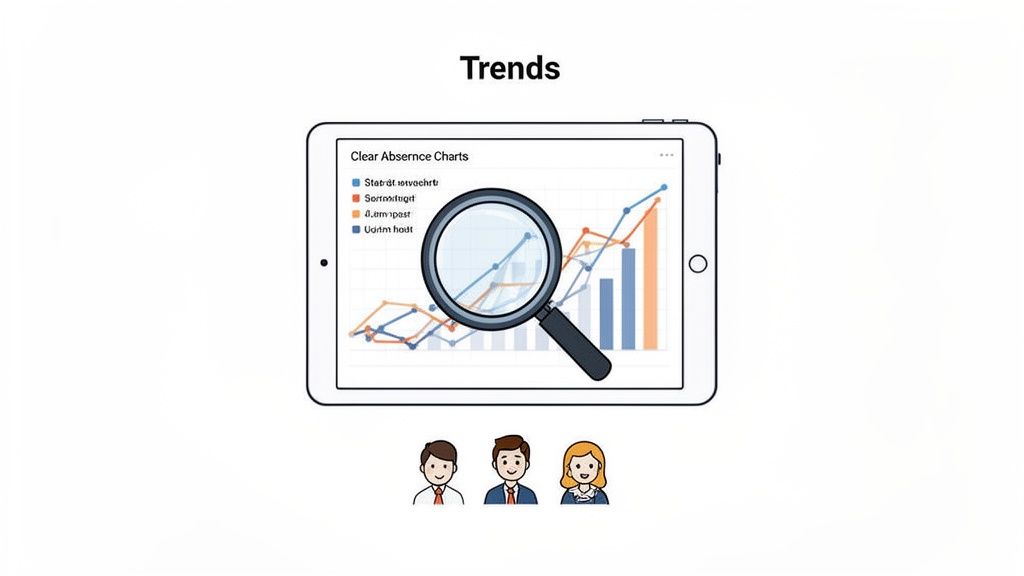
A proper absentee management system does a lot more than just approve holiday requests. It quietly becomes a goldmine of data, turning what was once a simple admin task into a source of powerful business intelligence. This is your chance to move from being a reactive administrator to a strategic partner in the business.
Instead of just logging who is off, you can start asking why. The answers can help you build a healthier, more productive workplace. This shift is all about using the information your system collects to make smarter, evidence-based decisions. Raw numbers transform into a clear story about your organisation's wellbeing, and you can stop guessing and start knowing.
Key Metrics To Monitor
To get to these insights, you need to know what you’re looking for. Your system's reporting dashboard is your new best friend, offering a bird's-eye view of patterns that would be completely invisible in a spreadsheet. By focusing on a few critical metrics, you can quickly spot areas that need your attention.
Here are the essential reports and data points you should be tracking:
- Absence Frequency Rates: This metric shows how often people are absent, not just for how long. A high frequency of short absences can be a much stronger indicator of issues like disengagement or poor wellbeing than a single long-term sickness.
- Departmental Trends: Are certain teams calling in sick far more than others? This could point to anything from workload pressures and management issues to a clear need for targeted support in that department.
- Peak Absence Days: Do you see a spike in sickness on Mondays or after a bank holiday? Spotting these patterns can help you tackle potential morale or cultural issues before they become deeply ingrained.
- Holiday Balance Liabilities: Keeping an eye on accrued but unused holiday leave is a financial must. This represents a real liability on your balance sheet, and managing it proactively prevents a mad rush of last-minute time off at the end of the year.
Monitoring these allows you to stop firefighting individual absences and start addressing the root causes across the entire organisation.
Turning Data Into Actionable Strategies
Once you’ve spotted a trend, the real work begins: using that insight to drive positive change. This is where your system truly proves its strategic worth. It gives you the hard evidence you need to justify new initiatives and, just as importantly, measure their impact over time.
For example, imagine the data reveals high levels of short-term, stress-related absences in your sales team. With this information, you can build a solid business case for introducing a targeted wellbeing programme. You have the numbers to show the current cost of the problem and can later use the same data to prove the initiative's ROI.
The ultimate goal is to use absence data not as a tool for policing staff, but as a diagnostic for organisational health. It helps you spot the early warning signs of burnout and address them with supportive, proactive measures.
This data-driven approach fosters a more predictable and stable work environment. It sharpens your resource planning by giving you a clearer picture of future staff availability and helps you send support exactly where it's needed most. To really get ahead, it's worth understanding the broader future trends in business automation and how they can enhance these insights.
By connecting absence patterns to wider business goals, you elevate HR's role and contribute directly to building a more resilient and engaged workforce.
A Few Common Questions
Switching to a new tool always brings up a few questions. We often hear the same queries from UK business owners and HR managers looking to move away from manual methods, so we've gathered the most common ones here. Hopefully, these answers will give you the clarity and confidence you need.
Is an Absentee Management System Difficult to Set Up?
Not at all. The days of complicated software installations are long gone. Modern, cloud-based systems are designed to be up and running in no time.
Most platforms will guide you through the setup, helping you configure your company's specific leave policies and rules. Getting your existing employee data and their current leave balances into the system is usually as simple as uploading a spreadsheet. You can genuinely go from a messy manual process to a fully working automated system in a single afternoon, without needing any dedicated IT support.
How Does the System Handle UK-Specific Leave Policies?
This is where a good system really proves its worth. A solid absentee management platform is built to be flexible, letting you tailor it precisely to your own rules and, crucially, to UK legal requirements.
You can easily configure the platform to handle regional differences across the UK. Key customisation features include:
- Public Holiday Calendars: Automatically apply the correct public holidays for England, Scotland, Wales, or Northern Ireland. This ensures everyone's entitlement is calculated correctly, no matter where they're based.
- Unique Leave Types: Create and manage any kind of leave your business uses, whether it's standard holidays and sickness, compassionate leave, or training days.
- Custom Accrual Rules: Set specific rules for how holiday time is earned. This makes it simple to accommodate part-time workers, new starters, and your company's carry-over policy.
This level of control means the system works exactly how your business works, keeping everything fair, compliant, and consistent.
What Are the Main Security Considerations?
Handing over sensitive employee data is a big deal, and security should be a top priority. Reputable cloud-based providers understand this and build their platforms with robust security measures to protect your information and help you meet your legal obligations.
You should expect any top-tier system to offer features like daily data backups, secure cloud hosting on reliable infrastructure, and full compliance with UK GDPR. This means your data is not only protected from being lost but is also handled in a way that respects privacy laws, giving you complete peace of mind.
Can the System Integrate with Our Existing Tools?
Yes, and this is a vital feature for making sure the tool actually gets used. A modern absentee management system is designed to connect smoothly with the tools your team already uses every day, so you're not disrupting how they work.
Common integrations include Outlook and Google Calendar, which automatically update to show approved leave and give everyone real-time visibility. Even better, integrations with platforms like Slack can let managers approve leave requests right from their chat window, turning a multi-step email chain into a single click. This kind of connectivity makes the system a natural part of your team's workflow, not just another piece of software to learn.
Ready to see how Leavetrack can save you time and bring clarity to your leave management? Start your free trial and simplify your absence tracking today!