
Employee Absence Management Software: Streamline Absences & Boost Compliance
Posted by Robin on 12 Jan, 2026 in
Trying to track employee leave on a spreadsheet is a bit like trying to bail out a boat with a teacup. It might feel like you're doing something, but the water keeps coming in. It's an outdated, error-prone method that gives you zero real-time insight. This manual slog isn't just a hassle; it’s quietly draining your company's time and money. Switching to proper employee absence management software is how you get back in control, keep things running smoothly, and protect your bottom line.
Moving Beyond Spreadsheets: The Hidden Costs of Manual Absence Tracking

For so many businesses, the humble spreadsheet is still the go-to for tracking everything from holidays to sick days. It seems easy and, of course, it's free. But in reality, that "free" tool comes with some hefty hidden costs. The whole approach is riddled with problems that silently chip away at productivity and open you up to some serious risks.
Every single time someone manually types in a date or a number, there's a chance for something to go wrong. A simple typo can mess up someone's leave balance, leading to payroll mistakes and unhappy staff. An old, forgotten formula might not calculate accruals correctly, creating a compliance nightmare you won't see coming. All that time your HR team and managers spend chasing requests, checking calendars, and updating cells adds up to hundreds of wasted hours every year.
The Rising Tide of Employee Absence
The headache of managing leave has become more intense than ever. Here in the UK, we're seeing a sickness absence crisis on a scale we've not seen before, with employees now off sick for an average of 9.4 days a year. That’s a huge jump from the pre-pandemic figure of just 5.8 days—a 62% increase that is putting enormous pressure on businesses trying to keep the lights on. You can read more about the sharp increase in UK workplace absence from CIPD.
This isn't just a number on a chart; it's a real-world operational problem. When a key team member is off unexpectedly, managers are left scrambling to move work around, cover shifts, and stop projects from grinding to a halt. Without a clear, live view of who is actually available, making those calls becomes a stressful guessing game.
Manual tracking systems just can't keep up anymore. They don't provide the visibility or the speed needed to handle the challenges of a modern workforce, turning a manageable task into a major operational bottleneck.
Uncovering the True Financial Drain
The costs of sticking with spreadsheets go way beyond wasted time. Without accurate, centralised data, it’s almost impossible to spot worrying trends. Are absences spiking in a particular department? Is there a rise in leave linked to burnout? These are the early warning signs that, if missed, can lead to tanking morale, higher staff turnover, and a big hit to productivity.
Ultimately, clinging to spreadsheets forces you into a reactive, chaotic way of working where you're always putting out fires instead of preventing them. The main limitations are obvious when you stop and think about it:
- Lack of Real-Time Visibility: Managers can't get a live overview of who’s in and who’s out, making it a nightmare to approve requests or plan cover.
- High Risk of Human Error: Manual data entry is a recipe for mistakes in leave balances and payroll, causing distrust and arguments.
- Inefficient Communication: The endless email chains and paper forms for leave requests create frustrating delays and administrative overload.
- Poor Data for Decision-Making: Spreadsheets give you no easy way to analyse absence trends, so you can't be proactive about improving staff well-being or tackling absenteeism.
This is exactly where dedicated employee absence management software completely changes the game. It swaps the guesswork and admin chaos for clarity, consistency, and control, giving you the tools you actually need to manage leave properly.
What Is Absence Management Software Anyway?
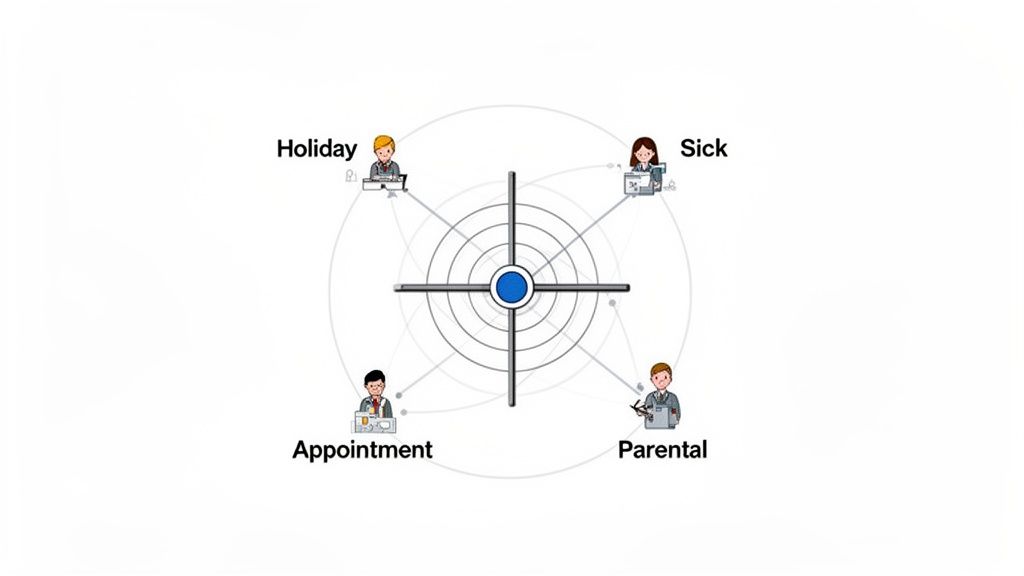
So, what exactly are we talking about when we say employee absence management software? Think of it as the air traffic control for your team’s time off. It’s a central hub that expertly manages every type of leave—from annual holidays and sick days to parental leave and medical appointments—without the chaos.
Its main job is simple but critical: to replace the mess of spreadsheets, overflowing email inboxes, and stray paper forms. It brings every leave-related task into a single, reliable system that everyone in the company, from the CEO to the newest hire, can actually trust. This switch from manual mayhem to automated order is fundamental to running a modern team.
At its core, the software digitises the entire request and approval process. An employee logs in, sees their remaining holiday allowance, and submits a request in seconds. Their manager gets an instant notification, sees who else is off, and can approve or deny it with one click. No more chasing people down hallways or trying to decode cryptic email chains.
From Digital Forms to a Single Source of Truth
Just digitising requests is a great start, but it’s only the beginning. The real value comes when the system becomes the undisputed source of truth for your team's availability. Every approved holiday, sick day, or appointment is automatically added to a shared, real-time calendar.
This means managers no longer have to cross-reference multiple spreadsheets or just guess who is free before approving a request. They get a complete, up-to-the-minute view of their team's schedule, preventing accidental overlaps and making sure there’s always enough cover. That kind of visibility is something a spreadsheet can never truly offer.
An absence management system transforms leave tracking from a fragmented, admin-heavy chore into a strategic tool. It gives you the clarity to make smart staffing decisions that keep things running smoothly.
For employees, this central hub gets rid of all the guesswork. They can check their own leave balances, look at the team calendar to plan their holidays thoughtfully, and see the status of their requests without having to bother anyone. This transparency builds trust and empowers staff to manage their own time off responsibly.
Manual Tracking vs. Absence Management Software
The difference between wrestling with a spreadsheet and using proper software is night and day. One creates bottlenecks, errors, and frustration, while the other delivers efficiency, accuracy, and clarity. Seeing them side-by-side makes the contrast incredibly clear.
It’s no surprise that a staggering 81% of HR leaders are planning to digitise their time and absence management processes. This highlights a widespread recognition that manual methods are just not fit for purpose anymore. The move is driven by a real need for better accuracy and operational resilience.
Here’s a direct comparison that shows just how big the advantages are.
| Feature | Manual Tracking (Spreadsheets & Email) | Absence Management Software |
|---|---|---|
| Visibility | Fragmented and often out-of-date. It's almost impossible to see the full picture. | A live, centralised calendar gives an instant overview of all team absences. |
| Accuracy | Prone to human error, including typos, incorrect formulas, and missed entries. | Automated calculations and tracking ensure entitlement data is always accurate. |
| Efficiency | A time-sucking process of endless emails, manual updates, and chasing people. | Streamlined, one-click approvals and self-service requests save hours of admin time. |
| Reporting | Requires manually compiling data, making it hard to spot trends or patterns. | Built-in reporting tools provide instant insights into absence trends and costs. |
| Compliance | High risk of inconsistent policy application and poor record-keeping for audits. | Centralised records ensure fair, consistent policy enforcement and a clear audit trail. |
Ultimately, employee absence management software isn't just a fancy digital spreadsheet. It’s a completely different approach that provides the structure, visibility, and automation needed to manage leave effectively, fairly, and with far less administrative pain. Platforms like Leavetrack are designed specifically for this, turning a headache into a simple, automated process.
Core Features That Solve Real HR Problems
Good employee absence management software isn't just a jumble of features; it's a toolkit designed to fix the real, recurring headaches that HR professionals and managers face every day. Instead of just listing what the software does, let's look at how its key components get rid of the chaos that comes with manual tracking.
Think of these features like specialist tools. You wouldn't use a hammer to turn a screw, and you shouldn't rely on a spreadsheet to manage complex human processes. The right tool makes the job simpler, faster, and a whole lot more accurate.
Your Single Source of Truth: The Centralised Calendar
One of the biggest problems with manual systems is the lack of a single, reliable view of who's actually in the office. Managers often approve holiday requests blind, only to find out later they’ve left their team critically short-staffed.
A centralised calendar solves this in an instant. It acts as a live, shared wall planner for the entire company, showing every approved holiday, sick day, and appointment in one place.
- Problem Solved: Prevents scheduling clashes and understaffing by giving managers a clear, real-time picture of team availability before they approve a request.
- Real-World Impact: A manager can see that two key people have already booked the same week off and can have a quick chat to reschedule, avoiding a last-minute project disaster.
This single source of truth creates transparency and empowers everyone. Employees can check the team calendar to plan their leave thoughtfully, cutting down on the time-wasting back-and-forth emails.
Automated Accrual Calculations: The Policy Guardian
Calculating holiday allowances is deceptively tricky. Pro-rata entitlements, carry-over rules, and people joining mid-year can turn a simple task into a minefield of potential errors, leading to unfairness and payroll mistakes.
Automated accrual calculations act as your vigilant policy guardian. You set your company's rules just once—for full-time, part-time, and long-serving staff—and the software does the rest. It automatically calculates entitlements with precision, adjusting them as needed throughout the year.
This feature is your safety net against compliance risks. It ensures every employee’s leave balance is consistently accurate, removing human error and providing a clear, auditable record of how entitlements were calculated.
This means no more frantic end-of-year calculations or panicked corrections. The system ensures fairness and accuracy, which is fundamental to building trust with your team.
Streamlined Approval Workflows and Integrations
The old way of requesting leave is a mess of emails, paper forms, and verbal reminders. It’s slow, inefficient, and requests often get lost in a busy inbox, leaving employees wondering what's going on.
Modern software fixes this with streamlined approval workflows. An employee submits a request through a simple online form or even directly within apps they already use, like Slack. The request is then automatically sent to the right manager.
This process is made even better with integrations:
- Mobile Apps: Managers get push notifications and can approve or deny requests with a single tap, whether they're at their desk or on the move.
- Slack/Teams Integration: Approvals can be handled right inside your company’s chat tool, fitting neatly into the daily workflow.
- Calendar Sync: Approved leave is automatically added to the manager’s and employee’s Google or Outlook calendars, keeping everyone on the same page.
Customisable Leave Types and Powerful Reporting
Your business is unique, so a one-size-fits-all approach to leave just doesn't cut it. You need to track more than just holidays and sick days—what about compassionate leave, training days, or parental leave? Customisable leave types let you create and track any absence category your policy requires.
Beyond tracking leave, a solid absence management system is also a vital tool for keeping up with various regulations. For a broader look at how businesses handle these requirements, it’s worth exploring some of the leading compliance management solutions for your business.
Finally, insightful reporting tools turn raw data into strategic intelligence. Instead of manually counting days on a spreadsheet, you can generate reports in seconds to spot absence trends, calculate the cost of sickness, and monitor leave balances across departments. This data is crucial for making informed decisions about workforce planning and well-being initiatives. You can learn more about how this improves operations by reading about the key benefits of absence management software for SMEs in our related guide.
Uncovering the True ROI of Automated Absence Tracking
Beyond the convenience of a clean calendar, what’s the real business impact of switching to employee absence management software? The return on investment (ROI) goes far beyond just saving time; it delivers tangible financial gains, strengthens your legal standing, and reclaims hundreds of administrative hours a year.
It's easy to misunderstand the true cost of absence. We often think it’s just the salary paid to someone who is off sick. But the real damage comes from lost productivity, the cost of overtime for colleagues picking up the slack, and the hidden drain of presenteeism—when staff show up unwell and operate at a fraction of their usual capacity.
Calculating the Direct Cost Savings
The financial hit from employee absence is staggering for UK businesses. For small companies, absenteeism alone costs around £547 per employee every year. But that’s just the tip of the iceberg. The impact of presenteeism is significantly worse. Of the £30 billion increase in total absence costs since 2018, a massive £25 billion came from lower productivity due to presenteeism alone.
This is where good absence management software gives you the data to fight back. By generating clear reports on absence trends, you can spot patterns—like a sudden spike in sick days in one department—and step in early. This proactive approach helps you address underlying issues like burnout or workload stress before they escalate, directly cutting down on both absenteeism and presenteeism.
Reclaiming Hundreds of Administrative Hours
Just think about the time your team currently sinks into manual leave tracking. HR staff chase down paper forms, managers dig through emails to approve requests, and employees are constantly asking about their remaining leave balance. Each little step is a drain on time that quickly multiplies across the entire organisation.
Automating these tasks claws that lost time back for everyone.
- For HR Teams: No more soul-destroying manual data entry or hunting for spreadsheet errors. They’re free to focus on strategic work instead of repetitive admin.
- For Managers: A one-click approval and a clear team calendar turn a five-minute chore into a five-second one. That means more time spent actually leading their team.
- For Employees: Self-service portals let them check balances and request leave instantly, without having to interrupt HR or their manager.
This infographic shows just how much efficiency is gained when HR tools are centralised.
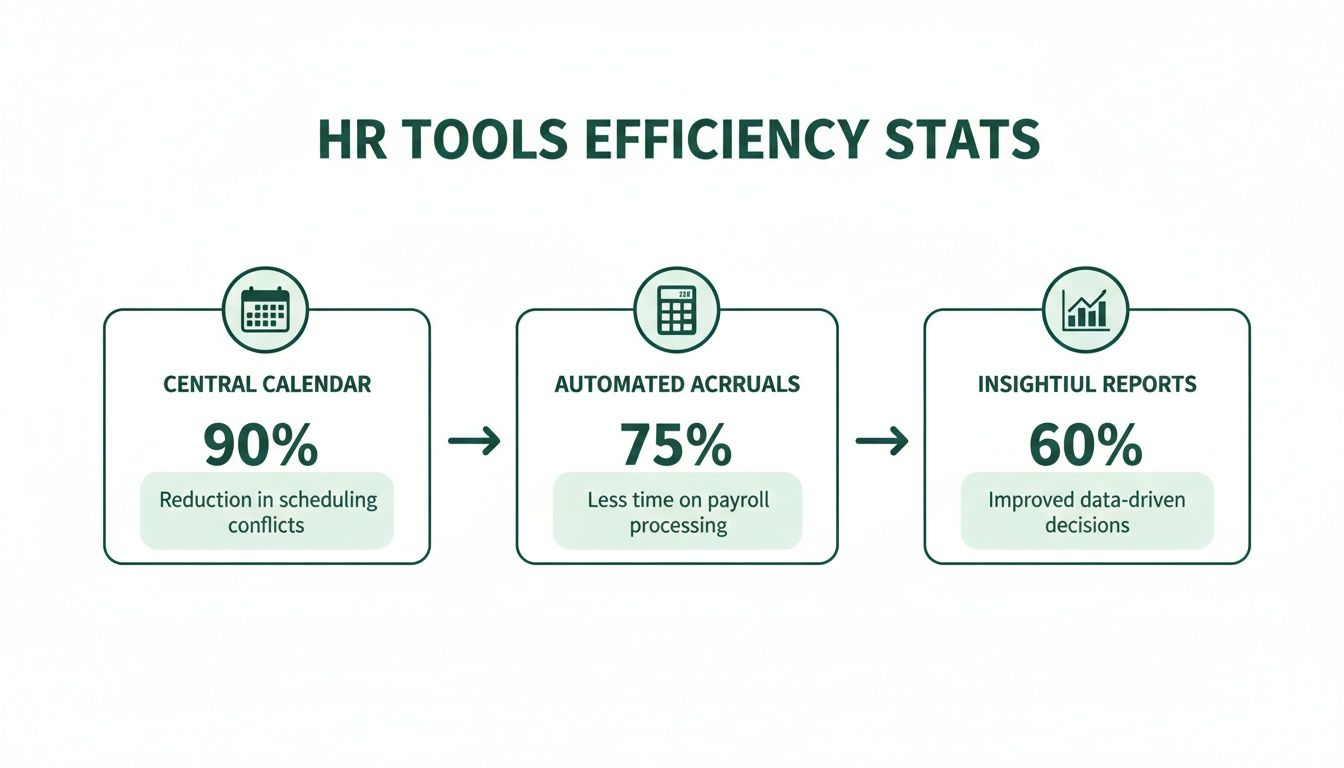
Ultimately, a central calendar, automated calculations, and insightful reports help businesses reclaim a huge amount of time that was previously lost to manual admin.
Strengthening Compliance and Minimising Risk
Applying policies inconsistently is a huge risk for any business. When leave is tracked manually, it's all too easy for one manager to approve something another would deny, opening the door to disputes and claims of unfair treatment.
Employee absence management software creates an unshakeable audit trail. Every request, approval, and policy change is time-stamped and recorded, providing a clear, objective record that protects your business.
A centralised system ensures that leave policies are applied fairly and consistently to every single employee, every single time. By improving how you manage workplace incidents and return-to-work processes, you can even positively influence your workers comp Experience Mods, which can directly lower your insurance premiums. For a deeper look at this, check out our guide on why accurate absence tracking is crucial for compliance. This digital record-keeping isn't just a convenience; it's a vital layer of protection in an increasingly complex regulatory world.
How to Choose the Right Absence Management Software
Picking the right employee absence management software is a huge decision, one that will colour your daily operations for years. It's easy to feel a bit swamped by all the options out there, but the real secret is to look past the shiny features and focus on one simple question: will this thing actually solve our problems and fit how we work?
Making a smart choice here isn’t just about buying a tool. It's an investment in a solution that makes life easier for everyone, from the HR team right down to the newest employee. To get it right, you need a clear checklist of what really matters.
Prioritise Simplicity and User Experience
Let's be honest: if the software is clunky or complicated, your team just won't use it. The best system is one that feels natural from the second you log in. It needs to be just as easy for someone to request a day off on their phone as it is for their manager to approve it.
Look for a clean, straightforward interface. Can you find the team calendar without a treasure map? Is it obvious how to check your leave balance? If a system needs a week of training just for the basics, it’s going to create more headaches than it solves. A great user experience is non-negotiable if you want people to actually embrace it.
Ensure It Can Handle Your Unique Policies
Your company's leave policies are unique. A rigid, one-size-fits-all system forces you to bend your processes to fit its rules, which is the complete opposite of what you want. A great platform needs to be flexible enough to adapt to you.
Think about these customisation essentials:
- Custom Leave Types: Can you create and track categories beyond the usual holiday and sick days? Think compassionate leave, training days, or parental leave.
- Varied Accrual Rules: Does the system let you set up different entitlement rules for full-time, part-time, and long-serving employees?
- Flexible Workflows: Can you set up a multi-step approval process? Or delegate approval authority when a manager is away?
Without this level of flexibility, you'll end up creating manual workarounds on the side, which defeats the whole purpose of getting the software in the first place.
Check for Essential Integrations
Modern absence management software shouldn't live on an island. It has to connect smoothly with the tools your team already relies on every single day. This is what makes leave management feel effortless and properly embeds it into your workflow.
A system that syncs with your existing calendars and communication tools transforms from "another piece of software" into an integral part of your operational toolkit. This is crucial for driving widespread, enthusiastic user adoption.
Key integrations to look for include syncing approved leave directly into a Google Calendar or Outlook calendar. An integration with platforms like Slack is also incredibly powerful, letting managers approve requests with a single click without ever having to leave their chat window.
Evaluate Scalability and Support
Finally, think about where your business is heading. The software you pick today needs to be able to grow alongside you. Take a close look at the pricing models—does the cost scale reasonably as your team gets bigger? Steer clear of systems with complicated pricing tiers that lock away essential features.
Just as important is the quality of customer support. When you have a question or hit a snag, you need a responsive and helpful support team on the other end. Look for providers who are transparent about their support channels and how quickly they respond. A fantastic product backed by poor support can quickly become a massive source of frustration for your whole team.
Implementing Your New System Without the Headaches
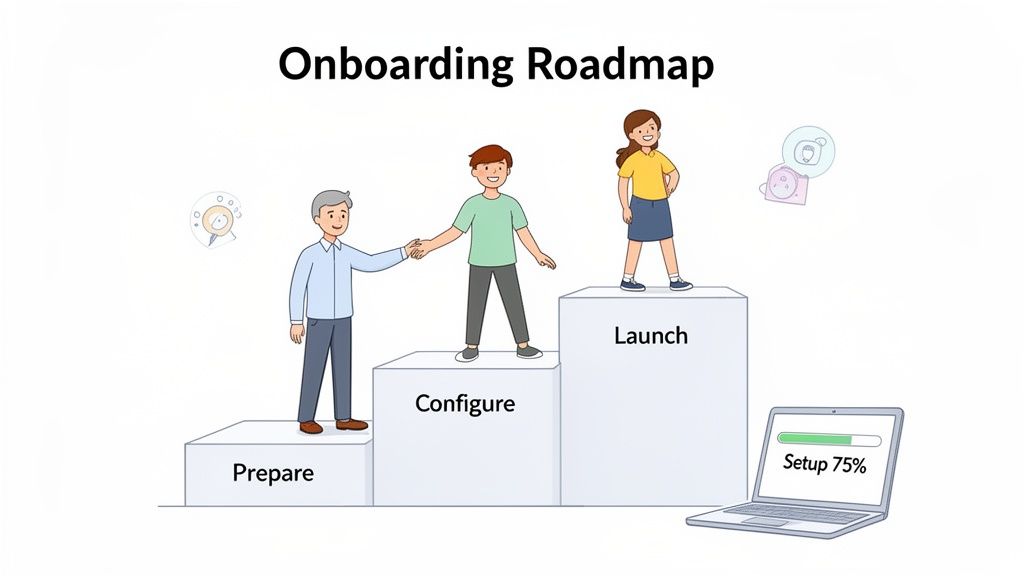
The very idea of switching to a new system can be enough to give anyone a headache. It's why so many businesses cling to broken spreadsheets—they'd rather stick with the devil they know than face what they imagine will be a painful, complicated changeover.
But here’s the thing: modern cloud-based employee absence management software is built to be refreshingly straightforward. Forget the IT overhauls of the past. Getting set up is now less like a massive tech project and more like configuring a new app on your phone. The whole process is intuitive, guiding you through logical steps to get you up and running quickly.
If you want to dive deeper, our step-by-step guide to implementing an absence management system offers even more practical tips to make sure your transition is as smooth as possible.
Prepare Your Existing Data
First things first, you need to round up your current leave records. This is often the part people dread, but most modern platforms, including Leavetrack, have made it incredibly simple. You won't need any complex data migration skills; it's really just about tidying up your spreadsheet.
Typically, this just means exporting your employee list and their leave data into a standard CSV file. A good provider will hand you a clear template, showing you exactly what information to include and how to format it. No guesswork needed. It’s all about starting with a clean slate to ensure accuracy from day one.
This initial data import is a one-time job that lays the foundation for your new, automated system. Taking a little time to get it right pays off massively, ensuring all your historical data and current leave balances are spot on from the get-go.
Configure Your Policies and Workflows
With your data loaded, it’s time to teach the software your company’s rules of the road. This is where you set up your unique leave policies—things like different holiday allowances for full-time and part-time staff, or your specific rules on carrying over unused days. It’s a simple, one-time setup that guarantees the system enforces your policies consistently for everyone.
Next, you'll map out how leave requests get approved. You decide who needs to sign off on requests for each department. You can keep it simple with a single approver or build out a multi-level workflow if certain situations call for it.
Key configuration steps usually include:
- Creating Custom Leave Types: Define all the categories you track, from annual leave and sick days to compassionate leave or training.
- Setting Up Approvers: Assign a primary and backup approver for every employee so that requests never get stuck in limbo.
- Connecting Calendars: Sync the system with Google or Outlook calendars. This automatically blocks out approved leave, giving everyone a clear view of who's off and when.
Communicate the Change and Launch
With the technical side sorted, the final piece of the puzzle is introducing the new system to your team. A little clear communication goes a long way here. Explain the benefits—how much easier it will be to book time off and see their remaining allowance at a glance. A quick, informal demo or a simple one-page guide can make all the difference.
The launch itself is often as easy as sending out invitation emails. Because the software is designed to be user-friendly, most people can log in and start using it right away with minimal guidance. The move from old chaos to new clarity is often surprisingly, and refreshingly, painless.
Frequently Asked Questions
Switching to a new system always brings up a few questions. It’s a sensible step. Here are some straightforward answers to the things businesses most often ask when they’re thinking about moving to proper employee absence management software.
Is This Kind of Software a Good Fit for a Small Business?
Absolutely. In fact, modern cloud-based software is built specifically with small to mid-sized businesses in mind. It’s designed to be affordable and to grow with you.
Think of it this way: it swaps the hidden admin costs and risks of using spreadsheets for a simple, predictable fee. This gives smaller companies the same powerful tools the big players use, levelling the playing field and ensuring everyone follows the same fair rules.
How Hard Is It to Migrate Our Data from Spreadsheets?
This is probably the number one concern we hear, but it's much simpler than you might think. Most modern systems are designed to make this a painless process. Usually, it's just a case of exporting your current spreadsheet data as a standard CSV file and then uploading it straight into the new platform.
Any good provider will give you clear instructions and have support on hand to help you through it. For most companies, the whole data migration is done in a couple of hours, not days or weeks.
The whole point of modern software is to get rid of headaches, not create new ones. A simple data import is a must-have for any user-friendly system, making sure you start with accurate records from day one.
Can the Software Handle Our Company's Complex Leave Policies?
Yes, and this is where dedicated software really shines. Spreadsheets are rigid and break easily when you try to add complexity, but this software is built to be flexible. It’s designed to be customised to match how your business actually works.
You can easily set up the platform to manage your specific rules:
- Create unique leave types for everything from compassionate leave to training days.
- Set different accrual rules for full-time staff, part-timers, or long-serving employees.
- Build multi-step approval workflows so the right managers always sign off on requests.
The software adapts to your policies, not the other way around. This keeps you compliant and guarantees fairness for everyone on the team.
Will Our Employees Actually Use a New System?
Getting the team on board is crucial, which is why the best platforms are incredibly simple and intuitive to use. When your staff can see their leave balance instantly, request time off in seconds from their phone, and get a quick approval, they’ll see the benefits straight away.
Integrations with tools they already live in, like Slack or Google Calendar, are a game-changer too. These connections slot leave management right into their daily routine, making it a natural part of their workflow. Honestly, the easier it is to use, the more your team will love it.
Ready to swap spreadsheet chaos for clarity and control? Leavetrack offers a simple, powerful, and affordable solution designed for businesses just like yours. See how Leavetrack can transform your absence management today.