

How Many Work Hours in a Month A UK Guide
Posted by Robin on 08 Jan, 2026 in
If you're on a standard full-time contract in the UK, you can generally expect to work between 160 and 184 hours per month. That's quite a range, isn't it? The reason it's not a fixed number is simple: the number of working days (Monday to Friday) changes every single month, fluctuating between 20 and 23.
Why Monthly Work Hours Are Never Fixed
Getting your head around the exact number of work hours in a month is crucial for everything from running payroll accurately to planning team capacity and managing leave. A common slip-up is to just pick an average number and stick with it. In reality, the total is a moving target, dictated entirely by the calendar.
This is why a simple formula is always the best place to start. Before you can find the total hours, you first need to know how many working days you have in that specific month. We break this down in our complete guide to the average number of working days in a month.
Official Averages vs Contracted Hours
It's interesting to see how contracted hours, often 37.5 or 40 per week, stack up against the national picture. Recent UK data shows full-time employees actually worked an average of around 36.5 to 36.6 hours per week. When HR managers use a system like Leavetrack for forecasting, they might use an approximation of about 158-159 hours per month based on these figures. You can find more insights on UK working hours on Statista.com.
This chart really drives home how much the number of working days influences the total hours for someone on a standard 8-hour day.
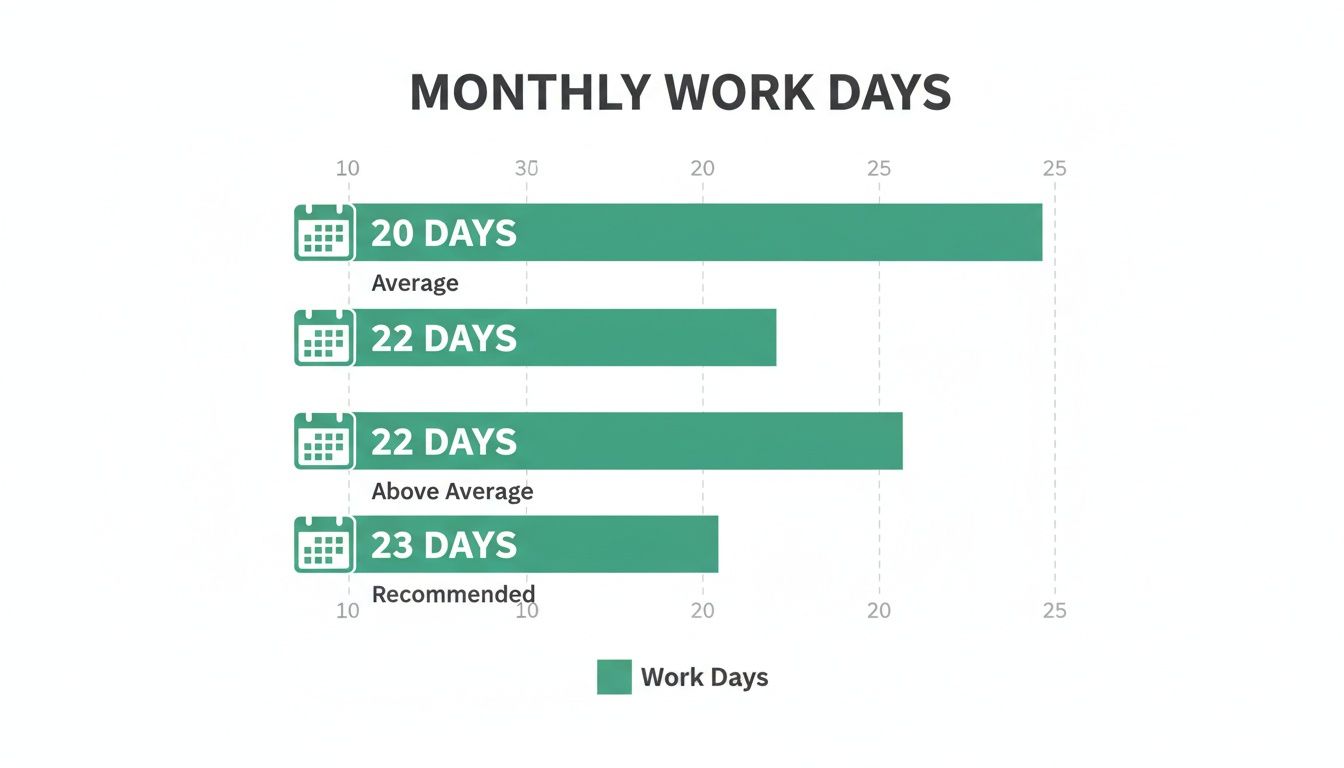
As you can see, just one extra working day in a month adds a full day's worth of hours to your total. It quickly adds up.
Monthly Working Hours by Contract and Working Days
To make this crystal clear, here’s a quick-reference table showing how the total monthly hours change based on a few common weekly contracts and the number of working days.
| Contracted Weekly Hours | 20 Working Days (e.g., Feb) | 21 Working Days (e.g., Apr) | 22 Working Days (e.g., Jan) | 23 Working Days (e.g., Mar) |
|---|---|---|---|---|
| 35 Hours | 140 Hours | 147 Hours | 154 Hours | 161 Hours |
| 37.5 Hours | 150 Hours | 157.5 Hours | 165 Hours | 172.5 Hours |
| 40 Hours | 160 Hours | 168 Hours | 176 Hours | 184 Hours |
This table is a great starting point, showing the maximum potential hours before you factor in any leave or public holidays.
The single most important factor for calculating monthly work hours is the number of weekdays in that specific month. Always start there.
Once you’ve got this fundamental concept down, you’re well on your way to mastering your workforce calculations and ensuring everything from payroll to project planning is fair and accurate.
Two Reliable Methods for Calculating Monthly Hours
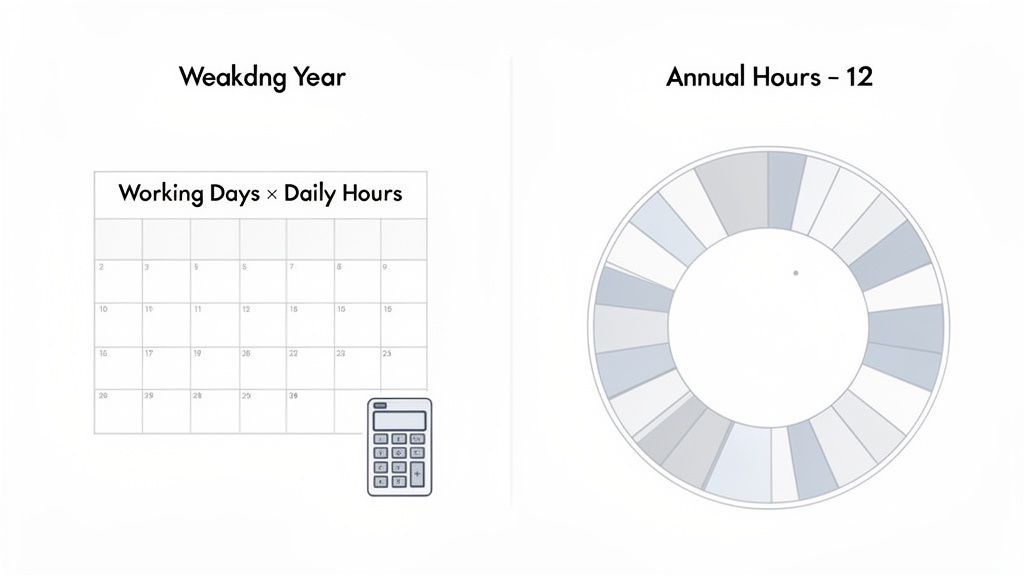
Moving beyond rough estimates is crucial for accurate payroll and sensible resource planning. When you need to know exactly how many work hours in a month your team is contracted for, guesswork just won't cut it. Thankfully, there are two tried-and-tested approaches that HR and payroll professionals across the UK rely on.
Each method has its place. One gives you a precise, real-time snapshot of a single month, which is great for project planning. The other smooths out the monthly ups and downs, creating consistency for budgeting and payroll.
Let's break down how each one works and, more importantly, when to use them.
The Working Days Method
This is the most direct, granular way to figure out monthly hours. It's the perfect fit for salaried employees on a fixed schedule, especially when you need a number that reflects the unique calendar of this specific month.
The formula is pretty straightforward:
Formula:(Number of Weekdays in the Month) x (Contracted Daily Hours) = Total Monthly Hours
Let's run through a common scenario. Imagine an employee works a standard 37.5-hour week. That breaks down to 7.5 hours per day (37.5 hours ÷ 5 days).
Now, see how that plays out in a couple of different months:
- For a 23-day month (like a long March):
- 23 working days x 7.5 hours/day = 172.5 hours
- For a 20-day month (like a short February):
- 20 working days x 7.5 hours/day = 150 hours
The big advantage here is precision. You know exactly how many contracted hours are available in that particular month, which is invaluable for capacity planning. The downside? Those fluctuating totals can make payroll a bit of a headache if you’re aiming for a consistent monthly salary payment.
The Working Days Method gives you rock-solid accuracy for short-term planning. It grounds your calculations in the reality of the calendar, making it the gold standard for assigning work within a specific month.
This brings us neatly to the second approach, which trades this monthly precision for payroll consistency.
The Annual Average Method
If your main goal is stable, predictable payroll, then the Annual Average Method will be your best friend. Instead of recalculating hours every month, this approach creates a reliable average that you can use every single pay period. It irons out the peaks of a 23-day month and the troughs of a 20-day one.
Here’s how you get to the number:
- Find the Total Annual Hours: First, work out the total contracted hours for the whole year.
Weekly Contracted Hours x 52 weeks = Total Annual Hours
- Divide by 12: Then, just split that annual figure by 12 to get your fixed monthly average.
Total Annual Hours ÷ 12 months = Average Monthly Hours
Let's stick with our 37.5-hour week example:
- Step 1: 37.5 hours/week x 52 weeks = 1,950 annual hours
- Step 2: 1,950 annual hours ÷ 12 months = 162.5 average monthly hours
Using this method, the employee is contracted for an average of 162.5 hours every month. It doesn't matter if it's a short February or a long March—the number stays the same. This makes life so much easier for payroll administration, as the base calculation is consistent month after month. It's a widely accepted practice for salaried staff because it offers predictability for everyone involved.
Calculating Hours for Part-Time and Variable Schedules
While it's fairly straightforward to calculate hours for a full-time employee on a fixed Monday-to-Friday schedule, the modern workforce is much more varied. Part-time roles, variable shifts, and zero-hour contracts all throw a spanner in the works.
Getting these calculations wrong can easily lead to payroll errors, so answering "how many work hours in a month" for these team members needs a different, more careful approach.
Prorating Hours for Part-Time Staff
For part-time employees, the key is proration. Their hours are simply a fraction of a full-time equivalent (FTE), and this principle needs to be applied to their monthly totals. It’s not always as simple as them just working fewer full days; their pattern might be unique.
Take a common scenario: you have a team member, Alex, who works a 20-hour week. His schedule isn't uniform, though. He works 8 hours on Monday, 8 on Tuesday, and a final 4 hours on Wednesday.
To figure out his monthly hours, we can adapt the Annual Average Method we looked at earlier.
- First, get the annual total: 20 hours/week x 52 weeks = 1,040 annual hours.
- Then, find the monthly average: 1,040 hours ÷ 12 months = 86.67 average monthly hours.
Using this average figure is the simplest way to keep monthly payroll consistent. This method ensures fairness, no matter how many of Alex's specific workdays happen to fall into any given month.
Prorating is also critical when it comes to things like annual leave. If you need a hand with that, our detailed guide explains how to calculate pro-rata holiday entitlement for UK staff.
Handling Variable Shifts and Zero-Hour Contracts
Things get even more nuanced when you bring in employees on variable shifts or zero-hour contracts. A retail worker might do 15 hours one week and 30 the next, all depending on the rota.
In these situations, looking at a single month in isolation just doesn't give you an accurate—or legally compliant—picture for pay. This is especially true for calculating holiday pay.
To get around this, UK employment law requires you to use an averaging period. Instead of calculating hours month by month, you must look at the hours worked over a longer reference period to find a fair average.
For workers with no normal working hours, you must calculate their average pay over a 52-week reference period (or a shorter period if they've been employed for less than 52 weeks). This prevents pay from being unfairly skewed by a particularly busy or quiet month.
Let's imagine a hospitality worker's year:
- Weeks 1-4 (Quiet Period): Works an average of 18 hours per week.
- Weeks 5-8 (Busy Season): Works an average of 35 hours per week.
Calculating their pay based only on the quiet period would be completely inaccurate and unfair. By averaging over a much longer timeframe, you arrive at a far more equitable figure that reflects their genuine work pattern.
This is exactly why meticulous time tracking isn't just good practice—it's a legal necessity for managing these kinds of flexible working schedules.
Adjusting Calculations for Leave and Public Holidays
So far, we’ve been looking at the maximum potential working hours in a month. But as anyone who manages a team knows, real life is rarely that straightforward. People take annual leave, they get sick, and let's not forget the bank holidays sprinkled throughout the year.
All of these events directly chip away at the actual number of hours an employee is available to work.
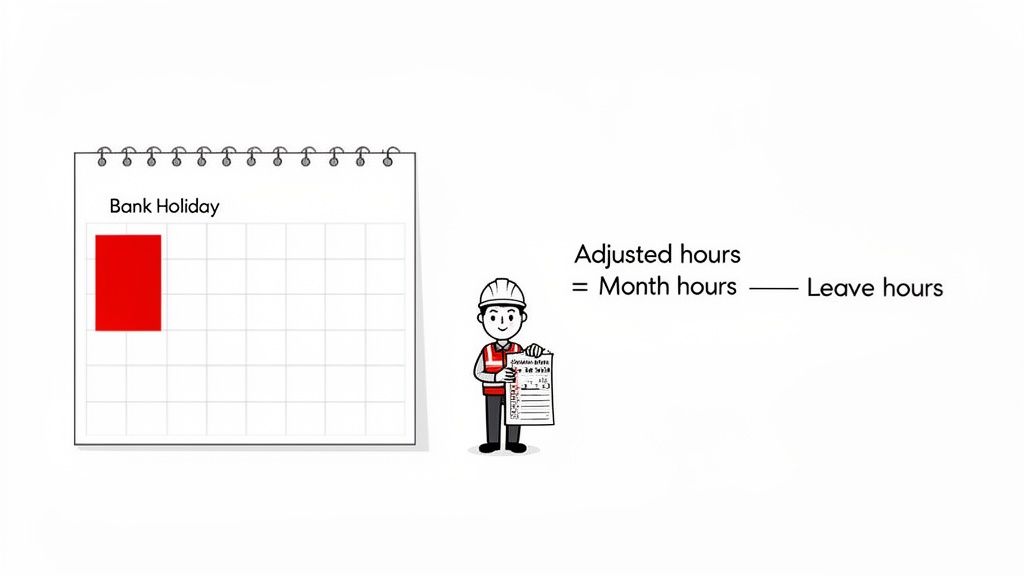
How you account for these absences really comes down to the employee’s contract. For salaried staff, it’s simple. Their pay stays the same each month because their annual salary is just carved into 12 equal pieces. Their contracted hours are met over the course of the year, not necessarily within one specific month.
But for your hourly workers, this is where things get critical. Every hour of leave or public holiday has to be correctly logged and subtracted from their potential work total. Get this wrong, and you’re heading straight for payroll errors.
Differentiating Paid Leave from Sickness Absence
This is a key distinction. When an employee is on paid leave, like annual leave or a bank holiday, they aren't working but are still paid for that time. This means you must subtract those hours from their total workable hours but keep them in their total payable hours for the month.
Sickness absence is another kettle of fish. Whether sick days are paid depends entirely on your company's policy and the employee's statutory rights. For payroll, you still subtract the hours they were absent, but the compensation for those hours will vary.
- Paid Leave (Annual Leave/Bank Holiday): The employee gets paid for their standard daily hours, even though they aren't at work.
- Sickness Absence: The hours are deducted from their workable hours. Payment hinges on your sick pay policy, whether that’s Statutory Sick Pay (SSP) or a more generous contractual sick pay.
For hourly workers, the distinction is crucial. Failing to properly categorise an absence can directly result in underpayment or overpayment. Accurate tracking isn't just good administration; it's a legal and financial necessity.
A Practical Example of Adjusting Monthly Hours
Let's walk through a real-world scenario. Meet Sarah. She works 40 hours per week from Monday to Friday, which breaks down to 8 hours per day. Her pay is £12 per hour.
We're looking at May, which has 22 working days. Her maximum potential hours are:22 days x 8 hours/day = 176 hours
Now, this particular May has one bank holiday. On top of that, Sarah takes a full week of annual leave, which is 5 working days.
Here’s how we adjust her hours:
- Tally up the days off: 1 bank holiday + 5 days annual leave = 6 days of paid leave.
- Convert those days into hours: 6 days x 8 hours/day = 48 hours of paid, non-working time.
- Find the hours actually worked: 176 potential hours - 48 leave hours = 128 hours actually worked.
- Confirm her total payable hours: Since both the bank holiday and her annual leave are paid, her total payable hours for May stay at 176 hours.
This calculation shows that while Sarah was only physically at work for 128 hours, she must be paid for the full 176.
You can see how tracking this manually for a whole team, especially with different shift patterns, quickly becomes an administrative headache. This is exactly where automated systems like Leavetrack come in. They prevent costly mistakes by tracking leave accurately and ensuring your payroll calculations are always based on solid, up-to-date data.
Why Smart Systems Beat Spreadsheets Every Time
Still relying on spreadsheets to calculate your team's monthly hours? It’s a high-stakes gamble, and one that gets riskier with every new hire. While they might feel like a simple solution for a tiny team, spreadsheets quickly become a liability as your business grows.
The moment you add part-time staff, variable shifts, or approved leave into the mix, the manual effort spirals out of control. Suddenly, payroll feels less like a process and more like a tense game of chance.
A single broken formula, a misplaced decimal point, or an outdated version of a file can trigger significant payroll errors. The admin time spent double-checking figures, fixing mistakes, and chasing down timesheets adds up fast. This isn’t just an inconvenience; it’s a bottleneck that grinds your entire operation down.
The Hidden Costs of Manual Tracking
If you find yourself wrestling with manual data entry, constant errors, or frustrating delays when figuring out how many work hours in a month are payable, it might be time to admit you're seeing the 5 signs your business has outgrown spreadsheets. The risks of sticking with manual methods go way beyond a few simple miscalculations.
Some of the biggest headaches include:
- Version Control Chaos: When multiple people are editing the same file, it's almost impossible to know which version is the right one. This confusion is a direct path to inaccurate data.
- No Real-Time Visibility: You never have a live, up-to-the-minute view of who's actually working, who's on leave, or what your true staffing levels are at any given moment.
- Security and Privacy Risks: Let's be honest, sensitive employee data just isn't secure in a spreadsheet. It's far too vulnerable to unauthorised access and potential breaches.
This isn’t a new problem. UK working patterns have shifted dramatically over the decades, moving towards more structured hours and a greater focus on work-life balance. Recent OECD estimates put the average annual hours for a UK worker in the 1,500–1,600 range. That averages out to around 128–135 hours per month. This trend only highlights the need for better systems to manage time and leave properly.
Automation Delivers Accuracy and Transparency
This is exactly where a dedicated, automated system changes the game. An online leave management system takes all the guesswork and manual slog out of the equation. You can see just how transformative they are in our guide to online leave management systems.
An automated tool acts as a single source of truth by centralising all your leave requests, approvals, and timesheet data. It handles the complex calculations for any work pattern automatically, guaranteeing every payslip is accurate and compliant.
For business owners, the benefits are crystal clear. You get back dozens of admin hours every month, eliminate costly payroll mistakes, and build a fair, transparent process that your entire team can trust. It turns a time-sucking chore into a seamless, reliable process that just works.
Common Questions About Monthly Work Hours
Even with the formulas laid out, a few specific scenarios always seem to trip people up. These are the practical, real-world questions that pop up, especially when dealing with team changes or unusual pay periods. Let's tackle some of the most frequent queries I hear.
Getting these details right is about more than just numbers on a spreadsheet. It’s about fairness, staying compliant, and building trust with your team. A clear answer to a tricky question can prevent a lot of confusion and frustration down the line.
How Do I Calculate Hours for Someone Starting Mid-Month?
This is a classic payroll headache, but the solution is straightforward: you need to pro-rate their hours. Forget monthly averages for this calculation; you need precision. You only account for the days they are actually contracted to work from their start date.
The most direct way is to multiply their daily contracted hours by the number of working days remaining in that first month.
For example, imagine a new hire starts on the 16th of a month that has 22 working days in total. They're on a standard 40-hour week, which breaks down to 8 hours per day.
- From their start date, they will work a total of 11 days in that month.
- The calculation is simple: 11 days x 8 hours/day = 88 payable hours.
This method ensures they are paid accurately for their exact time with the company in that first payroll cycle. No guesswork needed.
Should Overtime Be Included in Total Monthly Hours?
This is a critical distinction, both for payroll accuracy and legal compliance. While overtime hours are indeed worked within the month, they must always be tracked and paid separately from standard contracted hours.
Your primary calculation for monthly work hours should focus only on the employee's contracted schedule. Overtime is an addition to this, and it's often paid at an enhanced rate (like time-and-a-half).
Think of it this way: contracted hours are the baseline for salary, while overtime is a variable extra. Lumping them together can lead to significant pay errors and compliance nightmares. A clear overtime policy and a robust tracking system are non-negotiable.
Is There a Legal Maximum for Monthly Work Hours in the UK?
Yes, but it's not a simple monthly figure. The UK's Working Time Regulations set a limit of an average of 48 hours per week.
The key word here is average. This is typically calculated over a 17-week reference period. This means an employee can work more than 48 hours in some weeks, as long as the average over the full 17 weeks doesn't exceed the limit. It’s also possible for employees to voluntarily sign an "opt-out" agreement if they wish to work more.
These regulations are really there to protect worker welfare, not to define a standard for payroll calculations.
Managing these calculations, especially with a growing team, can quickly become complex. Leavetrack simplifies everything by automating leave tracking and providing a clear, real-time view of everyone's availability, ensuring your calculations are always accurate. Find out how Leavetrack can save you time and prevent payroll errors.