
Online Staff Holiday Planner: Simplify Leave, Prevent Shortages & Boost Morale
Posted by Robin on 13 Jan, 2026 in
Let's be honest, trying to manage staff holidays with a clunky spreadsheet, a tangled web of emails, and those paper request forms that always seem to go missing is a real headache. You spend half your time chasing lost requests, discovering last-minute holiday clashes right before a big project, and drowning in admin that pulls you away from your actual job. It's not just inefficient; it’s a recipe for errors, project delays, and unhappy staff.
An online staff holiday planner is the modern answer to all that chaos. Think of it less like a piece of software and more like a central command centre for all things leave-related. It's basically an intelligent, shared calendar that pulls every request, approval, and team schedule into one simple, cloud-based view that everyone can access.
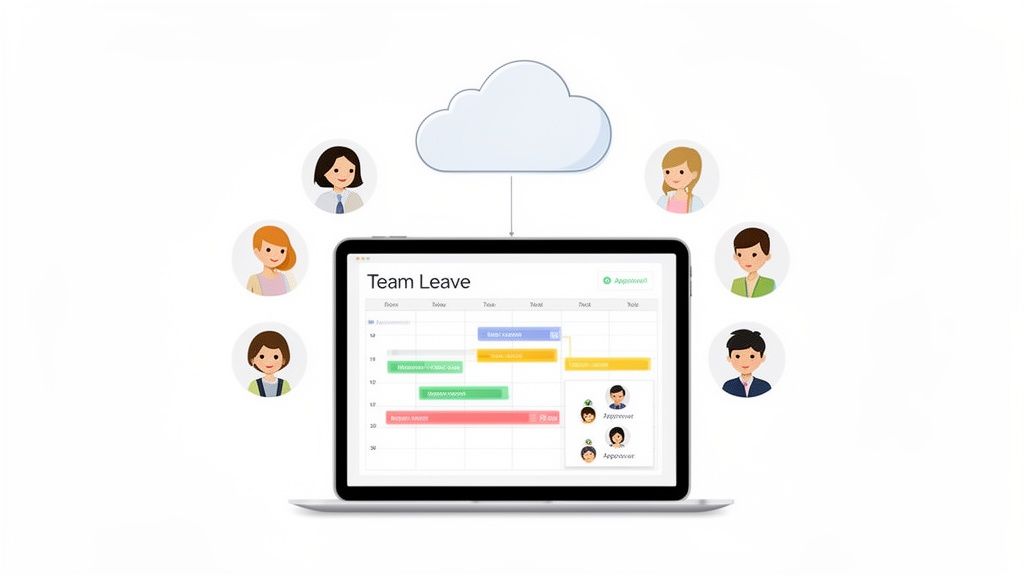
A Single Source of Truth
Instead of having bits of information scattered everywhere, the planner becomes the single, reliable source of truth. From the newest team member to the department head and HR, everyone is looking at the same up-to-the-minute information. That kind of transparency is the key to preventing the usual leave management nightmares.
So, what does it actually do?
- A digital wall planner: You can see who is off and when at a glance, instantly spotting any potential staffing gaps before they become a problem.
- Employee self-service: Staff can check their own holiday allowance and ping in a request in a matter of seconds, without having to bother a manager.
- Automated approval workflows: Requests go straight to the right manager, who can then approve or decline them with a single click. No more chasing signatures.
From Reactive to Proactive Planning
The real magic of an online staff holiday planner is how it shifts your team's mindset from constantly reacting to problems to proactively planning for the future. When you can see the entire team’s schedule laid out clearly, you can anticipate busy periods and make sure you’ve always got the right cover in place to keep things running smoothly.
This shift is a game-changer for UK businesses where good coordination is vital for productivity. It's no longer a nice-to-have; it's a fundamental tool for running a fair, efficient, and smooth operation. By centralising the process, you can learn more about how an online leave management system can do to simplify your entire workflow. This simple change gets rid of the guesswork and gives managers the confidence to make smart, informed decisions.
The Real Business Impact of Moving Beyond Spreadsheets
Clinging to spreadsheets for leave tracking isn't just old-fashioned; it's a drain on your business. It's one of those "hidden costs" that quietly eats away at productivity, causes friction between team members, and even puts you at risk of compliance slip-ups. Ditching the spreadsheet for an online staff holiday planner is a genuine strategic move that delivers clear, tangible results.
At its core, this shift is about embracing workflow automation to tidy up the messy, manual process of managing time off. Instead of chaotic email threads and out-of-date Excel files, you get a smart system that actually works for you, not against you.
Achieve Total Visibility and Coordination
Picture this: a project manager is mapping out a critical two-week sprint, only to discover at the eleventh hour that two key developers have booked the same week off. With a spreadsheet, this kind of crucial detail is often buried or siloed away. A digital wall planner, however, gives you a live, single view of everyone’s schedule.
Suddenly, you can spot potential staffing gaps weeks or even months ahead of time. This isn’t just about avoiding last-minute panic; it’s about turning scheduling from a reactive headache into a proactive, strategic advantage. Projects stay on track, and you can meet client deadlines without the frantic reshuffling.
Build Fair and Transparent Leave Policies
Nothing sours team morale faster than the feeling that holiday requests are a lottery, or worse, based on favouritism. When you’re juggling requests manually, inconsistencies are almost guaranteed to creep in, and that perception of unfairness can be incredibly damaging.
A proper system takes the guesswork out of it by applying your leave policies automatically and consistently for everyone. Every single request is measured against the same set of rules, making the whole process transparent and fair. This removes any ambiguity, builds trust, and helps create a much more positive and equitable workplace.
Fairness is a huge deal, especially for UK businesses. Workers in the UK get some of the fewest public holidays in Europe, which puts immense pressure on managing annual leave fairly. With manual tracking, the risk of errors skyrockets when everyone tries to book the same popular holiday slots.
Create Effortless Approval Workflows
Managers are already spinning enough plates. The last thing they need is to waste time chasing paper forms or digging through their inbox for a leave request someone sent last Tuesday. A modern planner cleans up this entire process beautifully.
- Instant Notifications: Managers get pinged directly in their email or tools like Slack the moment a request comes in.
- One-Click Decisions: They can approve or decline with a single click, often without even leaving their inbox.
- Mobile Access: The ability to handle requests on the move frees up valuable time for work that actually matters.
This smooth, automated workflow gets rid of bottlenecks and empowers managers to deal with approvals quickly and get back to their day. For a closer look, you can read our guide on the key benefits of absence management software for SMEs.
Ensure Flawless Leave Calculations
Manually calculating annual leave entitlements, pro-rata allowances, accruals, and carry-over days is a minefield. It’s fiddly, time-consuming, and frighteningly easy to get wrong. A single mistake can ripple out into payroll errors and compliance headaches.
An online staff holiday planner automates every single one of these calculations, ensuring 100% accuracy. The system tracks everyone's balance in real-time, completely removing the risk of human error. It gives both you and your employees total confidence that the numbers are always right.
Essential Features Your Holiday Planner Must Have
When you start looking for an online staff holiday planner, it’s easy to get swamped by a long list of shiny features. But here’s the thing: not all of them are created equal. To cut through the marketing noise and pick a tool that actually solves your problems, you need to know the non-negotiables.
Think of it like buying a car. Heated seats are a nice touch, but what you really need are the brakes and the engine. The same logic applies here. A few core functions are what truly separate a powerful organisational tool from a glorified digital spreadsheet. A great planner brings visibility, fairness, and efficiency into harmony, finally moving your business away from spreadsheet chaos.
This concept map shows how an online planner’s core benefits create clarity and structure.
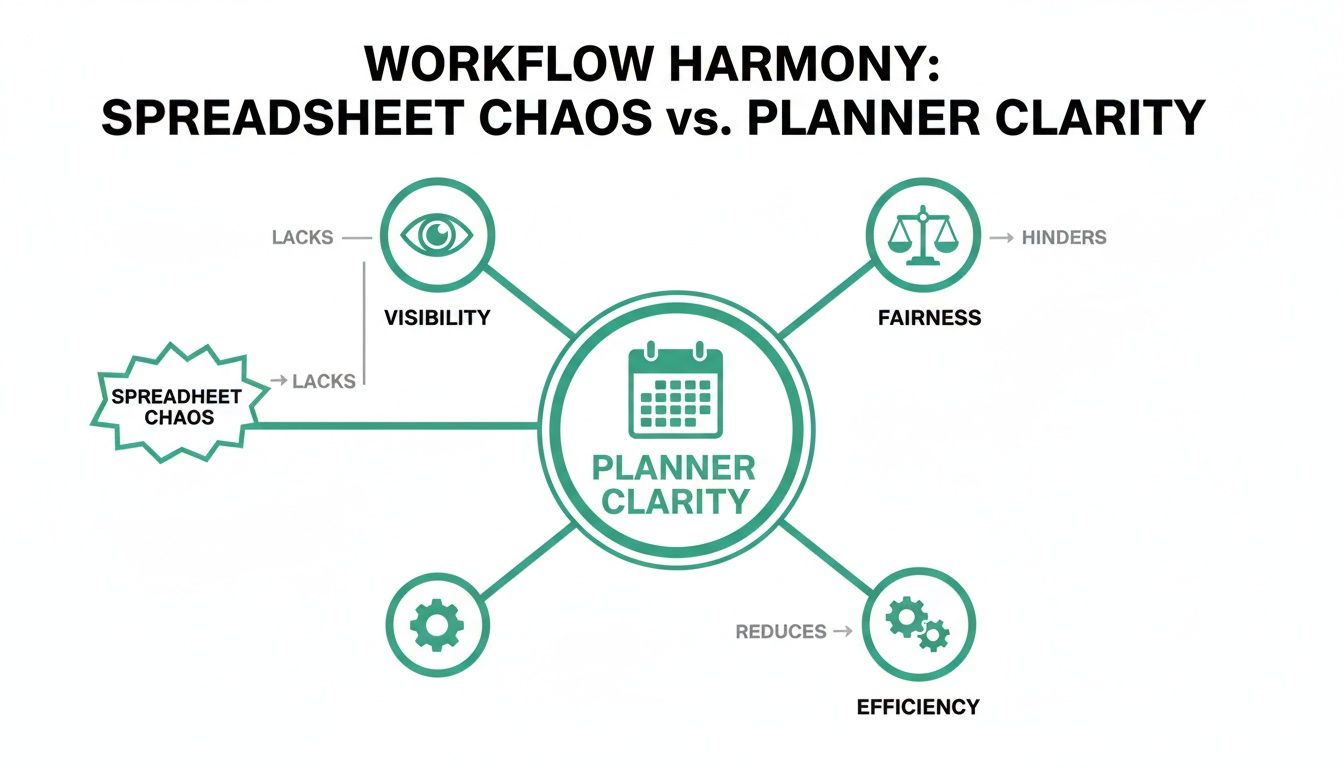
As you can see, a central system is the foundation. It directly boosts visibility for better planning, ensures fairness in how you apply policies, and drives efficiency through smart automation.
A Central Digital Wall Planner
The first must-have is a digital wall planner. This becomes your single source of truth, giving everyone an instant, at-a-glance view of who is off and when. It completely eliminates the blind spots that lead to accidental holiday clashes and leave you short-staffed during the worst possible times.
Imagine a marketing manager planning a product launch. A quick look at the planner shows two key team members have requested the same week off. They can resolve the overlap weeks in advance, rather than finding out the day before the campaign is meant to go live. Disaster averted.
Customisable Approval Chains
Your business has its own unique structure, and your planner should reflect that. A system with customisable approval chains lets you set up workflows that mirror your actual company hierarchy. This ensures holiday requests are automatically sent to the correct line manager or department head for a decision.
This one feature stops requests from getting lost in a clogged inbox or needing to be manually forwarded around the office. It just means the right person makes the call, every single time, without any administrative detours.
A rigid, one-size-fits-all approval process is a common point of failure. The ability to set up multi-level approvals—where a request goes from a team lead to an HR manager, for example—is crucial for maintaining proper oversight and control as you grow.
Automated Entitlement Tracking
Manually calculating holiday allowances is a recipe for disaster, especially with part-time staff, new starters, or tricky carry-over rules. That’s why automated entitlement tracking is so essential. The system should flawlessly handle pro-rata calculations, accruals, and balances in real-time without you lifting a finger.
This automation gets rid of the human errors that can lead to costly payroll mistakes or awkward disputes with employees. It gives both staff and managers complete confidence that their leave balances are always accurate and up to date.
Insightful Reporting Tools
Finally, a powerful online staff holiday planner doesn't just manage leave—it gives you insights. Good reporting tools turn raw leave data into strategic information you can act on. You can start tracking absence trends, monitor leave patterns across departments, and even identify potential burnout risks before they become a real problem.
For example, an HR manager might use a report to spot a pattern of frequent last-minute leave requests in one department. This data is a signal, allowing them to proactively dig into the root cause—maybe it's high stress or poor workload planning—and support the team’s wellbeing. This turns leave management from a boring admin task into a proper, strategic HR function.
A Smooth Rollout Plan For Your New System
Switching to a new online staff holiday planner can feel like a mammoth task, but breaking it down into a clear, phased approach makes all the difference. A structured plan takes the mystery out of the process, ensuring a seamless transition that minimises disruption and gets your team on board from day one. By tackling the implementation in four distinct phases, a daunting project becomes a series of simple, manageable steps.
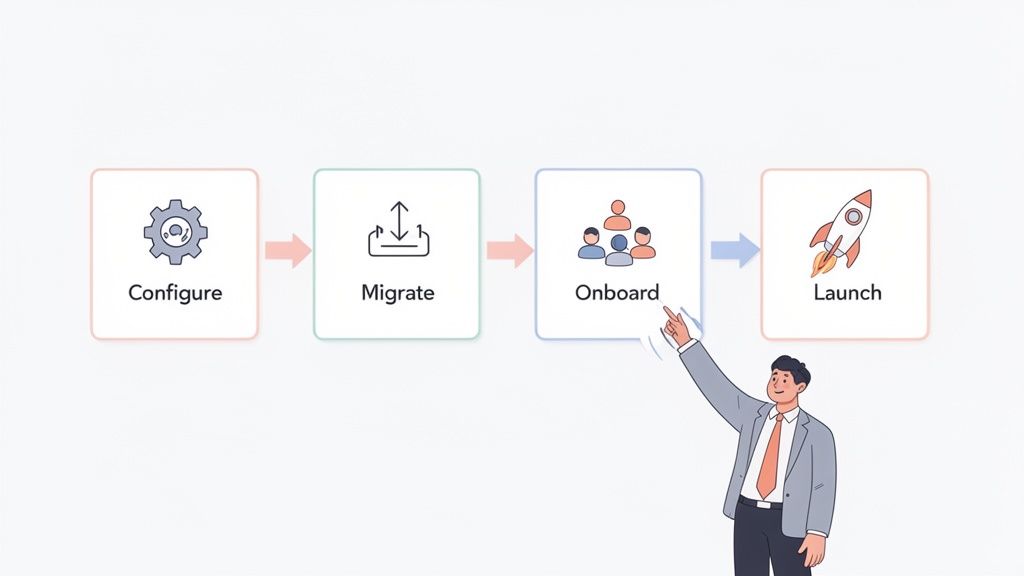
This isn’t just about the technical setup; it’s about your people. A successful launch hinges on clear communication and making sure everyone understands the benefits. A well-executed plan prevents confusion and immediately shows both staff and management that you've made their lives easier.
Phase 1: System Configuration
First things first, you need to mould the software to fit your business like a glove. This is where you translate your company's unique leave policies into the system’s rules and settings. Don't just accept the default options; this is your chance to build a system that works exactly the way you do.
Key configuration actions include:
- Defining Leave Policies: Set up all your leave types, whether that's annual holiday, sick leave, parental leave, or time off in lieu (TOIL).
- Setting Up Approval Workflows: Map out who needs to approve requests for each team or department. This creates clear, automated chains of command so nothing gets missed.
- Configuring Entitlements: Input statutory holidays and define your rules for accruals and carry-over allowances. Getting this right ensures flawless calculations from the get-go.
Phase 2: Data Migration
Once the system is configured, it’s time to bring your team's information across. A clean data import is absolutely essential for accuracy and building trust in the new system. Most modern planners offer simple import tools, usually via a CSV file, to make this process as painless as possible.
Your focus here is on transferring employee details and their current leave balances. This is critical—it ensures that when you go live, every team member’s remaining holiday allowance is correct from the very first day. For a more detailed walkthrough, check out our step-by-step guide to implementing an absence management system.
Phase 3: Team Onboarding And Launch
With the technical groundwork laid, the focus shifts entirely to your team. Clear communication and simple training are vital for getting everyone comfortable and, ideally, excited about the change. Announce the switch, explain the benefits—like self-service requests and instant balance checks—and hold a few brief, informal training sessions.
This is especially important around peak holiday times. For instance, recent findings show that over half of UK workers (55%) actually feel more productive during the festive season, with many keen to properly disconnect and recharge. An organised system prevents the chaos of overlapping Christmas holiday requests that can strain team coverage, ensuring operations run smoothly while your staff get their well-deserved breaks.
The final step is to officially go live. Set a clear launch date, be on hand to support any initial questions, and actively gather feedback. This early input is invaluable for making small tweaks and refining the system to perfectly suit your team's needs.
Common Leave Management Mistakes to Avoid
Getting an online staff holiday planner is a massive step in the right direction, but let's be honest, the tool itself is only half the story. Real success comes from using it to build fair and consistent processes that everyone can rely on. Even with the best software, old habits can die hard, leading to the same old frustrations and undermining the very benefits you wanted in the first place.
Dodging a few common pitfalls is crucial if you want to create a supportive, well-run workplace where leave is managed without the drama.
Inconsistent Policy Enforcement
This is probably the most damaging mistake you can make. It’s what happens when one manager is a soft touch for last-minute holiday requests, while another sticks to the rulebook like glue. Over time, these little inconsistencies start to look a lot like favouritism.
That perception can poison team morale and erode trust in the leadership team. A good system helps you sidestep this entirely by standardising the request and approval process for everyone, no exceptions.
Ignoring Crucial Data on Leave Patterns
Your leave planner isn't just a fancy wall chart; it’s a goldmine of information about your team’s wellbeing. A huge mistake is to treat it as just a booking tool and ignore the patterns hiding in the data. Are certain teams barely taking any time off? Do you see a spike in sick days right after a big project wraps up?
These trends are often the canaries in the coal mine—early warnings of stress or potential burnout. By running a few simple reports, managers can spot these issues before they become serious problems. It's about being proactive, not reactive, and looking after your people.
In the UK, there's a worrying trend of employees not using their full holiday allowance. Without a central system, it’s almost impossible for managers to see who is and isn't taking their statutory time off. This leads to wellbeing issues and the inevitable chaos when everyone tries to book time off in December. You can find more insights on the current state of annual leave in the UK.
Communicating Poorly About Leave Balances
Another classic problem is simply not being clear about leave balances. When people are unsure how much holiday they have left, it just causes confusion and a low level of anxiety. What usually happens next is a frantic scramble to use up leftover days before the leave year ends, which creates sudden, disruptive gaps in your team.
An online planner solves this problem instantly. It gives every single employee a clear, real-time view of their own leave balance. This self-service approach empowers them to plan their time off responsibly throughout the year, which is exactly what you want.
So, how do you sidestep these common mistakes? It’s pretty straightforward:
- Standardise Approval Workflows: Use your system to create one, single approval process that applies to every person in the company. This creates fairness and kills any ambiguity.
- Schedule Regular Reporting: Pop a reminder in your calendar every quarter to review the leave data. Look for trends like low holiday usage or high sickness rates in certain departments and ask what's going on.
- Encourage Self-Service: Make a point of showing your team how easy it is to check their own balances and request time off. When people can manage their own leave, it builds a culture of personal responsibility and proactive planning.
Choosing the Right Planner for Your Business Needs
So, you’re ready to pick an online staff holiday planner. Making the final decision requires a clear head and a solid checklist. You want to avoid grabbing a tool that looks good on the surface but ends up creating more headaches than it solves. This isn't just about ticking off features; it’s about finding a system that genuinely supports your business as it grows.
A great system should feel like a natural part of your company, not a clunky bit of software you have to fight with.
Key Evaluation Criteria
When you're comparing different options, it's easy to get lost in the marketing jargon. Look past the sales pitch and measure each planner against these practical benchmarks:
- Scalability: Will this system grow with you? A planner that works brilliantly for a team of 15 needs to be just as effective when you hire your 50th employee, without forcing you into a complicated and expensive upgrade.
- User Experience (UX): Honestly, is it easy for everyone to use? If your team needs a half-day training session just to book a day off, they simply won't use it. The best tools have a clean, intuitive interface that makes sense for both managers and staff from the get-go.
- Integration Power: Does it play nicely with the tools you already rely on every day? Check for integrations with calendars like Google and Outlook, and communication platforms like Slack. The goal is for leave management to slot seamlessly into your existing workflows, not disrupt them.
One thing people often overlook is the quality of customer support. When you’re stuck trying to set up a tricky leave policy, you need a quick, helpful answer from a real person who understands your problem, not a generic reply from a chatbot.
Making an Informed Choice
Finally, take a close look at the pricing model. Is it transparent and predictable? Hidden fees or confusing pricing tiers can quickly turn an affordable solution into a major expense down the line. For a small or medium-sized business, a clear, per-user price is usually the simplest and most honest approach.
A solution like Leavetrack was built specifically with these criteria in mind for SMEs, focusing on simplicity, clear pricing, and the core features that really matter. By using this checklist as your guide, you can confidently pick an online staff holiday planner that fixes your current pain points and is ready to support your business for years to come.
Have a Few Questions?
Moving to an online holiday planner is a big decision, and it’s smart to have questions before you jump in. We get it. Here are some of the most common things business owners and managers ask us.
How Secure Is Our Employee Data?
This is usually the first question people ask, and for good reason. Any reputable system will use serious security measures, like data encryption, to protect your team's sensitive information. Your data is typically stored in secure cloud data centres with daily backups, which is often a world away from the risks of keeping it on a spreadsheet saved to a local server.
Can It Handle Our Complex Leave Policies?
Yes, that’s exactly what a good system is built for. Whether you’re dealing with time off in lieu (TOIL), have specific carry-over rules at the end of the year, or offer different holiday allowances for various roles, a modern planner can be set up to manage it all automatically. This means your unique company policies are applied fairly and consistently without you having to resort to manual workarounds.
How Long Does The Onboarding Take?
It’s almost always faster than people expect. For most small to medium-sized businesses, the whole process—from the initial setup and importing your data to getting the team comfortable—can be done and dusted in just a few days. The best platforms are designed to be intuitive, so your team will likely feel confident requesting leave and checking their balances right after a quick introduction.
Ready to see how Leavetrack can bring some much-needed clarity to your leave management? Start your free trial today and discover just how simple handling holidays can be.