

Top Absence Management System to Boost HR Efficiency
Posted by Robin on 21 Oct, 2025 in
An absence management system is a piece of software that takes the headache out of tracking, managing, and reporting on employee leave. Think of it as swapping out messy spreadsheets and lost paper forms for a single, centralised platform. This gives you a live, accurate picture of who’s in and who’s out, and helps you apply your leave policies fairly every single time.
Understanding the True Cost of Employee Absence
For many UK businesses, tracking employee absence feels like a constant game of catch-up. A last-minute text from a sick employee, a holiday form that vanishes into thin air, or a spreadsheet that’s become a tangled mess of dates and codes. This manual approach isn't just a bit clunky; it's genuinely expensive. The real damage of unmanaged absence goes far beyond just the cost of sick pay.
When someone is off unexpectedly, the knock-on effects are felt almost immediately. Projects stall, deadlines get pushed back, and their colleagues are left to pick up the slack, which can quickly lead to burnout and a dip in morale. Managers find themselves spending precious time juggling schedules and trying to find cover, instead of focusing on what they’re actually meant to be doing. It’s a vicious cycle of disruption that quietly drains productivity and racks up costs through overtime and temporary staff.
Moving From Reactive to Proactive Management
An absence management system completely changes this dynamic. Instead of just reacting to absences as they pop up, it gives you the tools to understand why they're happening in the first place. By pulling all your leave data together—from planned holidays to unexpected sickness—it turns a chaotic jumble of information into clear, actionable insights. This shift from putting out fires to preventing them is a game-changer for any organisation.
A few key benefits of making this switch include:
- Clear Visibility: A central dashboard shows you who is off, when, and why, making it so much easier to plan workloads and allocate resources.
- Consistent Policy Application: The system automatically handles the rules for leave entitlement and approvals, making sure every employee is treated fairly and consistently.
- Reduced Administrative Burden: It frees up HR teams and line managers from hours of tedious paperwork, manual data entry, and sorting through endless email chains.
This infographic gives a great visual of how a dashboard can condense all that complex absence data into a format that’s easy to understand at a glance.
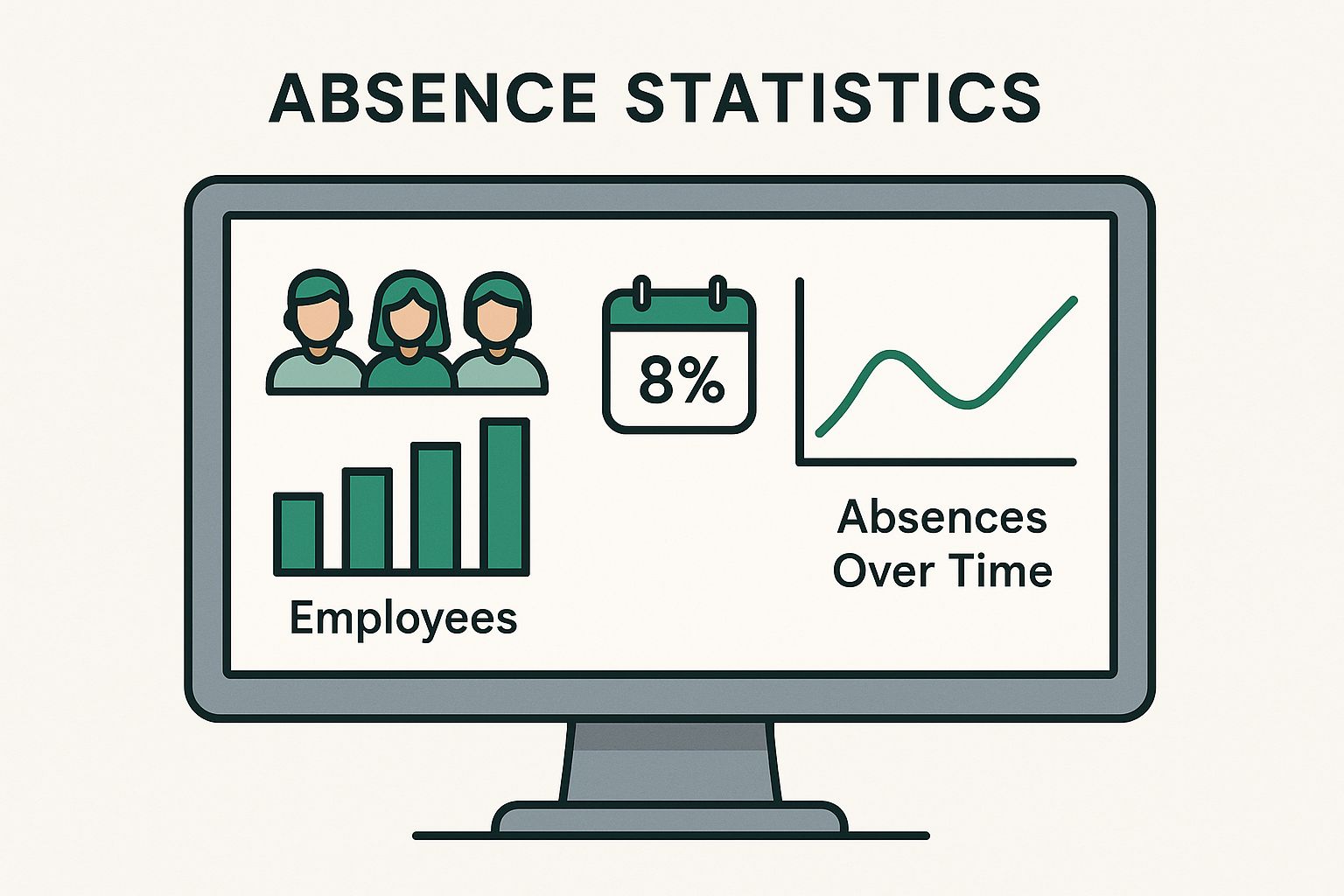
With a quick look, managers can spot attendance trends, see upcoming leave, and identify potential problem areas, allowing them to make smart decisions on the fly.
The Growing Need for Better Systems
The challenge of managing absence has only become tougher. In the UK, average sickness absence levels have shot up recently, now sitting at 9.4 days lost per employee per year. To give that some context, just two years ago that figure was a much lower 7.8 days, and before the pandemic, it was only 5.8 days. That’s a jump of more than 60% compared to pre-pandemic levels.
When businesses fail to manage absence properly, they aren't just losing workdays. They're missing vital opportunities to support employee wellbeing, spot workplace stressors, and build a more resilient and engaged team.
Often, these systems are just one piece of a bigger HR software puzzle, linking up with tools that cover everything from recruitment to performance reviews. For example, they can integrate with a talent management system software, which is all about developing and retaining your people. Connecting these tools gives you a much more rounded view of the employee journey. High absence rates in one department, for instance, might be a red flag that points to a need for better management training—a core part of good talent management.
Manual vs Automated Absence Management A Quick Comparison
Moving away from traditional methods can feel like a big step, but the differences are stark. A quick look at a side-by-side comparison makes it clear why so many businesses are making the switch.
| Aspect | Manual Tracking (Spreadsheets/Paper) | Automated System |
|---|---|---|
| Accuracy | Prone to human error, typos, and lost data. | High accuracy with automated data entry and calculations. |
| Efficiency | Time-consuming data entry and report generation. | Instantaneous updates and one-click reporting. |
| Visibility | Fragmented data; difficult to see the bigger picture. | Centralised dashboard with real-time, company-wide view. |
| Compliance | Difficult to enforce policies consistently; risk of legal issues. | Automated policy application ensures fairness and compliance. |
| Employee Experience | Clunky, slow process for requesting and tracking leave. | Simple self-service portal for employees to manage their own leave. |
| Insights | Almost impossible to spot trends or patterns. | Powerful analytics to identify absence hotspots and trends. |
The table really just scratches the surface. An automated system doesn't just do what a spreadsheet does, only faster—it provides a level of insight and control that manual methods simply can't match.
Essential Features Your System Needs
Choosing an absence management system can feel like a huge task. There are countless platforms out there, all promising to fix every problem you have. But the best systems are built on a solid foundation of core features that go way beyond just being a digital filing cabinet. They genuinely change how you track, understand, and handle employee leave.
Think of it this way: you could use a paper map or a GPS. Both show you where you are, but only the GPS gives you real-time traffic updates, finds faster routes, and helps you dodge roadblocks. A great system does the same for absence, providing smart tools that lead to better management decisions. Let's break down the non-negotiable features your organisation really needs.
Centralised Recording and Self-Service
The absolute cornerstone of any modern system is having a single, easy-to-access place for all absence-related information. This is what finally gets rid of scattered spreadsheets, lost paper forms, and confusing email chains. It creates one source of truth for every type of leave, from holidays booked months ago to an unexpected sick day.
This is best done through an employee self-service portal. Instead of tracking down a manager or filling out a form, employees can just log in, see their remaining leave, and pop in a request in seconds. This not only empowers them but also slashes the number of admin questions HR and managers have to field.
A system with strong self-service capabilities doesn't just cut down on admin; it builds a culture of transparency and trust. When employees can clearly see their own entitlements and request history, it removes any confusion and helps everyone feel the process is fair.
Automated Approval Workflows
Manual approval processes are a classic bottleneck. A manager misses an email, a request gets buried, and payroll doesn’t get the info on time. An effective absence management system puts this whole sequence on autopilot.
When an employee submits a request, the system should instantly send it to the right line manager for approval. Look for systems that offer:
- Customisable Workflows: The ability to set up different approval stages (e.g., manager signs off, then HR reviews).
- Delegated Approvals: Letting managers assign someone else to handle requests when they’re away.
- Instant Notifications: Alerts via email or tools like Slack, allowing managers to approve or deny requests with a single click.
This automation makes sure requests are handled quickly and consistently, stopping delays before they start and keeping everyone in the loop.
Compliance and Policy Management
For UK businesses, staying on top of things like Statutory Sick Pay (SSP) or annual holiday accruals isn't just good practice—it's a legal requirement. A robust system removes the guesswork by building your company's own policies right into its DNA.
The software should automatically figure out leave allowances based on start dates, contract hours, and carry-over rules. It should also flag when an employee is getting close to their limit or when a pattern of absence triggers a policy, like needing a return-to-work interview. This feature is absolutely vital for applying policies fairly across the board and minimising legal risks.
Reporting, Analytics, and Integrations
Finally, the real magic of an absence management system is its power to turn raw data into useful insights. Without strong reporting, you just have a digital filing cabinet, not a strategic tool. Your system must provide real-time dashboards and reports you can customise to help you spot trends.
A good platform often includes or connects with essential tools like integrated time and attendance features, giving you a complete picture of who's in and who's off. On top of that, it’s essential that it integrates smoothly with your existing payroll and HR software. This ensures absence data flows straight into payroll without anyone having to re-enter it, saving time and preventing costly mistakes. Making the right choice is crucial, and our guide on choosing the right absence management solution can help you evaluate these critical features.
Why Good Absence Management Is a Strategic Game-Changer
An absence management system is much more than a digital calendar or a way to track holidays. When you look under the bonnet, it’s a strategic asset that brings real, tangible benefits to your company's bottom line, operational rhythm, and even its culture. The true value isn't just in tracking time off; it's in shifting from reactive firefighting to proactive, supportive workforce management.
Putting a dedicated system in place is a direct investment in your business’s stability and your people's wellbeing. When you centralise and automate how you track absence, you kick off a chain reaction of positive outcomes that strengthen the entire organisation. Let's dig into the key advantages you can expect to see.
Unlocking Serious Cost Savings
Unplanned absence hits your bottom line harder than you might think. An automated system tackles these costs head-on by giving you the clarity needed to manage your resources properly and cut out unnecessary spending.
Here are the main ways a system saves you money:
- Reduced Sick Pay Spend: With accurate tracking and automated policy rules, you can be sure you’re only paying what's required. It puts a stop to the kind of errors that lead to overpayments.
- Lower Temp Staff Costs: A clear view of planned leave and absence trends means managers can arrange cover more effectively, reducing the need to call in expensive agency staff at the last minute.
- Minimised Overtime Payments: Better planning helps you spread the workload more evenly, avoiding the need for last-minute overtime to cover for absent colleagues.
Boosting Productivity and Keeping Things Flowing
When someone’s unexpectedly off, the disruption ripples through the whole team. Projects can stall, customer service might dip, and the remaining staff get overloaded. An absence management system acts as a stabiliser, helping you maintain momentum even when people are away.
It works by giving you a real-time view of who is available. Managers can see staffing levels at a glance, approve or deny leave requests based on team capacity, and reassign tasks with confidence. This foresight prevents bottlenecks and ensures that critical work keeps moving, protecting both output and team morale.
By turning attendance data into a planning tool, you move from constantly plugging staffing gaps to strategically managing your workforce. This proactive stance is fundamental to building a resilient and consistently productive team.
Strengthening Legal and Policy Compliance
Navigating the minefield of UK employment law—from leave entitlements to sick pay rules—is a huge challenge for any HR team. Trying to do it all manually is asking for trouble. Inconsistent policy application or inaccurate records can easily lead to costly legal disputes.
An automated system is your compliance safety net. It systematically applies your company policies to every single employee, ensuring everything is fair and consistent. It accurately calculates entitlements, flags when return-to-work interviews are due, and keeps a secure, auditable record of all absences. This dramatically lowers your risk exposure and shows you’re committed to doing things by the book.
Gaining Data-Driven Insights for Employee Wellbeing
This might just be the most powerful benefit of all. A good system turns absence data into a tool for genuine employee care. High-level reporting helps you spot patterns you’d otherwise miss—like a specific department with frequent short-term absences or a seasonal spike in stress-related leave.
These insights allow you to tackle the root causes of absence, not just the symptoms. Take workplace stress, for instance. It’s a massive driver of sickness in the UK, accounting for 50% of all work-related ill-health cases and 17.1 million lost working days each year. An effective system helps you spot teams under pressure, allowing you to step in with support like wellness initiatives or management training before small issues become big problems. You can learn more about the impact of workplace stress from work.life.
A Practical Guide to Implementation
Bringing a new absence management system into your business isn’t like flipping a switch. It’s more like laying the foundations for a smarter, more efficient way of working. Getting it right from the start means taking a thoughtful, structured approach to ensure a smooth transition that gets everyone on board.
The groundwork begins long before you even look at software demos. First, you need to build a solid business case. This means getting crystal clear on the problems you’re trying to solve. Are you drowning in admin? Struggling with patchy policy enforcement? Or are you flying blind, lacking the data you need to properly support your team’s wellbeing?
Put numbers to these challenges wherever you can. For example, calculate the hours your HR team and line managers waste each month chasing paper forms or fixing payroll mistakes. When you present this data to leadership, the new system is no longer just a cost—it becomes a strategic investment in efficiency and risk management.
Choosing the Right Software Partner
Once you have leadership’s backing, it’s time to choose a vendor. This is a huge decision. You’re not just buying a piece of software; you're starting a partnership that will hopefully last for years. To make the right call, you need to ask questions that dig deeper than a simple feature list.
Creating a simple checklist to score potential providers is a great way to compare them fairly and make sure nothing important gets missed.
To help you get started, we've put together a table of key questions you should be asking any potential software vendor. It covers the essentials from onboarding to security, helping you see beyond the sales pitch.
Key Questions to Ask Potential Software Vendors
| Category | Question to Ask | Why It's Important |
|---|---|---|
| Onboarding & Support | What does your implementation and training process look like? | A brilliant system is useless if your team doesn't know how to use it. Strong support ensures a smooth rollout and ongoing success. |
| Scalability | Can the system grow with our company over the next 3-5 years? | You need a solution that can handle more employees and complexity without needing a complete replacement down the line. |
| Security & Compliance | How do you ensure our employee data is secure and GDPR compliant? | Data protection is non-negotiable. The vendor must demonstrate robust security and a solid grasp of UK data laws. |
| Integration | Does your system integrate with our existing payroll and HR software? | Seamless integration stops you from having to manually re-enter data, which saves a massive amount of time and cuts the risk of costly errors. |
Going through this process will help you find a partner whose tech and support model are a perfect fit for your organisation.
Planning the Technical Rollout
After picking your new absence management system, the practical side of implementation kicks in. This stage needs careful planning, especially when it comes to getting your data sorted and the system set up.
First, you’ll need to move your historical absence data from your old spreadsheets or filing cabinets. Work closely with your new software partner to get this data cleaned up and formatted correctly. It’s a vital step for ensuring your reports are accurate from day one.
Next up is configuration. This is where you mould the software to fit your company's unique absence policies. This usually involves setting up:
- Leave Types: Defining every category of leave you offer, from annual holiday and sickness to compassionate leave and jury service.
- Accrual Rules: Automating how leave entitlement is calculated based on start dates, contract types, and carry-over rules.
- Approval Workflows: Mapping out who needs to sign off on requests for different teams or types of leave.
Taking the time to get the configuration right is essential. It guarantees the system will work exactly the way you need it to. For a more detailed walkthrough, you can explore a step-by-step guide to implementing an absence management system, which dives deeper into each stage.
Driving Adoption Through Communication and Training
The final, and arguably most important, piece of the puzzle is your people. A new system, no matter how good, can create anxiety if it’s not introduced well. A clear communication and training plan is absolutely vital to get everyone using it and seeing the benefits.
Start by explaining the "why" behind the change, focusing on how it will make life easier for both employees and managers. For your team, highlight how simple it will be to book time off. For managers, focus on the time they’ll save on admin and the value of having clear, instant data.
Crucial Tip: Don't just train your managers on the mechanics of clicking "approve." Show them how to use the system's data to spot absence trends. This allows them to have supportive, constructive conversations with their team members before small issues become big problems.
This simple shift in focus turns the system from a basic tracking tool into a powerful instrument for proactive management and genuine employee support. By focusing on great training and clear communication, you’ll ensure your new absence management system is a resounding success.
Using Absence Data to Drive Meaningful Change

An absence management system is so much more than a digital calendar for tracking who's off and when. At its heart, it’s a source of powerful insight into the health of your entire organisation. When you start using the data properly, you can shift from simply recording absences to proactively preventing them. Raw numbers transform into a clear story about your workplace, shining a light on hidden pressures and real opportunities for improvement.
Think of your absence data as a trail of breadcrumbs. A single absence is just an event, but a pattern of absences tells a story. By digging into this information, you can begin asking smarter questions about your business, moving beyond surface-level issues to tackle the root causes of why people are away from work in the first place.
Uncovering Hidden Patterns in Your Data
The first step is learning to spot the trends that manual spreadsheets could never show you. A good system makes this incredibly easy, displaying data in clear, visual dashboards that practically scream out significant patterns. Without that clarity, crucial information stays buried, and you're left guessing.
Key patterns to look out for include:
- Departmental Hotspots: Are absence rates consistently higher in one particular team? This could be a red flag for issues with workload, management style, or team dynamics.
- Day-of-the-Week Trends: Do short-term sick days always seem to spike on a Monday or Friday? This might point towards burnout or disengagement.
- Seasonal Fluctuations: Do absences climb during specific times of the year, like right after a major project deadline or during school holidays? Knowing this can be a game-changer for resource planning.
Identifying these trends is the foundation of a proactive absence strategy. It allows you to focus your energy where it’ll have the most impact, rather than trying to apply a one-size-fits-all solution. For a deeper dive, our guide on why accurate absence tracking is crucial for compliance explains how this kind of precise data also helps you apply policies fairly and consistently.
Understanding Key Absence Metrics
To make sense of the data, you need to get to grips with the metrics used to measure it. One of the most well-known—and often misunderstood—is the Bradford Factor. This formula gives more weight to frequent, short-term absences than it does to a single period of long-term leave. The thinking behind it is that frequent, unplanned disruptions are far more damaging to productivity.
However, it’s a tool that must be used with care.
The Bradford Factor should be seen as a trigger for a supportive conversation, not as a basis for automatic disciplinary action. A high score flags a potential issue, prompting a manager to check in with an employee to understand the underlying reasons for their absences.
Relying on it blindly can unfairly penalise people with chronic health conditions or other legitimate reasons for intermittent leave. It's a tool for investigation, not judgement. A modern absence management system automates the calculation but, more importantly, empowers managers to use the result wisely as part of a broader, more human-centric approach.
Turning Insights into Actionable Strategies
The ultimate goal is to connect what the data is telling you with real, positive change. Once you’ve spotted a pattern, the next step is to develop targeted interventions that address the likely cause. This is where your absence management strategy becomes a core part of your employee wellbeing and engagement efforts.
For example, if you notice high absence rates in a particular department, your response could be to:
- Introduce Wellbeing Initiatives: Offer workshops on stress management or provide better access to mental health support.
- Provide Management Training: Equip your line managers with the skills to have sensitive conversations about workload and employee wellbeing.
- Review Operational Processes: Take a hard look at workflows and staffing levels to see where you can alleviate excessive pressure.
This data-driven approach is effective right across the board. Take the persistent gap between public and private sector absence rates in the UK. The public sector's absence rate of 3.6% is significantly higher than the 2.3% in the private sector, a difference often linked to the demanding nature of public-facing roles. By analysing their specific data trends, public sector organisations can pinpoint high-stress areas and implement targeted support to improve staff resilience. You can learn more about these sectoral differences from The Employment Law Solicitors.
Still Got Questions? Let's Clear Things Up
Deciding to bring in a dedicated system for managing absence is a big step. For many, it means leaving behind the familiar (if clunky) world of spreadsheets and embracing something new. It’s only natural to have a few questions about what that really looks like in practice.
We get asked these all the time by businesses weighing up their options. So, we’ve put together some straightforward answers to the most common queries, covering everything from cost and data security to how these tools can support a modern, people-first approach to management.
How Much Does a System Typically Cost?
Let's get the big one out of the way first: the price. The good news is that you’re not looking at the kind of colossal, enterprise-level investment that was common in the past. Today, most systems operate on a simple per-employee-per-month subscription model. This makes it a predictable, scalable operational cost rather than a huge capital outlay.
Of course, the final figure depends on a few things:
- Company Size: The more people on your team, the higher the monthly cost. That said, most providers offer tiered pricing, so the cost per person often drops as your team grows.
- Feature Complexity: A system just for booking holidays will naturally cost less than a platform that includes detailed reporting, compliance tools, and integrations with other software.
- Implementation and Support: Some vendors might have a one-off setup fee or offer premium support packages for an extra cost.
To give you a ballpark figure, a small business with around 50 employees could expect to pay somewhere between £1 and £5 per user each month, depending on the features needed. This flexibility means powerful tools are now well within reach for businesses of all sizes.
It helps to think of this not just as a cost, but as an investment. When you add up the hours saved on admin, the reduction in payroll mistakes, and the value of spotting worrying absence trends early, the system often pays for itself surprisingly quickly.
Can It Help Manage Mental Health Absences?
Absolutely. In fact, this is one of the most vital roles a modern absence management system can play. With mental health issues now a leading cause of long-term absence, having a tool that helps you spot the signs and offer support is incredibly valuable.
A system doesn't intrude; it provides objective data that can highlight a potential problem. For instance, you might spot a pattern of frequent, short, unplanned absences for one of your team members. This isn't a trigger for disciplinary action—it's a prompt for a supportive manager to have a quiet, confidential chat to see if everything is okay.
A good system can also be set up to:
- Track Trends: See if stress-related absences are creeping up in a specific department or across the whole company. This could point to a bigger issue with workload or culture that needs addressing.
- Prompt Manager Check-Ins: Automatically flag when a return-to-work chat is due, making sure managers are consistent and supportive.
- Integrate with Wellbeing Programmes: Some systems can link to your Employee Assistance Programme (EAP), giving you a joined-up view of the support you’re offering.
This shifts the system from being a simple tracker to a proactive tool for looking after your people.
Is This System Suitable for Small Businesses?
Yes, one hundred percent. The old idea that this kind of software is only for big corporations is a total myth. Modern, cloud-based systems are a perfect fit for small and medium-sized businesses (SMEs), and you could argue the benefits are even greater.
In a smaller company, the headache of managing absence usually lands on someone already juggling multiple roles, like the owner or office manager. A proper system automates all those time-sucking tasks, freeing them up to focus on what really matters—growing the business.
Key wins for small businesses include:
- Saving Precious Time: Automating holiday requests and approvals can genuinely save hours of admin work every single week.
- Ensuring Consistency: It makes sure your leave policies are applied fairly to everyone, which is so important for morale in a tight-knit team.
- Providing a Professional Experience: A simple, self-service portal for staff to check their allowance and book time off is a professional touch that employees really appreciate.
And because cloud software is so scalable, the system grows right alongside you. You only pay for what you use, making it a smart, cost-effective choice from day one.
How Is Employee Data Kept Secure and GDPR Compliant?
When you’re dealing with sensitive employee information, data security is non-negotiable. Any reputable provider of absence management systems treats this with the utmost seriousness. Their platforms are built from the ground up with robust security and compliance features to protect your data and help you meet your GDPR obligations.
When you’re looking at different systems, there are a few essential security measures you should always check for. These are the hallmarks of a provider who is truly committed to protecting your data.
Here are the key features to confirm:
- Data Encryption: All data, whether it’s sitting on a server or being sent over the internet, must be encrypted. This scrambles the information to prevent anyone from reading it without authorisation.
- Access Controls: The system must let you set different permission levels. Employees should only be able to see their own records, while managers can only view information for their direct team.
- Regular Audits and Backups: The provider should be conducting regular security audits and keeping secure, daily backups of your data to guard against any loss.
- Clear GDPR Commitment: A trustworthy vendor will have a clear privacy policy and be able to tell you exactly how their system helps you follow GDPR rules, like data minimisation and the right to be forgotten.
Choosing a provider that ticks all these boxes means you can rest easy, knowing your team’s data is in safe hands.
Ready to see how a simple, powerful system can transform your absence management? At Leavetrack, we replace messy spreadsheets with a clear, centralised platform that saves you time and gives you the insights you need. Discover how Leavetrack can streamline your leave management today.