
A Practical Guide to Managing Staff Absence Effectively
Posted by Robin on 30 Dec, 2025 in
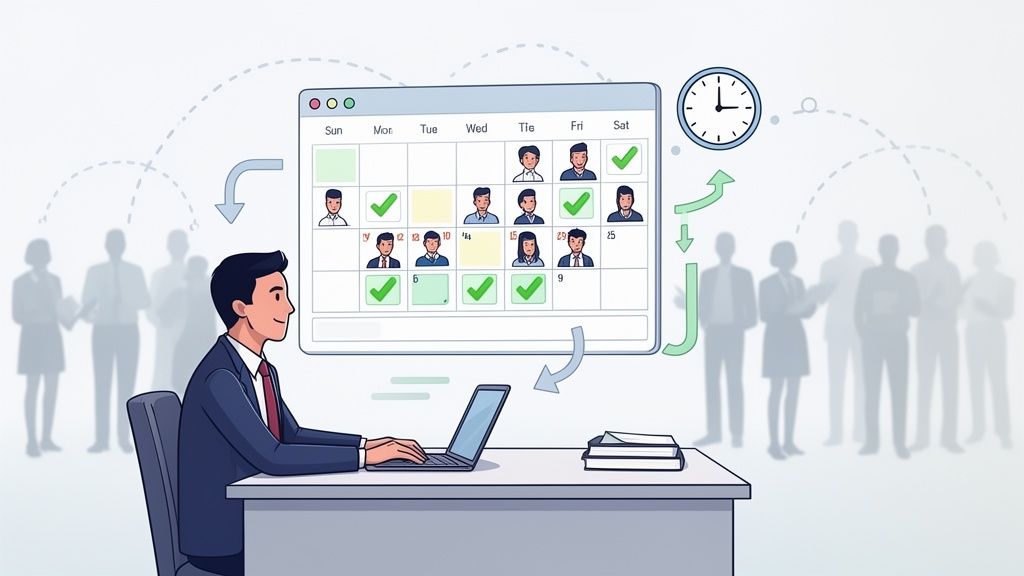
Trying to manage staff absence effectively can feel like you're constantly fighting fires. If you're still relying on clunky spreadsheets and reactive problem-solving, you're not just creating extra work for yourself—you're missing the bigger picture. This isn't just about tracking who's off and when. It’s about building a system that’s fair, transparent, and efficient for everyone, from your newest hire to your senior leadership.
The Real Challenge of Managing Staff Absence Today
Let's be honest—juggling staff leave feels more complicated than it's ever been. For many managers, it’s a never-ending cycle of disruptive unplanned absences, frustrating admin, and immense pressure to keep teams productive. The real challenge is making the leap from a reactive, 'deal-with-it-as-it-happens' mindset to a proactive, strategic one.
This guide will help you cut through the noise. We’ll walk through how to build a solid foundation for managing absence, starting with a fair policy and a clear grip on your legal duties. From there, we'll dive into the practical, day-to-day processes that make all the difference.
The Rising Tide of Absenteeism
Recent numbers paint a pretty stark picture. In the UK, employees are now off sick for an average of 9.4 days a year. That’s a huge jump from the pre-pandemic figure of 5.8 days. It means nearly two full working weeks are lost per employee, putting a massive strain on managers and the colleagues left to pick up the slack.
This isn’t just a statistic; it’s a business reality that hits you where it hurts:
- Productivity plummets: Unplanned absences throw a spanner in the works, disrupting workflows and delaying projects.
- Team morale takes a hit: Colleagues left behind often face heavier workloads, leading straight to stress and burnout.
- Costs start to spiral: Overtime pay, temp staff, and lost output all hammer your bottom line.
To get a real handle on this, you need to think bigger than just tracking sick days. Proactive steps, like implementing comprehensive occupational health services, can help you support your team's wellbeing and get to the root of absence before it becomes a major issue.
The goal is to stop seeing absence management as a headache and start seeing it as a strategic tool that supports both your people and your business goals. True success is a system that brings clarity, fairness, and visibility to the whole process.
Moving Beyond Manual Methods
For too long, businesses have been stuck with disjointed spreadsheets and paper forms. These manual methods aren't just a time sink; they're magnets for errors, creating inconsistencies and leaving you without any real-time insight.
The shift to a dedicated online system is about more than just convenience. It creates a single source of truth, automates the boring stuff, and frees up your managers to focus on what actually matters: supporting their teams. The difference is night and day.
Absence Management Shift From Manual to Automated
| Aspect | Manual Systems (Spreadsheets, Paper) | Online System (Leavetrack) |
|---|---|---|
| Accuracy | Prone to human error, typos, and version control issues. Data is often out of date. | Real-time updates and automated calculations eliminate most errors. Information is always current. |
| Visibility | A fragmented view. It’s hard to see team availability or spot absence patterns quickly. | Centralised dashboard provides instant visibility of who is off, why, and for how long. |
| Process | Clunky and slow. Relies on emails and paper forms that can get lost. Approval chains are unclear. | Streamlined request and approval workflows. Employees and managers get instant notifications. |
| Reporting | Manual and time-consuming. Pulling together meaningful data is a serious chore. | Powerful, one-click reports that instantly show trends, Bradford Factor scores, and entitlement balances. |
| Compliance | Difficult to enforce policies consistently. High risk of non-compliance with leave regulations. | Policies are built directly into the system, ensuring fair and consistent application for everyone. |
| Employee Experience | Frustrating. Employees have no easy way to check their leave balance or the status of a request. | Empowering. Employees have self-service access to check balances, request leave, and view team calendars. |
Making this switch is crucial. An online system provides the structure and insight you need to move from simply tracking absence to actively managing it. This guide will show you how to make that leap.
How to Build a Fair and Effective Absence Policy
A solid absence policy is the foundation for managing your team effectively. Think of it less as a stuffy legal document and more as a practical guide that creates consistency, builds trust, and protects both your people and the business. Without one, you’re just making it up as you go, which is a fast track to confusion and claims of unfairness.
The goal here isn't to just tick a box. It's to create a living document that genuinely reflects your company's culture. It needs to clearly set out the rules of the game for everyone, from how to call in sick to what happens when they come back. This clarity is your best defence against the chaos that unexpected absences can cause.
Defining Different Types of Leave
First things first: your policy needs to be crystal clear about the different reasons someone might be off work. A common mistake is lumping everything under the generic term "absence," which just creates confusion. You need to break it down so everyone knows the score for each situation.
It's best to define a few key categories:
- Sickness Absence: Spell out the process for both short-term illnesses (where someone self-certifies) and long-term ones that will need a doctor's note.
- Holiday or Annual Leave: Explain exactly how to request time off, how much notice is needed, and how the allowance is calculated. No grey areas.
- Compassionate and Bereavement Leave: Outline how much time is available and who qualifies. This shows empathy while keeping the process clear and fair for everyone.
- Dependant Care Leave: Clarify the statutory right to unpaid time off for unexpected emergencies involving a dependant. Many people aren't aware of the specifics here.
- Medical Appointments: State your stance. Should appointments be scheduled outside work hours if possible? Are they paid or unpaid?
Getting this level of detail down removes all the guesswork. An employee knows exactly what to do whether they have the flu or need to attend a funeral, and managers have a consistent framework they can rely on.
Outlining Clear Reporting Procedures
How someone tells you they’re not coming in is one of the most critical parts of your policy. If it's vague, you'll end up with no-shows and last-minute texts that make arranging cover a nightmare. The procedure should be simple, direct, and non-negotiable.
For unexpected absences like sickness, I always recommend insisting on a phone call to a direct manager—not a text, not an email. A quick call allows for a proper conversation to understand how long they expect to be off and to flag any urgent work that needs picking up. Make sure you set a firm deadline, like at least one hour before their shift starts.
Here’s a simple clause you could adapt:
If you are unable to attend work due to sickness, you must telephone your line manager personally no later than one hour before your normal start time. A text message, email, or a message from a colleague will not be accepted. During the call, you should state the reason for your absence and when you expect to return.
This straightforward rule ensures managers get the info they need, right when they need it, so they can start managing the situation immediately. For more in-depth examples, check out our guide to a fair absence and sickness policy.
Clarifying Pay and Documentation
Nothing creates anxiety for an employee quite like confusion over pay and paperwork. Your policy needs to lay this all out transparently.
Be sure to cover these key points:
- Sick Pay Entitlements: Clearly distinguish between Statutory Sick Pay (SSP) and any contractual (company) sick pay you offer. Specify who is eligible, for how long, and what the pay rates are.
- Fit Notes (Doctor's Notes): Set a clear trigger point. The standard practice is to require a fit note for any absence lasting more than seven calendar days (and yes, that includes weekends).
- Return-to-Work Interviews: Explain that these are informal chats held after any period of sickness. It’s important to frame them as a supportive step—a chance to check the employee is genuinely well enough to be back and to discuss any support they might need.
While you're building out your policy, don't forget to think about how other benefits are handled during leave. This includes things like pensions, company cars, and employer-sponsored health insurance, which can be a key part of your overall benefits package. A well-thought-out policy ensures every part of an employee's absence is handled with clarity and fairness.
Navigating Daily Absence Procedures with Confidence
A well-defined policy is only half the battle. It’s the day-to-day actions—the calls, the updates, the cover arrangements—that truly bring it to life. This is where your procedures for managing staff absence become absolutely critical.
When you have a clear, supportive workflow, managers can handle absences fairly, keep communication lines open, and ensure the business keeps ticking over. It transforms that dusty policy document into a living, breathing part of your culture.
The moment a team member calls in sick, a predictable sequence of events should kick in. This isn't about micromanaging; it's about providing structure and support for everyone involved—both the employee who's unwell and the colleagues picking up their work. When everyone knows what to expect, anxiety and confusion simply melt away.
This whole process really boils down to three core steps: defining the absence, reporting it correctly, and documenting everything consistently. Get these right, and you have the backbone of your daily procedures sorted.
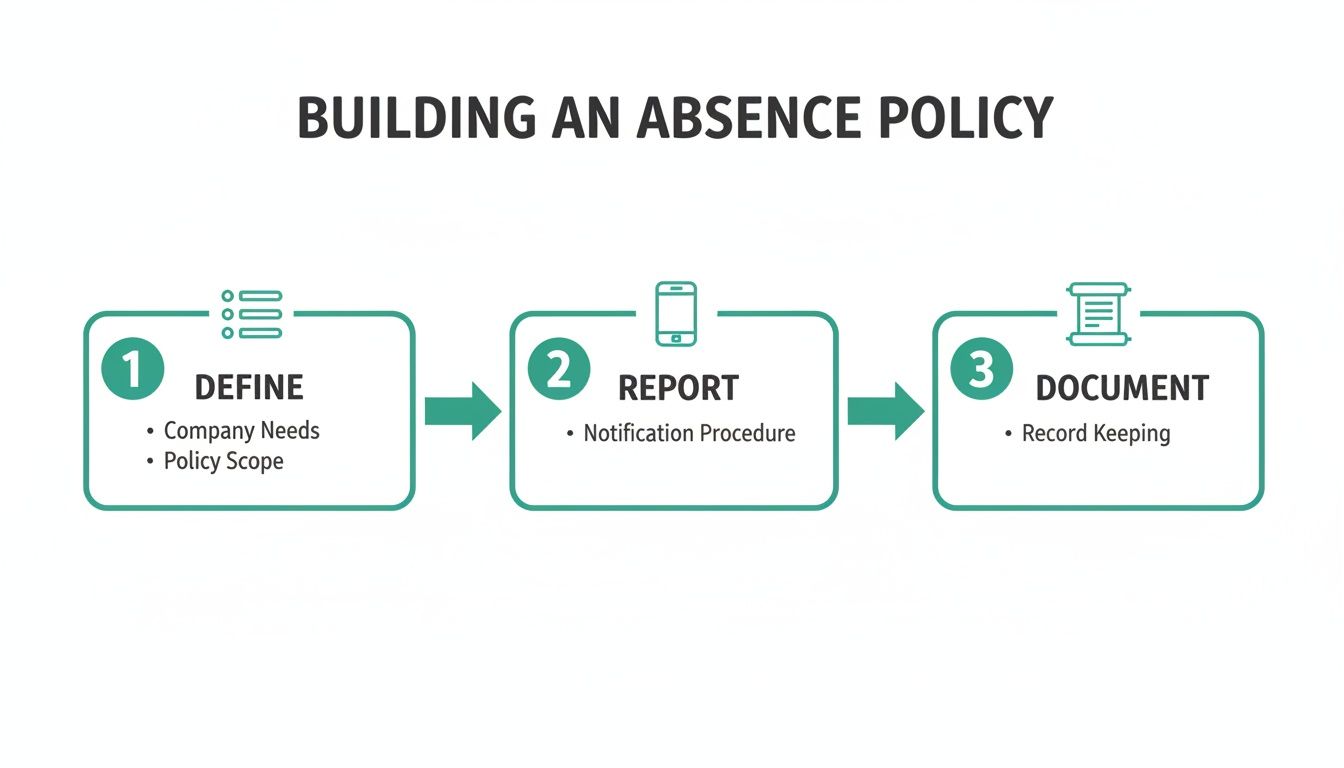
As you can see, a solid procedure starts with clear definitions, moves to a straightforward reporting action, and finishes with reliable documentation.
The Initial Absence Report and Recording
When an employee calls in, the manager's first job is to get the essential details down accurately. A rushed, informal chat is a recipe for missed information, making it impossible to manage the situation properly down the line. You need to standardise this.
Every single time, managers should be recording:
- The employee's name and department.
- The exact date and time of the call.
- The reason for the absence (without digging for sensitive medical details).
- Their expected return date, if they know it.
This info needs to go straight into a central system, not a stray Post-it note on a desk. An online tool like Leavetrack is perfect for this, ensuring all data is logged in one place. It creates an accurate, real-time record that HR and senior managers can see instantly, killing the risk of information getting lost in email chains or just forgotten about.
Maintaining Supportive Contact
Staying in touch with an absent employee is a delicate balancing act. You need to show genuine care and get a sense of their likely return, but without being intrusive or piling on the pressure. Your policy should give managers clear guidance on how often to make contact, especially for longer-term sickness.
A brief, supportive check-in every few days is often all it takes. The aim is to simply see how they're doing and get an updated ETA for their return. It helps enormously with planning, but just as importantly, it reminds the employee that they're a valued team member, not just a gap in the rota.
The key is to frame these calls around support, not suspicion. A simple, "Just calling to see how you are and to check if there's anything you need from us," builds trust and keeps communication open and honest.
Proactive Cover Planning to Prevent Burnout
One of the biggest knock-on effects of unplanned absence is the strain it puts on the rest of the team. Without a clear view of who’s available, managers often end up scrambling to reassign work, which leads to overloaded schedules and plummeting morale. This is where proactive cover planning becomes a manager’s best friend.
Imagine this scenario: a key member of your marketing team calls in sick the day before a huge campaign launch. A reactive manager panics, randomly throwing tasks at people and just hoping for the best.
A proactive manager, on the other hand, uses a tool with a digital wall planner. At a glance, they can see:
- Who is actually in the office versus who is on planned leave.
- The current workloads of other team members.
- Individual skill sets to pinpoint the best people to cover specific tasks.
This visibility allows for a calm, strategic response. The manager can quickly reassign critical launch tasks to colleagues who have both the right expertise and the capacity, keeping the project on track without burning anyone out. This approach doesn't just protect business continuity; it prevents the resentment that festers when the same few people are always expected to pick up the slack.
Using Data to Uncover Absence Trends
Effective absence management is so much more than just logging days off. It’s about seeing the story your data is telling you. When you move beyond simple tracking and start digging into the patterns, you can shift from constantly reacting to problems to proactively spotting them before they escalate. Honestly, this data-driven approach is fundamental to a healthy and productive workplace.
Simply knowing the total number of sick days taken doesn't give you the full picture. Two employees could have the exact same number of days off, but the impact on the business can be wildly different. This is where getting specific with your metrics becomes incredibly valuable.
Key Metrics to Monitor
To get a true sense of what’s really going on, you need to look at both the volume and the frequency of absence. A few key metrics will give you the clarity needed to take meaningful action.
Start by tracking these essential data points:
- Absence Frequency Rate: This measures how many separate instances of absence occur over a period, no matter how long each one is. High frequency can often be far more disruptive than a single long-term absence.
- Lost Time Rate: This is the percentage of total possible working hours lost to absence. It’s a great top-level indicator of the overall hit to productivity.
- Departmental Trends: Are absences clustered in a specific team? This could be a flashing light for issues with workload, management styles, or team dynamics that need your attention.
By keeping an eye on these, you can start to build a much more detailed and genuinely useful picture of absence within your organisation.
Unlocking Insights with the Bradford Factor
One of the most powerful tools for getting to grips with disruptive, short-term absence is the Bradford Factor. It’s a simple formula that gives more weight to the frequency of absences rather than just the total days, highlighting patterns of persistent, unplanned time off.
The calculation works by squaring the number of individual absence spells and then multiplying it by the total number of days absent. This means that ten separate sick days dotted throughout the year will result in a much higher score than a single, continuous two-week absence. A high score can be a red flag for underlying issues like low morale, stress, or disengagement. To really get into the nuts and bolts, it's worth exploring a full guide to the Sickness Bradford Factor and how you can apply it fairly.
A classic pattern that data often reveals is the "Monday/Friday effect," where short-term absences frequently bookend the working week. While not always a problem, a consistent trend can be an early warning sign of burnout or disengagement that warrants a supportive, informal chat.
Calculating Accruals and Managing Liability
Beyond sickness, data is absolutely critical for managing holiday entitlement and its financial liability. Manually tracking holiday accruals is a major headache and a prime source of errors, especially for part-time staff or new starters. An automated system just removes this burden completely.
Accurate accrual tracking does two things incredibly well:
- It ensures fairness. Every employee gets the exact amount of leave they are entitled to, calculated automatically and updated in real-time. No more guesswork or mistakes.
- It gives you financial oversight. Your finance team gets a clear, up-to-the-minute view of the company’s leave liability—that’s the financial cost of any untaken holiday sitting on the books.
This visibility is crucial for budgeting and financial forecasting. Without it, you're essentially flying blind, which can lead to some nasty surprises at the end of the financial year when you have to account for a huge pile of carried-over leave. Good data transforms this from a guessing game into a straightforward accounting exercise.
Getting Return to Work Interviews Right
The return to work interview is one of the most powerful, yet frequently misunderstood, tools you have for managing absence. Too often, it’s seen as a box-ticking exercise or, even worse, a disciplinary meeting in disguise. But when you get it right, it’s a supportive chat that reinforces your duty of care and can genuinely help reduce short-term absences.
This isn’t about catching people out. It’s a chance to welcome an employee back, check they are actually fit to resume their duties, and gently uncover any underlying issues that might be contributing to their time off. A good interview builds trust and shows your team that you care about their wellbeing beyond just their output.
Setting the Right Tone
The success of a return to work interview hinges entirely on its tone. It absolutely must be informal, private, and supportive from the get-go. The main goal here is to ensure a smooth and safe return for the employee, not to interrogate them about their illness.
To create the right atmosphere, managers should:
- Be welcoming and positive: Start by simply saying you’re glad to have them back. This small gesture can immediately put an employee at ease.
- Guarantee privacy: Always hold the conversation in a private space where you won’t be interrupted. This shows respect and encourages a more open discussion.
- Focus on support: Frame the entire chat around their wellbeing and how you can help them have a successful return to their role.
This approach transforms the dynamic from an uncomfortable formality into a genuinely useful touchpoint. It sends a clear signal that your organisation is a supportive place to work, which is crucial for morale and engagement.
Key Questions to Guide the Conversation
While the interview should feel like a natural chat, having a few structured questions in your back pocket helps ensure you cover the essentials. The key is to ask open-ended questions that encourage a proper conversation rather than simple yes/no answers. Whatever you do, avoid making assumptions or probing for personal medical details you're not entitled to.
Here are a few effective questions to steer the discussion:
- "How are you feeling now? Do you feel confident you're well enough to be back at work?" This is your number one question. It confirms their fitness to return and puts their wellbeing front and centre.
- "Is there anything about your absence you’d like to share or discuss?" This open-ended question gives them the space to share information if they feel comfortable doing so, without any pressure.
- "Were you aware of anything at work that might have contributed to you being off?" This is a crucial, non-accusatory way to identify potential workplace stressors or other issues.
- "Is there any support you need from us to help you settle back in?" This could open up a conversation about workload, phased returns, or other adjustments, showing that you’re proactive in your support.
A well-handled return to work interview is a clear signal to all employees that their health is taken seriously. It’s a proactive step that demonstrates a culture of care, which has been shown to directly impact and reduce the frequency of short-term, unplanned absences.
Documenting the conversation is also vital for consistency. A brief, factual record of the date, the main discussion points, and any agreed actions should be kept. This creates a consistent trail that is invaluable for spotting patterns and ensuring you're managing absence fairly across the entire team. This record isn't for disciplinary purposes; it's for supportive management.
Making the Switch to an Online Absence System
If you're still wrestling with spreadsheets and paper forms to track time off, you already know the pain. Moving to a dedicated online system isn't just a minor upgrade; it's a fundamental shift that brings clarity, consistency, and a huge amount of saved time. It's about finally swapping manual drudgery for automated efficiency.
This transition is your chance to build a process that genuinely works for everyone. From customising leave types that match your specific policies to setting up smart approval workflows, the right tool adapts to your business—not the other way around. Let's walk through how to make this move a real success.
Configuring Your System for a Perfect Fit
The very first step is to mirror your absence policy within the software. A generic, out-of-the-box setup simply won't cut it. You need to get into the settings and configure the system to reflect the unique rules and culture of your organisation. Done right, the transition feels like a natural evolution of your existing processes.
This means getting into the details:
- Custom Leave Types: Go beyond the standard ‘Sickness’ and ‘Holiday’. Create specific categories for everything your policy covers, such as ‘Compassionate Leave’, ‘Dependant Care’, ‘Medical Appointment’, and ‘Study Leave’. This ensures your data is clean and your reporting is spot-on from day one.
- Approval Workflows: Think about who needs to approve requests. Is it just the line manager, or does HR need to sign off on longer absences? You can map this out in the system, setting up multi-level approvals or designating backup approvers for when a manager is on holiday themselves.
This initial configuration is absolutely vital. It’s what transforms a simple piece of software into a powerful tool that’s perfectly aligned with your company’s established procedures.
Automating the Flow of Information
One of the biggest wins you'll get from an online system is its ability to connect with the other tools your team uses every single day. Integrations are what turn your absence management tool from a siloed HR platform into the central hub for team availability.
Think about the daily grind. An employee requests a holiday, a manager approves it via email, and then what? Someone still has to manually update a shared calendar, tell payroll, and let the rest of the team know. Automation gets rid of all that.
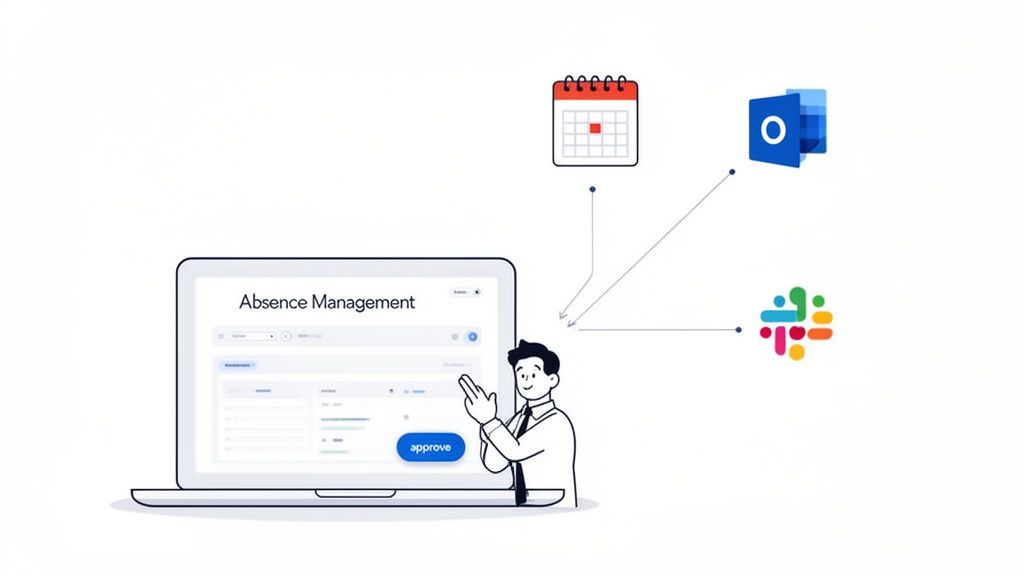
By integrating your absence system with tools like Google Calendar, Outlook, and Slack, you create a seamless, hands-off process. An approved request can instantly block out time in a team calendar and send a notification to a specific Slack channel, ensuring everyone is in the loop without any extra admin.
This creates a single source of truth for who's in and who's out. No more conflicting spreadsheets or out-of-date calendar entries. Everyone, from the project manager planning a sprint to the receptionist directing calls, has real-time visibility. Understanding the key benefits of absence management software really highlights how much impact these integrations can have on daily operations.
A Holiday Request in Action
Let’s trace a simple holiday request to see how this all comes together. Imagine an employee, Sarah, wants to book a week off.
- Submission: Sarah logs into the system on her phone, sees her remaining holiday balance instantly, and submits a request for her chosen dates. She can even add a quick note for her manager.
- Notification: Her manager, David, immediately gets an email and a Slack notification. The notification includes a view of the team calendar, showing him who else is already off that week.
- Approval: With all the context he needs right there, David clicks 'Approve' directly from the email. He doesn't even need to log into the main system.
- Automatic Updates: The moment David approves it, the system gets to work. Sarah's leave balance is updated, the days are automatically added to the shared team calendar in Outlook, and a confirmation is sent back to Sarah. The entire process takes seconds.
This is the power of a connected system. What used to be a long chain of emails and manual updates becomes a single, fluid action.
Overcoming Common Implementation Hurdles
Making the switch isn't without its challenges, but a bit of foresight helps you navigate them smoothly. Two of the most common hurdles are getting your team on board and dealing with your historical data.
To ensure a smooth rollout, focus on:
- Staff Adoption: Don't just spring the new system on everyone. Run a short training session to show them how easy it is to request leave and check their balances. Make sure you emphasise the benefits for them—no more chasing managers for approvals or wondering how much holiday they have left.
- Data Migration: You’ll need to get your existing leave data into the new system, and most platforms offer tools to help. Before you do anything, start by cleaning up your spreadsheets. Remove duplicates, fix typos, and ensure all the data is consistent. A clean import saves a world of headaches later.
By tackling these points head-on, you ensure the system is adopted enthusiastically and your records are accurate from the very beginning. This sets you up for a future where managing staff absence is a straightforward, data-driven, and supportive process.
With Leavetrack, you can replace clunky spreadsheets with a clear, automated system that gives everyone instant visibility. Start managing your team's leave with confidence today.