

A Practical Guide to the Bradford Factor Calculator
Posted by Robin on 28 Dec, 2025 in
A Bradford Factor calculator is a tool that uses the formula B = S² x D to quantify the impact of employee absence. Its real power lies in highlighting how frequent, short-term absences are often far more disruptive than a single, longer period of sickness. In the formula, 'S' stands for the number of separate absence instances (or spells), and 'D' is the total number of days an employee was absent over a set period.
What Is the Bradford Factor and How Is It Calculated?
At its core, the Bradford Factor is a simple but surprisingly effective HR metric. It was designed to help managers see the difference between various patterns of employee absence, working from a key principle: multiple, unplanned short absences often cause more operational chaos than one continuous period of sickness, even if the total days off are identical.
Think about it from a practical standpoint. If a key team member is off for two consecutive weeks, you can usually make a plan to cover their work. But if that same person is absent for ten individual days scattered across a few months, it becomes a constant, unpredictable headache trying to manage their workload. The formula is specifically weighted to reflect this kind of disruption.
This visual breaks down the simple components of the formula.
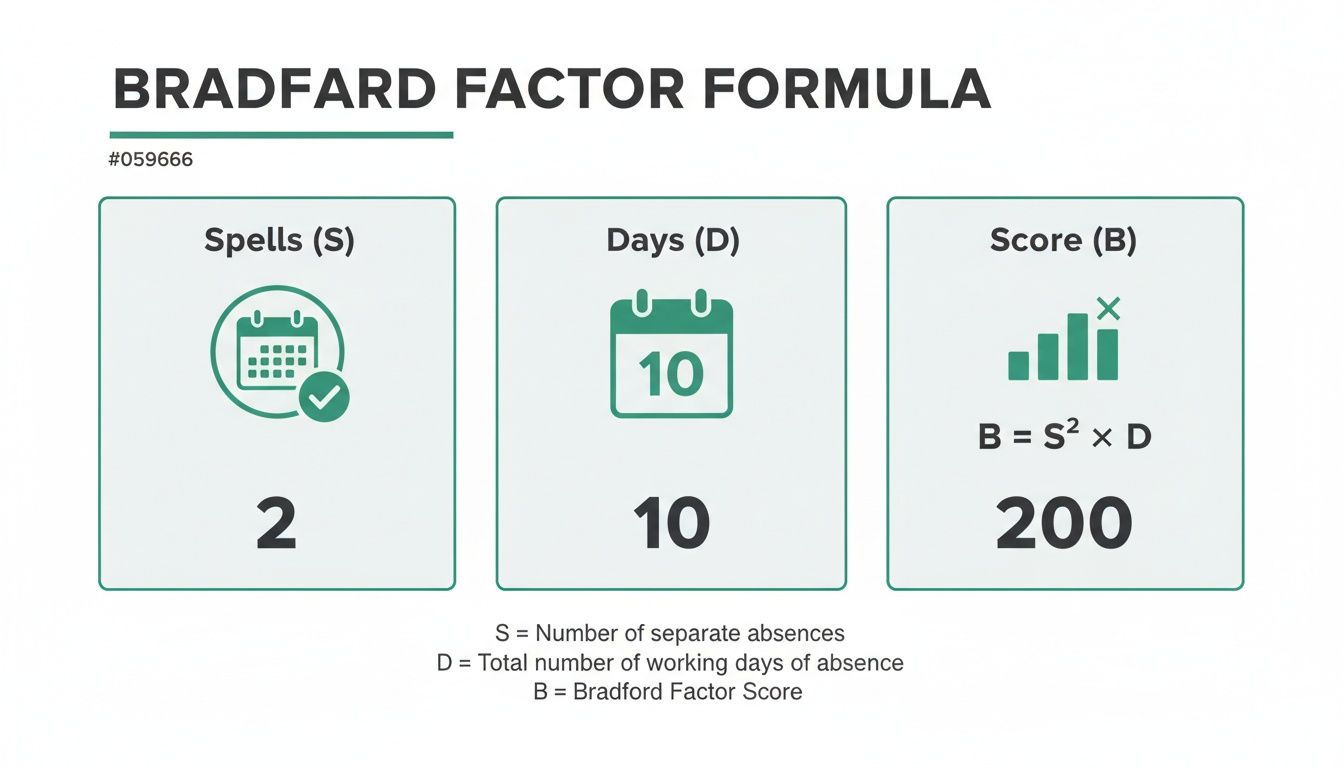
As you can see, the score climbs exponentially with each new instance of absence, not just with the total number of days.
Breaking Down the Formula
To calculate a Bradford Factor score, you only need two bits of data, usually collected over a rolling 52-week period:
- Spells (S): This is the number of separate, non-consecutive instances of absence. A single day off is one spell. Five consecutive days off is also just one spell.
- Days (D): This is simply the total number of working days an employee was absent during that period.
The calculation itself is Spells x Spells x Days (S² x D). By squaring the number of spells, the formula heavily penalises recurring absences.
This is where the difference becomes stark. An employee with 10 days off in one spell gets a low score of 10 (1² x 10). In contrast, another employee also with 10 days off but spread across five separate spells gets a much higher score of 250 (5² x 10).
For a deeper dive into the specifics, check out our complete guide to the sickness Bradford Factor.
The primary value of the Bradford Factor is not to punish sickness but to provide an objective, data-driven starting point for conversations about attendance patterns that may indicate underlying issues.
This table clearly illustrates how different absence patterns can produce wildly different scores, even when the total time off is the same.
How Absence Patterns Impact Bradford Factor Scores
| Total Days Absent (D) | Number of Spells (S) | Absence Pattern Example | Bradford Factor Score (B) | Level of Concern |
|---|---|---|---|---|
| 10 | 1 | One 2-week absence | 10 | Very Low |
| 10 | 2 | Two 1-week absences | 40 | Low |
| 10 | 5 | Five 2-day absences | 250 | Moderate |
| 10 | 10 | Ten 1-day absences | 1000 | Very High |
As you can see, the single long-term absence barely registers, while the ten individual days off send the score skyrocketing. This is exactly what the formula is designed to do—flag patterns that are typically more disruptive to a business.
This metric is particularly useful in the UK, where frequent, short-term absences are a known disruptor. According to the CIPD, the average number of sick days per employee recently rose to 7.8 days per year, making it essential for HR teams to identify problematic patterns. It’s a tool that brings objectivity to a complex issue, helping managers apply policies consistently and fairly across their teams.
How to Calculate Bradford Scores Manually and in Excel
While a dedicated calculator is easily the quickest option, getting your hands dirty and running the numbers yourself is surprisingly useful. It gives you a real feel for how different absence patterns affect the final score. Whether you’re a fan of pen and paper or a simple spreadsheet, the formula itself is pretty straightforward.
Let’s walk through a manual example to see how it works.
Imagine one of your team members, David, has this absence record over the last 52 weeks:
- A 2-day sickness in February (that’s 1 spell)
- A single day off in April (another spell)
- 3 consecutive days off in September (a third spell)
First up, we need to pull the two key numbers from his record.
- Total Spells (S): David had three separate instances of absence. So, S = 3.
- Total Days (D): The total number of days he was off is 2 + 1 + 3. That gives us D = 6.
Now, we just plug these numbers into the Bradford Factor formula: S² x D.
For David, the calculation is 3² x 6, which works out as 9 x 6. This gives him a Bradford Factor score of 54.
Moving the Calculation into Excel
Doing this for one or two people is fine, but it becomes a real headache when you’re looking at a whole team. This is where a basic spreadsheet comes into its own, especially for small to medium-sized businesses.
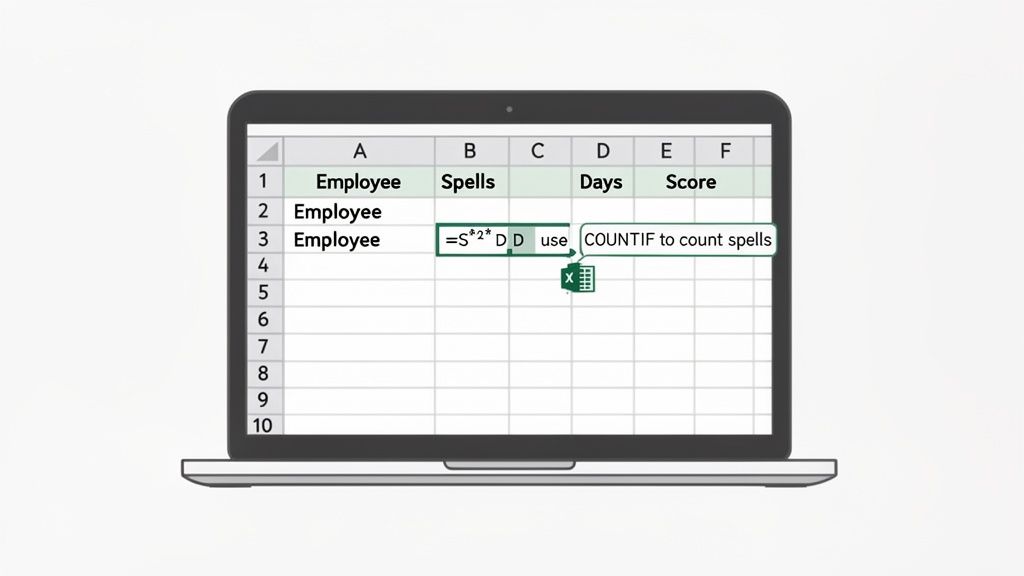
To build a simple tracker, you just need a few columns: Employee Name, Absence Date, and maybe Absence Type. The trick is getting Excel to count the spells and days for you.
A classic mistake I see is people just counting the rows for an employee to get the spell count. This only works if every single absence is just one day. A five-day absence logged over five rows is still only one spell, not five.
A better way to set up your data is to have a column that clearly marks the start of a new absence. That way, you can count the spells accurately.
You could create a summary sheet that pulls the key figures from your main absence log. For instance, if you have the total spells for an employee in cell B2 and their total days absent in cell C2, the formula in your score column is simply:
=(B2*B2)*C2
For any business that leans heavily on spreadsheets, learning how to move from manual data entry to a more automated setup is a game-changer for efficiency. You might want to explore how to automate Excel reports to streamline your data management and take things to the next level. This helps you keep your data reliable and up-to-date as the team grows, without you having to constantly fiddle with the numbers.
So You've Got a Score. What Now? Making Sense of the Numbers and Setting Fair Triggers
Calculating a Bradford Factor score is the easy part. The real work begins when you have to decide what that number actually means. A score is just a number; its value comes from how you interpret it and, crucially, the fair and consistent actions you take as a result.
Let's be clear: the goal isn't to punish people for being ill. It's to use the score as an objective starting point for a supportive conversation, helping you spot patterns that might signal a bigger problem.
Without clear thresholds, a Bradford score is pretty meaningless. You need to establish "trigger points"—specific scores that prompt different levels of action. This is what ensures every employee is treated the same way and that managers know exactly when they need to step in. It takes the whole process from being based on a manager's gut feeling to something grounded in objective data.
Establishing Common Trigger Points
While every company will have a different tolerance for absence, a common framework for trigger points has emerged over the years, especially here in the UK. Think of this as a solid baseline you can adapt for your own policy.
Here’s a widely adopted set of thresholds:
- 51 points: This is usually the point for an informal chat. It's a supportive check-in to see if there are any underlying issues and just to make the employee aware their attendance pattern has been flagged.
- 201 points: A score around this level typically leads to a first written warning. The conversation becomes more formal, focusing on the impact of their absences and the need for improvement.
- 401 points: This often results in a final written warning. The discussion will be serious, making it clear what the potential consequences are if the pattern of absence continues.
- 601 points: Reaching this threshold could be grounds for dismissal, but only after you've followed a thorough and fair disciplinary process.
Remember, these are not automatic punishments. A trigger point is a signal to start a conversation, not to jump straight to disciplinary action. The context behind the score is always more important than the number itself.
The Human and Legal Context Matters
Relying solely on a score spat out by a Bradford Factor calculator can be a risky move. You absolutely have to consider the human element and your legal obligations, particularly under the Equality Act 2010. For employees with disabilities or long-term health conditions, you're legally required to make reasonable adjustments.
What does that look like in practice? It means you might need to disregard certain absences related to a known condition when calculating the score. For instance, if an employee has intermittent absences for chemotherapy, applying the Bradford Factor rigidly would not only be unfair but also potentially discriminatory. Building a fair process is key, and you can learn more by reading our guide to a fair absence and sickness policy.
It's also vital to see the bigger picture. According to the Office for National Statistics (ONS), the UK lost 149 million working days to sickness in a recent year. The Bradford Factor is brilliant at flagging the disruptive, short-term patterns within that massive total, but it can sometimes understate the impact of a single long-term absence.
Think about mental health. The Health and Safety Executive (HSE) reports that stress, depression, or anxiety can lead to lengthy spells off work, averaging 22.9 days per case. A single long absence like this generates a low Bradford score. This is why you must combine your Bradford Factor monitoring with other ways of managing absence to get a complete picture. You can learn more about UK sickness absence trends directly from the ONS.
Using the Bradford Factor Responsibly (and Avoiding the Pitfalls)
While the Bradford Factor is a powerful tool for spotting disruptive absence patterns, it can quickly turn toxic if you use it as a blunt instrument. I’ve seen it happen.
Its biggest weakness is that it lacks context. The formula sees ten separate one-day absences as a major red flag, but it has no idea if those were for minor sniffles or for scheduled hospital appointments related to a long-term health condition.
Relying on the score alone can inadvertently penalise employees with genuine health issues or disabilities. This doesn't just crush morale; it also carries some serious legal risk, particularly under the Equality Act 2010. The key is to remember that a high score isn't a verdict. Think of it as a signal to start a conversation, not end one.
It's About More Than Just the Numbers
To use the Bradford Factor responsibly, you absolutely have to combine its data with human judgment. The score should never, ever be the sole reason for disciplinary action.
Instead, it should be the trigger for a supportive process, one designed to understand the story behind the numbers. A brilliant way to do this is by making return-to-work interviews a standard procedure after every single absence. These conversations aren't about interrogating someone. They're a chance to check in, offer support, and confidentially discuss any underlying issues that might be at play.
The point of using a tool like the Bradford Factor calculator is to ensure fairness and keep the business running smoothly, not to punish people for being sick. You have to communicate this message clearly and consistently to your team to maintain trust.
A Manager’s Guide to Getting It Right
Applying the policy fairly means giving your managers a clear set of guidelines. The score gives you the 'what', but your manager’s approach provides the crucial 'why' and 'how'.
Here are some essential dos and don'ts to live by:
- DO use the score as a conversation starter.
- DON'T use the score as the only piece of evidence in a disciplinary meeting.
- DO conduct return-to-work interviews to understand the full picture behind each absence.
- DON'T apply the policy rigidly to employees with known disabilities or chronic health conditions.
- DO communicate the purpose of the policy openly and honestly with your team.
- DON'T let the score create a culture of presenteeism, where people feel forced to drag themselves into work when they're ill.
Ultimately, the Bradford Factor is most effective when it’s just one part of a wider, supportive absence management strategy. It gives you objective data, but that data must be interpreted with compassion and common sense before you even think about taking action.
Automating Your Absence Management with Leavetrack
Calculating Bradford Factor scores in a spreadsheet is certainly a step up from pen and paper, but let's be honest—it still leaves the door wide open for human error and a whole lot of admin headaches. Manually logging every absence, cross-referencing dates, and updating formulas for each employee is not just tedious; it's a recipe for mistakes. This is where a dedicated absence management system like Leavetrack completely changes the game.
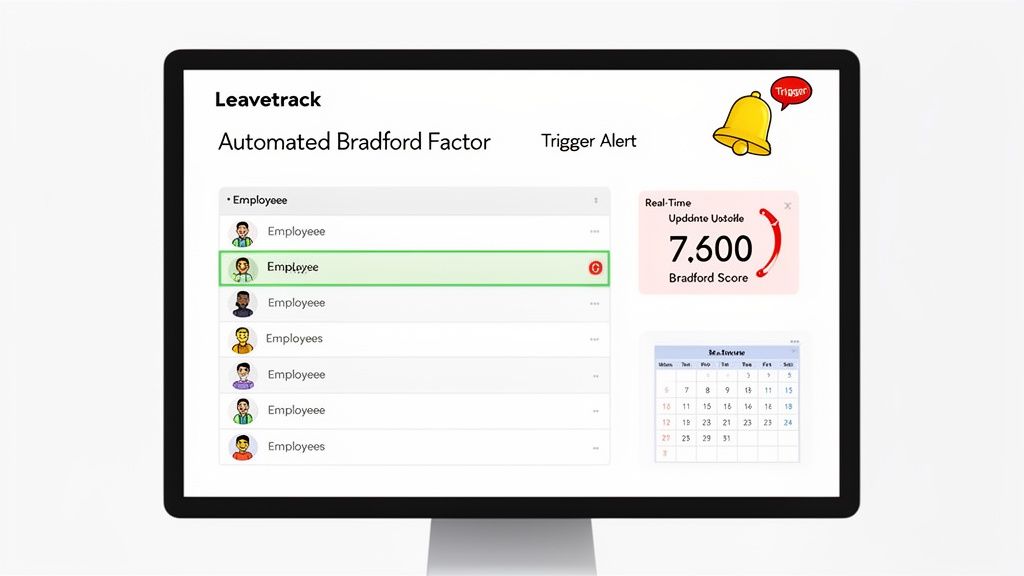
Imagine a dashboard that gives you an at-a-glance view of all employee scores, automatically flagging anyone who has crossed a threshold you’ve set. This kind of immediate visibility means managers can be proactive, stepping in when needed, rather than waiting for a manual report at the end of the month.
Instead of playing catch-up with retrospective calculations, an automated system updates an employee's Bradford Factor score the very moment an absence is logged. This real-time data ensures managers always have the most accurate information at their fingertips, which is fundamental for maintaining fairness and consistency.
The Power of Automated Triggers and Alerts
One of the most powerful features of an automated Bradford Factor calculator is setting up custom trigger-point alerts. You simply define the scores that align with your company’s absence policy—say, a score for an informal chat, another for a first warning, and so on.
When an employee’s score hits one of these thresholds, the system automatically pings the relevant manager. This completely removes the burden of constant monitoring and guarantees your policy is applied consistently to every single person, every single time. That consistency isn't just about being fair; it's also crucial for reducing legal risk. While the Bradford Factor is a tool for managing absence, it works best as part of a wider strategy, such as proactive human capital risk management.
Automation provides objective, indisputable data. This transforms potentially difficult conversations about attendance into constructive, fact-based discussions focused on support and improvement, backed by a clear and auditable trail.
Beyond Calculation: Saving Time and Reducing Risk
The benefits of automation go far beyond just getting the maths right. By eliminating hours of administrative work, you free up your HR teams and line managers to focus on more strategic tasks, like understanding the root causes of absence and genuinely supporting employee wellbeing.
This shift towards efficiency is more important than ever. A recent analysis of over 1,775 UK SMEs revealed a staggering 55% increase in sickness absence since 2019. That's a huge administrative burden for businesses still relying on manual tracking. Moving to an automated system with dashboard alerts is a direct and effective response to this challenge. You can read the full analysis of UK SME sickness absence trends on People HR.
Ultimately, adopting an automated solution like Leavetrack delivers clear, tangible advantages:
- Saves valuable admin time: It frees up managers from the soul-destroying task of spreadsheet management.
- Eliminates human error: You get accurate and consistent calculations every single time, guaranteed.
- Ensures fair policy application: Automated alerts mean no one ever slips through the cracks.
- Provides objective data: It supports fair and legally sound conversations about attendance.
Choosing the right system is a critical step in modernising your approach to absence. For a bit more guidance, have a look at our article on the secrets of choosing the right absence management solution.
Bradford Factor FAQs: Your Questions Answered
Putting a Bradford Factor policy into practice always throws up questions. Let's be honest, real-world absence scenarios are rarely black and white, and managers need to know how to apply the system fairly every single time. Here are some of the most common queries we see.
Think of these answers as a guide to use within your own company's absence policy. The real key is balancing the objective data from the score with a bit of human context and common sense.
What Is a Good or Bad Bradford Factor Score?
This is the million-dollar question, but the answer is: it depends entirely on the trigger points you set. There isn't a universal standard.
That said, a score under 50 is generally seen as very low and wouldn't raise any eyebrows. As a score starts creeping up towards 100, that’s often the point where a manager might have an informal chat, just to check in.
A score becomes "bad" once it crosses one of your formal trigger points. For a lot of UK businesses, a common first threshold is around the 201 mark. Hitting this score often suggests a pattern of short, frequent absences that are starting to disrupt the team and would typically trigger a first formal warning.
Does the Bradford Factor Comply with UK Employment Law?
Yes, absolutely. Using the Bradford Factor is perfectly legal in the UK, but with a big caveat: it has to be part of a fair and consistently applied absence management policy.
Its legality all comes down to how you use it. It must never be the only reason for disciplinary action. More importantly, it can't be used in a way that discriminates against employees with protected characteristics under the Equality Act 2010, like those with a disability.
The safest legal ground is to use the score as a trigger for a conversation, not as an automatic trigger for punishment.
How Should Absences Related to a Disability Be Treated?
This is an area where you need to be extremely careful. Under the Equality Act 2010, employers are legally required to make "reasonable adjustments" for employees with a disability. If you rigidly apply the Bradford Factor to disability-related absences without any thought, you could easily find yourself facing a discrimination claim.
A common reasonable adjustment is to simply discount or disregard certain absences when using a Bradford Factor calculator. For example, you might agree to exclude absences for pre-planned hospital appointments or treatment related to a known disability. The crucial part is discussing and agreeing on these adjustments directly with the employee.
Always seek specific HR or legal advice when you're dealing with absences linked to a disability. Every case is different, and treating them individually is non-negotiable for staying fair and legally compliant.
What Is a Rolling Period for the Calculation?
The standard time frame for any Bradford Factor calculation is a rolling 52-week period. This means that whenever you calculate a score, you're only looking at the absences that occurred in the 52 weeks immediately before that date.
This is a much better approach than using a fixed calendar year. A rolling period gives you a more current and relevant picture of someone's attendance pattern because old absences automatically drop off the record as time goes on. It ensures your data reflects recent trends, not something that happened months and months ago.
Stop wasting time on manual spreadsheets and eliminate calculation errors. Leavetrack automates Bradford Factor scoring in real-time, giving you accurate, instant insights to manage absence fairly and effectively. See how it works at https://leavetrackapp.com.