
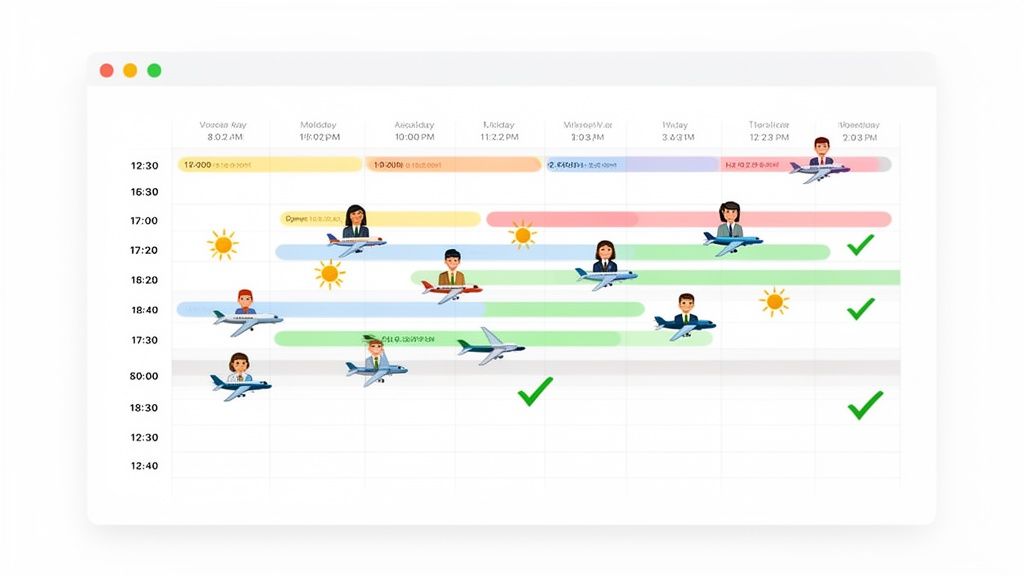
Holiday Staff Planner: Streamline Leave and Scheduling
Posted by Robin on 10 Feb, 2026 in
A holiday staff planner is essentially a digital command centre for managing your team's time off. Instead of juggling chaotic spreadsheets, endless email chains, and paper forms, it gives you one central, organised system to handle leave requests, approvals, and scheduling. It’s all about creating a transparent process that keeps your business staffed and ensures fairness for everyone.
Why Spreadsheets Are Failing Your Holiday Planning
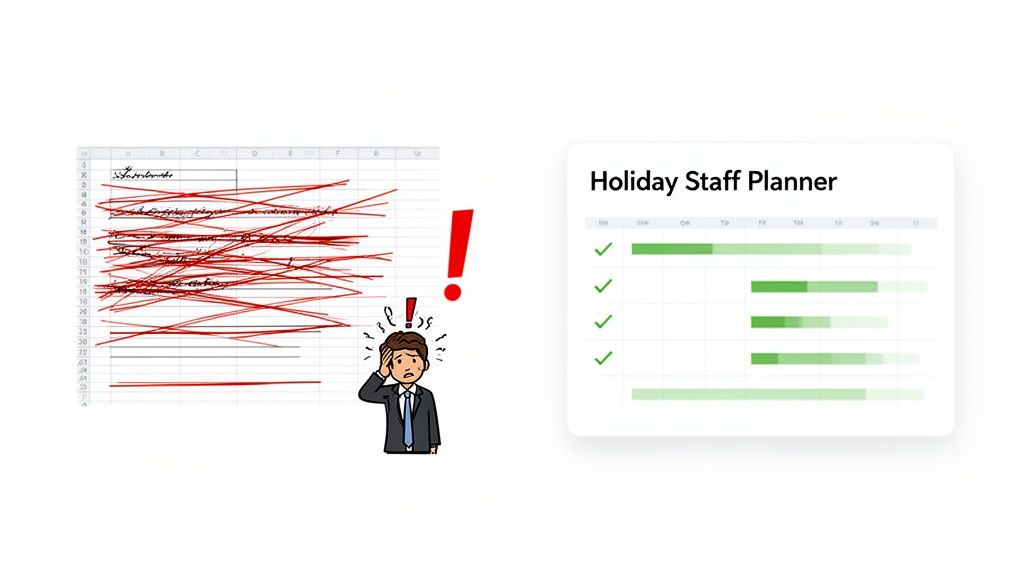
Let's be honest, trying to manage holiday requests with a spreadsheet feels like you're constantly fighting fires. For so many UK businesses, this manual approach is a familiar source of pain, leading to missed requests, surprise staff shortages during busy periods, and a nagging feeling that the process isn't quite fair. It’s clunky, prone to errors, and eats up a huge amount of admin time.
This outdated method creates a ripple effect. One missed email can leave a whole department in the lurch. Conflicting requests can easily cause friction between team members. And because managers are often working with outdated information, they end up reacting to problems rather than proactively managing their workforce.
The True Cost of Manual Tracking
The trouble with spreadsheets goes far beyond simple inconvenience. When a system is a nightmare to use, it can hit morale and even push good people to leave. In fact, understanding why job seekers quit spreadsheets is quite revealing for any manager trying to build a better process. The core problems always come back to the same issues:
- Lack of Visibility: It’s almost impossible to get a clear, instant picture of who’s available and when. This makes approving any request a bit of a gamble.
- Human Error: Manually calculating remaining leave allowances or spotting clashes is a recipe for mistakes. One wrong formula and the whole plan is off.
- Inefficient Communication: The endless back-and-forth emails just to approve a simple holiday request create frustrating bottlenecks for both employees and their managers.
A holiday staff planner transforms leave management from a tactical chore into a strategic advantage. It acts as a command centre for your team's availability, ensuring business continuity while boosting morale with a system built for clarity and fairness.
By stepping away from these old methods, you can build a more resilient and organised operation. The goal isn't just to find a new tool; it's to create a system that truly supports your team, protects your business, and finally eliminates the annual stress of holiday scheduling for good.
So, What Exactly Is a Holiday Staff Planner?
Ever tried to get a birds-eye view of who's in and who's out using a clunky spreadsheet or a wall calendar covered in sticky notes? It gets chaotic, fast. Think of a proper holiday staff planner as the air traffic control for your team’s time off. Just like a controller prevents planes from colliding, a planner stops you from accidentally green-lighting three essential team members’ holidays in the same week, avoiding total operational meltdown.
At its heart, a holiday planner is a tool built specifically to centralise and manage employee leave. It's about moving away from tangled email chains, messy paper forms, and spreadsheets that are out of date the second you save them. Instead, you get a single, reliable hub where every leave request is logged, tracked, and approved in one clean, organised space.
It's Much More Than Just a Calendar
While a shared calendar view is a huge part of it, a real planner does so much more. Its main job is to automate all the tedious admin that eats up hours of a manager's or HR professional's day. This frees everyone up to focus on work that actually moves the needle, instead of chasing down forms or manually calculating how much holiday someone has left.
Take a system like Leavetrack, for instance. It doesn't just show you that Sarah is on holiday. It handles the entire journey of her request from start to finish. This means:
- Centralised Requests: Employees pop their holiday dates into a simple form. No more lost emails or "Can I just grab you for a second?" requests that get forgotten.
- Real-Time Visibility: Managers can see the team schedule instantly, spotting potential clashes before they hit the approve button.
- Automated Allowance Tracking: The system does the maths for you, automatically updating everyone's remaining holiday allowance. It even handles tricky pro-rata calculations for part-timers without breaking a sweat, killing the risk of human error.
This is the kind of automation that shifts leave management from a reactive chore to a proactive, strategic part of your operations. You’re no longer guessing; you’re making decisions with clear, accurate data.
Creating That All-Important Single Source of Truth
One of the biggest wins you get from a dedicated holiday planner is creating one undisputed record of all things leave-related. When everyone—from the newest hire to the HR director—is looking at the same information, confusion and disagreements just melt away. That shared clarity is the foundation of a fair and transparent process.
A planner replaces guesswork with certainty. It gives you a clear, accurate, and instantly accessible picture of your entire team's schedule, ensuring that business-critical decisions are based on real data, not an old version of a spreadsheet.
By pulling everything into one system, you get rid of those dangerous "data silos" where crucial information gets trapped in individual inboxes or spreadsheets. Everyone knows the rules, can see the team calendar, and understands their own leave balance. This transparency doesn't just make the admin easier; it builds trust and boosts morale. It transforms the often-stressful dance of booking time off into a simple, fair, and efficient experience for the whole company.
Key Features Every Holiday Planner Needs
Choosing the right holiday staff planner is about so much more than just swapping a spreadsheet for a digital calendar. If you really want to escape the admin chaos and get a proper handle on staff leave, your tool needs a specific set of features. These aren't just nice-to-haves; they're the engine that drives efficiency, ensures fairness, and keeps your business running smoothly.
A great planner pulls everything together—requests, team visibility, and leave tracking—into one cohesive system. This map shows how all the moving parts should connect to give you a seamless management experience.
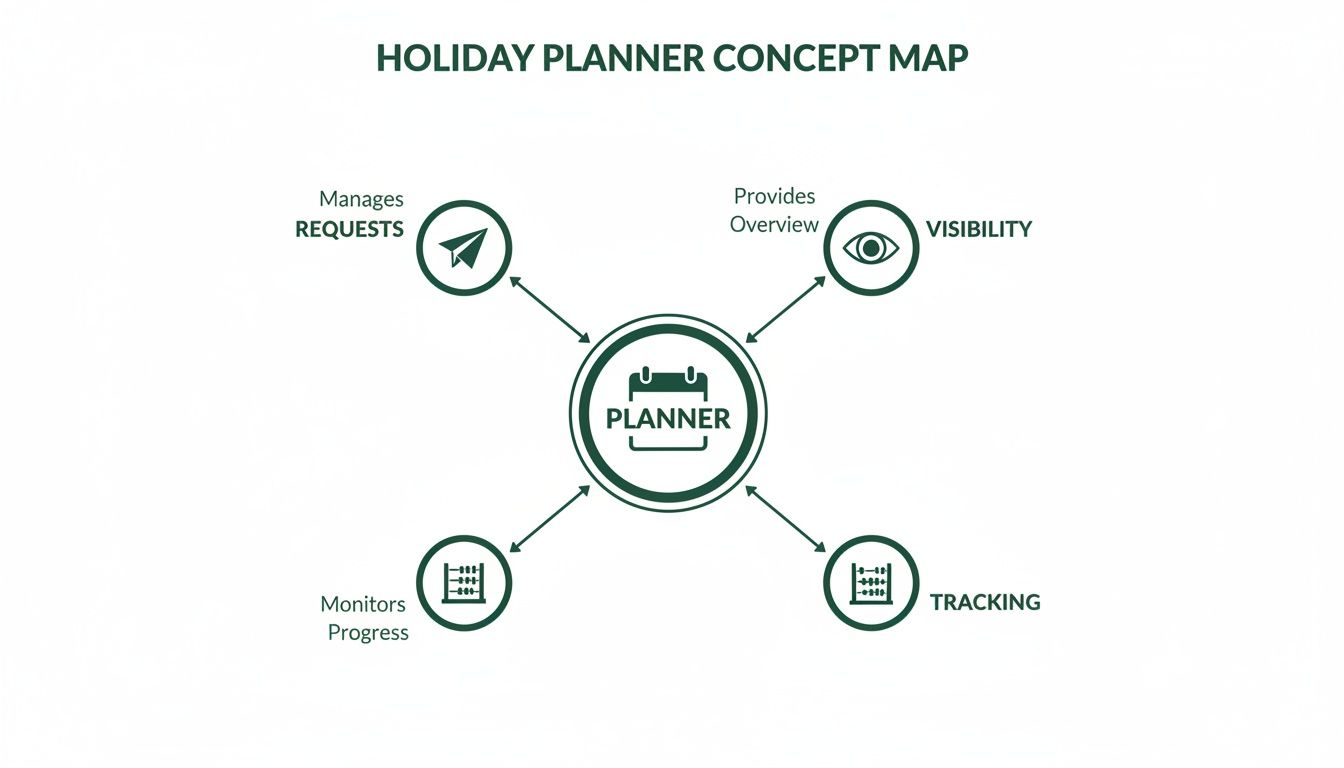
As you can see, the planner is the central hub. It connects the dots between what your employees are asking for, what management can see, and what the data is telling you. Let's break down the must-have features that make this all possible.
From Manual Chaos to Automated Clarity
Moving from old-school methods to a dedicated planner isn't just a small step—it's a leap. The difference is stark, touching everything from daily admin to long-term strategic planning.
| Feature/Task | Spreadsheets & Paper Forms | Dedicated Holiday Staff Planner |
|---|---|---|
| Team Visibility | Fragmented, often out of date. Requires manual updates. | Centralised, real-time calendar. Everyone sees the same info. |
| Request Process | Manual emails or forms. Easy to lose track of or forget. | Automated online requests sent directly to the right manager. |
| Approval Speed | Slow. Depends entirely on manager's inbox management. | Instant notifications and one-click approvals. |
| Entitlement Tracking | Manual calculations. High risk of human error. | Automatic accruals calculated based on company policy. |
| Data & Reporting | Time-consuming to compile. Limited to basic insights. | Instant reports on leave trends, absence types, and balances. |
| Compliance Risk | High. Easy to make mistakes with accruals or record-keeping. | Low. System ensures consistent policy application and accurate records. |
This table lays it bare: one approach is built on manual effort and risk, while the other is designed for clarity, accuracy, and efficiency.
1. Centralised Visual Calendar
The absolute foundation of any good holiday planner is a shared, real-time visual calendar. Think of it as your team’s single source of truth for who's in and who's out. It instantly shows who is on holiday, who is off sick, and who might be away for training.
This immediate visibility kills all the guesswork. Managers no longer have to cross-reference multiple spreadsheets or dig through email chains to see if a requested week has enough cover. It stops accidental overlaps before they happen and lets managers make confident approval decisions in seconds.
2. Automated Approval Workflows
Manual approvals are a massive bottleneck. A request lands in a manager's inbox, gets buried, and the employee is left hanging, unable to make their plans. A non-negotiable feature is an automated approval workflow that sends requests directly to the right person for a quick yes or no.
Modern systems like Leavetrack take this even further with multi-step or delegated approvals. For instance:
- A request might first go to the team leader.
- Once they approve it, it can automatically go to the department head for the final sign-off.
This automation doesn't just speed things up; it creates a clear, auditable trail for every single leave request. No more "who approved this?" questions.
3. Accurate Leave Accrual Tracking
Manually calculating holiday entitlement is a minefield. It's incredibly easy to get wrong, especially with part-time staff, new starters, or people on changing work patterns. That’s why automated leave accrual tracking is essential—it handles all the complex sums for you, ensuring total accuracy and compliance.
This is a big deal in the UK, where the legal minimum is currently 5.6 weeks of paid annual leave. For a full-time employee on a five-day week, that's 28 days. This entitlement has evolved over the years, making a robust system vital for any modern HR department.
A system that automates accruals is your best defence against non-compliance. It guarantees every employee receives their correct entitlement without the risk of costly human errors.
4. Seamless Calendar Integration
A planner can't exist in a silo. To be truly useful, it has to play nicely with the tools your team already relies on every day, like Outlook, Google Calendar, or iCal.
This integration automatically pushes approved leave dates into personal and team calendars. It keeps everyone in sync without anyone having to lift a finger, ensuring holiday schedules are visible right where your team organises their work. It's a simple feature that dramatically improves communication and transparency across the board.
5. Reporting and Analytics
How can you spot trends or figure out if your leave policies are working without any data? A robust holiday staff planner must have reporting and analytics tools built-in. These features let you:
- Track leave patterns across different teams or throughout the year.
- Identify potential burnout risks by flagging employees who haven't taken much time off.
- Analyse absence types to understand the real reasons behind staff unavailability.
- Export data to Excel for deeper analysis or to help with payroll.
This data-driven approach shifts leave management from a purely admin chore into a strategic HR function. It gives you the insights needed to optimise staffing, boost employee well-being, and make smarter business decisions. For a deeper dive, check out our guide on staff holiday management software.
How to Implement Your New Planning System
Making the switch to a new holiday staff planner isn't just about installing some software. It's really a people project. Getting it right comes down to a clear, step-by-step approach that builds confidence and shows your team the benefits right from the start. If you manage the process thoughtfully, you can sidestep the usual headaches and get everyone on board with the new tool.
The journey from a clunky spreadsheet to a clean, automated system can be broken down into four main stages. Each one builds on the last, making sure your data is accurate, your policies are set up correctly, and your team feels supported. This is less a tech rollout and more a change management project.
Stage 1: Data Migration and Cleanup
First things first, you need to move your existing employee data into the new system. Think of it like decluttering your house before you move in. It’s the perfect chance to clear out old records, double-check details, and make sure everything is spot-on before you import it.
Most modern planners have simple import tools, but remember: rubbish in, rubbish out. The quality of your new system depends entirely on the quality of the data you feed it.
- Export existing data: Pull all the essentials—employee names, start dates, and current leave balances—from your spreadsheets.
- Audit for accuracy: Go through the list with a fine-tooth comb. Does Jane's remaining holiday balance look right? Is Tom, who left six months ago, still on there?
- Standardise formats: Make sure dates, names, and numbers all follow a consistent format. This simple step prevents a world of pain and import errors down the line. A clean dataset is the bedrock of a reliable system.
Stage 2: System Configuration and Policy Alignment
Once your data is clean, it's time to teach the new system your company's rules. A holiday planner is only as good as the policies it enforces. This stage is all about tailoring the software to reflect your specific procedures for managing leave.
This means setting up your different leave types (annual leave, sick days, compassionate leave), creating approval workflows, and defining how holiday allowance accrues. For instance, you can program the system to automatically calculate pro-rata leave for part-timers or block out requests during your busiest periods. The aim is to make the system a digital extension of your company handbook, applying your unique policies without fail.
A well-configured system acts as your digital policy enforcer, ensuring fairness and consistency for every leave request. It removes ambiguity and empowers managers to make decisions that are always aligned with company rules.
Stage 3: Team Onboarding and Training
With the technical side sorted, the focus shifts to your people. Getting everyone to actually use the new system hinges on clear communication and good training. You need to show them not just how to use the tool, but why it's going to make their lives easier.
Frame the change around the benefits for them. You could highlight things like:
- Transparency: Everyone can see their own leave balance and the team calendar in an instant. No more guessing.
- Speed: Holiday requests can be submitted in seconds and approved much faster.
- Fairness: The system applies the rules consistently to everybody, no exceptions.
Run a few short, punchy training sessions, create simple user guides, and make sure you're around to answer questions. As you look at new systems, you might consider modern, AI-powered planning solutions from Parakeet AI which can help manage complex scheduling. The key to getting buy-in is showing your team that this new system is a genuine step forward for them. For a deeper dive, learn more about the steps to implementing an absence management system in our comprehensive guide.
Stage 4: Pilot Programme and Full Rollout
Finally, resist the temptation to launch company-wide all at once. Start with a pilot programme instead. Pick one department or team—maybe one that’s fairly tech-savvy—to be your guinea pigs. This lets you gather real-world feedback in a controlled setting and iron out any unexpected issues.
This trial run will quickly show you where you might need more training or if a configuration needs a slight tweak. Once your pilot group is using the system happily and confidently, you can move forward with the full, company-wide rollout. This phased approach causes less disruption, builds positive momentum, and sets your new holiday staff planner up for success from day one.
Best Practices for Fair and Efficient Leave Management
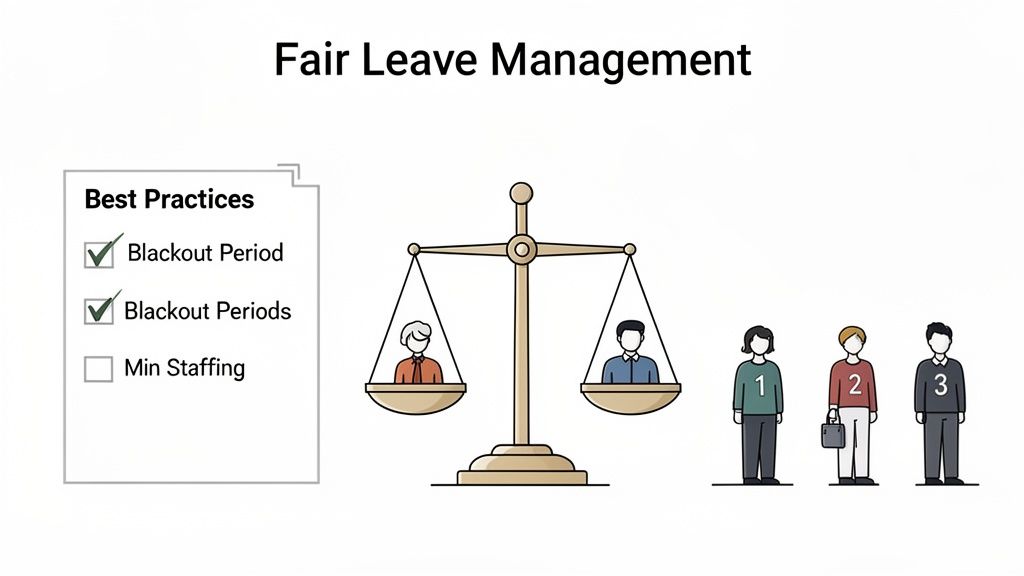
A powerful holiday staff planner is a fantastic tool, but it only really shines when it’s backing up a fair and transparent company policy. Technology can do the heavy lifting of automation, but the human side of leave management—things like fairness, morale, and preventing burnout—still needs careful thought. It's about pairing a great system with great practices.
Think of your planner as the vehicle and your policies as the rules of the road. Sure, the vehicle can get you there quickly, but without clear rules, you’ll end up with traffic jams and arguments. By setting clear expectations from the start, you can build a system that’s both efficient and respected by your whole team.
Establish Clear and Fair Leave Policies
The absolute foundation of smooth holiday planning is a set of rules that everyone understands and agrees is fair. Ambiguity is the enemy here; it just leads to confusion, frustration, and the feeling that some people get special treatment. Start by getting your approach to common holiday dilemmas down on paper.
Your policy should be easy for everyone to find and should answer the big questions before they even get asked. This kind of proactive communication is your best defence against conflict.
Here are the key things to define:
- Blackout Periods: Pinpoint your busiest times of the year—like the mad rush before Christmas for a retail business or the financial year-end for an accounting firm. Clearly define these as "blackout periods" where leave is either limited or off the table. A good planner can enforce this for you automatically.
- Request Deadlines: Set a firm deadline for submitting requests for popular times, like the summer holidays or Christmas. This puts a stop to last-minute requests causing chaos and gives everyone a fair shot at planning their time off.
- Approval Hierarchy: Use your planner to map out exactly who approves requests for whom. This gets rid of any confusion and makes sure requests don't get lost in the wrong person's inbox.
Your leave policy shouldn't be some secret document locked away in an HR folder. It should be a living guide that empowers employees and managers to plan with confidence, knowing the rules are the same for everyone.
A clear, well-communicated policy, supported by your holiday staff planner, creates a system built on trust. For more detailed advice, you can check out our in-depth guide to creating a fair absence and sickness policy.
Define Minimum Staffing Levels
One of the most common reasons for rejecting a holiday request is the risk of being short-staffed. This creates a really frustrating situation where someone's request is denied without a clear, objective reason. The fix is to define and communicate your minimum staffing levels for every team.
This just means working out the absolute minimum number of people, or specific roles, you need to keep things running smoothly on any given day. Once you have this magic number, you can set up your holiday planner to flag—or even automatically block—any requests that would take you below that critical threshold.
This data-driven approach takes all the guesswork and emotion out of the approval process. A manager isn't just saying "no" because they feel like it; the system is showing that approving the request would breach essential operational needs. It turns a potentially difficult conversation into a logical, transparent one.
Encourage Employees to Take Their Leave
There’s a growing problem in the UK of employees simply not taking their full holiday allowance. Unused holiday days per UK employee fell to just 5.3 days annually in recent years, yet about two-thirds of employees still don't use up their full entitlement. This is a massive red flag for burnout and a headache for finance teams dealing with accrued leave liability.
A holiday planner is your best friend in tackling this. Managers can use its reporting features to:
- Spot At-Risk Staff: Quickly see which employees are hoarding a large amount of leave as the year goes on.
- Send Proactive Reminders: Use this data to give team members a gentle nudge to book some well-deserved time off before they lose it or get overwhelmed.
- Forecast Liability: Help the finance team see the potential cost of unused holiday that might need to be paid out or carried over.
By actively keeping an eye on leave balances, you can shift your company culture. Instead of a place where people feel they can't take time off, you create a workplace that genuinely champions employee wellbeing. It's a win-win for your people and your bottom line.
How to Measure Your Planner's Success
So, you've invested in a holiday staff planner. That’s a great first step, but the real win isn't just about ditching the clunky spreadsheets. It’s about seeing real, measurable improvements in your business. How can you be sure the investment is actually paying off?
Proving its value means looking at the hard data. By tracking the right key performance indicators (KPIs), you can build a solid business case showing a genuine return on investment. The goal is to demonstrate how your new system delivers tangible gains in efficiency, cost savings, and day-to-day stability. With a tool like Leavetrack, this data is often right at your fingertips.
Key Performance Indicators to Track
To measure success, you first need a benchmark. Take a snapshot of how things worked with your old manual system, then track these same metrics for a few quarters after you’ve made the switch. The difference should tell a compelling story.
Here are the most impactful KPIs to keep an eye on:
- Reduction in Admin Time: Think about all the hours your managers and HR team used to sink into manually processing requests, updating wall charts, and answering endless questions about leave balances. Compare that to the time spent now. A significant drop here is a direct efficiency win you can take to the bank.
- Decrease in Scheduling Conflicts: How often did you have to untangle overlapping holiday requests or scramble to cover unexpected staff shortages? A well-implemented planner should get these incidents down to nearly zero.
- Faster Approval Times: Measure the average time it takes from an employee hitting 'submit' on a request to them getting a final answer. A good system shrinks this cycle dramatically, which does wonders for the employee experience.
- Improved Employee Satisfaction: This one’s a bit softer, but no less important. Use short surveys or just ask for feedback in team meetings. Are people happier with the new, clearer process? Higher satisfaction scores are a clear sign of successful adoption.
Using Data to Prove Your ROI
This is where your planner’s reporting tools become your best friend. They turn abstract benefits like "being more organised" into hard numbers that shout about the system's value. You can generate reports that directly answer the questions your finance director is going to ask.
The real success of a holiday staff planner is found in the data. It’s the proof that you’ve moved from reactive problem-solving to proactive, data-driven workforce management, saving time and money in the process.
Let's say your reports show a 40% reduction in the time managers spend on leave admin. If you have ten managers on a decent salary, you can easily translate those saved hours into a significant financial saving for the business. It’s a simple but powerful calculation.
Similarly, if you can show a drop in what you spend on last-minute agency staff because your coverage planning is better, you've drawn a direct line between the planner and your bottom line. These are the kinds of concrete metrics that turn your holiday planner from a simple admin tool into a strategic asset that makes your whole organisation more efficient and resilient.
Got Questions About Holiday Planners?
Thinking about moving away from spreadsheets always brings up a few practical questions. It’s natural. Managers and HR teams want to be sure that a new system will actually solve their problems, not just create new ones. Understanding how a modern holiday planner handles real-world complexity is the key to feeling confident about making a switch.
We’ve pulled together some of the most common queries we hear to give you clear, straightforward answers. These should help you see exactly how a dedicated planner could fit into the way you work.
How Do These Planners Even Handle Part-Time Staff and Pro Rata?
This is probably the biggest headache when you’re doing things manually. A proper holiday staff planner is built from the ground up to manage complex pro rata calculations automatically. Forget wrestling with messy spreadsheet formulas; the system works out leave allowances based on the specific hours or days an employee works.
This automation brings fairness and accuracy to your entire team, whether they’re full-time, part-time, or on variable-hours contracts. It pretty much eliminates the risk of human error and helps your business stay compliant with UK employment law. That’s peace of mind right there.
The real power of a holiday planner is how it makes complexity disappear. It turns tricky pro rata calculations into an automated, error-free process, ensuring every single team member gets the right entitlement without anyone lifting a finger.
Can We Track More Than Just Annual Leave?
Absolutely. While managing annual holidays is its main job, a good planner is designed to be a complete absence management tool. You can create and customise different leave types to get a full picture of who’s in and who’s out.
This means you can track everything in one central place, including:
- Sick Days: Spot patterns early and get a better handle on employee wellbeing.
- Compassionate Leave: Manage sensitive requests with a clear, consistent process.
- Training and Development Days: Schedule professional growth without leaving gaps in your team cover.
- Appointments: Log medical or other appointments for smarter daily planning.
Each leave type can have its own rules and approval flows, giving you a detailed, organised overview of all staff absences, not just holidays. It stops being a simple tracker and becomes a genuinely useful tool for managing your workforce.
How Painful Is It to Switch From Our Spreadsheet?
Honestly, moving from a spreadsheet to a dedicated holiday planner is much simpler than most people think. Modern systems are designed with a smooth transition in mind, with guided steps to get you up and running with minimal fuss.
The whole migration process usually follows a clear, three-step path:
- Export Your Data: First, you’ll export your current employee list and their leave balances from your spreadsheet into a standard file format like a CSV.
- Guided Import: The new system will have a simple import tool. You just upload your file, and it helps you map the data to the right places.
- Check and Go Live: Before flipping the switch, you get a chance to review all the imported information to make sure it’s spot on. Once you’re happy, you’re ready to go.
This structured approach takes the stress out of moving your data, ensuring everything is set up cleanly and correctly from day one.
Ready to wave goodbye to spreadsheet chaos and bring some clarity to your leave management? With Leavetrack, you get automated accruals, clear team visibility, and one-click approvals. Discover how Leavetrack can simplify your holiday planning today.