
The Modern Guide to a Digital Wall Planner for UK Businesses
Posted by Robin on 11 Dec, 2025 in
Are you still trying to track holidays, projects, and shifts with a cluttered wall chart or a spreadsheet that’s seen better days? You’re not alone. Many UK businesses are stuck in the same boat, where manual planning leads to frustrating errors, wasted time, and a bit of operational chaos. This is precisely where a digital wall planner comes in, turning that static, manual headache into a dynamic, automated system.
Moving Beyond Spreadsheets and Sticky Notes
Picture this: it’s Tuesday afternoon. An HR manager is juggling a flood of last-minute holiday requests while trying to nail down project staffing for the next quarter. The office wall chart is a chaotic collage of sticky notes, scribbled changes, and faded whiteboard marker. A shared spreadsheet is a slight improvement, but version control is a nightmare—nobody is ever truly sure they’re looking at the latest plan.
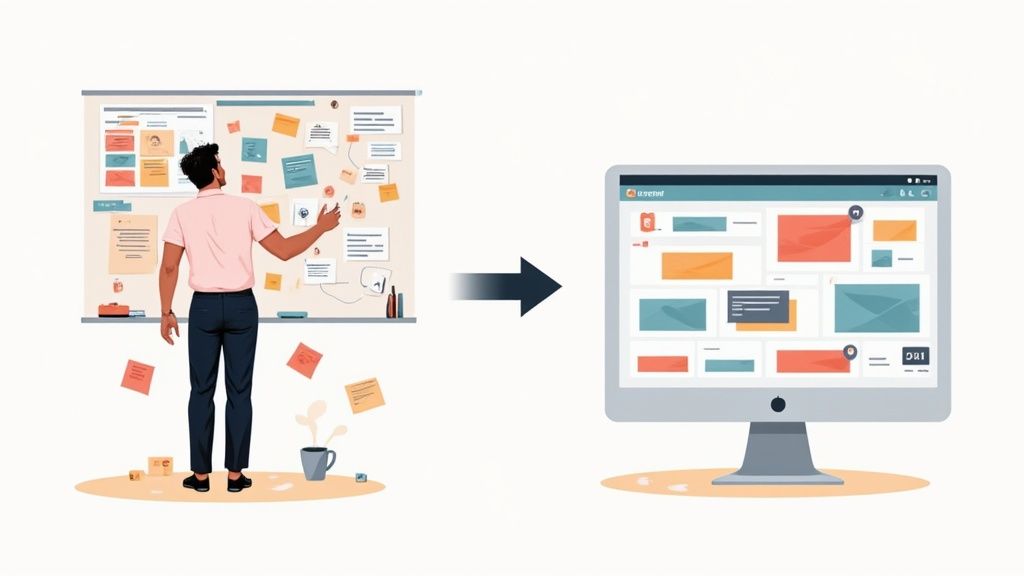
Relying on these old-school tools creates real friction in the day-to-day running of the business. It’s not just an inconvenience; it’s about the tangible cost of inefficiency. Miscommunications cause scheduling clashes, project deadlines get missed because of unexpected staff shortages, and hours are burned just manually cross-referencing information. The whole system is fragile, wide open to human error, and just doesn't have the agility that a modern business needs to thrive.
The Problem with Manual Planning
Let's be honest, traditional methods just can’t keep up anymore. They’re missing the core functions that actually drive efficiency and give everyone clarity.
- No Real-Time Visibility: Physical charts and spreadsheets are completely static. They're only as accurate as the last time someone remembered to update them, making it impossible to see the team's true availability at a glance.
- Prone to Costly Errors: One simple slip-up, like forgetting to update a holiday approval, can easily lead to being short-staffed or having too many people booked for the same task. This directly hits productivity and can even impact your customer service.
- Inefficient and Time-Consuming: The sheer admin load of manually tracking leave, updating schedules, and pulling together reports eats up hours that could be spent on much more important, strategic work. If you need more pointers here, have a look at our article on choosing your next staff holiday planner.
A digital wall planner isn't just another piece of software; it's a central command centre for team visibility. It introduces automation and a single source of truth, turning operational chaos into organised clarity.
By stepping away from these manual systems, businesses can reclaim that lost time, slash the number of errors, and give their teams the live information they need to do their best work. It's about shifting from a reactive, firefighting mode to a proactive, strategic one.
What Exactly Is a Digital Wall Planner?
Remember the traditional office wall chart? That sprawling, year-at-a-glance beast that gave everyone a rough idea of who was off and when. Now, imagine bringing that concept into the 21st century. A digital wall planner is essentially that familiar idea, but supercharged for the way we actually work today.
It gives you that same comforting, big-picture overview of your team’s year but makes it interactive, always up-to-date, and accessible from anywhere—not just the meeting room wall.
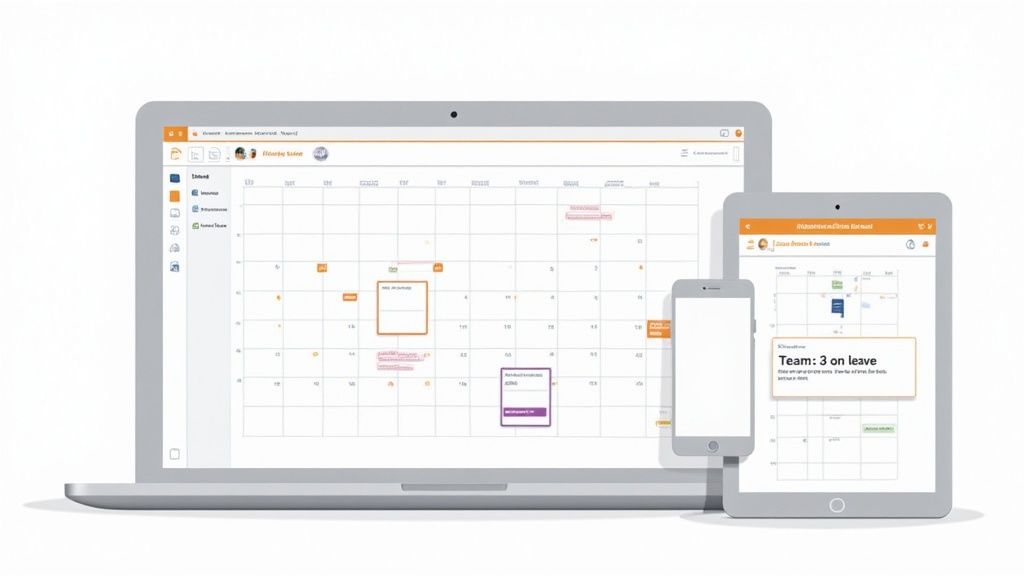
Think of it as the central hub for your team's schedule, pulling together all the moving parts into one clear, visual dashboard. Instead of trying to piece together information from scattered emails, messy spreadsheets, and forgotten sticky notes, everything is consolidated. This creates a powerful single source of truth for your entire organisation, ending the guesswork and preventing those frustrating double-bookings once and for all.
Centralising Your Team’s Schedule
At its core, a digital wall planner is all about bringing absolute clarity to who is doing what, when, and where. It’s not just for tracking holidays; it’s about visualising the full picture of your team's availability and commitments.
- Employee Leave: See every approved holiday, sick day, and appointment in one place, making it ridiculously easy to spot potential staffing gaps before they become a problem.
- Project Timelines: You can overlay project milestones and key deadlines to make sure you have the right people on deck at the right times. No more surprises.
- Resource Availability: Instantly see who's in the office, working from home, or tied up in training. This simple visibility makes day-to-day coordination a breeze.
A digital planner transforms your team’s schedule from a static, historical record into a dynamic, forward-looking tool. It’s about being proactive with your coordination, not just reacting to problems as they happen.
Getting this centralisation right is the first step towards much smoother operations. When everyone is looking at the same real-time information, communication just clicks into place, and decisions get made faster and with more confidence. While there are plenty of general tools out there, like the best productivity apps for Mac, a digital wall planner is specifically built for this kind of team-wide coordination.
Ultimately, by moving this critical function online, you’re not just digitising a chart; you’re building a more connected and organised workplace. It's this foundational clarity that paves the way for better planning and smoother execution across every single department.
What This Means for Your HR and Operations Teams
Switching to a digital wall planner isn't just a tech upgrade; it's about giving your core teams the tools they need to stop firefighting and start thinking ahead. Let's be honest, your HR and Operations people are often drowning in admin and tangled schedules. This is their chance to break free.
For anyone in Human Resources, the change is massive. Think of all the hours spent checking spreadsheets against paper request forms. A digital system takes that pain away, freeing up your HR manager to focus on things that actually move the needle – like improving company culture or developing your people.
This isn't just a niche idea; it's a major shift in how UK businesses operate. The European market for digital planners was valued at around USD 604.3 million back in 2021, and it's expected to climb to over USD 830.1 million by 2025. Businesses are voting with their budgets for smarter, simpler planning tools. You can read more about the growth of the digital planners market here.
A Game-Changer for Your HR Department
A digital wall planner quickly becomes HR's best friend. It handles the fiddly, error-prone calculations and makes compliance a whole lot less stressful.
- Automatic Leave Calculations: The system does the maths for you. It figures out pro-rata holiday for part-timers and handles carry-over allowances without anyone touching a calculator. Human error? Gone.
- Simpler Sickness Tracking: Logging and monitoring sickness becomes a simple task. You can spot patterns easily and pull up the reports you need for return-to-work chats in seconds.
- Compliance Made Easy: When it’s time for an audit, you won’t be scrambling. All your leave data is organised, accessible, and ready to show you’re meeting UK working time regulations.
By taking these core tasks off their plate, a digital planner gives your HR team its most valuable asset back: time. They can finally step out of the administrator role and become true strategic partners in the business.
This level of automation also creates a fair and transparent system for everyone. When staff can see the process is consistent, it cuts down on disputes and gives morale a healthy boost.
Bringing Clarity to Your Operations
An Operations team runs on one simple principle: having the right people in the right place at the right time. A digital wall planner gives them the complete visibility needed to make that a reality, every single day. Scheduling stops being a guessing game and becomes a data-driven exercise.
We've all seen the domino effect of one scheduling mistake. A key person is unexpectedly off, and suddenly a whole project grinds to a halt. That’s the kind of costly chaos a clear, shared planner prevents.
With a real-time view of who’s available, your operations managers can confidently:
- Stop Scheduling Clashes: They can see instantly who is on holiday, off sick, or in training before assigning them to a crucial job. No more double-bookings or last-minute panics.
- Build Realistic Project Timelines: Planning becomes grounded in reality. Deadlines are set based on who is actually available to do the work, not just wishful thinking.
- Use Your People Wisely: You can make sure every project has the cover it needs without burning out your best people. This leads to better work and happier, more engaged teams.
Ultimately, this kind of visibility helps the whole operation run with more precision and far fewer interruptions. It’s a direct line to better productivity and smoother workflows across the board.
Essential Features Every Digital Planner Needs
Choosing the right digital wall planner can feel a bit like wading through treacle. There are so many options, and they all seem to promise the earth. But when you get down to it, a few core features separate the genuinely useful tools from the glorified spreadsheets. It’s not about finding the platform with the longest list of functions; it’s about pinpointing the non-negotiables that solve real-world problems for your business.
A good planner should bring immediate clarity and efficiency to both your HR and operations teams. Think of them as the foundations for a more organised, less chaotic workplace.
This infographic breaks down exactly how a digital planner helps both sides of the business.
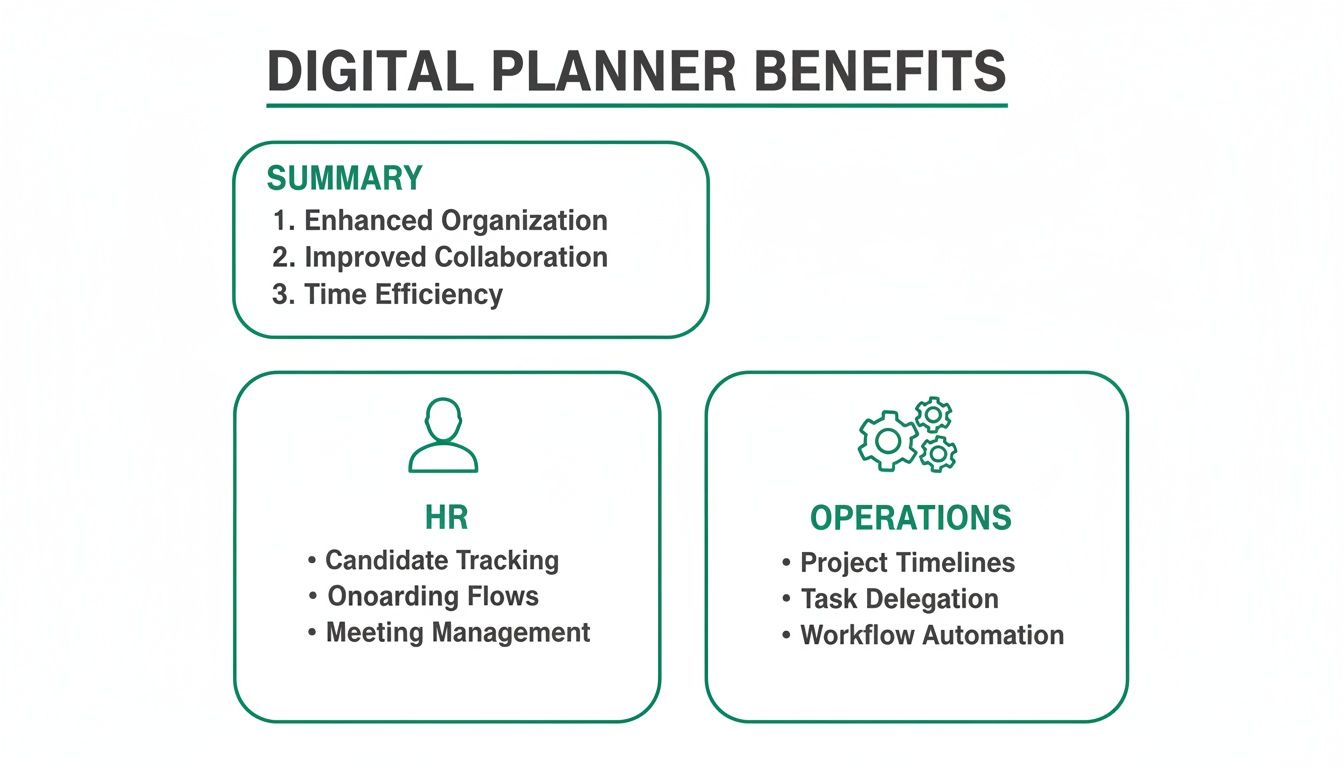
As you can see, the right tool is a strategic advantage. It takes the tedious admin off HR’s plate while giving operations the bird’s-eye view they need for smart resource planning.
Centralised Team Visibility
This is the absolute bedrock of any good planner: a single, centralised view of your entire team’s schedule. You need to see, at a glance, who’s in the office, who’s on holiday, and who’s off sick. No more flicking between different calendars or trying to make sense of a colour-coded spreadsheet.
This isn't just about convenience; it's a critical operational safeguard. Imagine a key project deadline is looming. With total visibility, a manager can instantly spot that two vital team members have requested overlapping leave. They can sort it out there and then, rather than discovering a massive resource gap when it’s too late.
Customisable Leave Types
Your business isn't a carbon copy of any other, and your leave management system should get that. A decent digital wall planner lets you create and track custom leave types that go way beyond just annual leave and sickness.
You need the flexibility to log everything that pulls staff away from their usual duties, such as:
- Training and Development Days: Keep track of who is upskilling and when they’ll be out of the usual workflow.
- Compassionate Leave: Handle sensitive absences with the clarity and discretion they require.
- Furlough or Sabbaticals: Accurately record longer-term absences without them cluttering up the main holiday view.
- Appointments: Let staff log medical or other appointments, giving you a complete picture of their working day.
Automated Accrual Calculations
Manually calculating holiday entitlement is a minefield, especially for part-time staff, new starters, or anyone with a non-standard contract. It’s tedious and incredibly easy to get wrong. An essential feature of any modern planner is the ability to automate all of these calculations.
The system should handle complex pro-rata allowances, carry-over rules, and public holiday deductions without anyone needing to touch a calculator. This automation doesn't just save countless admin hours; it ensures you’re being fair and compliant with UK employment law. It provides a transparent record for both you and your employees, which drastically cuts down on disputes over leave balances.
A dedicated digital planner moves beyond simple tracking. It actively manages entitlements, preventing over-booking and providing a clear, accurate picture of leave liabilities at any given moment.
Streamlined Approval Workflows
The days of paper forms, lost emails, and chasing managers down the corridor for a signature should be long gone. A top-tier digital wall planner must have a slick, multi-step approval workflow built-in. When an employee submits a request, it should automatically find its way to the right line manager for approval.
The best systems take this a step further. They allow managers to approve or deny requests with a single click, straight from their email inbox or a collaboration tool like Slack. This kind of efficiency keeps everything moving and makes sure employees get quick answers – a small thing that makes a big difference to staff morale.
How to Integrate Your Planner with Other Tools
A great digital wall planner shouldn't feel like another piece of software to juggle. It should slot into your existing workflow so seamlessly you barely notice it’s there. The real magic happens when these tools stop being isolated platforms and start talking to the software your team already uses every single day. This is where integrations come in, turning your planner from a simple chart into a central, automated hub for team coordination.

The whole point is to ditch the manual data entry and make sure everyone has the same real-time information, no matter which application they're looking at. When it’s done right, a well-integrated planner becomes an invisible yet vital part of your daily operations, which is the fastest way to get your team on board and see a real return on your investment.
Syncing with Your Calendars
One of the most practical and powerful integrations is with personal and team calendars like Outlook and Google Calendar. Think about it: when an employee’s holiday is approved in the planner, it should just appear in their work calendar. No one should have to lift a finger. This simple sync is a game-changer for preventing embarrassing double-bookings and keeping everyone’s schedules perfectly aligned.
This kind of two-way synchronisation is a non-negotiable feature that makes the planner a reliable source of truth for everyone's availability. If you're looking for a bit of guidance, we’ve got a handy guide on how to sync your Outlook and Google calendars. And for those wanting to dig a bit deeper, it's worth getting your head around the principles of understanding API integration to see how all your software can work together.
By connecting directly to the calendars your team already relies on, you remove friction and make accurate planning the default setting for your entire organisation. This simple step drives user adoption faster than any training manual ever could.
This synergy is especially vital in rapidly growing sectors. The UK digital marketing market, for instance, is projected to swell to USD 95.95 billion by 2035. In an industry like that, tools that integrate with marketing calendars are absolutely essential for managing campaigns without clashes.
Connecting to Collaboration Tools
Beyond calendars, slick integrations with platforms like Slack or Microsoft Teams can completely change how your team communicates about availability. Imagine managers receiving leave requests and being able to approve or deny them with a single click, right inside the chat tool they use all day. No more logging into a separate system just to deal with a holiday request.
This creates a much faster, more efficient approval process. You can also set up automated daily or weekly updates that post directly to a team channel, giving a quick summary of who's off that day. It's a simple touch that keeps everyone in the loop effortlessly and makes resource planning a shared, visible activity, rather than some top-down admin task.
A Simple Guide to Team Implementation and Adoption
Choosing the right digital wall planner is just the first step. The real win comes from getting your team to actually use and embrace it, turning it from just another piece of software into a genuinely helpful tool they rely on.
A smooth rollout makes all the difference. Start small by launching with a pilot group, maybe just one department. This is a great way to get honest feedback and iron out any issues before you go company-wide. Their success stories will be your best marketing tool when you introduce it to everyone else.
Next, you need to clearly sell the benefits. Don't just list features; show each person "what's in it for me." For staff, it’s about no-fuss holiday booking. For managers, it’s having a clear view of team availability at a glance.
Create Immediate Value
To get people on board from day one, the planner needs to be useful right away. Pre-loading it with essential information is a simple trick that shows instant value and saves your team from a tedious setup process.
- Public Holidays: Make sure all relevant UK bank holidays are already in the calendar. It’s a small detail that makes the tool instantly accurate.
- Existing Balances: Import every employee’s current leave allowance. This means they can start booking time off straight away, without any confusion or manual checks.
This approach is vital for overcoming the old habits. Even in a digital world, the UK's traditional wall calendar market is projected to hit USD 2.50 billion by 2035, which just goes to show how attached people are to what they know. You can read more about the enduring appeal of wall calendars at WiseGuyReports. Making your digital version incredibly easy to use is the only way to convince them to switch.
The goal is to make the new system easier and more valuable than the old one from the very first interaction. Quick wins build momentum and foster positive adoption across the business.
Finally, offer simple, hands-on training. Often, a quick session showing people how to request leave and see the team schedule is all it takes. For a more detailed walkthrough, have a look at our guide on implementing an absence management system.
Common Questions About Digital Wall Planners
Making the switch to a new tool always brings up a few practical questions. It’s completely normal. Getting straight answers is the best way to feel confident you’re making the right move, so let’s get into the queries we hear most often from business owners and managers.
A common one is whether a digital system is a bit much for a smaller team. In reality, the clarity and organisation you gain is just as vital for a team of eight as it is for a team of eighty. A digital planner gets everyone, no matter the company size, working from the same page. This is a huge help in preventing the scheduling headaches and mix-ups that can really sting a smaller business.
What’s the Typical Cost?
Most digital wall planners work on a subscription model, usually priced per active user each month. This is great because it means the system scales with you—you only ever pay for what you actually need.
While costs can vary between providers, this structure means you avoid a big, scary upfront investment, making it a genuinely accessible option for businesses of all shapes and sizes. You might also find some providers offering a one-time licence fee if you prefer to host it on your own servers.
How Secure Is Our Employee Data?
This is a big one, and rightly so. You're handling sensitive information. The good news is that any reputable cloud-based system is built from the ground up with robust security measures to keep that data locked down.
When you're looking at options, check for features like regular encrypted backups, secure UK-based data centres, and crystal-clear privacy policies that are fully compliant with regulations like GDPR. For any trustworthy platform, the safety of your data is non-negotiable.
Once you dig into these common questions, it becomes obvious that a digital wall planner isn’t just for the big corporations. It's a secure, scalable, and incredibly effective tool designed to bring a new level of efficiency and visibility to any team serious about getting organised.
Ready to see how a digital planner can get your team coordination sorted for good? Discover how Leavetrack provides a clear, secure, and easy-to-use solution for managing your team's time off. Start simplifying your scheduling today at https://leavetrackapp.com.